Shopify App : Stream Alerts
Twitch Alerts from Your sales! Works with Streamlabs and OBS
About Stream Alerts
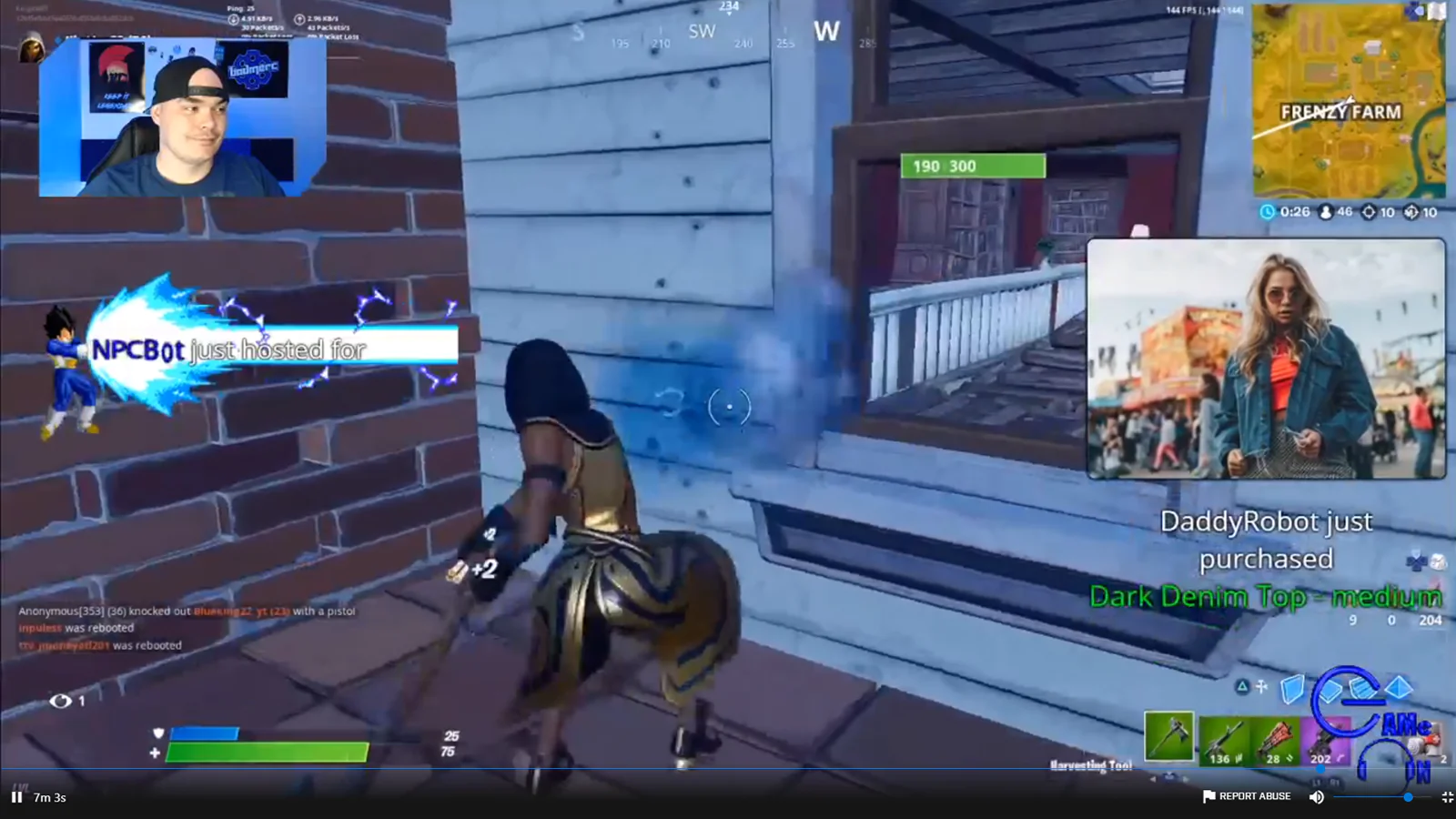
Better Merch Awareness : Most people only promote their merchandise in chat messages or static images. This will POP out your merchandise for others to see!
Queued Alerts : Never miss an order! Any orders that come over after streaming will show up the next time you stream!
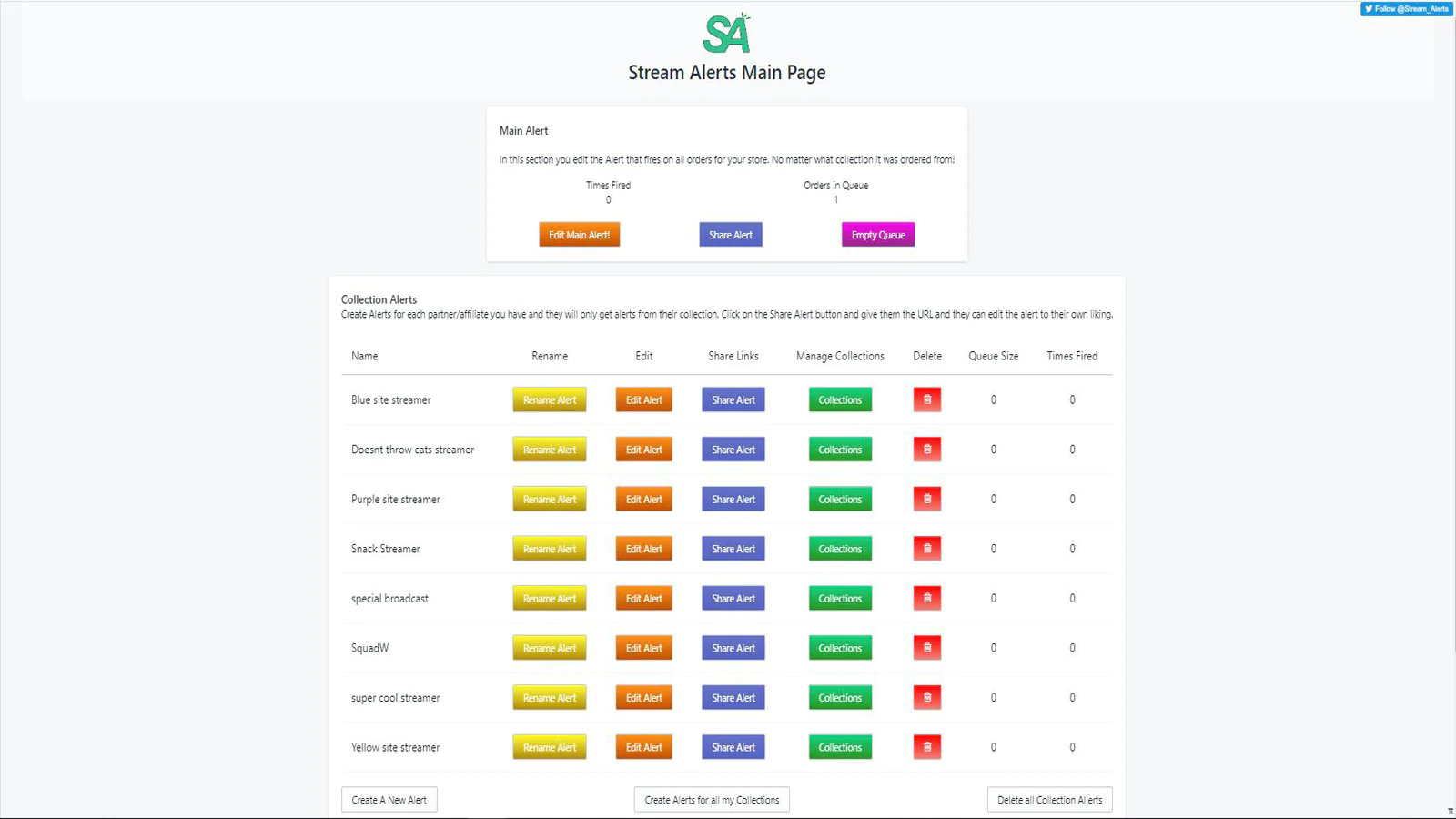
Multiple alerts : We now have the option so you can have alerts per each streamer. While also allowing your partners to customize their own alert system.
Twitch Alerts from your Shopify orders. Can send to Twitch, Dlive, FBGaming, or even Youtube Live streams!!
Stream Alerts takes your Shopify sales and allows you to create an alert browser source for your stream or create a separate alert system for your partner streamers, so you, and your partners can share the excitement and gratitude to your audience!!
We also keep track of your orders that happen off stream so they appear on stream! Never miss an order alert with our system!
How does it help?
- Social proof with alerts encourages more sales.
- The instant gratitude by streamer when a product is made will entice others to buy.
- The viewer is attracted to purchase while a stream is going on for attention.
- Showcase what products are bought.
- Show products that viewers may not have seen
What can I customize?
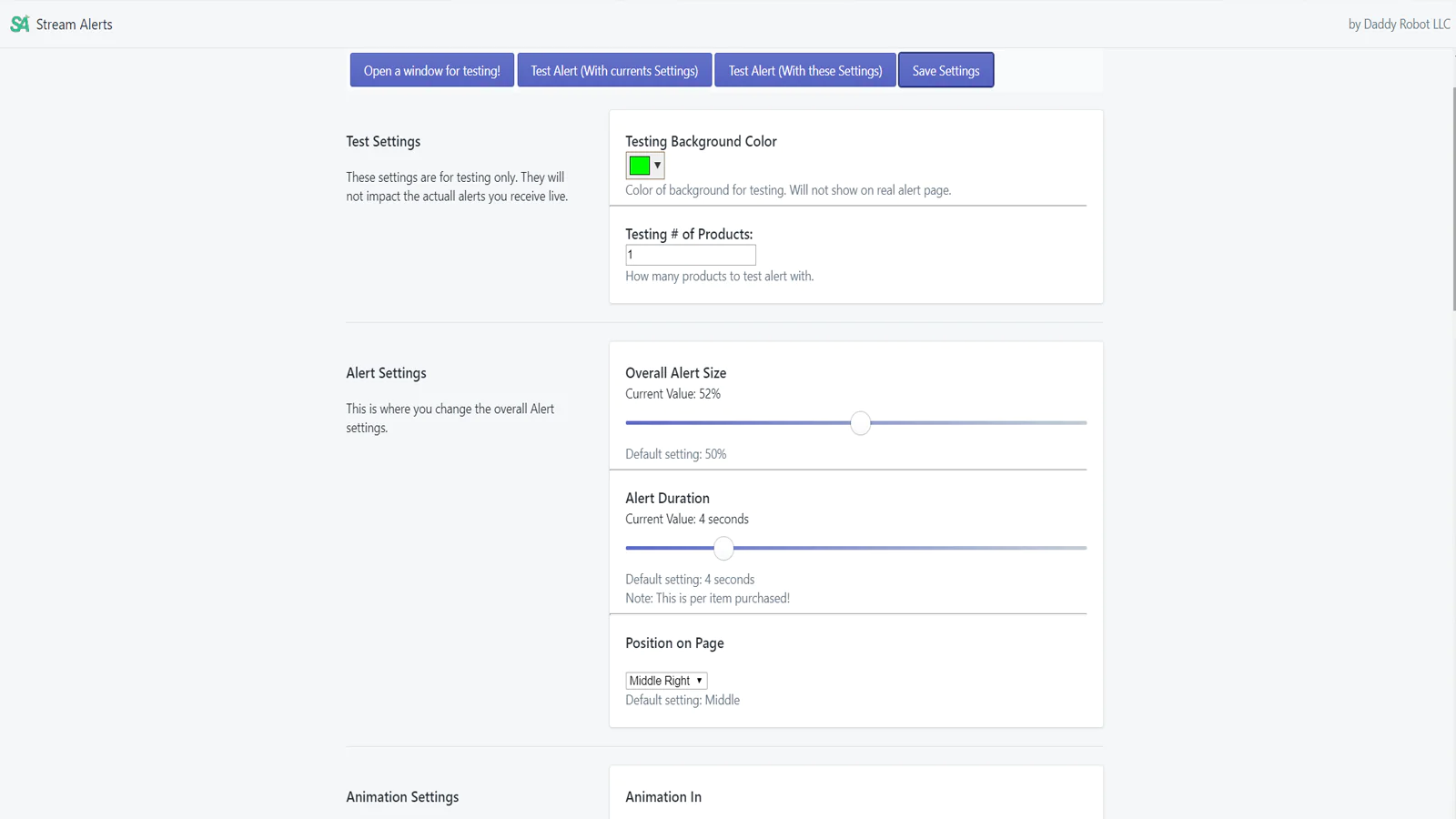
- Alert size
- Alert duration
- Alert Position
- ANIMATIONS!
- Where the message appears (above, below, left or right of picture)
- The message of the alert! Show the products' names or your customers' First Name appear!
- Change Font color
- Change Font style, and size
- Full Sound Customization, even upload your own!
Multi Alert system
- Create a separate alert system for each partner. Regardless of what platform they stream on.
- Share the alert to your partner, and they can customize to their liking.
- Organize your alert systems by renaming if need be.
- Your partners are happy, their viewers are happy, and you collect a profit.
How do I get started?
- Install our app on this page.
- Go to your Store's Admin page to Apps and click on Stream Alerts
- Set the settings to what you would like.
- Test the settings.
- Copy the URL into a browser source in your broadcasting software!
- Wait for the sales to roll in!

Seamless workflow: use directly in Shopify admin
Speed tested: no impact to your online store
About the Author
Matej Kontros is an E-Commerce expert and app developer with over a decade of professional experience in IT.
Matej has worked for organisations of all types and sizes, including global players, startups, and agencies. He designed, developed, and maintained complex projects.
Matej's expertise includes e-commerce, software engineering, web development, systems administration, internet security, managing projects, and building teams.
Visit his website at [ Web Linkedin ] or contact him at [email protected].