Shopify App : Sprout Social ‑ Social Care
View orders and products in Sprout for better Customer Care
About Sprout Social ‑ Social Care
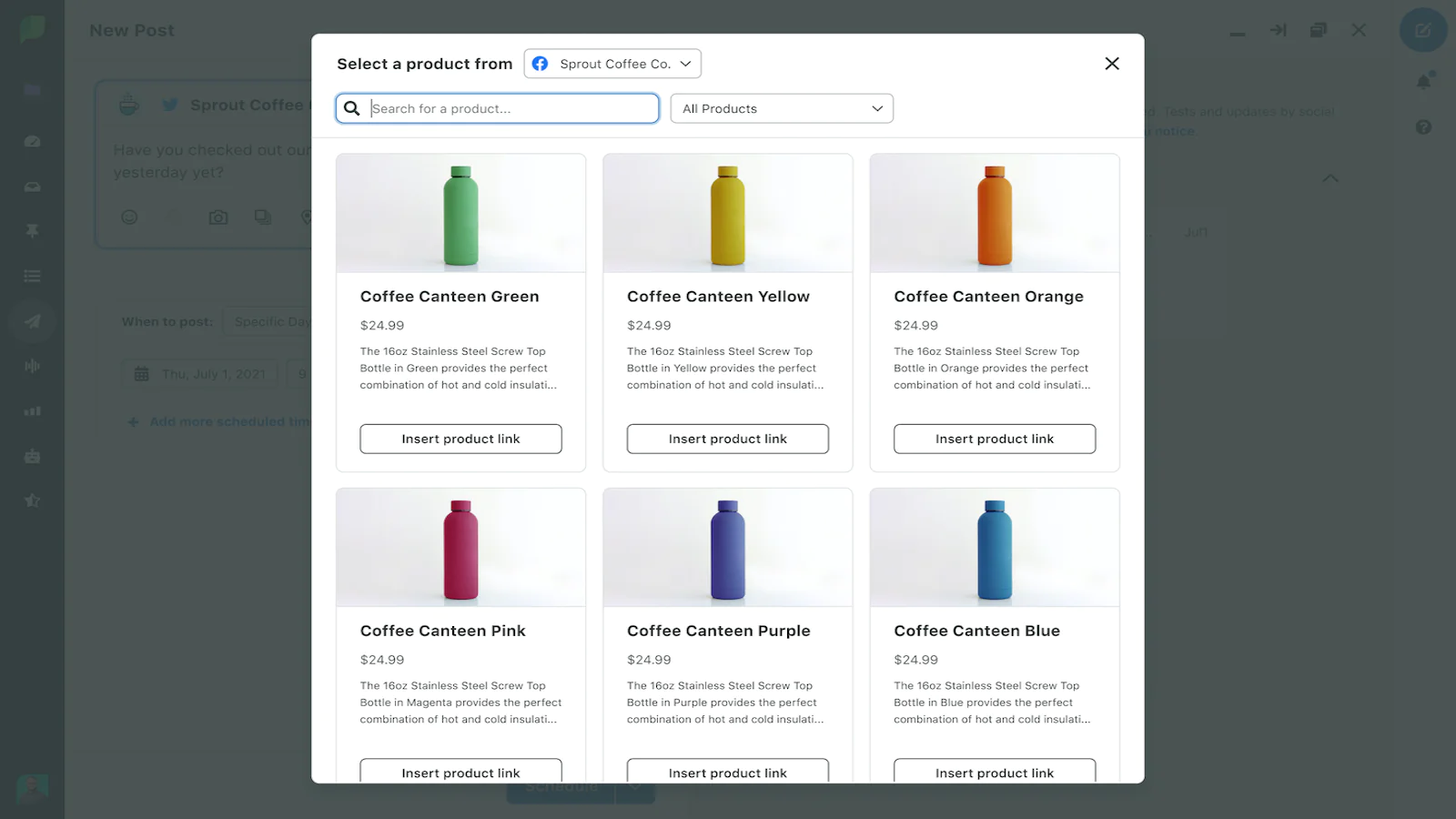
Increase Your Product Exposure : Add engaging and converting sales opportunities into your content by scheduling posts with links to your products
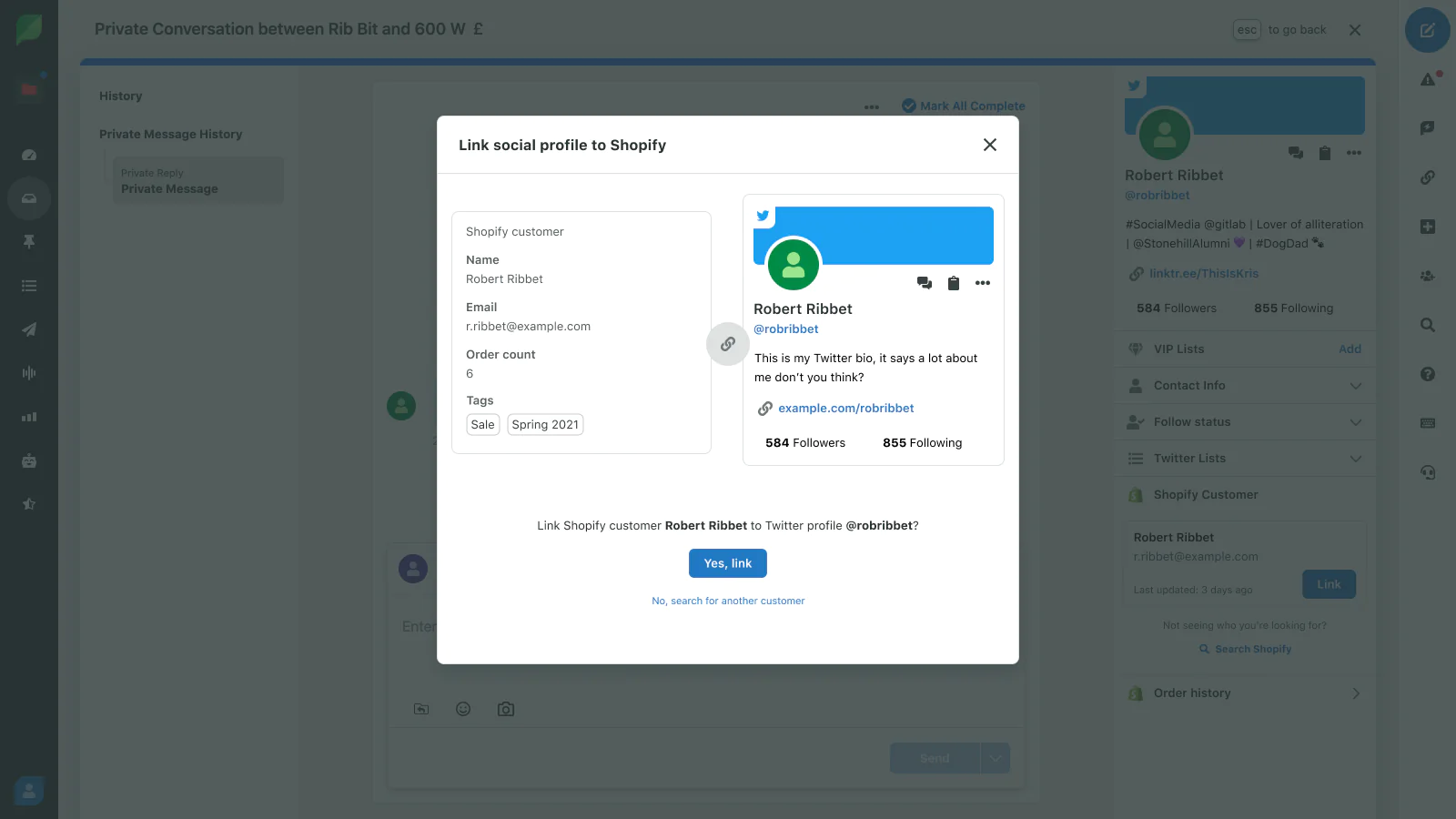
Find Customers Easily : Link Social Profiles to Shopify Customers through suggestions or searching to view up-to-date Customer details
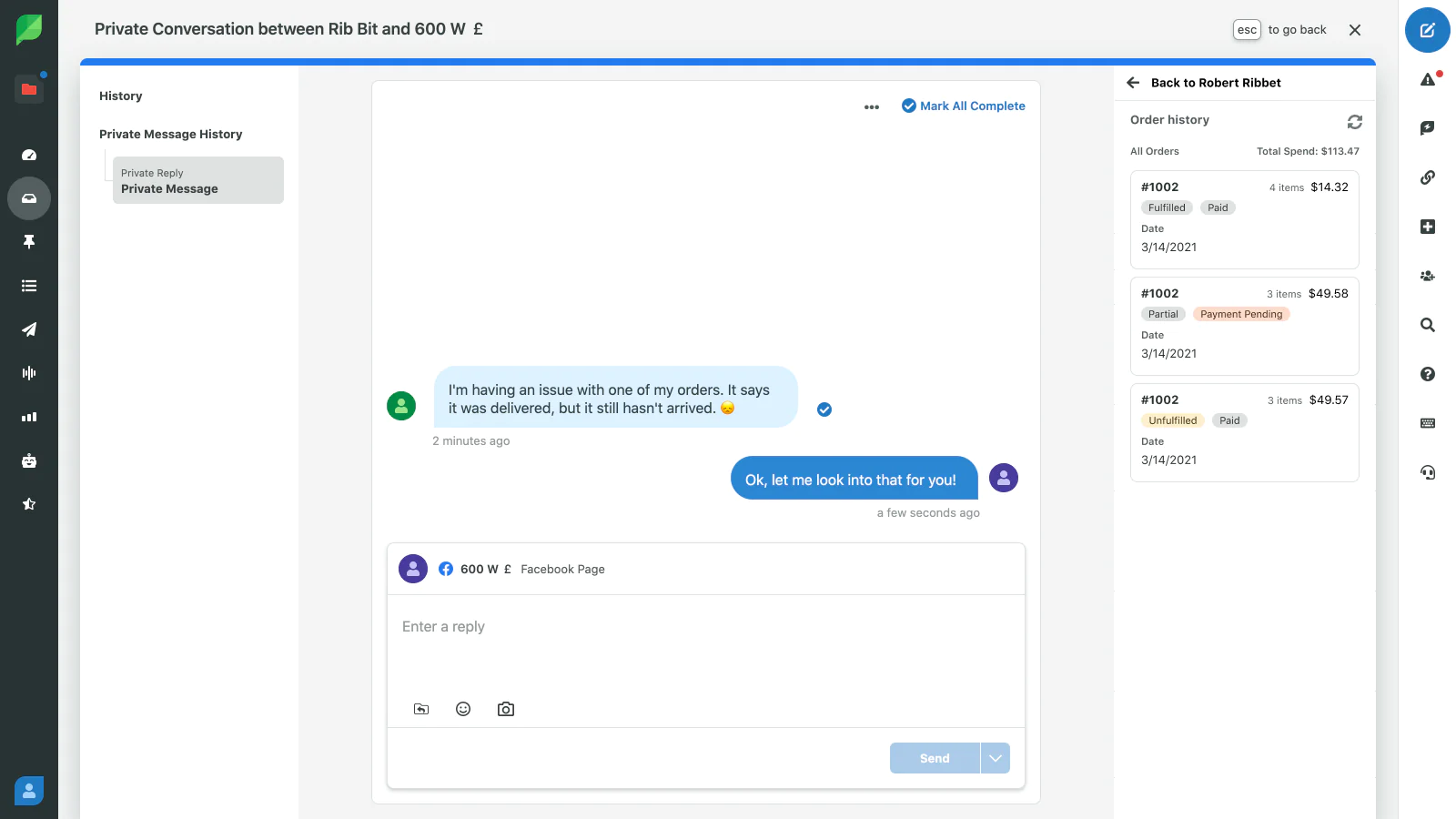
Offer Fast Customer Care : Check all order details, including payment and fulfillment status, right from Sprout to provide real-time customer care
Provide better customer experiences with Sprout Social
Drive more sales opportunities and deliver personalized service with immediate access to product and customer information within your existing social workflows.
Manage your customer order inquiries coming through social media by linking and viewing customer and order details alongside incoming messages from customers’ social accounts.
To view orders, you’ll link customer social media profiles to the associated customer accounts in Shopify. Once linked, you’ll be able to view their order history with your store. You’ll be able to respond to their inquiry by viewing order status, contact information, and more. You’ll also be able to link out directly to the order in Shopify from Sprout Social.
Drive purchases by quickly adding product links to your posts and customer responses. To insert links, open the Sprout Social product picker while replying to a message or composing a social post and select the desired product to send to your audience.
Speed tested: no impact to your online store
About the Author
Matej Kontros is an E-Commerce expert and app developer with over a decade of professional experience in IT.
Matej has worked for organisations of all types and sizes, including global players, startups, and agencies. He designed, developed, and maintained complex projects.
Matej's expertise includes e-commerce, software engineering, web development, systems administration, internet security, managing projects, and building teams.
Visit his website at [ Web Linkedin ] or contact him at [email protected].