Shopify App : Shoplink Integrator
Connect your store to QuickBooks Desktop or POS
About Shoplink Integrator
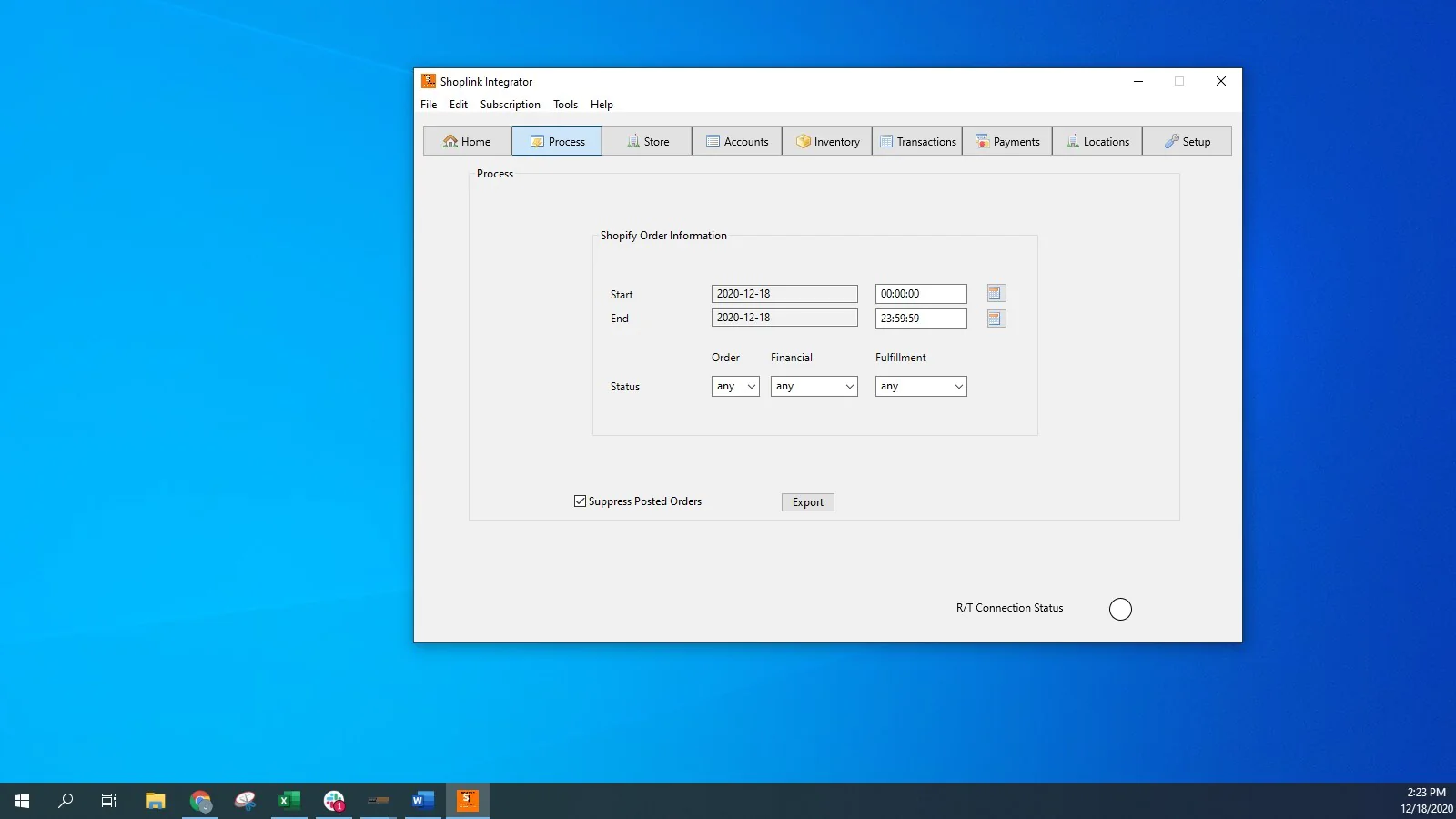
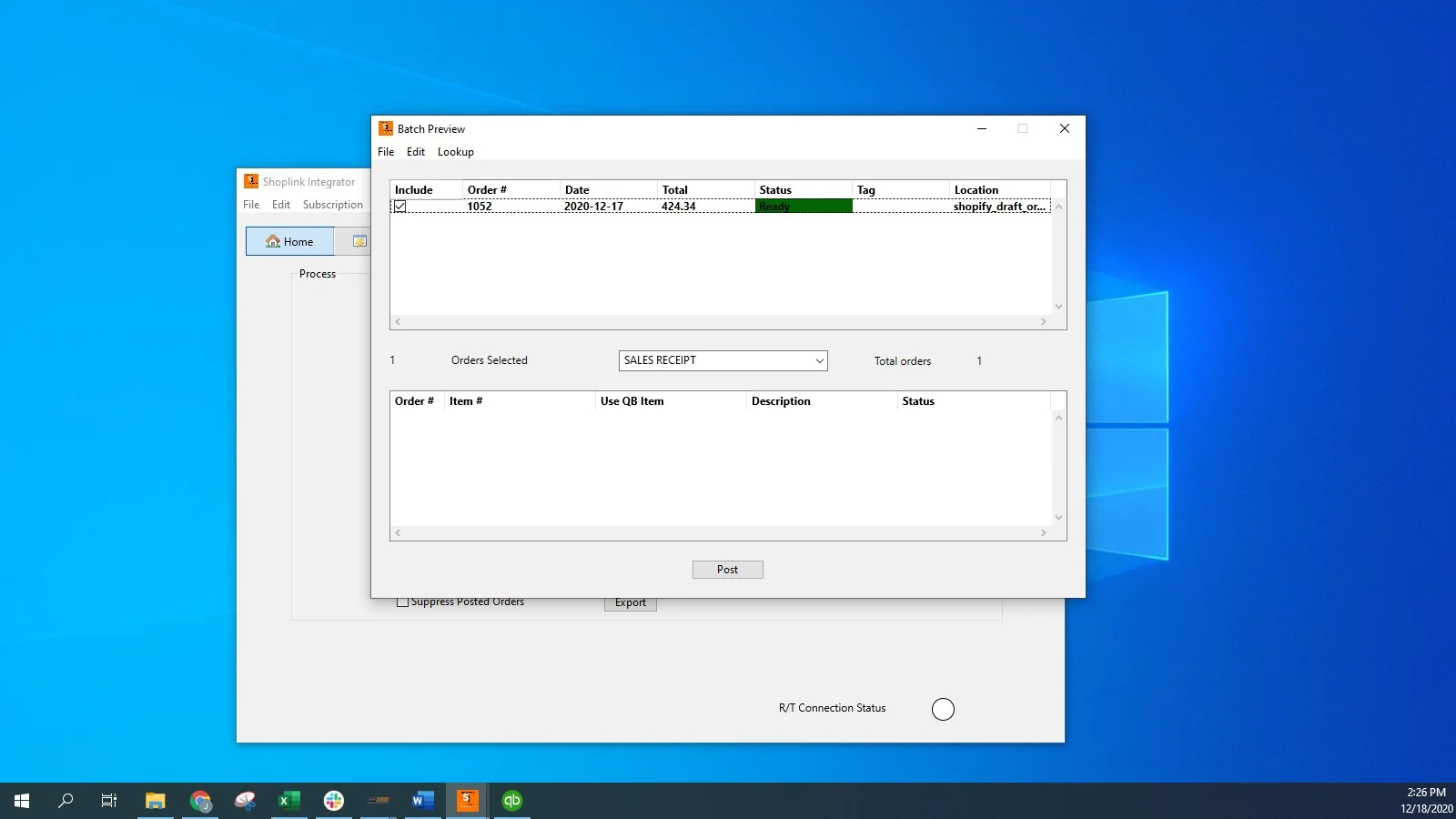
Record Sales : Book your website's sales into QuickBooks with a click of a button. Choose any QB transaction type.
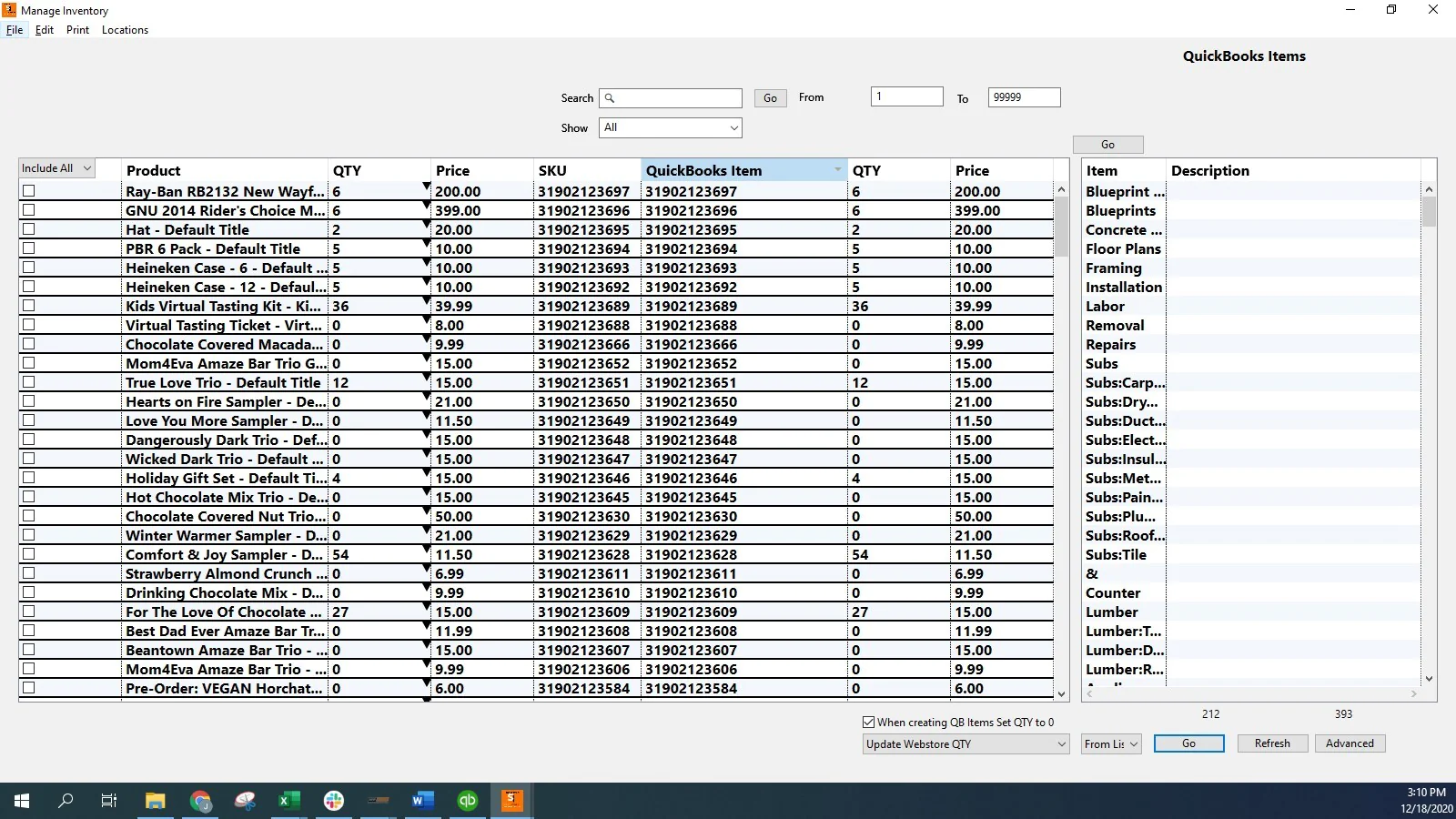
Manage Products : Sync products between your website and QuickBooks. Decrease the possibility of over-selling. *Requires Pro subscription.
Save Time : Save hours by eliminating manual input of sales or products.
Simply match your Shopify SKU to your QuickBooks Item name or QB POS Item number to start recording sales and managing inventory quantities.
Choose any QuickBooks Sale Transactions Type to record your sales:
- Sales Receipts, Sales Orders, Invoices (with or without an associated payment).
POS users can sync retail and web sales automatically.
Realtime functionality available as well. Sync sales as they happen. Contact us for more information.
The Shoplink Integrator requires a hosted QuickBooks environment with Right Networks. Please contact us to discuss what this looks like for your organization.
Combining over 20 years of programming with 10 + years of Retail and e-commerce, MKP Software provides simple solutions with the end-user in mind.
Seamless workflow: use directly in Shopify admin
Speed tested: no impact to your online store
About the Author
Matej Kontros is an E-Commerce expert and app developer with over a decade of professional experience in IT.
Matej has worked for organisations of all types and sizes, including global players, startups, and agencies. He designed, developed, and maintained complex projects.
Matej's expertise includes e-commerce, software engineering, web development, systems administration, internet security, managing projects, and building teams.
Visit his website at [ Web Linkedin ] or contact him at [email protected].