Shopify App : Sales Popup Conversion Pro
Sales Popup Trust Badges, Social Proof Announcement Bar Timer
About Sales Popup Conversion Pro
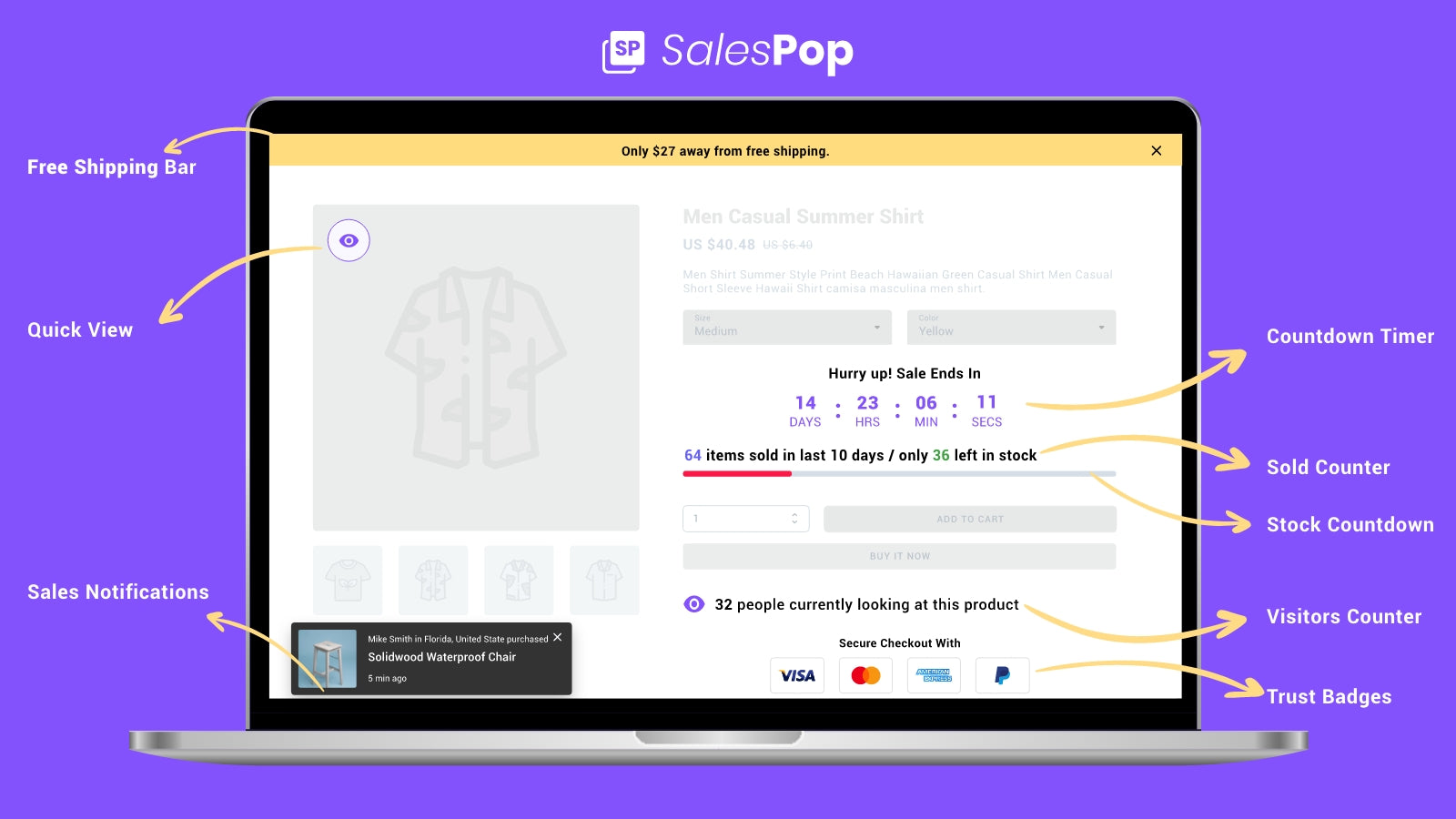
Sales Popup Conversion pro : Sales Popups social proof shows recent sales popups, visitors counter, sold count & stock countdown timer on store to boost sales & urgency
Sales Popup for social proof : Show quick view, recent sales notifications & Trust Badges to build trust & social proof to influence visitors to buy from you on Christmas.
Stock Countdown Timer Urgency : Recent Sales Popup & recent orders will persuade visitors to buy now using quick announcement bar urgency, scarcity & Fear of Missing Out.
Why Install Sales Popups, Social Proof & Recent Sales Notification app on your Shopify store?
Sales popups create urgency and allow you to show your visitors what items have been bought recently. It creates social proof & trust with trust badges that your store needs among new store visitors. You can also reduce friction with quick view of products on store.
Top available features now.
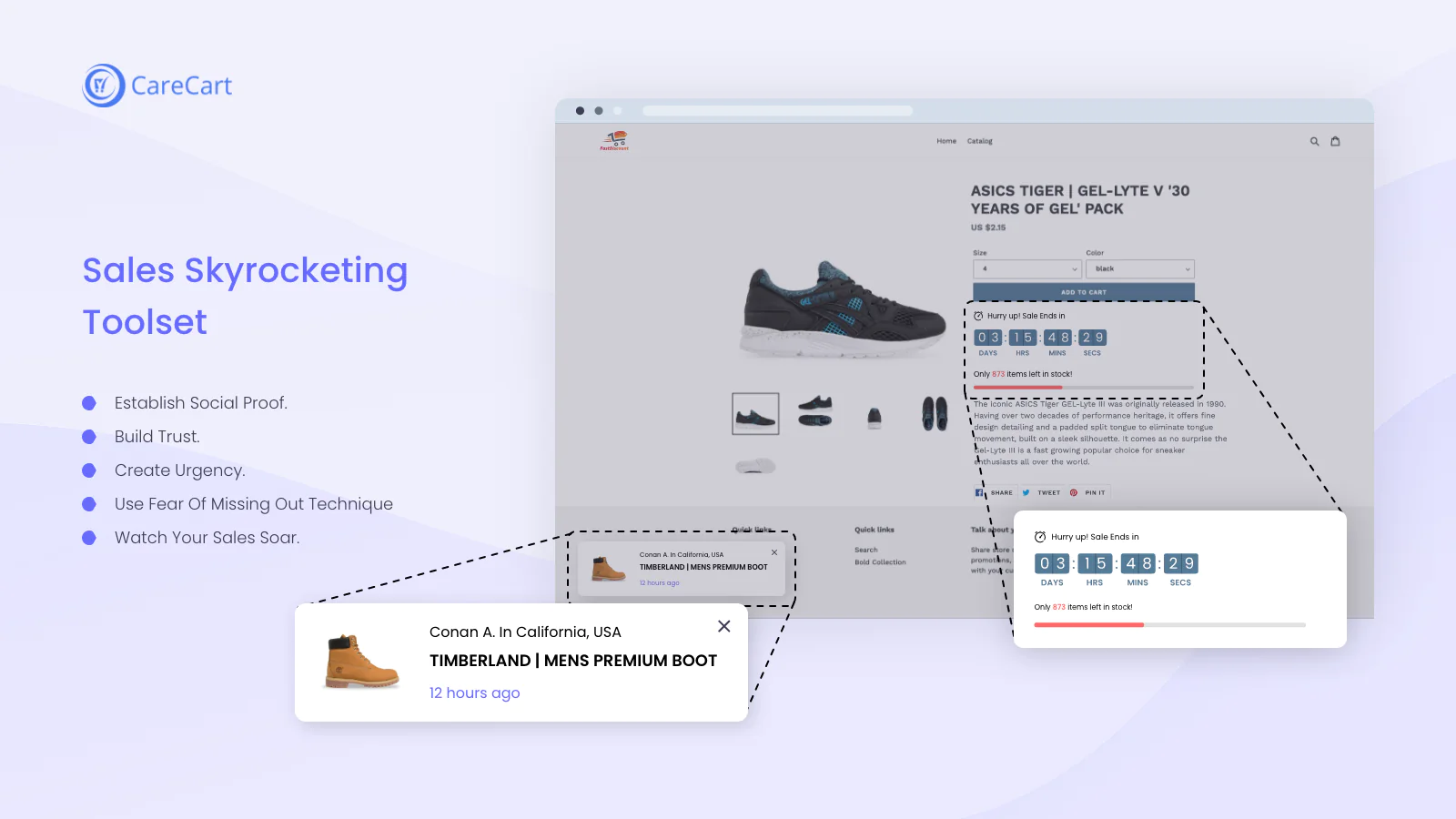
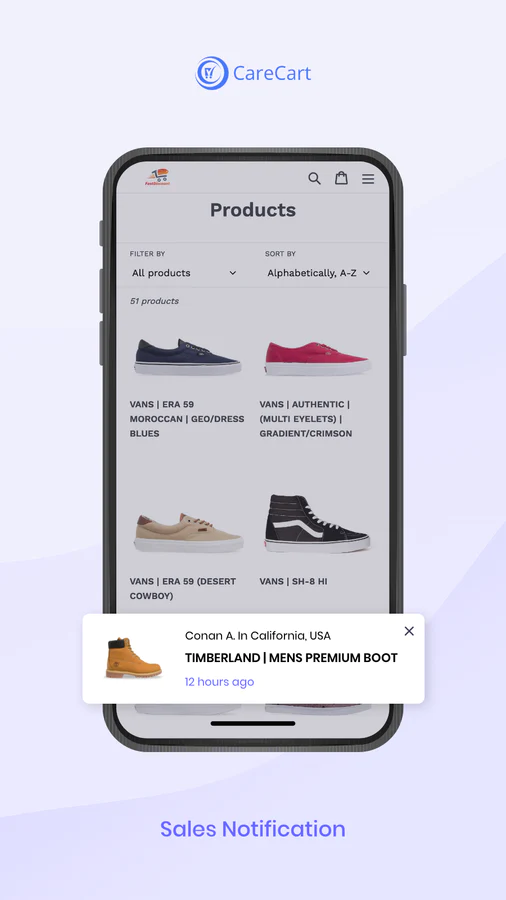
- Sales Notifications
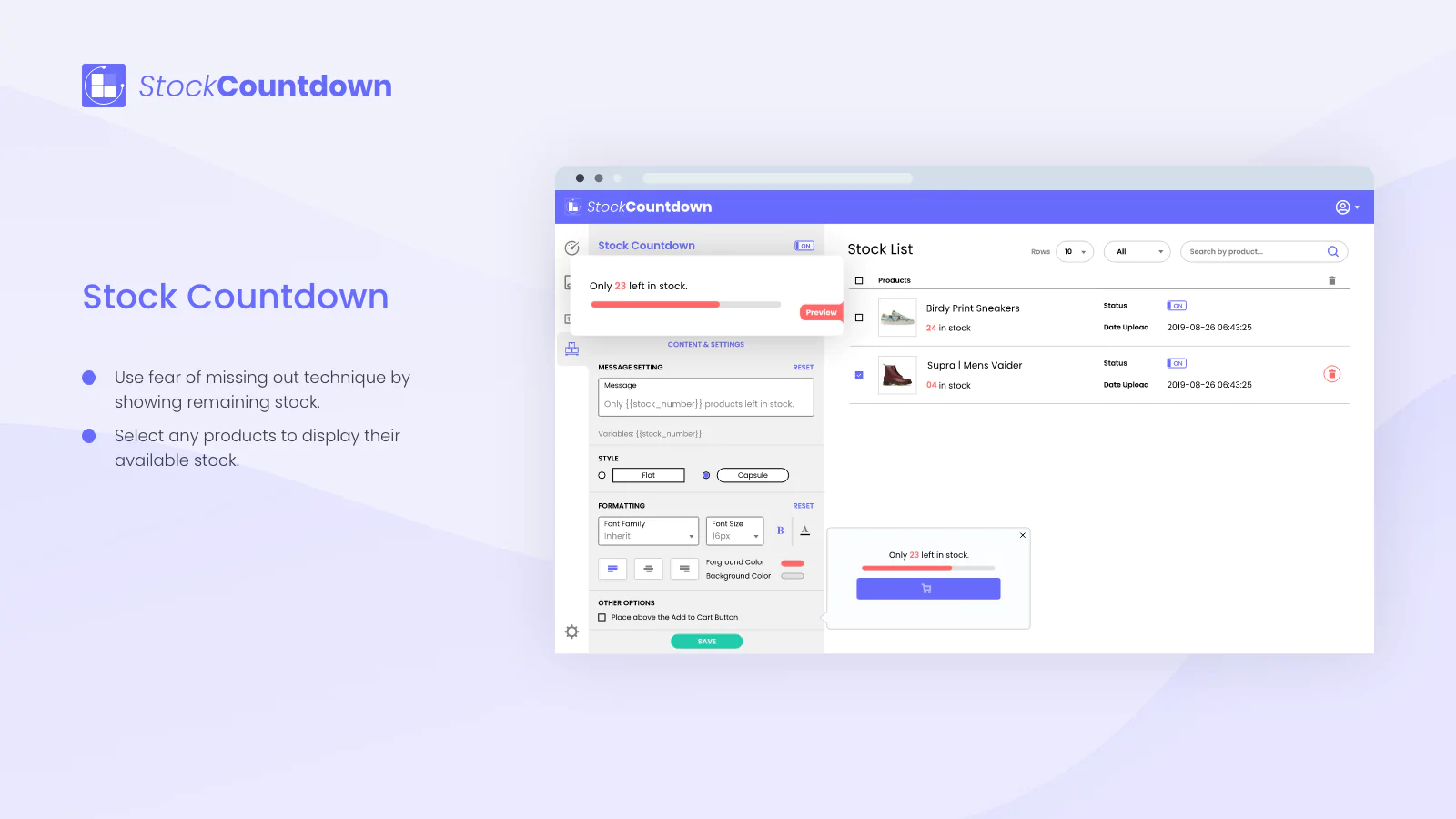
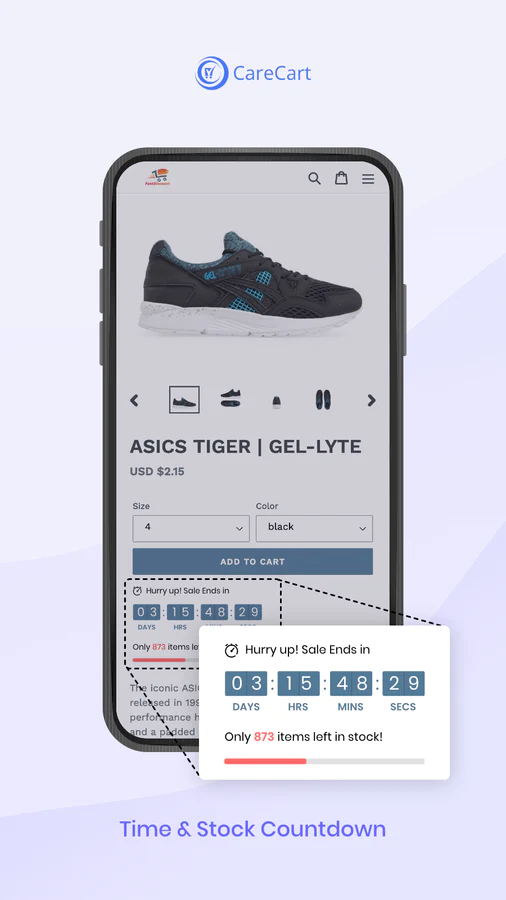
- Stock Countdown Bar (for variations too)
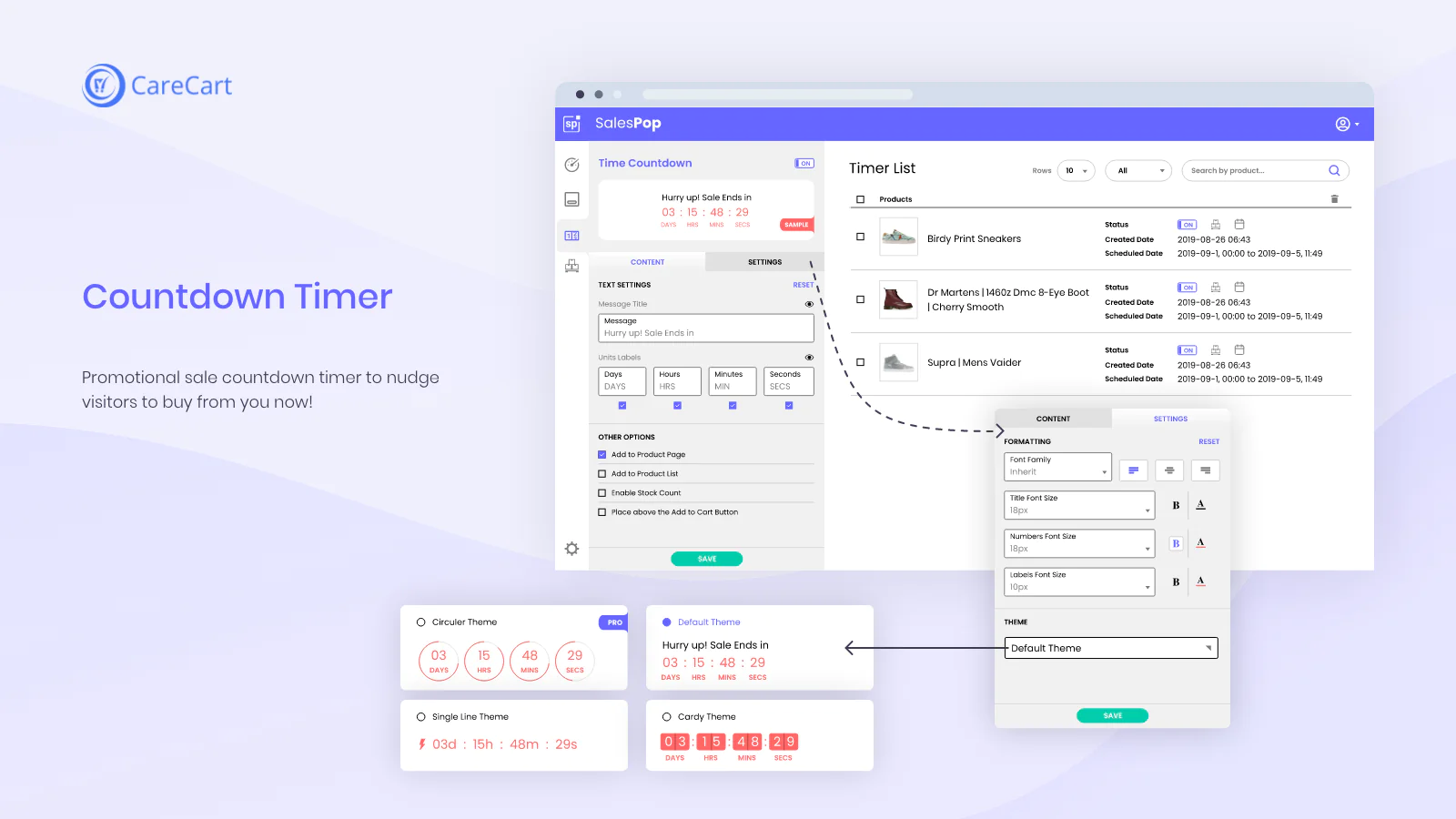
- Countdown Timer aka Countdown Clock
- Product Visitors Counter - live traffic counter
- Sold Counter - Sold stock
- Quick View Popup
- Trust Badges
- Free Shipping Bar / Quick Announcement Bar
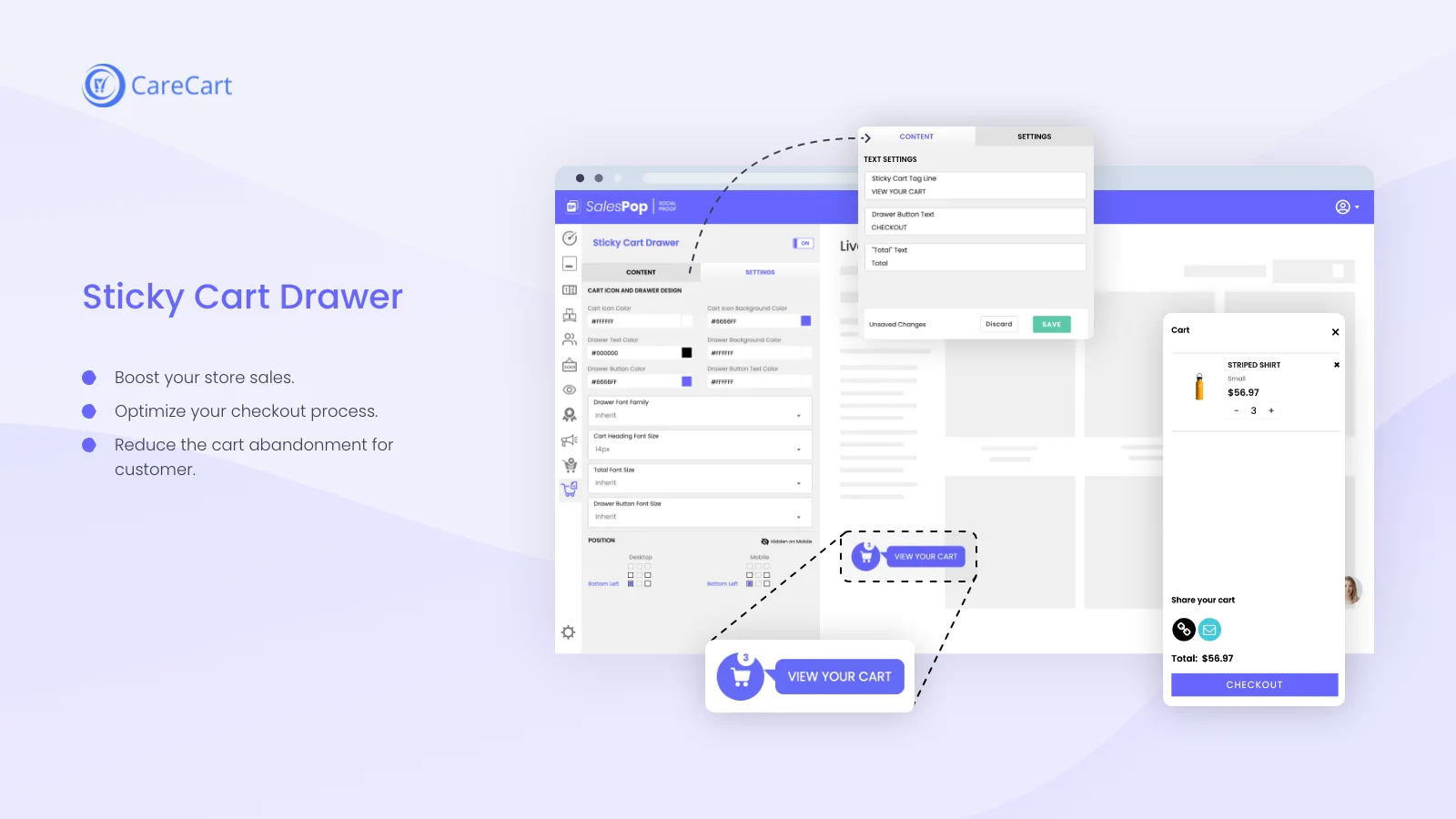
- Sticky Cart
- Share Cart
Sales popup app displays recent order notifications and sold inventory counts to show what others are buying. This recent sales notification app will help you convert your visitors to buyers.
Top Benefits of Sales Popup | Social Proof
- Creating social proof by displaying sales popup activity
- Create urgency among buyers with Countdown Timer and Stock Countdown
- Show product popularity by displaying a live traffic counter
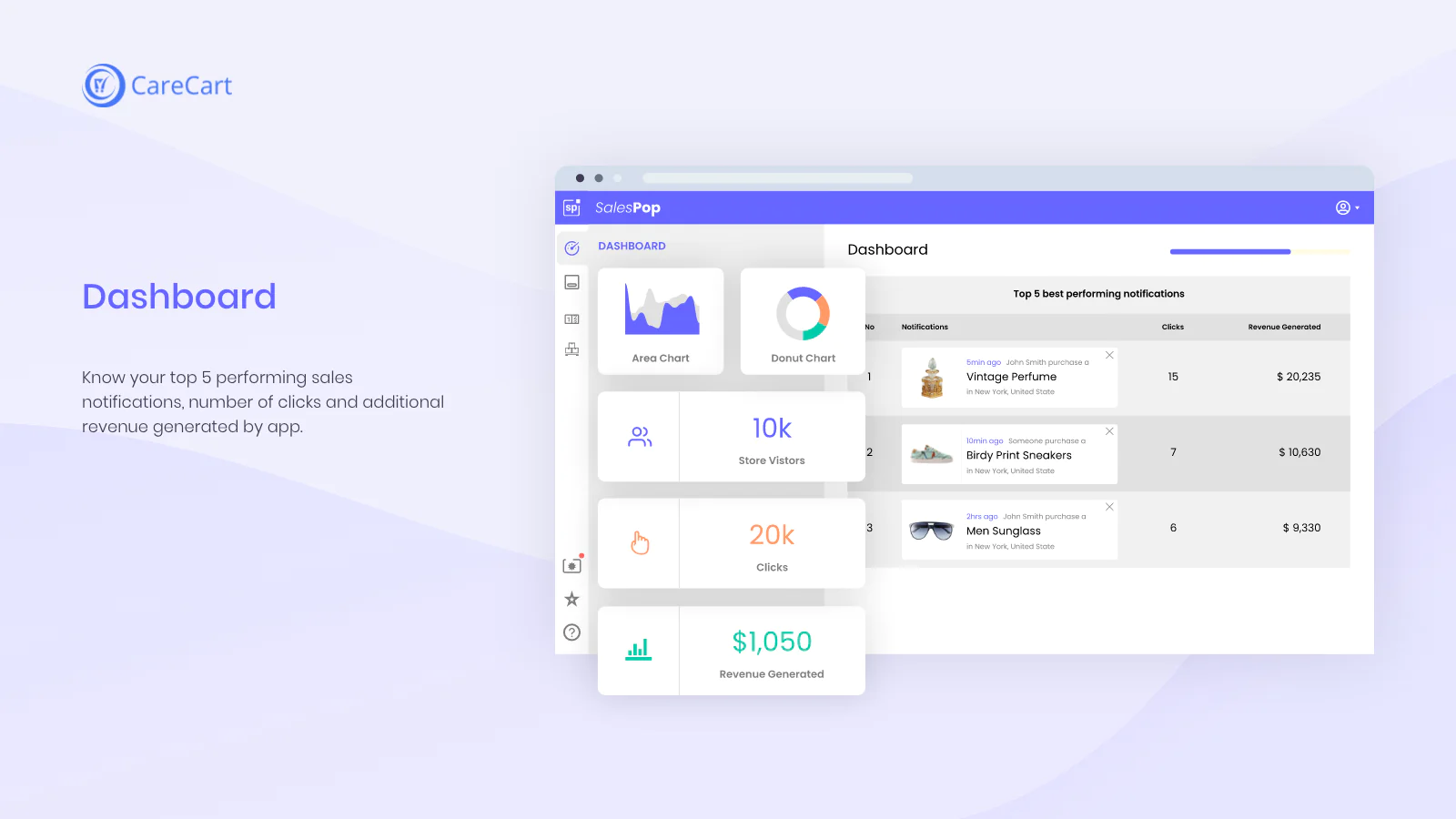
- Boost sales, engagement & conversion
- Reduce bounce rate
What do you achieve with Sales Popup Sales Notifications?
As a new store, when you don’t have a well-established brand then visitors might be hesitant to buy from your store. This behavior can cause cart abandonment. This is when the sales notifications come in handy to improve conversion and encourage the visitors to buy by creating urgency. We are working to add cart notifications soon to help show more activities on the store.
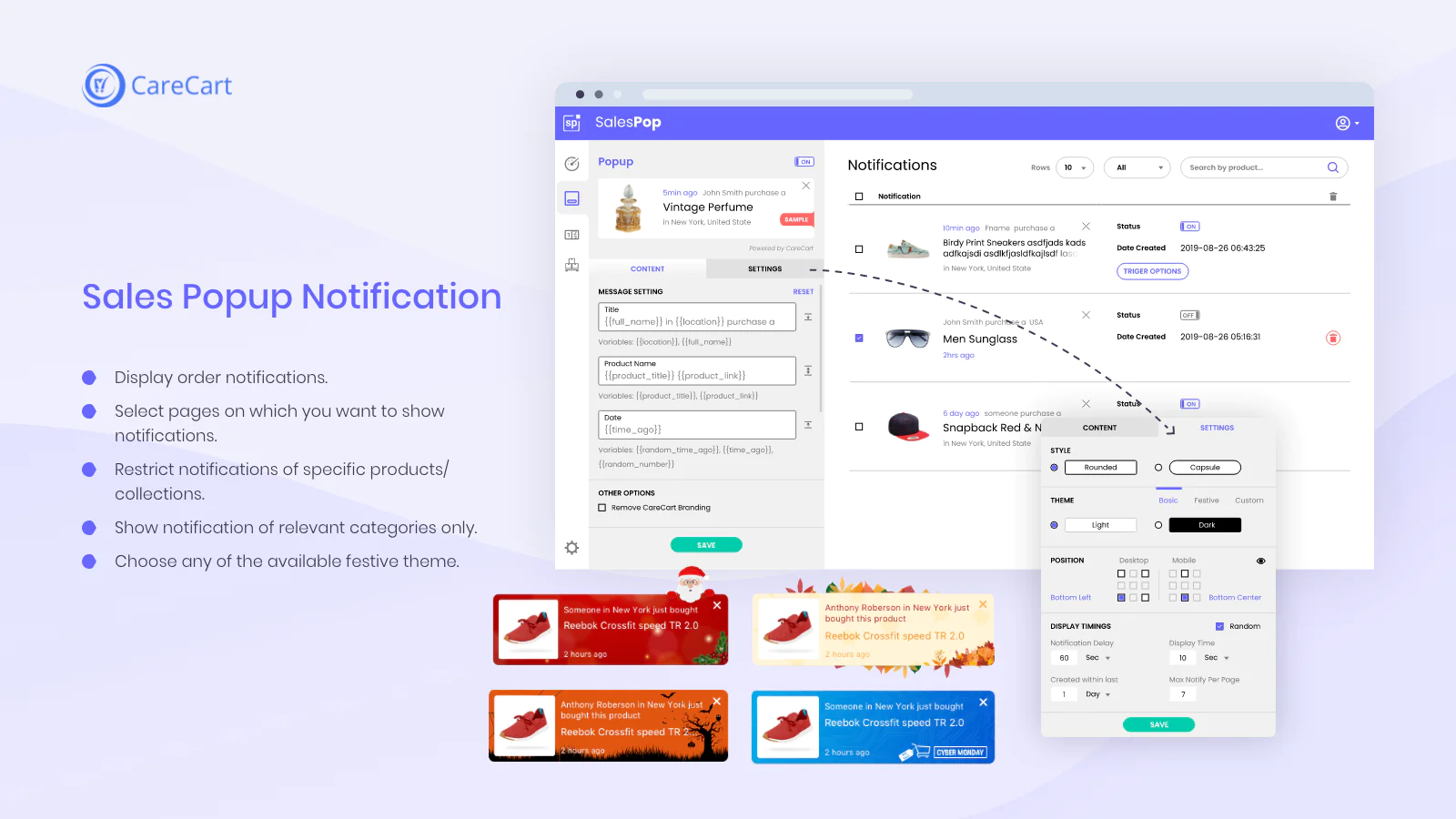
This sales popup recedes automatically after some time to prevent obstructing the browsing experience of users. The Sales popup app has different sales notification styles to have your desired look and feel of the sales popups.
Establish Social Proof & Urgency with Recent Sales Popups
Sales popup notification app is designed on the concept of creating social proof by showing the purchases from other users on your store. The recent sales notifications, countdown timer, stock countdown bar & quick announcement bar features improve conversion also create urgency & scarcity by giving a sense of a physical store and build trust by showing the trust badges & activities of other customers. Pop up de vendas boost sales conversion during Valentine's Day, Black Friday Cyber Monday (BFCM) flash sales and Christmas holiday season.
Responsive and Customizable Sales Popup
Sales Popup Notifications app is mobile friendly to ensure that you don’t lose your mobile customers. You can customize the design and contents of the sales popup as well as set the display time. There are more options to control and manage the recent sales notifications on your store.
Why do Abandoned Carts Dashboard shows ‘Anonymous’ emails?
[2020/09/16 10:20:15]
CareCart is great at capturing the emails. If a customer subscribes to the newsletter and also abandons the cart without providing the details, CareCart then associates the email with that cart abandoner. However, if the cart abandoner does not enter the email anywhere on your store, then it becomes impossible to collect it. This is […] The post Why do Abandoned Carts Dashboard shows ‘Anonymous’ emails? appeared first on Care Cart.
Why do ‘Shop Now’ buttons appear as disabled in Messenger campaigns
[2020/09/16 10:15:53]
When you look at the CareCart Messenger campaigns from your inbox, you’ll see that some buttons such as ‘Buy Now’ appear as disabled and you can’t click on them. This is nothing to worry about, it happens only because of Facebook’s privacy settings. These buttons are only clickable by the people who receive them. The post Why do ‘Shop Now’ buttons appear as disabled in Messenger campaigns appeared first on Care Cart.
Which code I need to remove when uninstalling CareCart app?
[2020/09/16 10:14:21]
Once you have uninstalled the CareCart app, you need to remove the liquid code from theme.liquid file. Please follow the steps shown below in the screenshots in order to correctly remove the remaining code of CareCart app. Go to Themes and then click “Actions” from the drop down menu button. Then click “Edit Code” Now […] The post Which code I need to remove when uninstalling CareCart app? appeared first on Care Cart.
Which app might interfere with CareCart?
[2020/09/16 10:09:10]
First of all, Messenger apps can cause a real issue with CareCart. This is due to some technical limitations where Facebook only allows the use of one Messenger application. If you use more than one Messenger application then they will block each other and the functionality will also fail. So, avoid installing Messenger chat applications […] The post Which app might interfere with CareCart? appeared first on Care Cart.
What is a DMARC Policy?
[2020/09/16 10:07:39]
DMARC stands for “Domain-based Message Authentication, Reporting & Conformance.” A DMARC Policy tells the email receivers like Microsoft (Hotmail, Live, Outlook etc), Gmail, Yahoo! and other DMARC Internet Service Providers who adopted DMARC what to do if an email fails the DMARC check. What is the DMARC policy? Gmail joins Yahoo and AOL by […] The post What is a DMARC Policy? appeared first on Care Cart.
Is CareCart mobile friendly?
[2020/09/16 10:05:07]
We have put special efforts to make CareCart suitable for all screen sizes which includes a wide range of smartphones, tablets, laptops, and also desktops. All of the widgets, emails, and other functionalities are responsive and work well with most of the mobile phones. This means your customers can read and interact with all components […] The post Is CareCart mobile friendly? appeared first on Care Cart.
I’m unable to connect my Facebook page with CareCart
[2020/09/16 10:03:09]
If you are unable to connect your Facebook page with CareCart then the possible reasons can be: You’re not the Admin of the page.You didn’t give required permissions to CareCart. Only the page admin can properly connect Facebook page with CareCart. Other roles like advertiser or moderator will not allow you to connect properly. So, […] The post I’m unable to connect my Facebook page with CareCart appeared first on Care Cart.
How to extend your free trial?
[2020/09/16 09:59:37]
CareCart offers a 7-day free trial which is extendable to an additional 21 days. You can earn additional 21 days by completing a few simple action steps that are available in the settings section of your CareCart Admin Panel. When you complete the action available in the Account Settings, just let us know and we’ll […] The post How to extend your free trial? appeared first on Care Cart.
How to become an affiliate with CareCart?
[2020/09/16 09:57:59]
Whether you are an expert or an agency who is looking for a new financial opportunity, CareCart’s Affiliate program has got you covered! When you join CareCart’s affiliate program, you can easily earn a commission when a user uses your referral link while signing up on the website. Undoubtedly, it is one of the best and […] The post How to become an affiliate with CareCart? appeared first on Care Cart.
Does CareCart slow down my store’s page load speed?
[2020/09/16 09:54:15]
The short answer is, absolutely not! CareCart loads on the Shopify store asynchronously. This means that it does not block the other parts of the page that are in downloading phase. CareCart uses a global CDN to deliver all the images and stylesheets which is not placed on the critical render path of your store. […] The post Does CareCart slow down my store’s page load speed? appeared first on Care Cart.
About the Author
Matej Kontros is an E-Commerce expert and app developer with over a decade of professional experience in IT.
Matej has worked for organisations of all types and sizes, including global players, startups, and agencies. He designed, developed, and maintained complex projects.
Matej's expertise includes e-commerce, software engineering, web development, systems administration, internet security, managing projects, and building teams.
Visit his website at [ Web Linkedin ] or contact him at [email protected].