Shopify App : Quick Contact
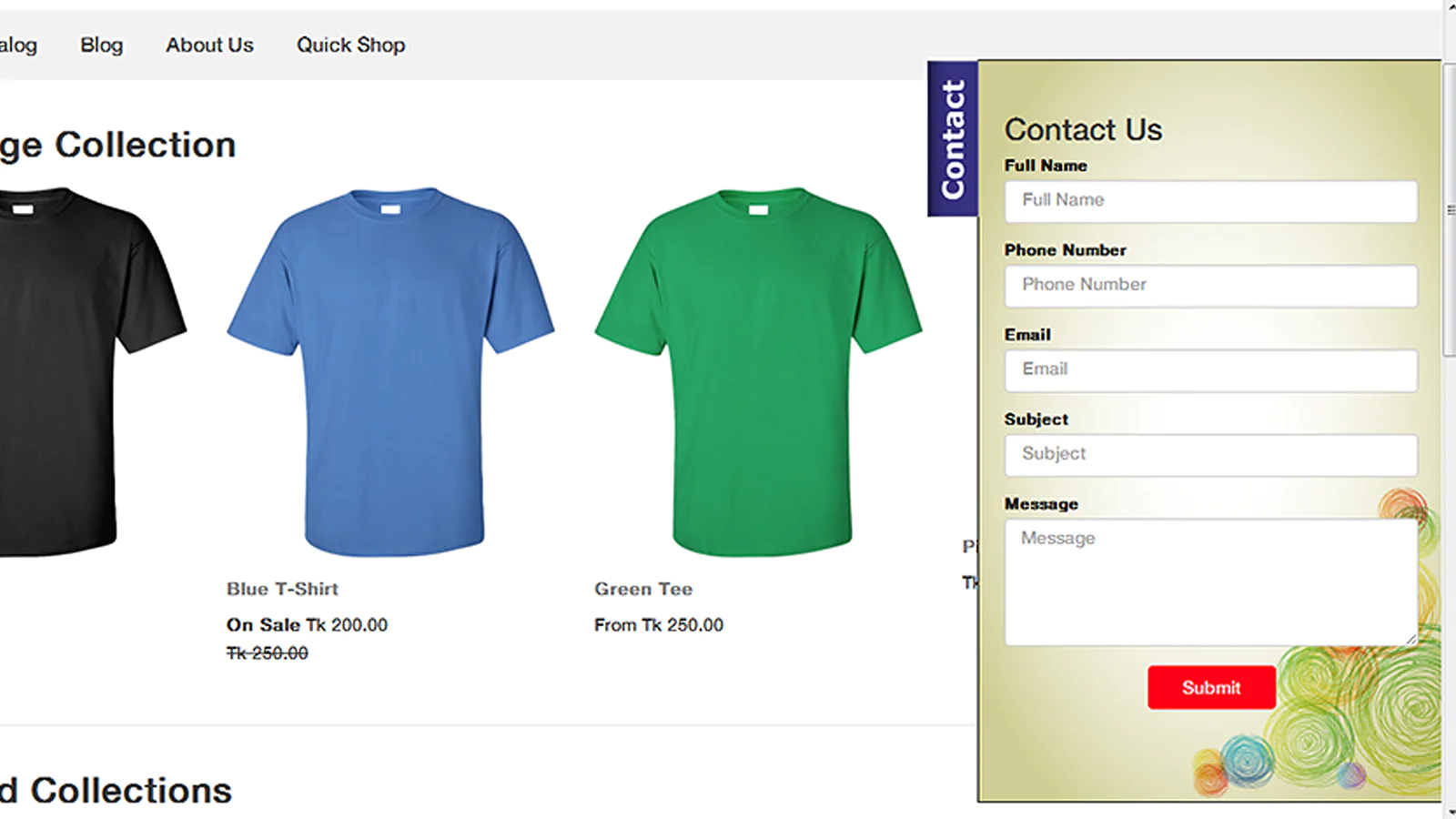
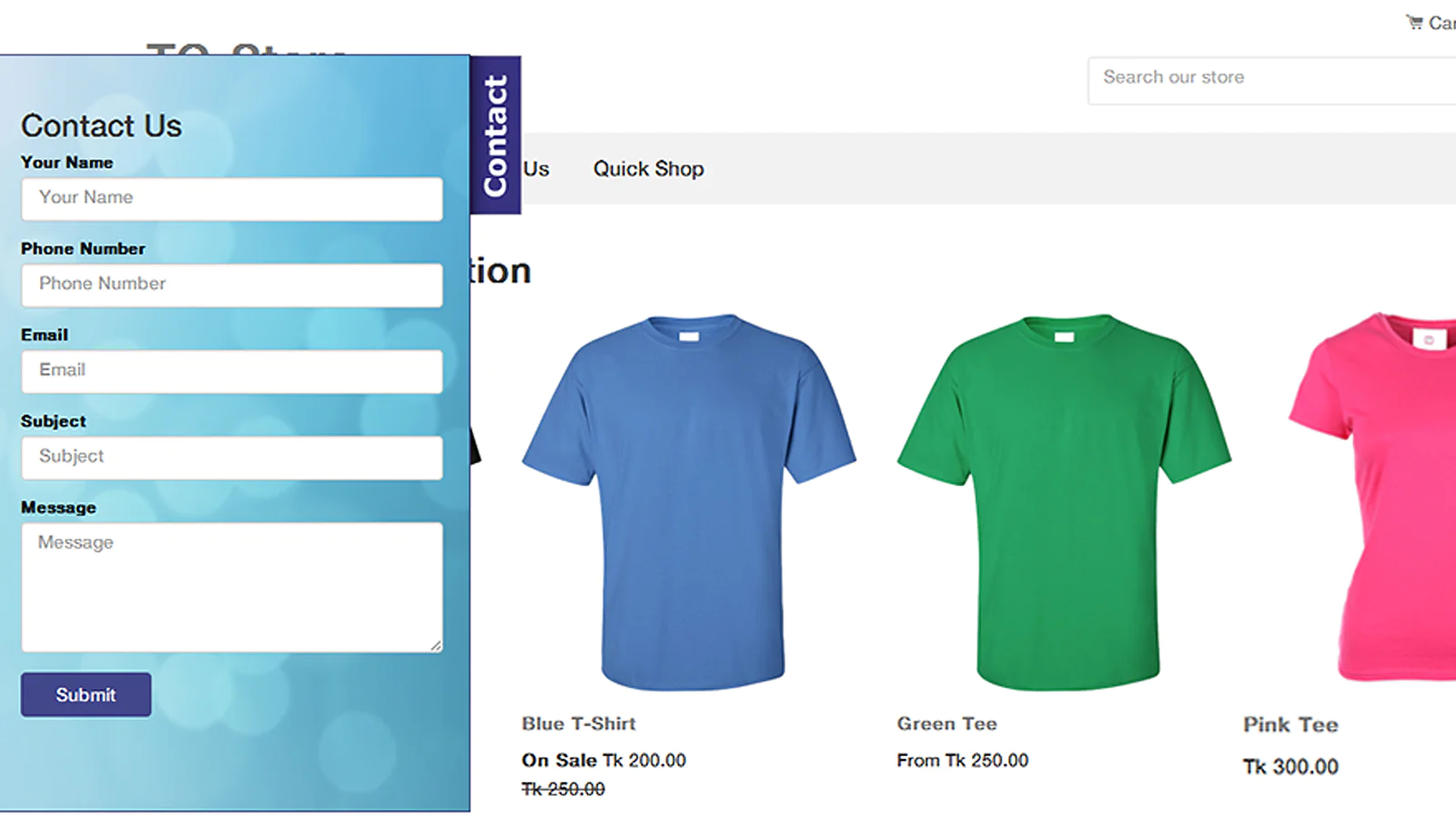
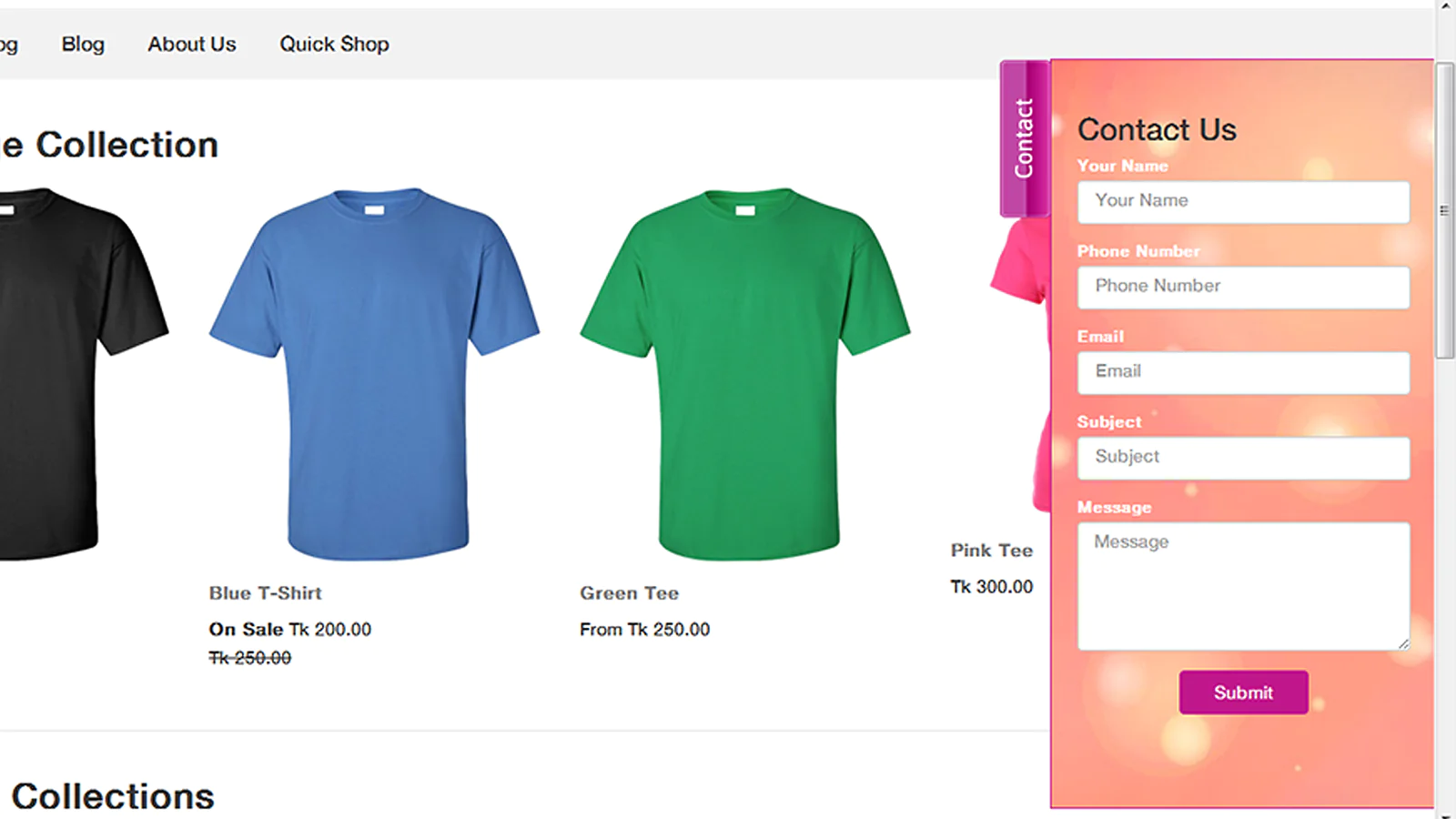
Visitors get contact form and send inquiry quickly at any page
App does not work after installation?
If you find that app does not work as expected after installation then contact us and our team will take necessary steps.
Features
- Store owner can customize basic settings and form style from admin panel.
- Store owner can view all the Contact Message, Name, Phone, Email, and Subject with Submitted Date & Time from admin panel.
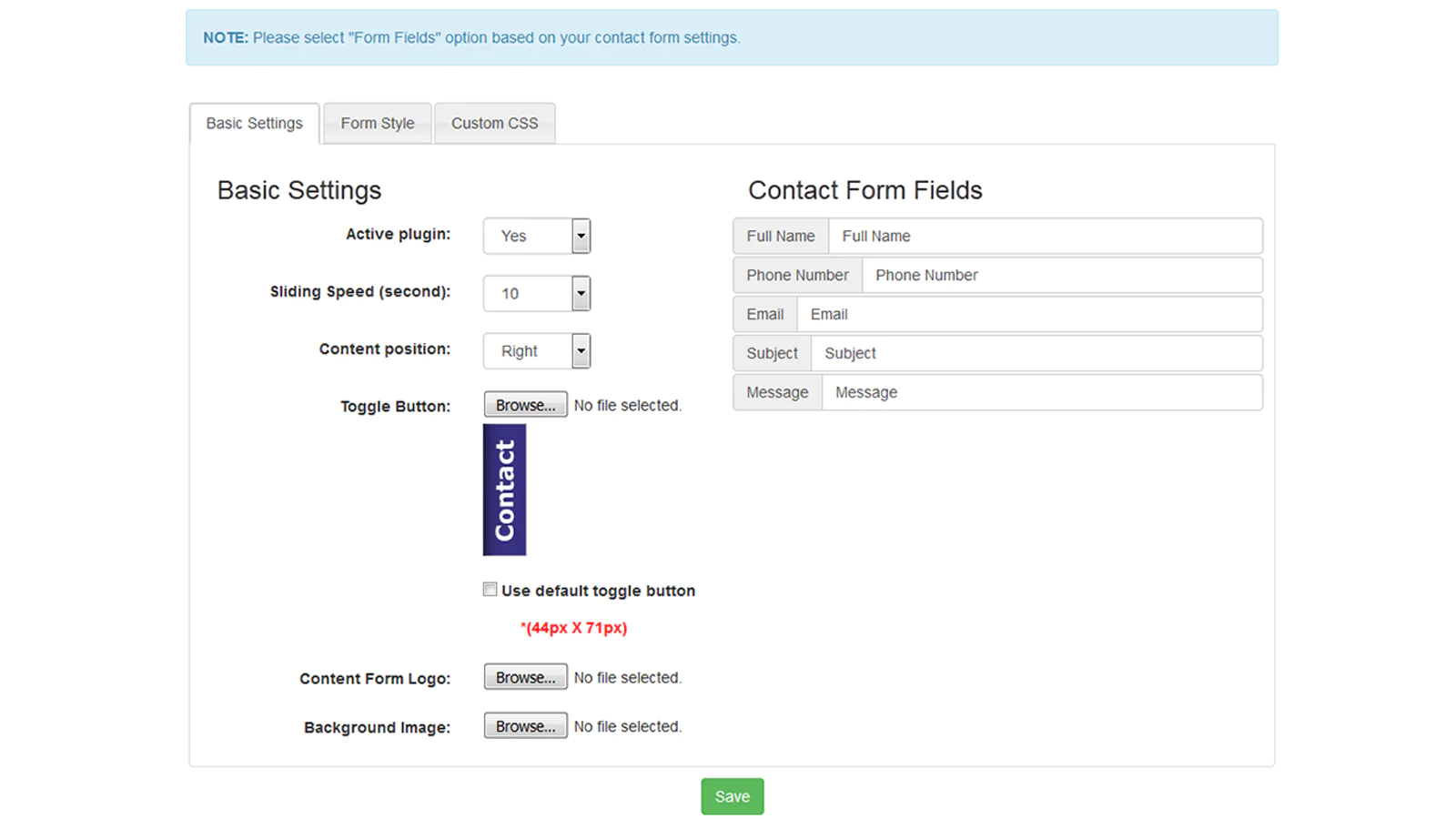
- Store owner can activate/deactivate plugin.
- Contact form sliding speed can change 0 to 100 seconds.
- Content position can change to left or right.
- Custom toggle button, content form logo and background image can upload.
- Store owner can set or remove background image to contact form.
- Contact form fields name (Full Name, Phone Number, Email, Subject and Message) can be change from “Basic Settings” option.
- In “Form Style Settings” option user can set forms Height, Width, Background Color, Border Color, Border Size, Font Size and Font Color.
- In “Button Style Settings” option user can set Button Text, Button Width, Button Alignment, Button Color and Hover Color.
- There are Custom CSS options for advanced users who have knowledge about css (cascading style sheet).
Seamless workflow: use directly in Shopify admin
Up-to-date tech: works with the latest themes
About the Author
Matej Kontros is an E-Commerce expert and app developer with over a decade of professional experience in IT.
Matej has worked for organisations of all types and sizes, including global players, startups, and agencies. He designed, developed, and maintained complex projects.
Matej's expertise includes e-commerce, software engineering, web development, systems administration, internet security, managing projects, and building teams.
Visit his website at [ Web Linkedin ] or contact him at [email protected].