Shopify App : UpCharge: Surcharges & Fees
Surcharges and order fees to increase your sales and AOV
About UpCharge: Surcharges & Fees
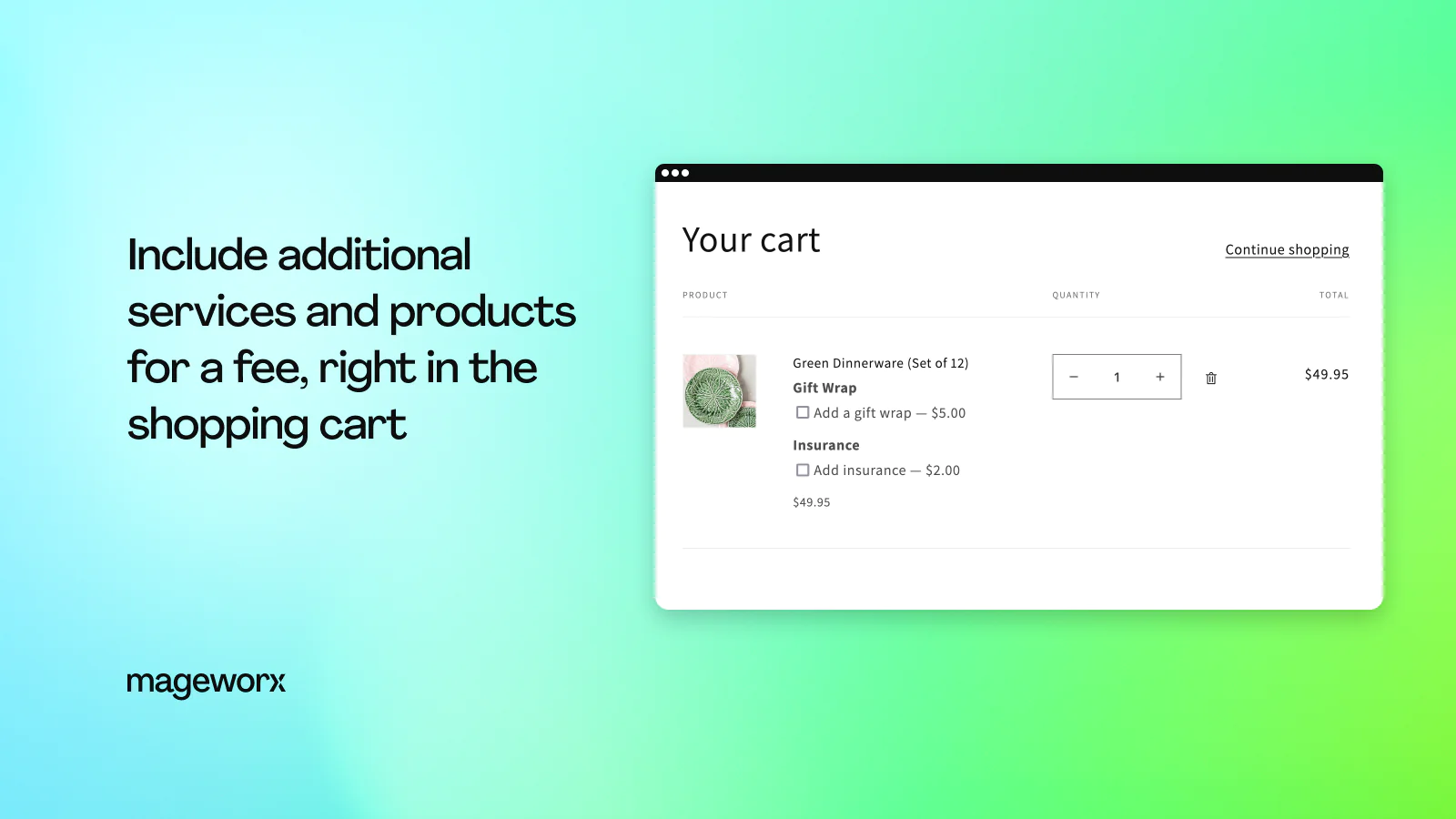
Gain extra profit : Charge the customers for additional services (rush delivery, gift wrap) or personalized options (premium version, product upgrade, etc.)
Diversify & customize offers : Add product/service fee input types, hide/display fee options, set fee prices as fixed/percentage, one-time, required and more
Optimize your expenditures : Offer your customers to share with you shipping and payment processing expenses
Extra Order Surcharge and Product Fees
The app lets you create any nature of additional fees/charges and add them to a specific product offering. You can include anything your customers may want to order with a product. That can be:
- gift wrap
- rush delivery
- personalized options (e.g. installation, upgrade, premium version)
- individual print-outs (images,photos,text)
- and anything else you may want to offer!
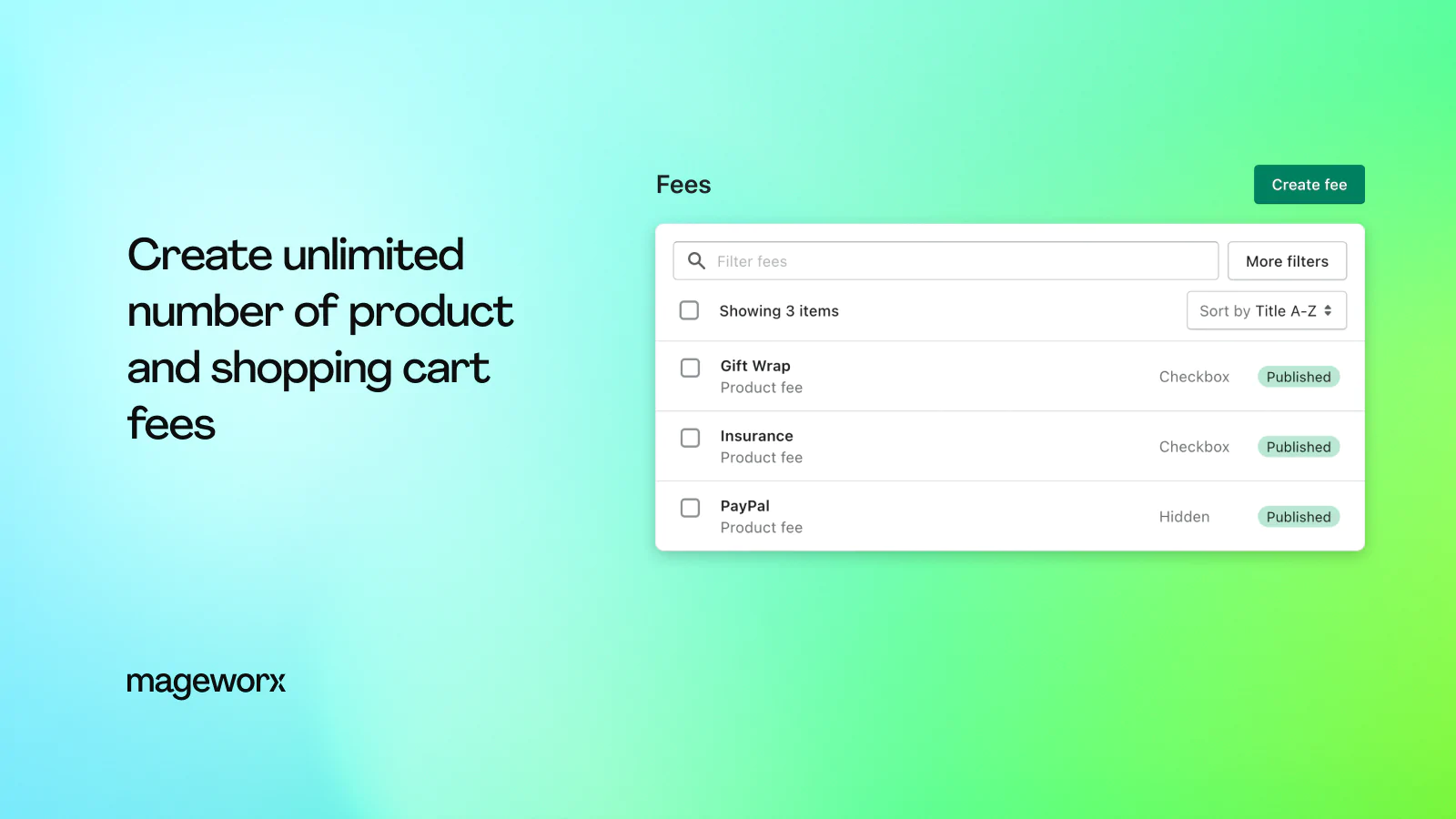
With the app, you can create an UNLIMITED number of fees/ charges for ANY product in your store.
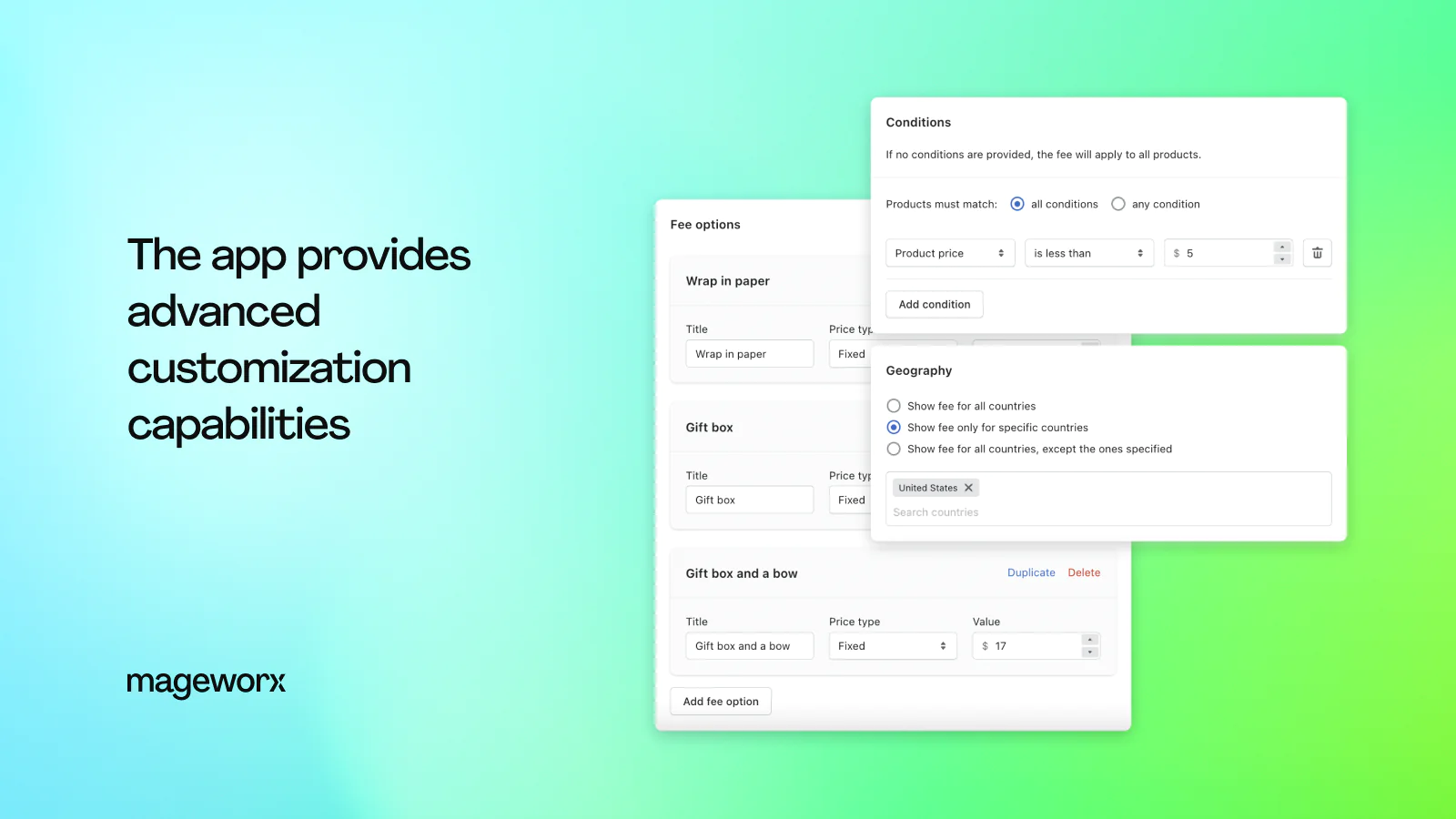
Also, you can define a number of options each fee may have. For example, a Shipping Date fee may come with several values: 5 days, 3 days or Rush Delivery.
Order & Product Fee Input Types
The app lets you add extra fee options in several ways. Options can be displayed as:
- checkbox,
- drop-down menu,
- radio buttons,
- text,
- date,
- or hidden (automatically applied to the order, can't be removed by customers).
Product Fees Price
The app lets you define a price of any product option. Product fee price can be set as:
- fixed - you define the amount on your own;
- percentage - the amount is calculated on the product base price.
You can set up the fee to be applied only once, regardless of the quantity of the main product added to cart (one-time fee).
Apply a fee to the entire cart instead of the specific products added to it (cart fees).
Order Transaction/Shipping Fees
Also, with the app, you may create fixed or percentage billing/shipping fees, thus offering your customers to share some of these expenses with you.
This way, you can make up for some transaction/shipping fees deducted from your account by your payment/shipping provider.
Order and Product Fees Conditions
You can display/hide product fees on the front-end only when certain conditions are met. Thus, you will be able to diversify your pricing strategy and create highly customized product offerings.
Product fee conditions can be based on a product type, price, SKU, weight, total cart quantity and vendor.
TAGGED WITH condition - this functionality allows you to quickly assign fees to products by tags.
AND/OR condition operator — with the feature you can define when to display a product fee. It can appear either when all the set conditions are selected or if some certain conditions are allowed.
Managing Order & Product Fees and Charges
What is more, the app is equipped with a bunch of features that will let you effortlessly manage product fees in the back-end.
You can display extra fee options as a check-box, radio-button, drop-down menu, date field or a text field.
Also, it’s possible to change the sorting order within fee options on the front-end.
Seamless workflow: use directly in Shopify admin
Up-to-date tech: works with the latest themes
Speed tested: low impact to your online store
About the Author
Matej Kontros is an E-Commerce expert and app developer with over a decade of professional experience in IT.
Matej has worked for organisations of all types and sizes, including global players, startups, and agencies. He designed, developed, and maintained complex projects.
Matej's expertise includes e-commerce, software engineering, web development, systems administration, internet security, managing projects, and building teams.
Visit his website at [ Web Linkedin ] or contact him at [email protected].