Shopify App : PreCart Signup
Acquire more email addresses with a simple & powerful solution
A simple & highly effective solution to acquire more visitor email addresses
Try it for 7 days and see how many more visitor email addresses it can acquire
What it does
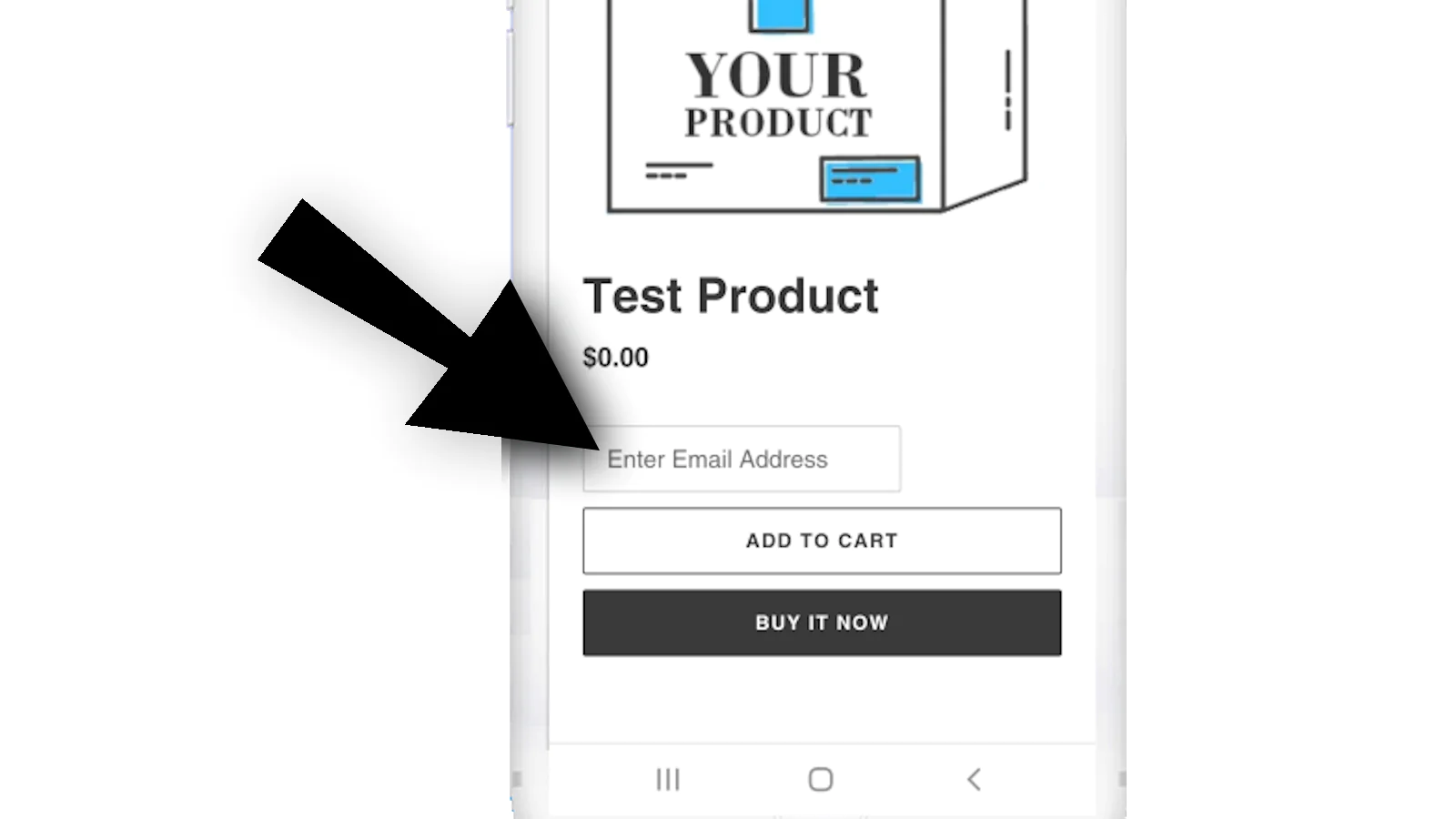
PreCart Signup will automatically embed a simple email address field above the add-to-cart button so users can enter their email address before clicking add to cart.
- This field is NOT required.
- This field ONLY appears for non-customers
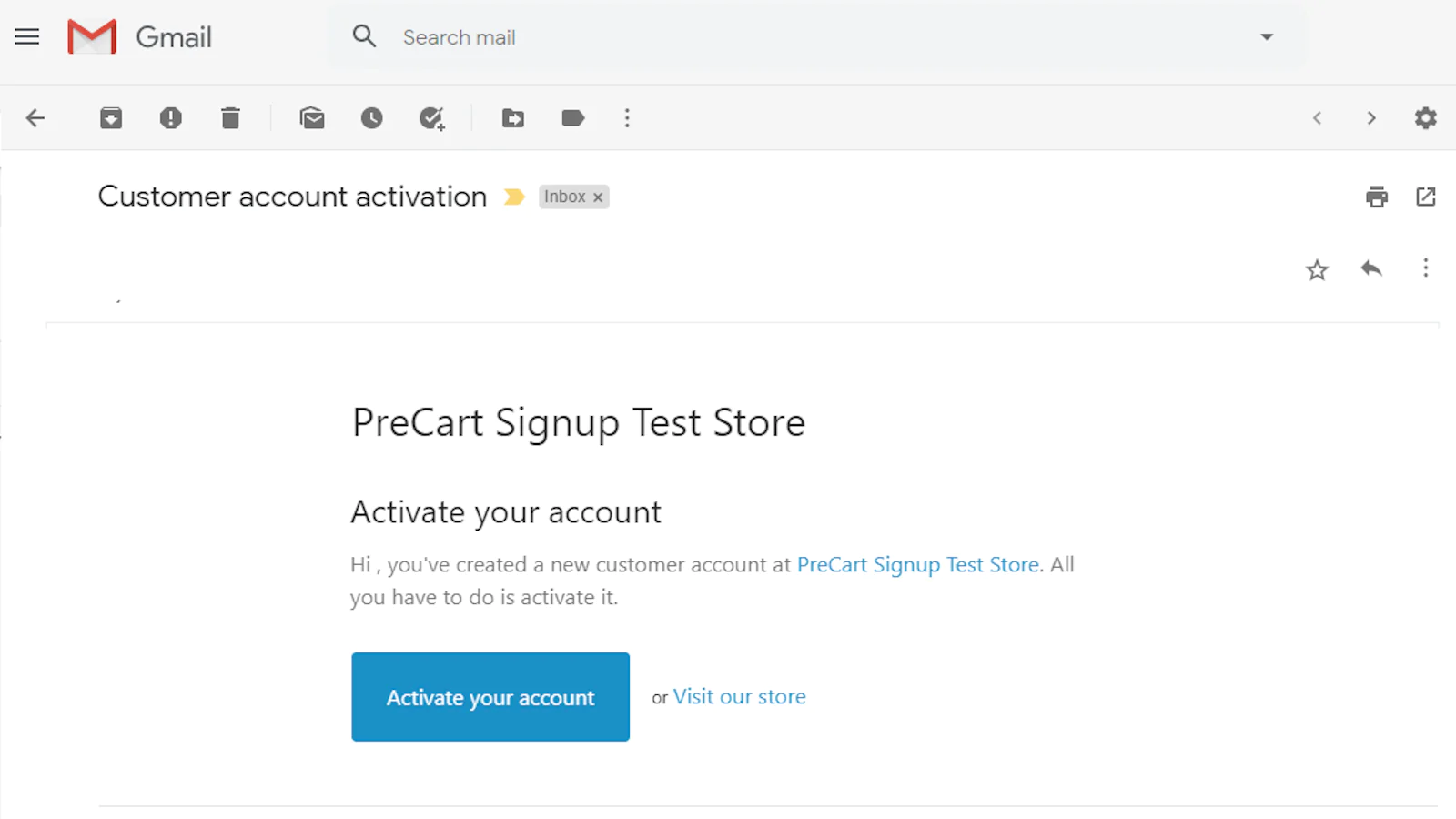
- Once a customer enters their email address, they receive an email to set up a password for their account.
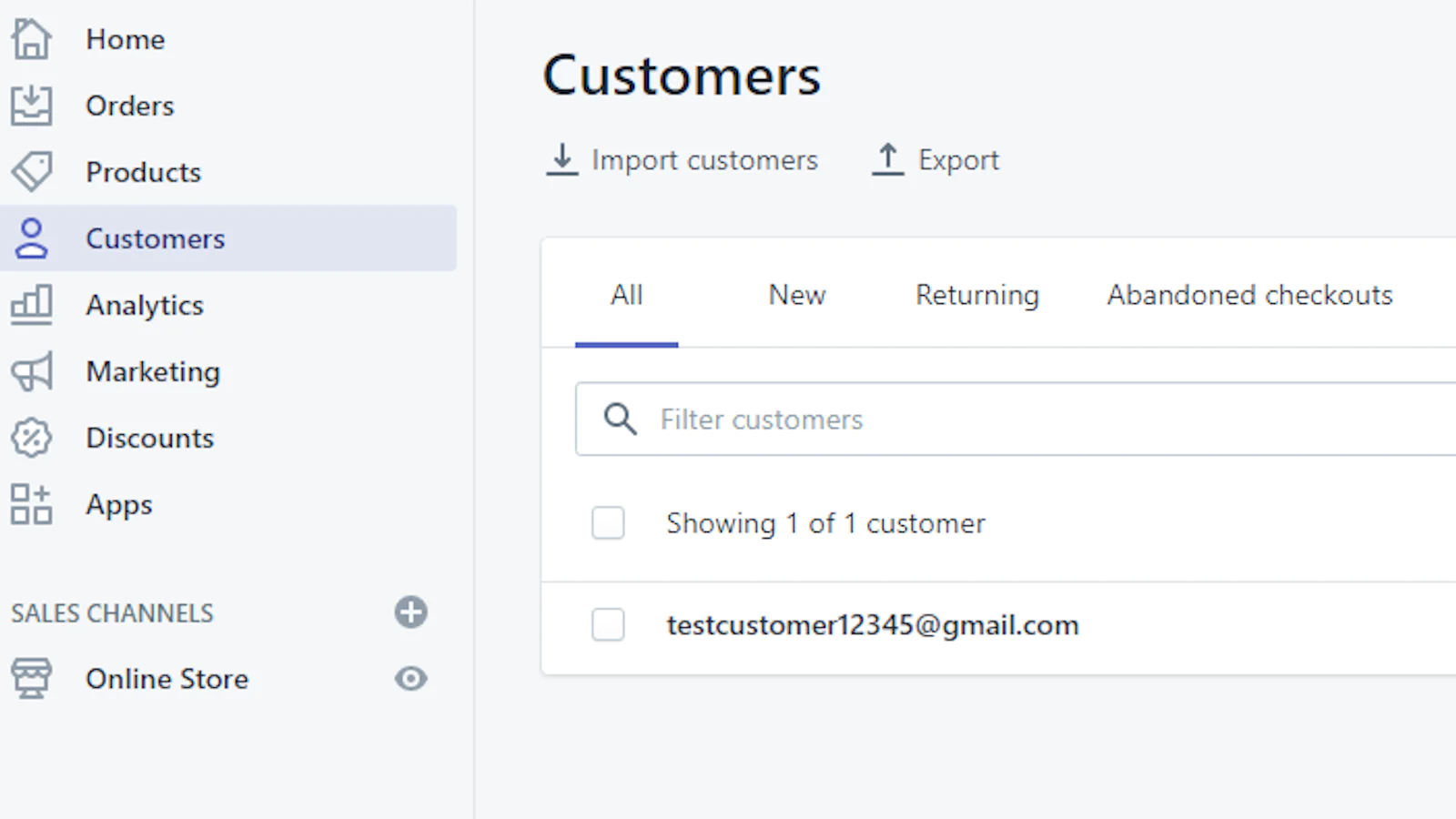
- Their email address is added to your customer list
Email Marketing Integration
All customers that are added to Shopify are tagged for easy identification and import into your integrated email marketing apps such as MailChimp, Klaviyo and others.
Add-to-Cart should have always been this way!
Easy Install
- Click Add App to install
- Once installed, go to your Shopify store admin and click "Apps". Then click "PreCart Signup" from your list of installed apps.
- Click "Start Free Trial"
- Click "Settings" for the PreCart Signup. Click "Enable" on the settings page and then "Save"
Hidden for current customers
The email field will appear on all product page immediately before the "Add to Cart" button ONLY to visitors that are not customers of your store.
Seamless workflow: use directly in Shopify admin
About the Author
Matej Kontros is an E-Commerce expert and app developer with over a decade of professional experience in IT.
Matej has worked for organisations of all types and sizes, including global players, startups, and agencies. He designed, developed, and maintained complex projects.
Matej's expertise includes e-commerce, software engineering, web development, systems administration, internet security, managing projects, and building teams.
Visit his website at [ Web Linkedin ] or contact him at [email protected].