Shopify App : PixPix Image Editor
Photo Editor, Image SEO, Remove Logo/Watermar & Photo Resize
About PixPix Image Editor
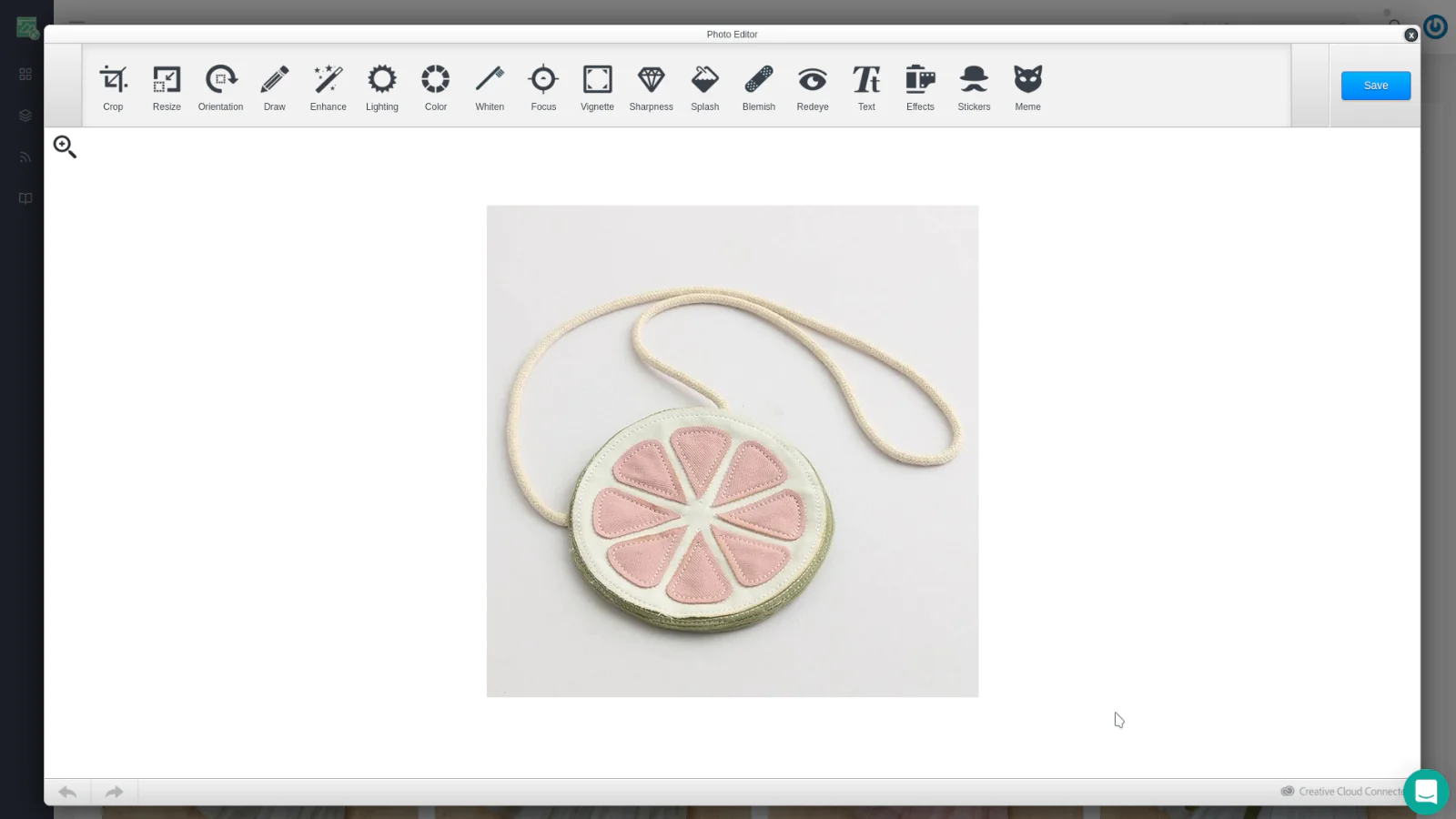
Powerful Image Editors : Crop, resize and do more to any Product image with two images editors
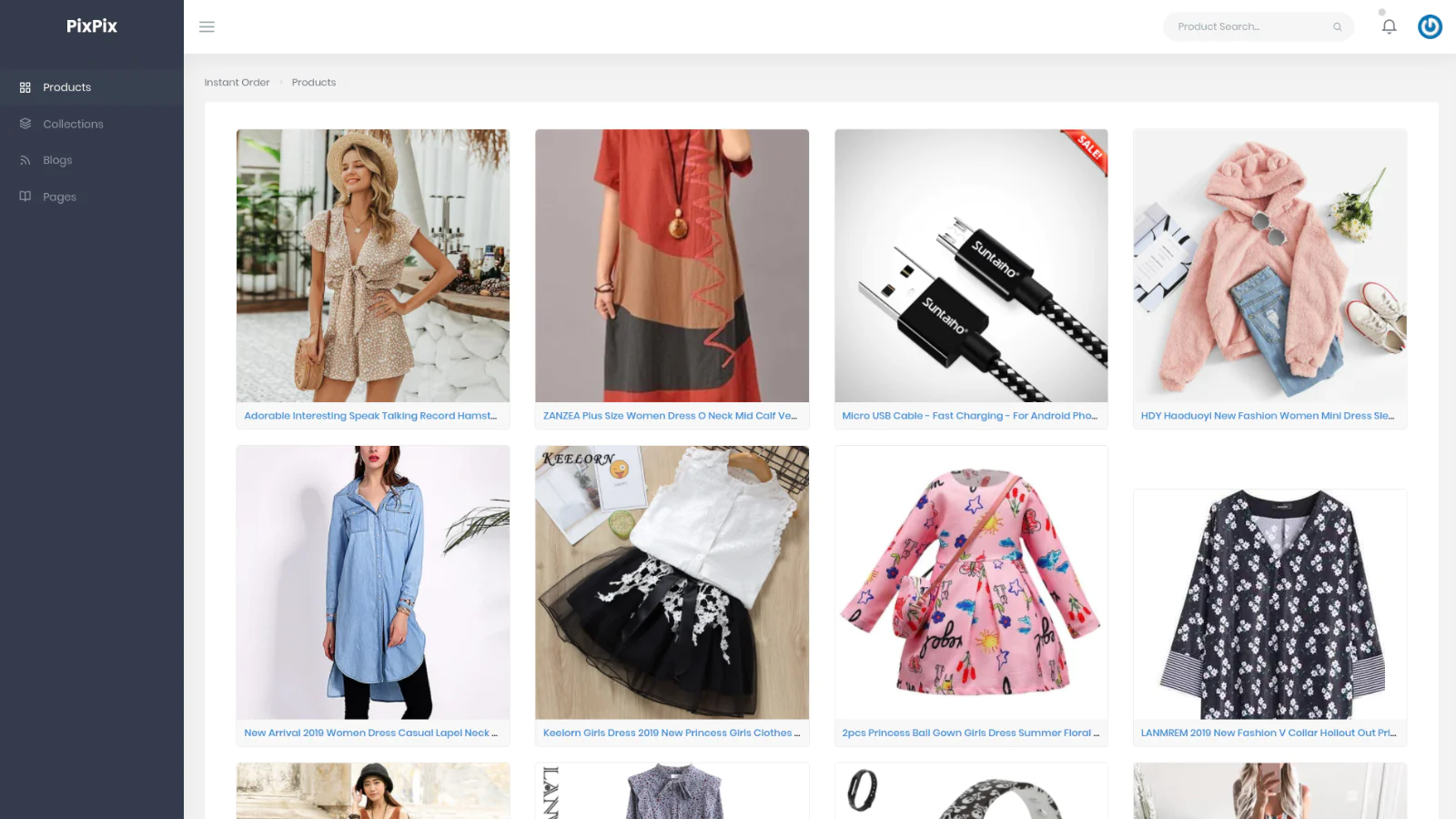
Simple Interface : Lightweight and simple interface to find the product and images you want to edit
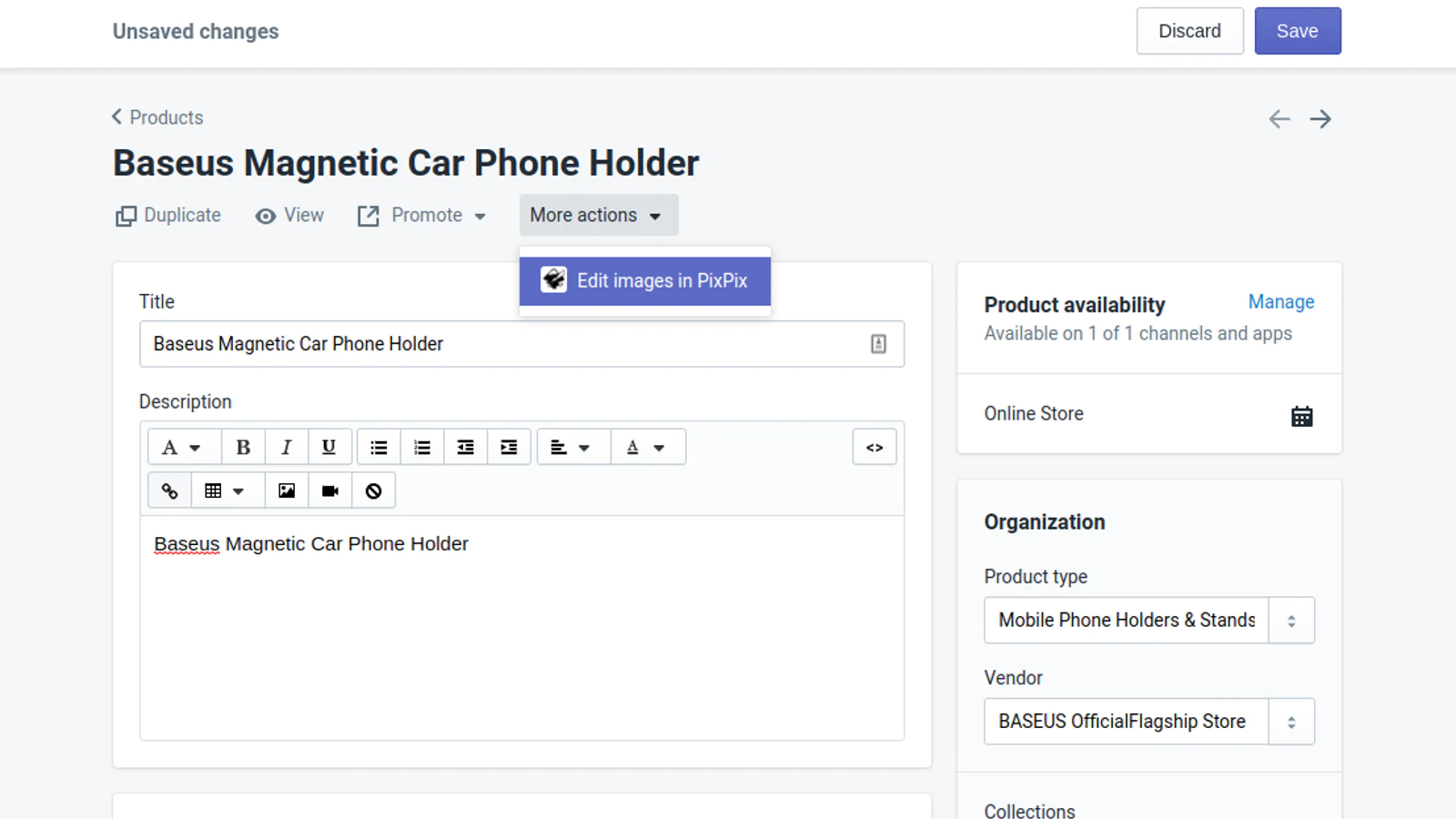
Product Page Integration : Quickly access the product directly from Shopify product view
Simple to use, rich in functionality
PixPix image editor is a simple to use editor with a lot of image editing options.
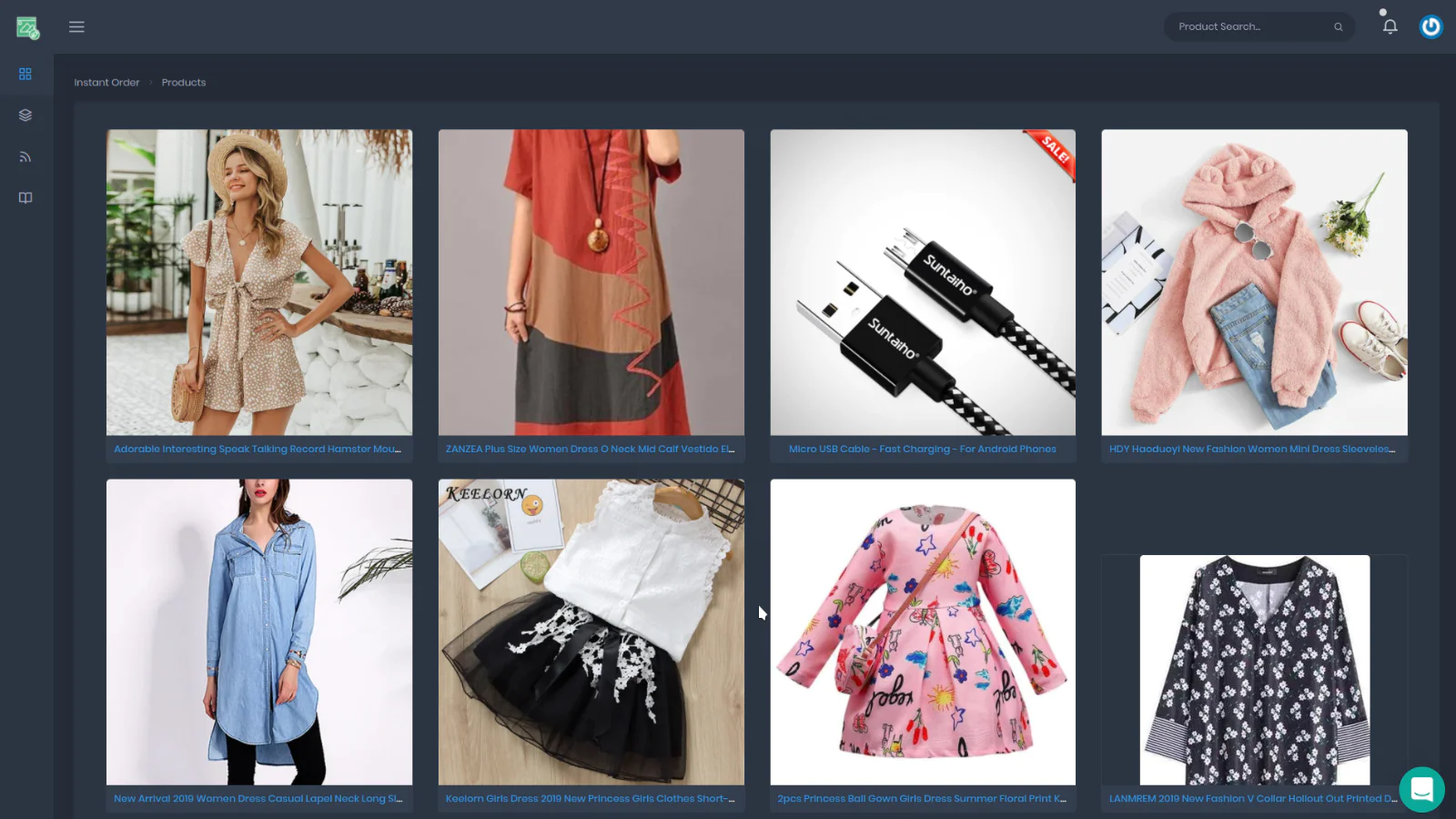
PixPix have a simple and intuitive interface, you can browser your products listing or directly search for a specific product using keyword search.
With Shopify Admin links integration, you can directly open a product in PixPix from your product details page in Shopify admin section.
PixPix have a variety of images editing tools, here are the most popular ones:
Image Crop & Resize
Allow you to make your product images look and fit perfectly to your store theme.
Cropping is when you cut off part of an image to achieve a new size or shape.
Resizing maintains the entire image and simply changes the size.
Change Image orientation
Change the angle and axis of an image, this tool is very practical for daily use to straighten out product images taken in landscape mode (or portrait) and rectify it.
Change Image Color and Lightning
Quickly and easily fix lighting and color issues, or make your photos black and white.
You can also autocorrect your photo with one of four basic enhancements.
Enhance and Whiten parts of the image.
Remove redeye from your photo with a brush, whiten teeth with a brush and remove skin blemishes with a brush.
Draw text or freely with a pencil
Add custom, resizable text or add doodle overlays with a brush, this tool is perfect for removing watermark and logos from images you import from other Dropshiping apps.
Image Compression
You will be able to compress all your product images and select the compression quality, the app will tell you how by how much your images size will be reduced and you will be able to view the changes before applying them. This feature is great to improve your SEO image performance, it's comparable to many SEO image optimizer features but without any limits!
Bulk Images Upload
Upload more any number of photo and pictures with a simple interface
Bulk Images Delete
Delete more than one or all pictures and product photo at once
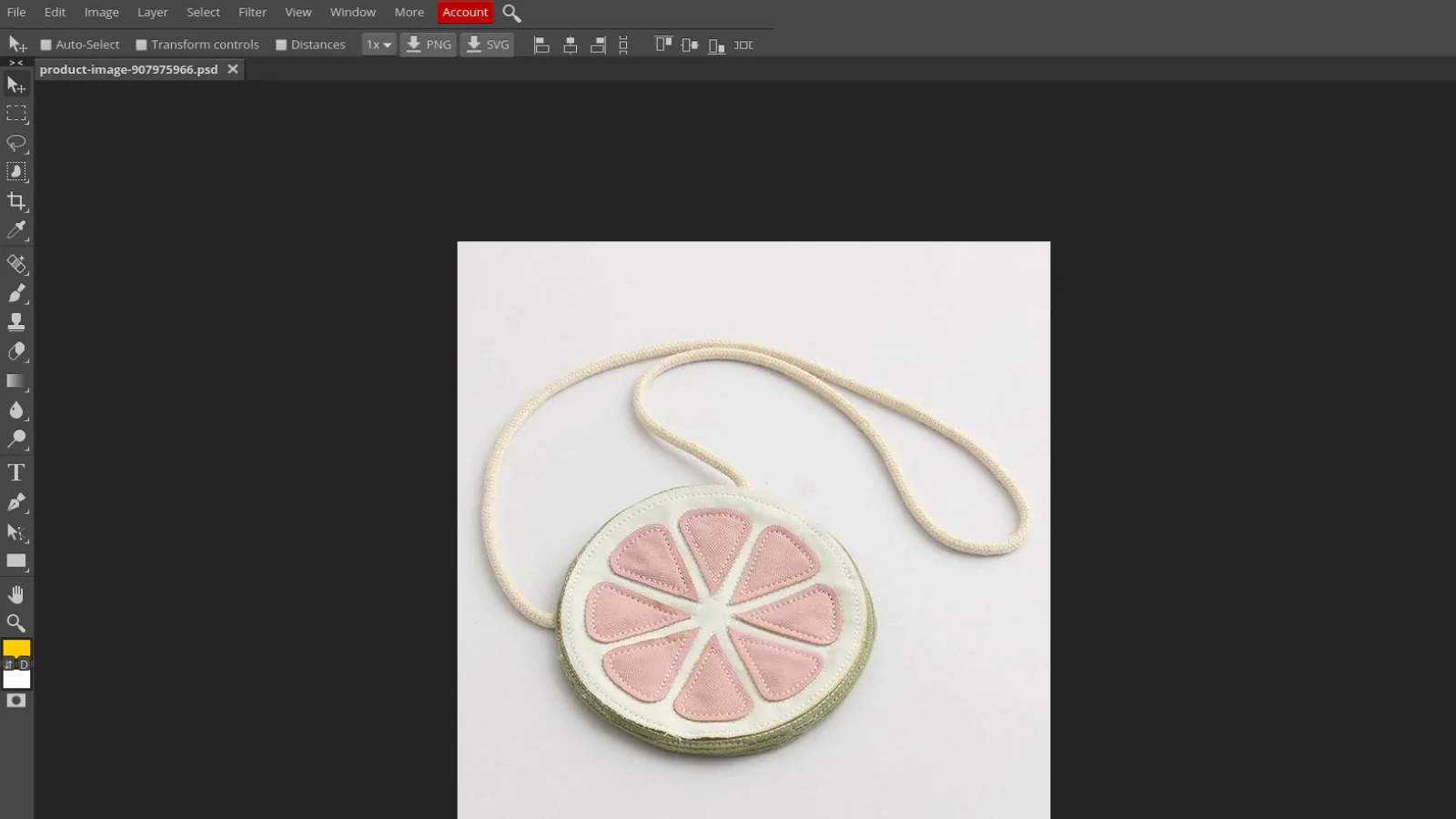
Photopea image editor
Our Pro plan include a powerful, Photoshop like image editor: Photopea, it have a wide range of feature that you can find in desktop editors like Photoshop or GIMP
SEO Image
This feature is great to improve your SEO image performance by changing your images alt text or images filename
Edit Blogs, Pages and Collections
Edit images in your blog articles or any other page in your store, you can also edit and change the feathered image in any collection
Speed tested: no impact to your online store
About the Author
Matej Kontros is an E-Commerce expert and app developer with over a decade of professional experience in IT.
Matej has worked for organisations of all types and sizes, including global players, startups, and agencies. He designed, developed, and maintained complex projects.
Matej's expertise includes e-commerce, software engineering, web development, systems administration, internet security, managing projects, and building teams.
Visit his website at [ Web Linkedin ] or contact him at [email protected].