Shopify App : OLX Adverts
Drive sales for your business with ads published on OLX!
About OLX Adverts
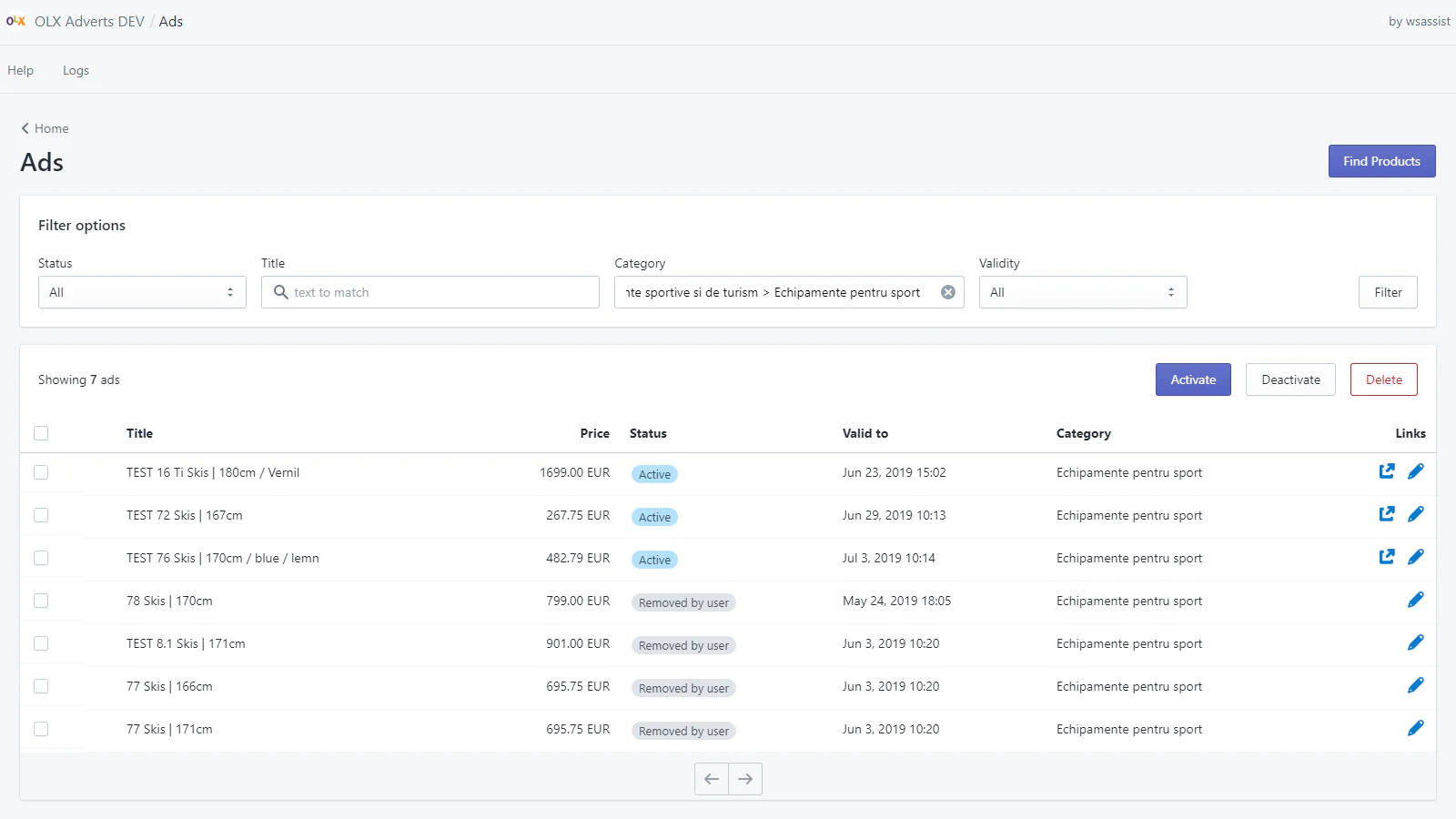
Speed up ad creation : With this app you can easily create OLX ads for your products and manage them with bulk actions to activate, deactivate or delete the ads.
Accurate product details : Product details are accurately transferred to the ads each time! No more errors while copying and pasting details from one app to another.
Ad status automation : Activate and deactivate ads based on product availability. When a product goes out of stock, the ad is automatically deactivated.

With this app you can easily create OLX ads for your products and manage them with bulk actions to activate, deactivate or delete the ads.
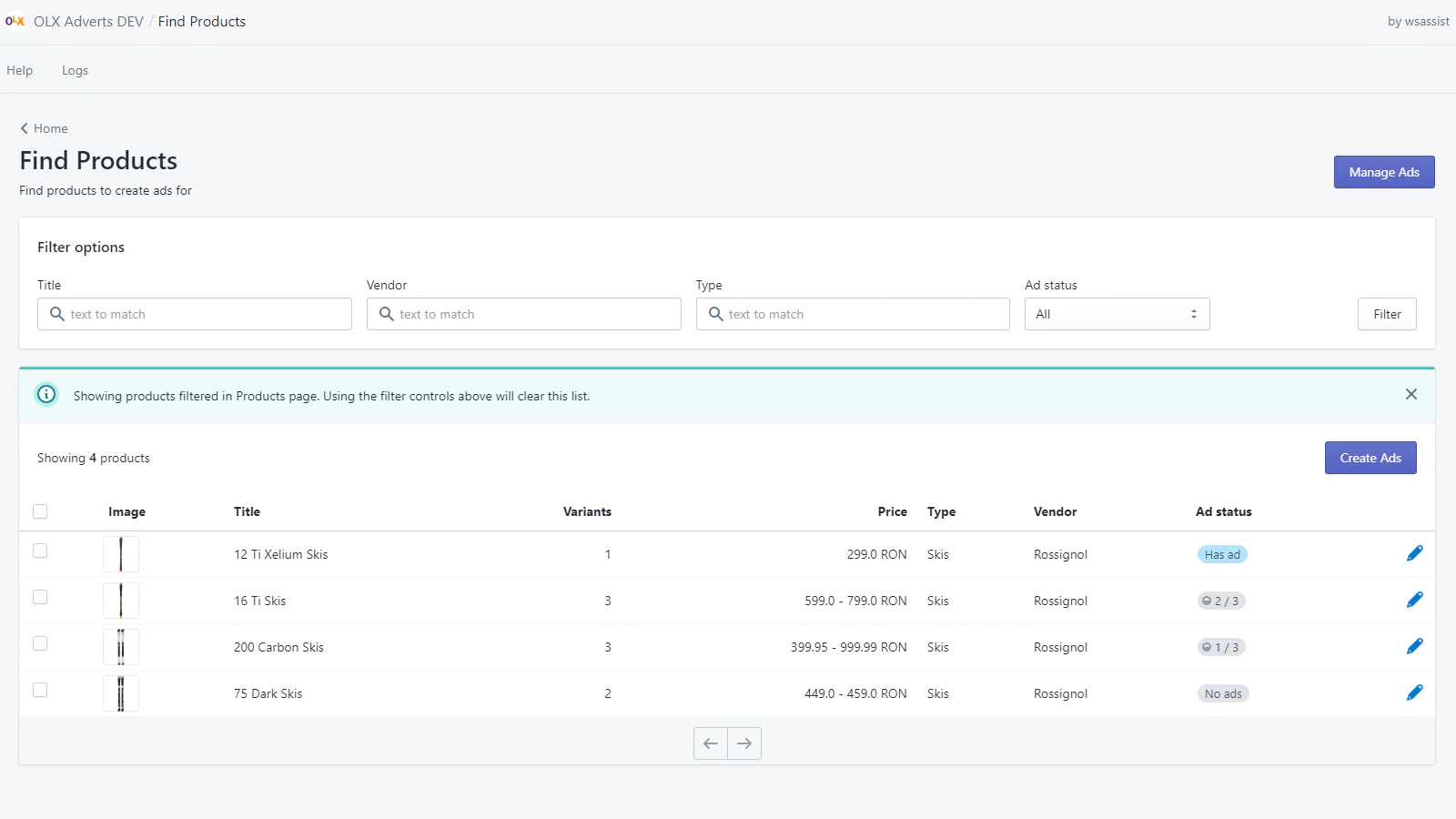
You can create one ad for each product or product variant, if your products have multiple variants.
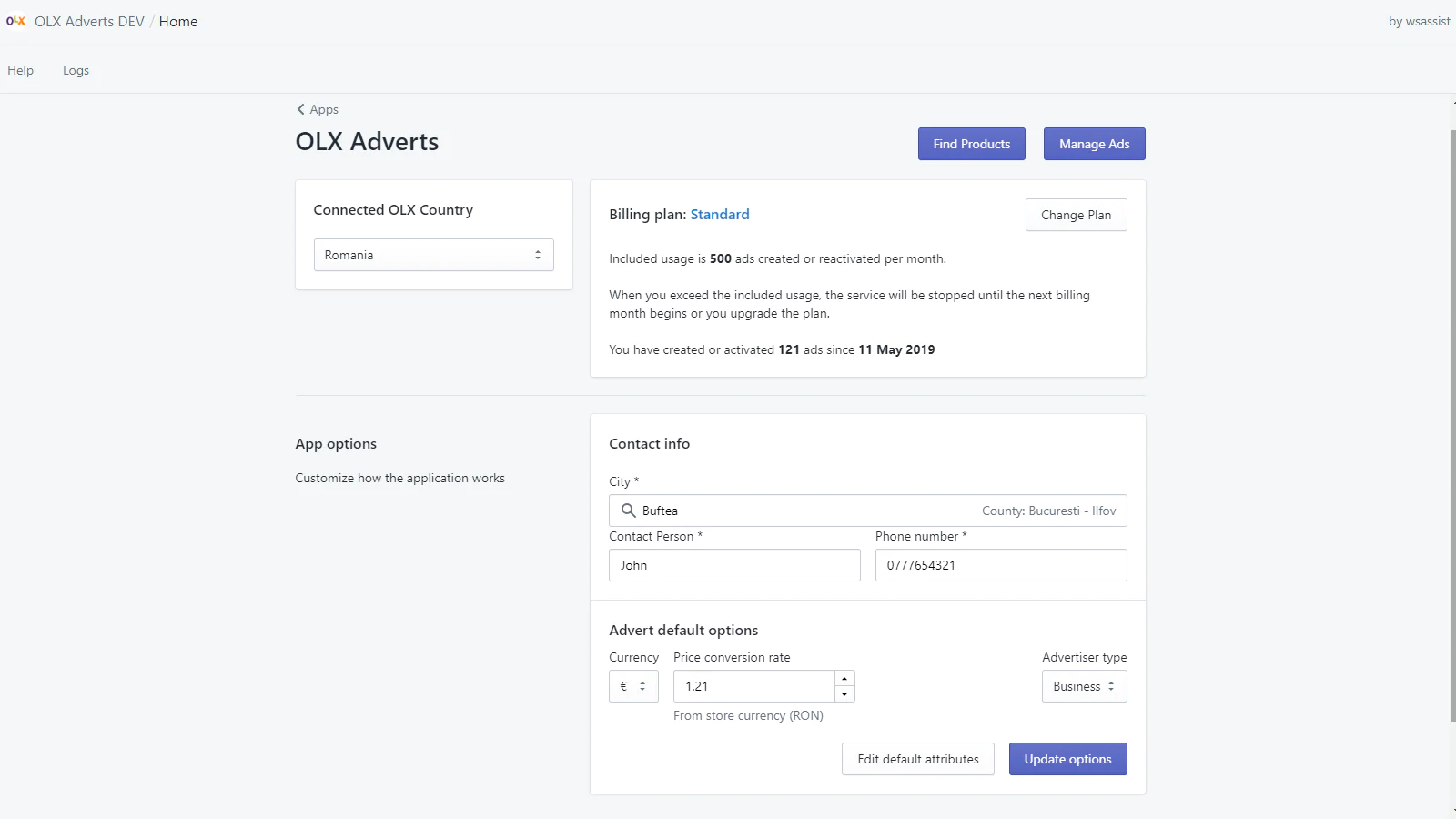
The app works with OLX Romania, OLX Portugal, OLX Poland and OLX Bulgaria. For activating it on other OLX countries, please get in touch with us.
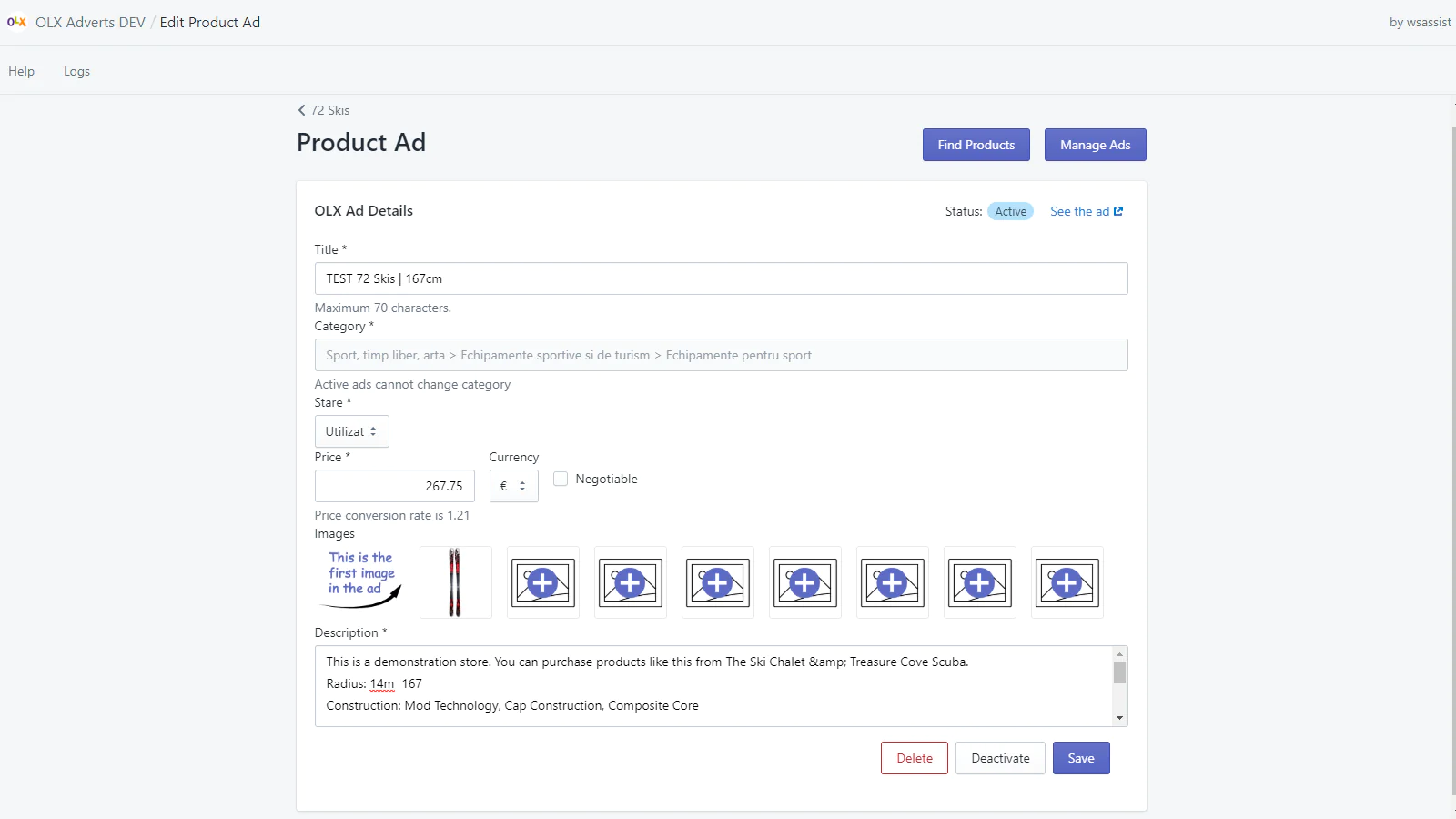
Create or Edit the ad for one product or variant
In this case you have full control over the ad details, you can change price, title, description or the other attributes which depend on the selected category of the ad. You can select up to eight images for the ad, from the product's images.
Create ads for multiple products in one category
You can select multiple products and create ads for all of them, in one action, in the same OLX category. When this option is used, the ads are created using the following rules:
- An ad will be created for each product variant, if it doesn't have one created, yet.
- All ads will use product's title and description shortened if necessary, to fit ad's limits.
- First 8 product images will be used.
- Attribute values will be replaced by defaults if defaults are defined for the selected category.
Automation
- Disable/Enable ads based on stock - If checked, the app automatically deactivates ads when the product is out of stock and reactivates it if the product is back in stock.
- Reactivate ads when expired - Once a day, the app checks all your ads and re-activates ads with status outdated (the is the status that an ad gets when it's validity period ends).
Default attributes for speed and consistency.
Default attributes can be used in two ways:
- To preselect attribute values when you create a new ad for a product - after you select the ad category and the attributes for that category are displayed
- To set the value of an attribute when you create ads in bulk, for more products at the same time Using this feature will save you time and ensure you have a consistent mapping between the OLX category attributes and your product variant options.
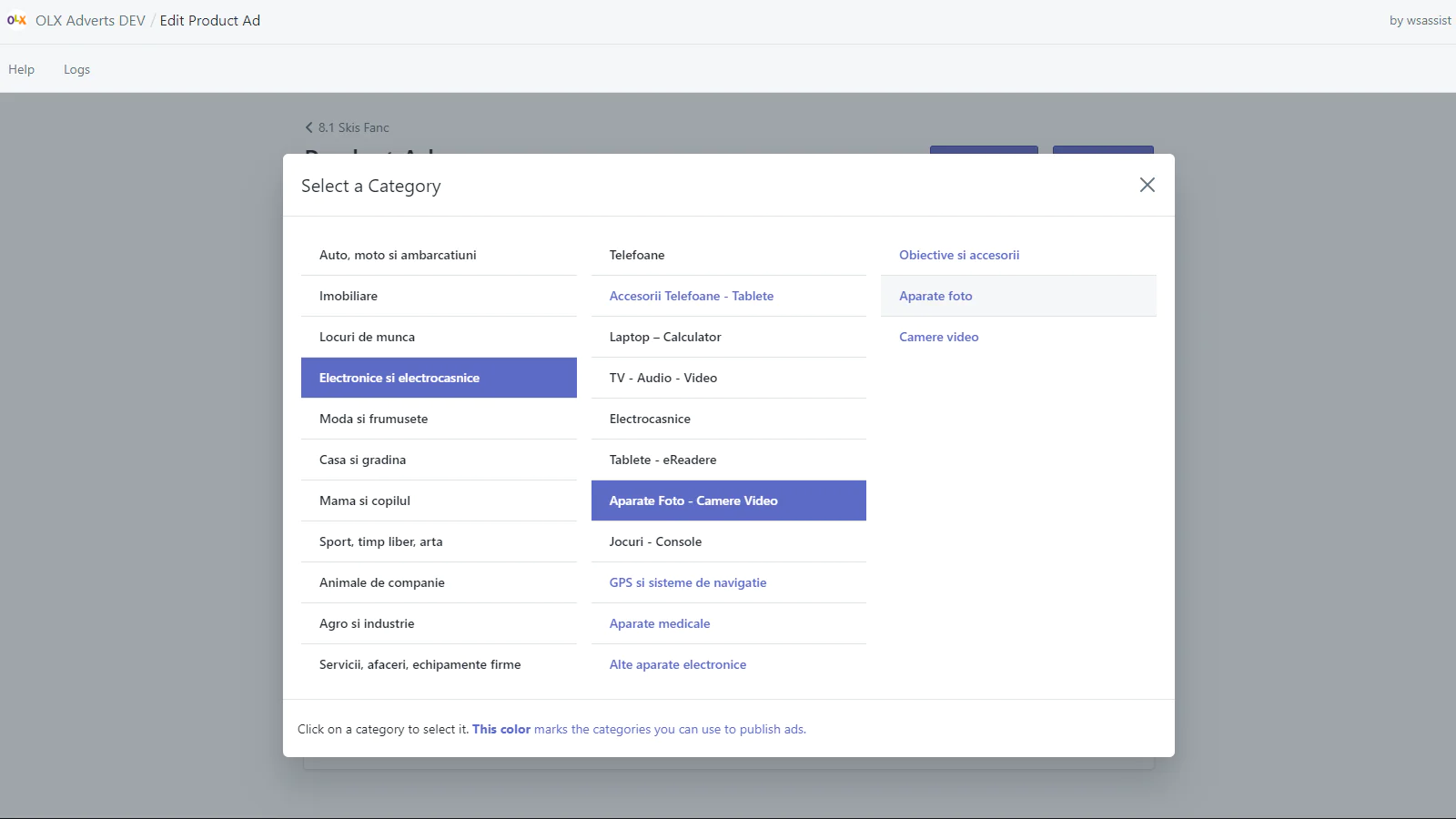
Seamless workflow: use directly in Shopify admin
About the Author
Matej Kontros is an E-Commerce expert and app developer with over a decade of professional experience in IT.
Matej has worked for organisations of all types and sizes, including global players, startups, and agencies. He designed, developed, and maintained complex projects.
Matej's expertise includes e-commerce, software engineering, web development, systems administration, internet security, managing projects, and building teams.
Visit his website at [ Web Linkedin ] or contact him at [email protected].