Shopify App : Nada: Sort & Hide Sold‑out
Hide out-of-stock products | Low stock alert | Push sold-out
About Nada: Sort & Hide Sold‑out
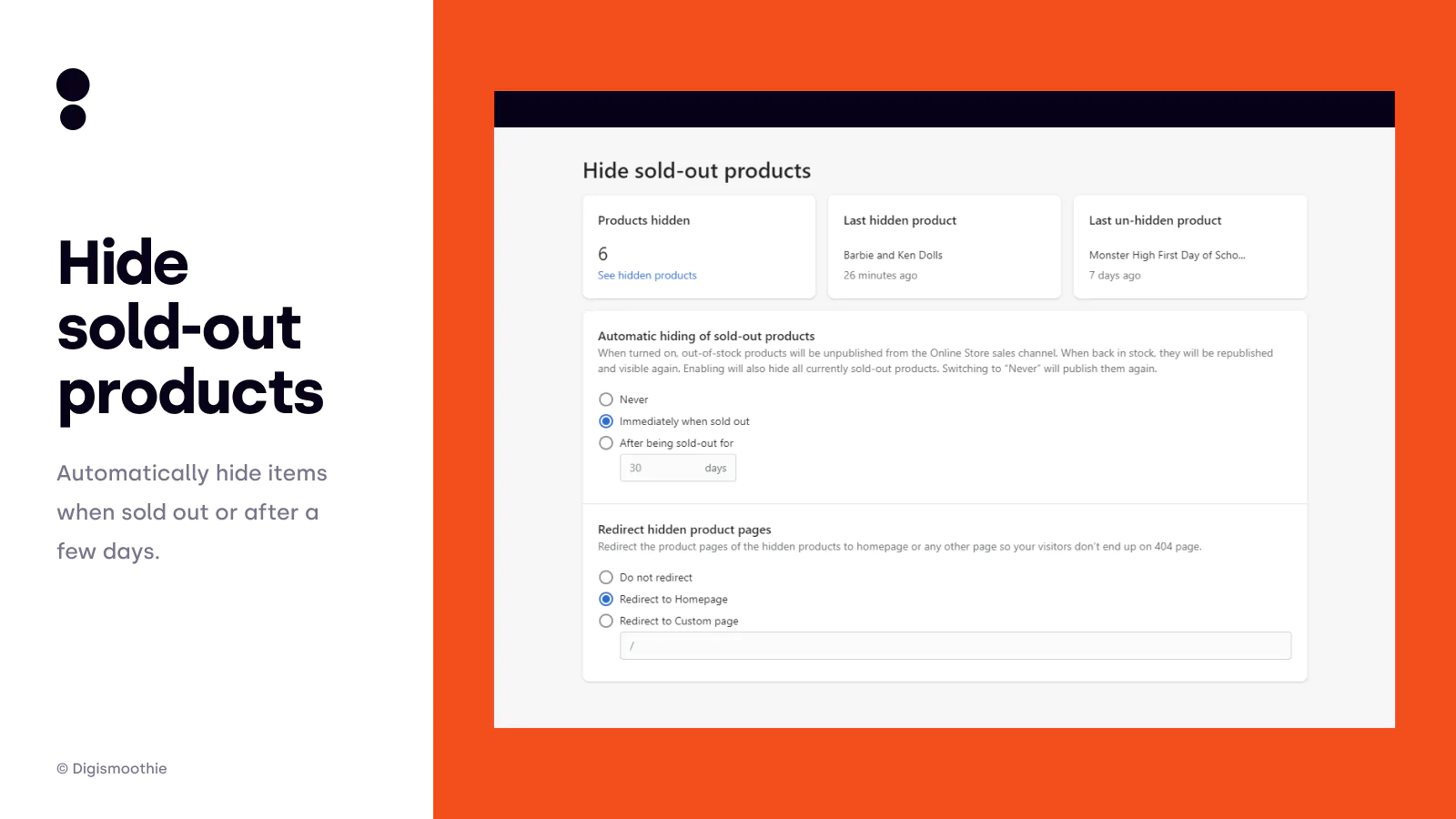
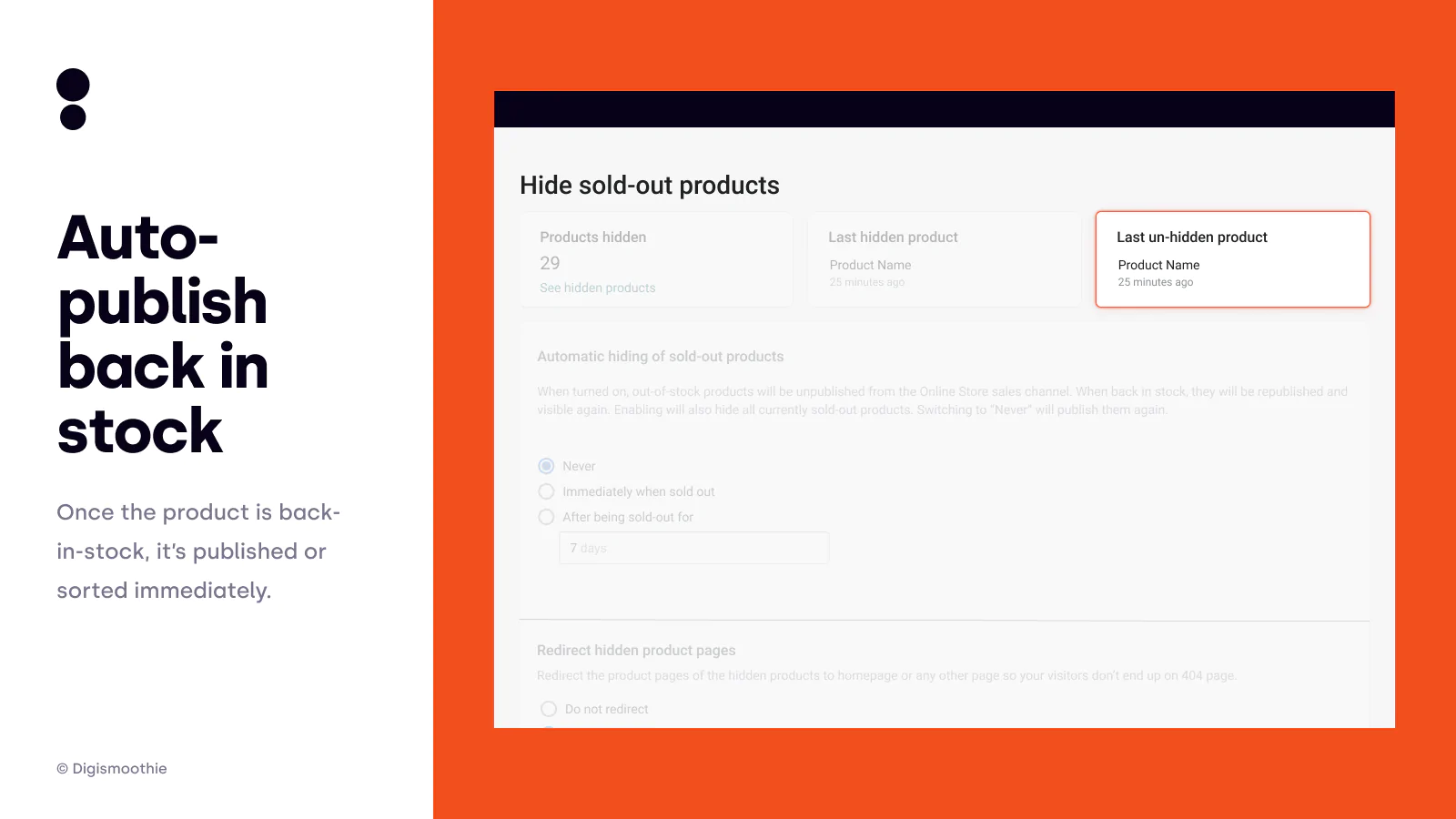
Auto Hide Sold-Out Products : Auto-hide sold-out products immediately or after being sold out for few days. Set redirect to the homepage or any other page to avoid 404.
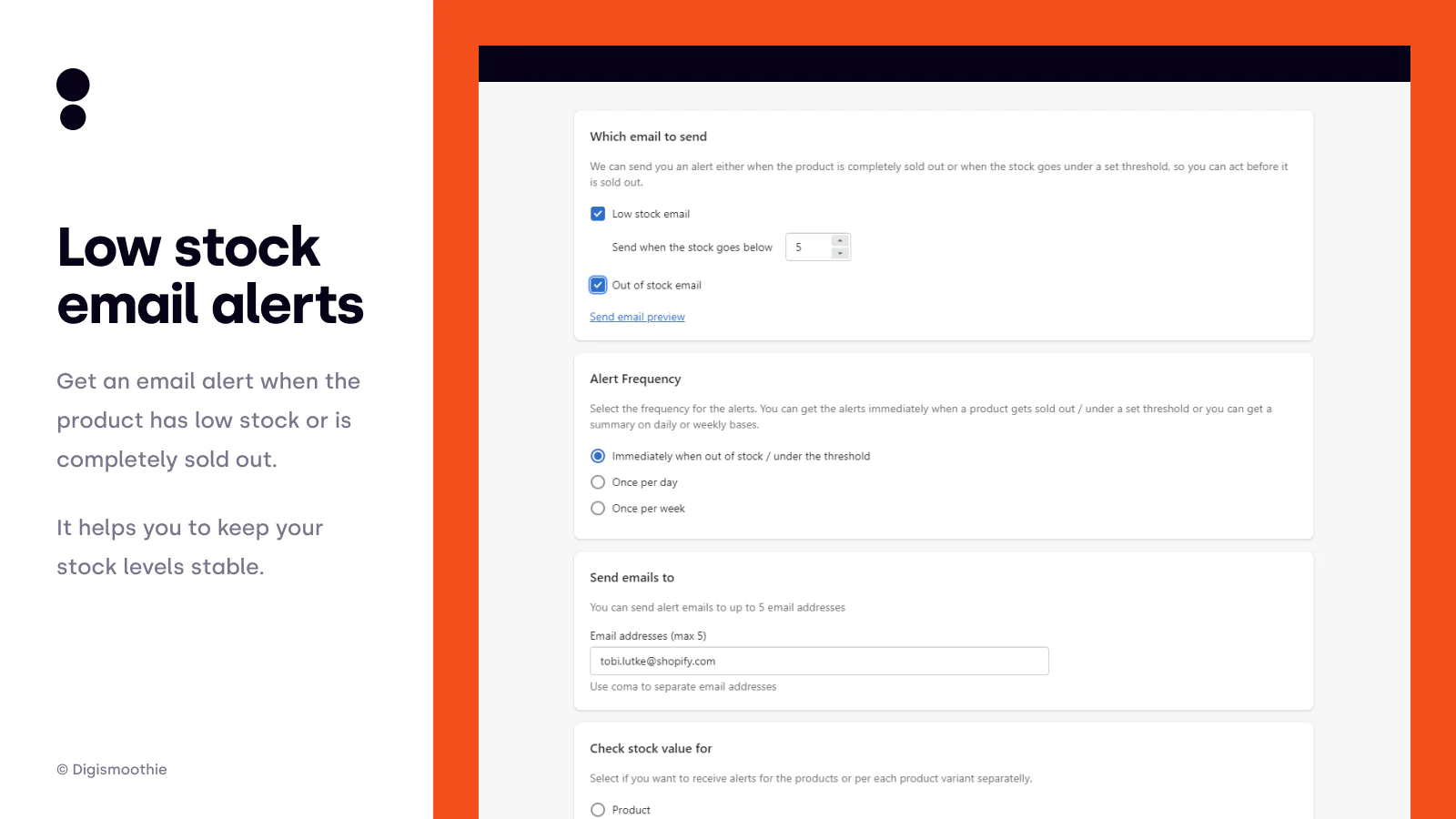
Low Stock Email Alerts : When product has low stock, you'll get an email to re-stock it before it's sold out. Keep your inventory levels stable to improve sales.
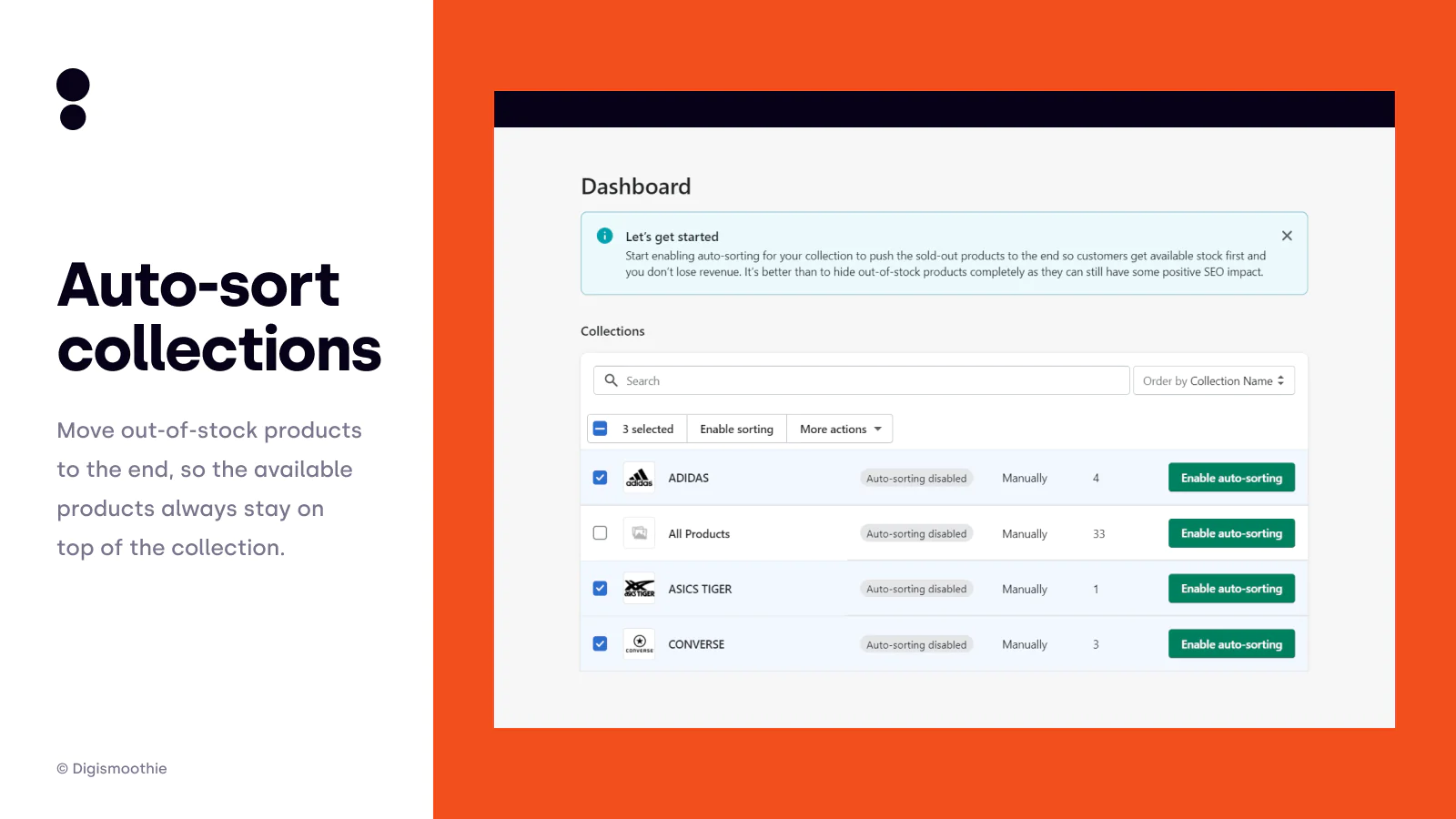
Move Sold-Out To The Bottom : Put sold-out & out-of-stock products last in the collection. Once re-stocked it will be returned to the original position. Improve your SEO.
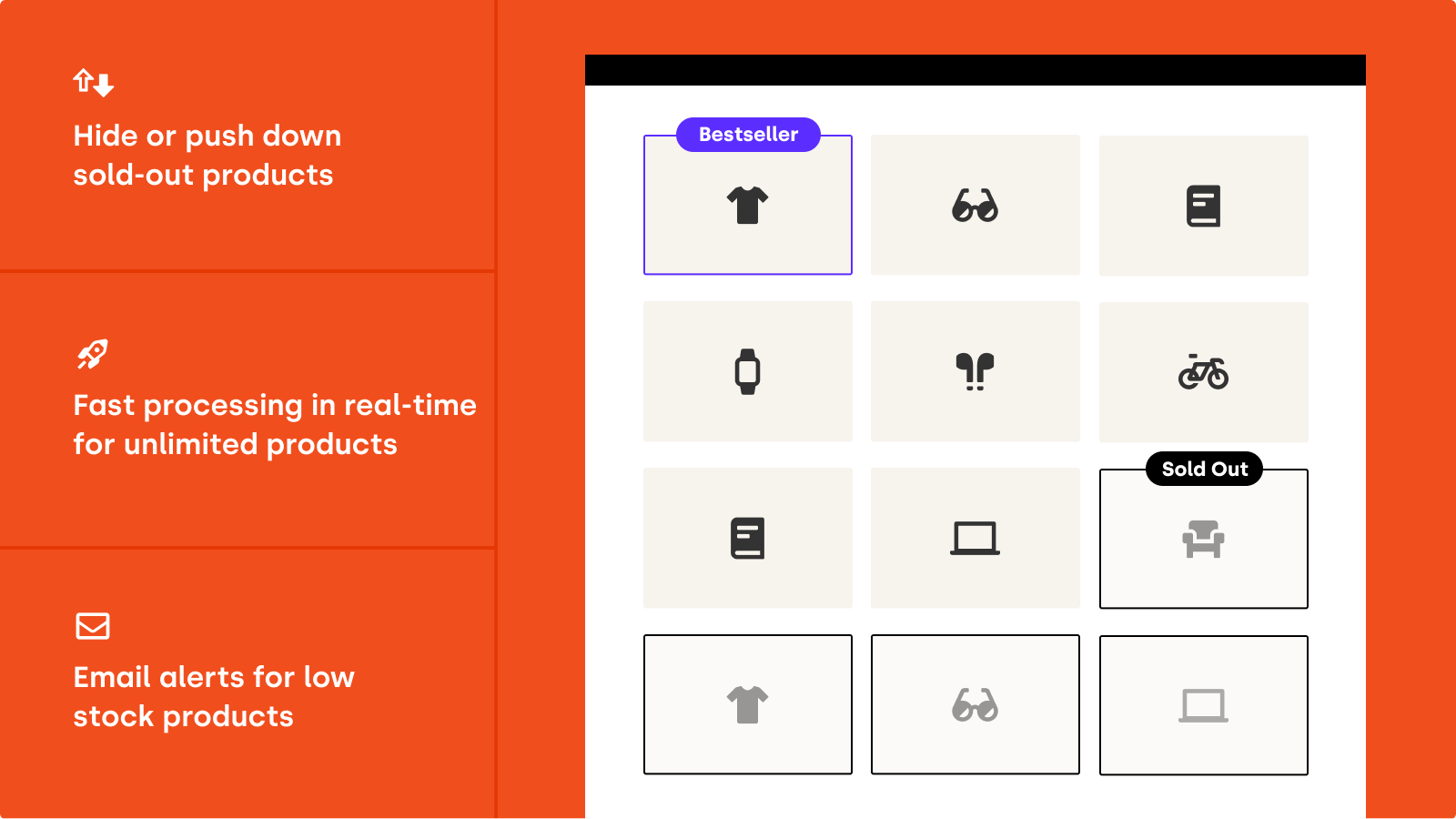
A very useful app for putting your in-stock products first in any collection on your store. So you don't have your customers looking at the sold-out (out-of-stock) products that they can't purchase anyway.
No more manual hiding of sold-out (out-of-stock) products, we will just put them to the end of the collection. It works with both automatically or manually sorted collections.
Put in-stock products first
In-stock products are sorted and put before the sold-out (out of stock) products. So your customers are always presented with products which they can buy.
Move sold-out & out of stock products to the bottom of collections
Out of stock & sold-out products are sorted and put at the end of the collection. The products are still there, still visible in your store, just at the end of the list.
Auto-hide sold-out products
When you prefer to hide out-of-stock items completely the app can hide (unpublish from the online store) the product as soon as it's sold out or a few days later. When back in stock the app makes them visible again immediately.
Get email alerts for low stock products
We will notify you when your products have low stock and/or are sold out. Set your own frequency of low stock alerts to be notified immediately, daily, or weekly. The email contains an attached CSV with full details.
Redirects to boost your SEO – no more 404 errors
Hidden product pages will be redirected to the homepage or any other page you want.
Return restocked products to their original position
When the out-of-stock product is back in stock it is visible again and returned to its original position.
Real-time processing
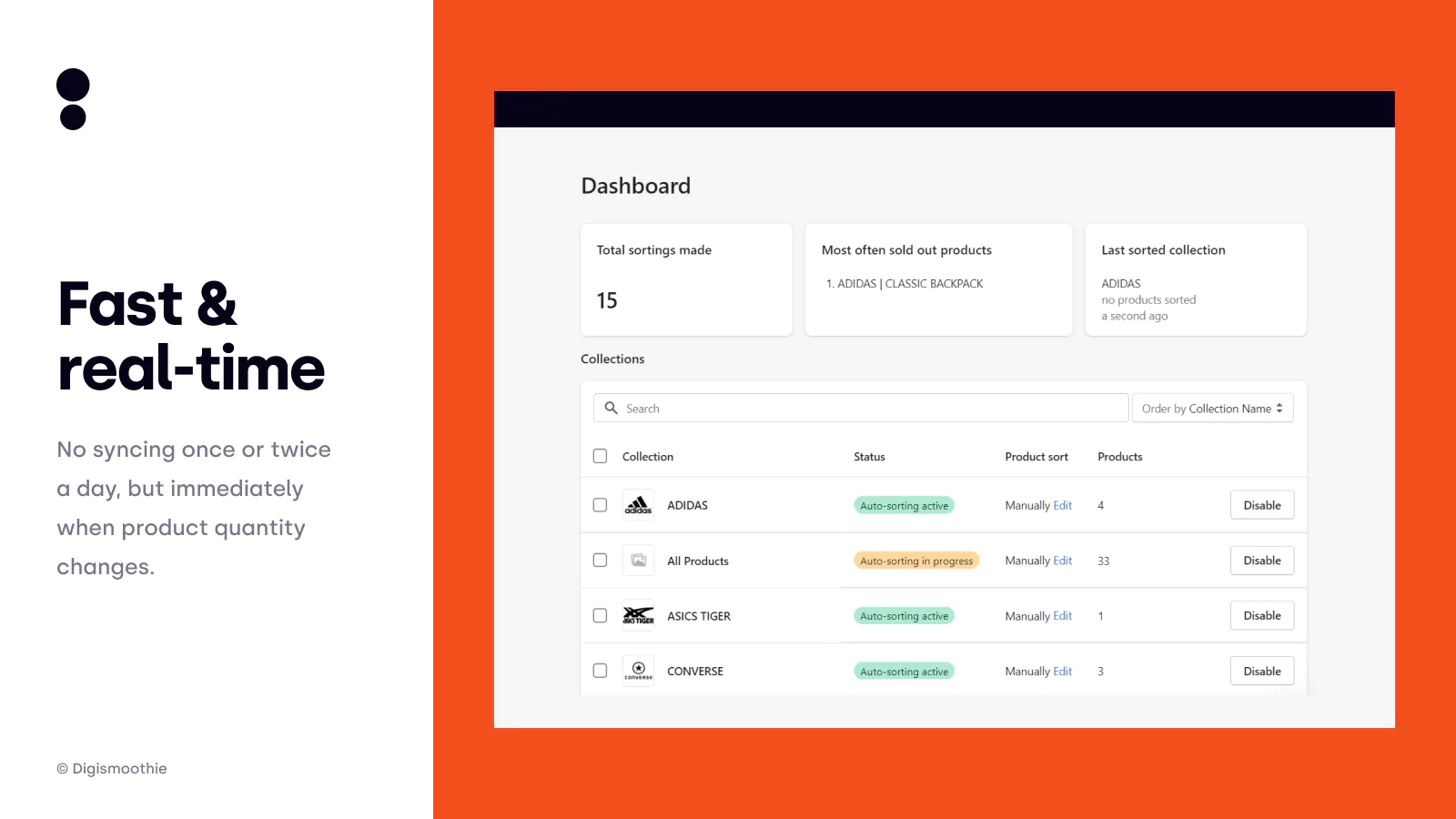
The app is checking your inventory in real-time so whenever any of your product becomes sold out or back in stock the app sorts the collections or hides/publishes the product.
Automatic collection/catalog sorting
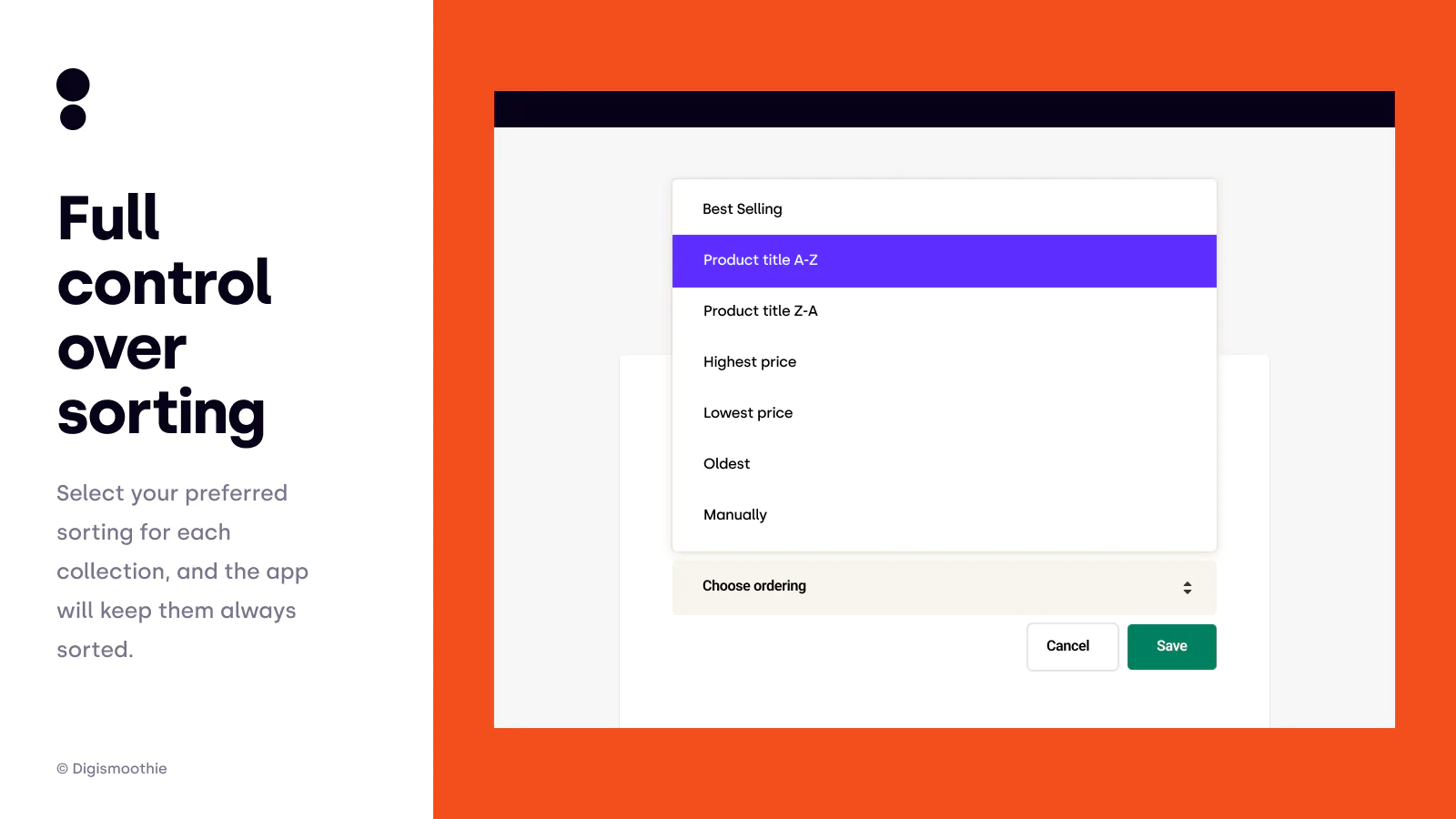
You can choose the sorting type for the whole collection, including the most popular "Best selling". Once you select which collections you want to sort out, the catalog sorting is done automatically whenever some product's inventory drops to zero, so you don't need to do it manually every time some of the products become out of stock or sold out.
Option to sort products available for pre-orders or backorders
You can choose in Settings if you would like to push down the products that can be sold even when out of stock.
Seamless workflow: use directly in Shopify admin
Speed tested: no impact to your online store
About the Author
Matej Kontros is an E-Commerce expert and app developer with over a decade of professional experience in IT.
Matej has worked for organisations of all types and sizes, including global players, startups, and agencies. He designed, developed, and maintained complex projects.
Matej's expertise includes e-commerce, software engineering, web development, systems administration, internet security, managing projects, and building teams.
Visit his website at [ Web Linkedin ] or contact him at [email protected].