Shopify App : Mabbonz ‑ Bulk Metafields
Manage specified information through easy excel
About Mabbonz ‑ Bulk Metafields
Store Specialised Information : Through this app you can store specialized information of product metafields, which can be used in filtering and categorization of products
Bulk edit with Excel : To manage large number of product’s metafields, you can upload them easily through Excel (CSV format). Compatible with all themes
Easiest Excel file to make : App uses most easy excel file (CSV format) to update the product metafields. It matches product SKU with metafields
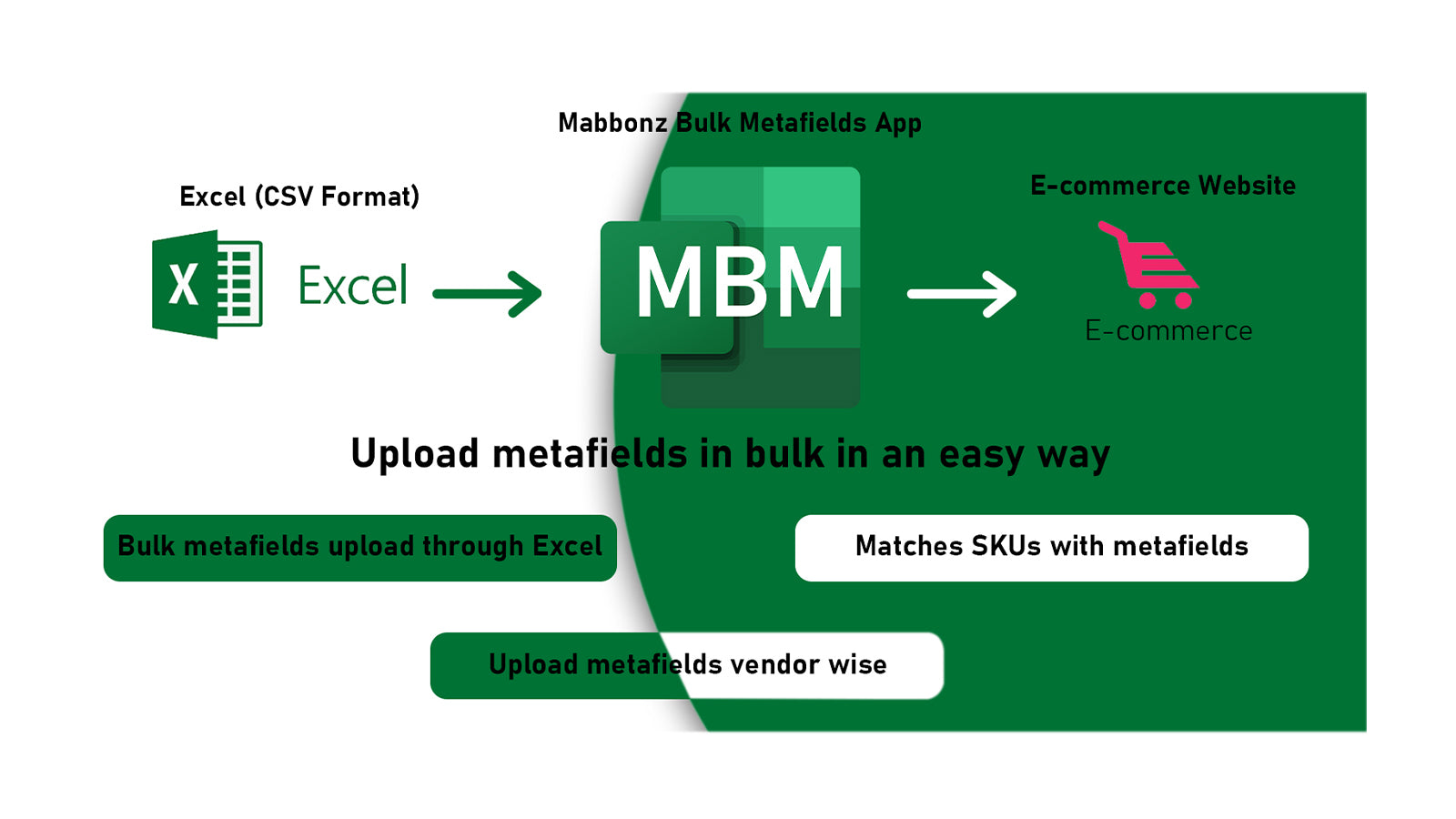
As all eCommerce companies have huge products to display online. Categorization and filtering of products is an important part to display products effectively, it impacts buying behavior of eCommerce customers. Products metafields are used to put specialized information with products. Mabbonz - Bulk Metafield App provides a convenient way to upload/update product metafields through an excel sheet in CSV format. Making the excel sheet to update the metafileds is also simple and convenient. Minimum 2 columns are required; one is for SKUs and another for metafields. Maximum columns can be any number, but the rule will be the same – one column for SKUs and others will be metafields.
Benefits of App:
• Easy upload metafields through excel (CSV format) file
• Simplest excel (CSV format) file needed
• Matches SKUs with Metafields
• Only SKU and Metafields are required for excel (CSV format) file
• All metafields can be uploaded at once
• Upload metafields vendor wise
• No JS installation
• Don’t affect eCommerce speed
• A large number of products updates can be done at once
• The skilled person not required
• Suitable for drop shippers, manufacturers, retailers, vendors, and merchants
Content type app accepts:
DATE AND TIME:
Date (One Value)
Date and time (One Value)
MEASUREMENT
Weight (One Value & List of Values)
Volume (One Value & List of Values)
Dimension (One Value & List of Values)
NUMBER
Integer (One Value & List of Values)
Decimal (One Value & List of Values)
REFERENCE
- Product (One Product)
TEXT
Single line text (One Value & List of Values)
Multi-line text
OTHER
Color (One Value & List of Values)
JSON
Rating (One Value)
True or false
URL (One Value)
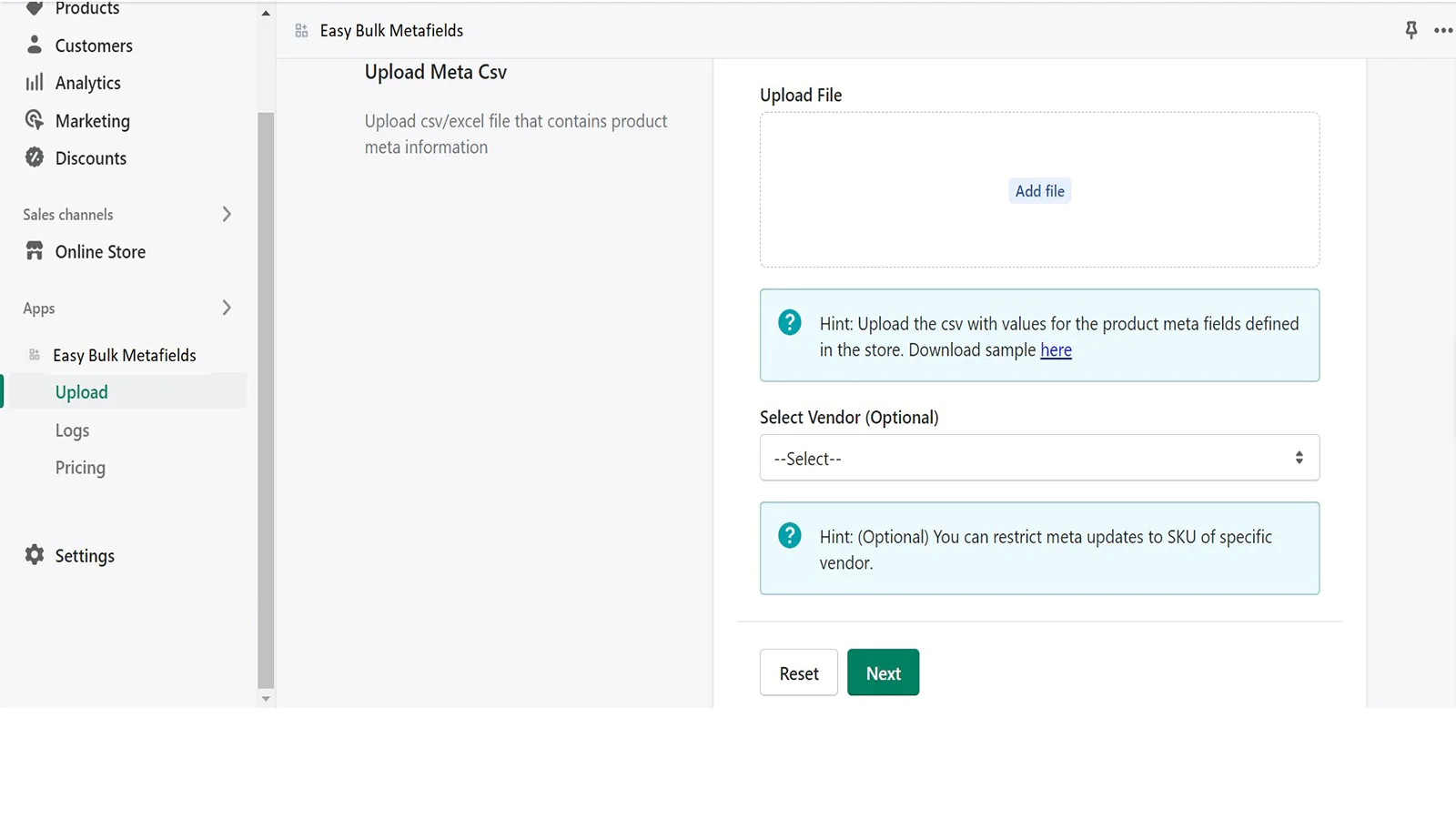
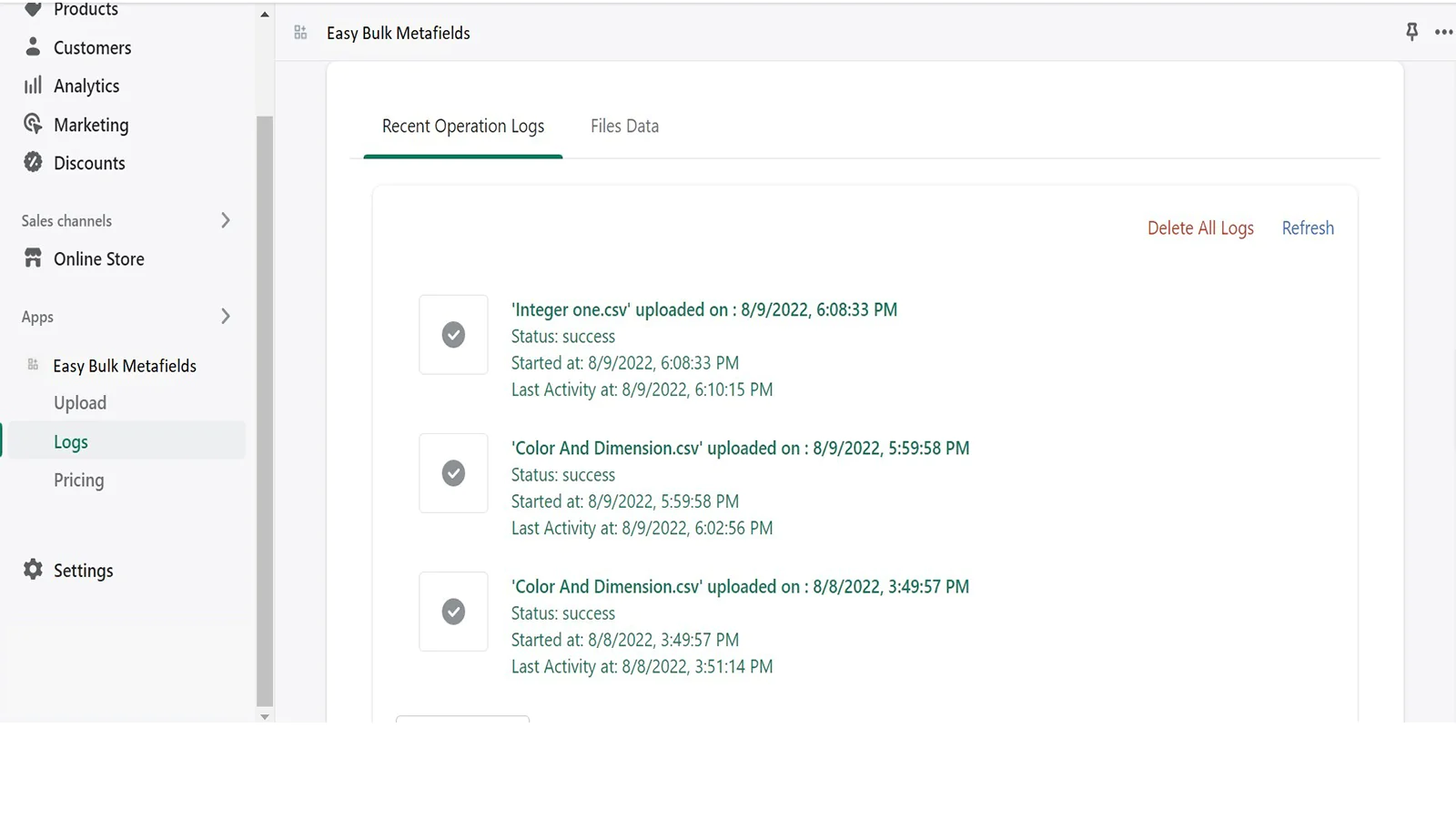
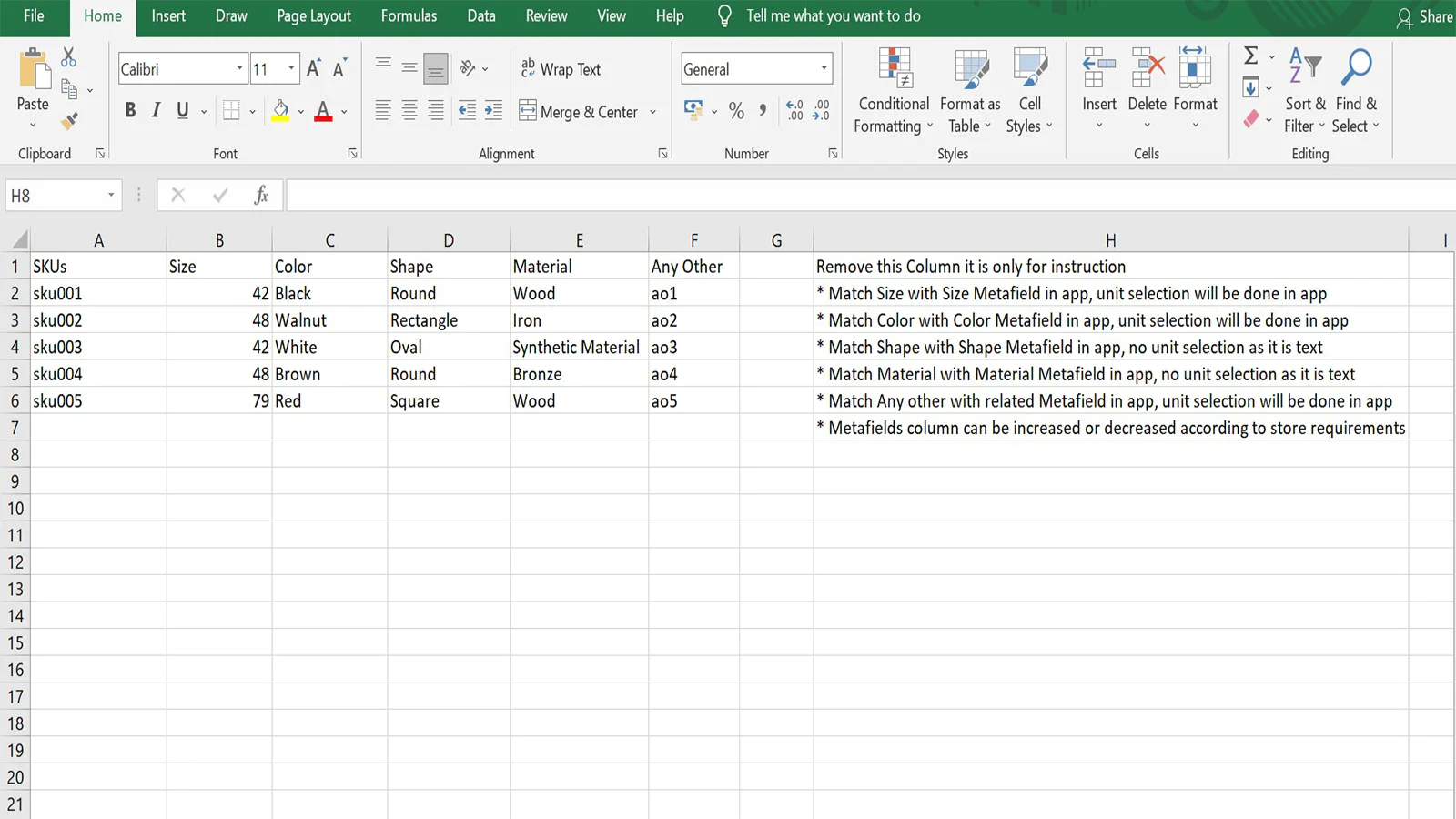
Seamless workflow: use directly in Shopify admin
About the Author
Matej Kontros is an E-Commerce expert and app developer with over a decade of professional experience in IT.
Matej has worked for organisations of all types and sizes, including global players, startups, and agencies. He designed, developed, and maintained complex projects.
Matej's expertise includes e-commerce, software engineering, web development, systems administration, internet security, managing projects, and building teams.
Visit his website at [ Web Linkedin ] or contact him at [email protected].