Shopify App : Re‑member membership
Increase customer loyalty and LTV with membership plans
About Re‑member membership
Increase customer loyalty : Increase recurring payments by giving your customers the option to subscribe and keeping them loyal
Provide special perks : Once a recurring payment is set in place, your members can use the perks and benefits you provided for them.
Flexible membership rules : Once a membership is created, your customers will have the option to customize their membership including add, remove, and skip renewals.

Why install a membership application?
- Build recurring revenue stream
- Retain customers
- Build loyalty
- Improve customer relationships
What does our membership application do?
- Provide solid membreship plans for your customers using the Shopify checkout process
- Quick subscription plans from the admin panel and product description page
- Let customers skip, reschedule, and edit renewal frequencies
- Keep your customers updated by sending them emails about membership packages, invoice details
- Customize membership widgets
Why should you have a subscription function?
Subscription-based pricing is now popular more than ever, enabling you to offer your services to your customers on a recurring basis. With subscription payments, your store could see a significant and consistent increase in revenue and CLV (Customer Lifetime Value) and help you scale your business faster.
Why us? Shopgram Memberships enables you to offer services to your customers, on a recurring basis and with flexible plans in minutes. No coding is required and membership rules can be set up easily in minutes.
How Shopgram Memberships works?
- Install the app
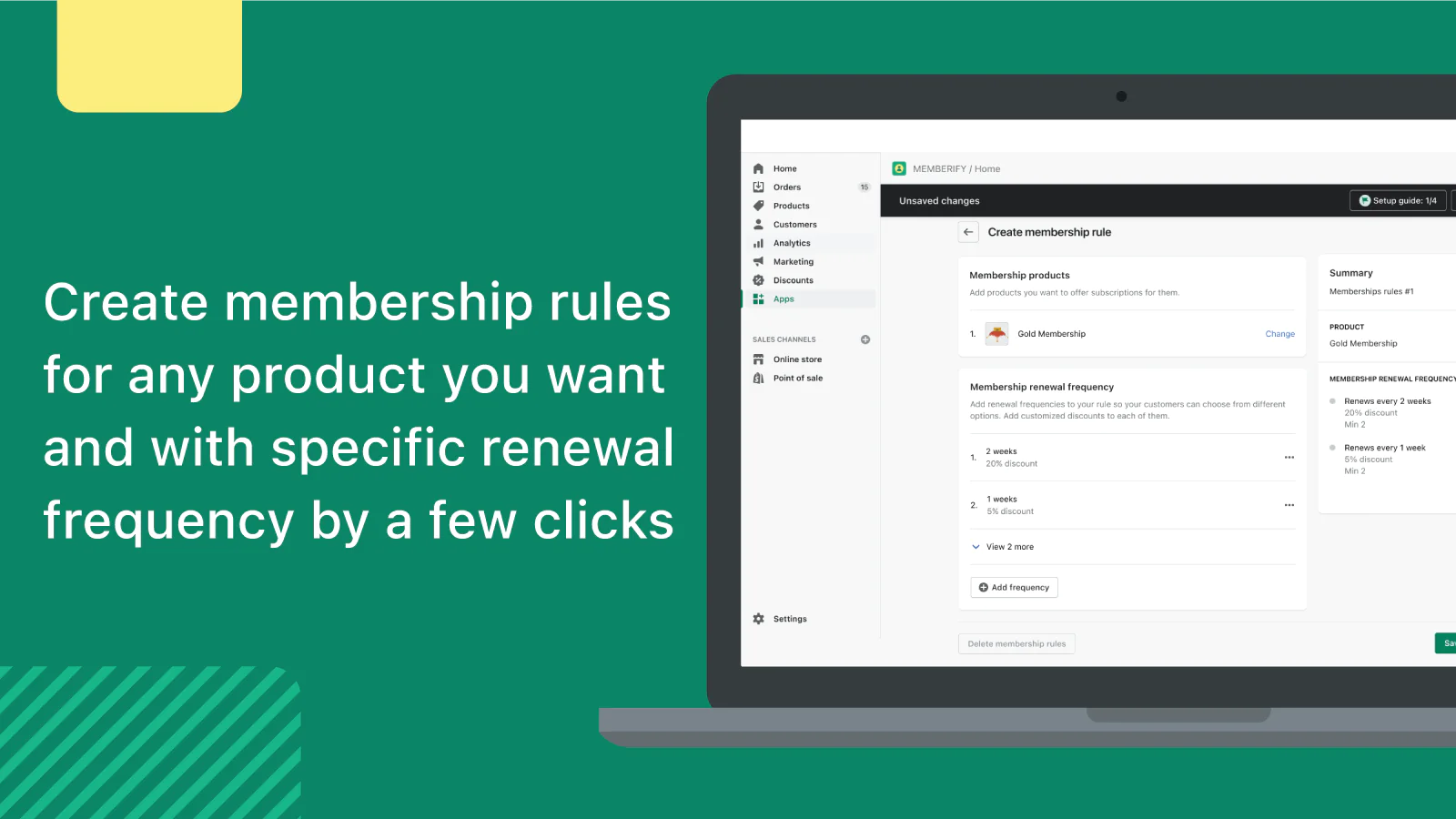
- Go to the "Membership rules" section of the app
- Click on "Create membership rule"
- Click on "Add product"
- From add product modal, select the membership product you want to create a rule for and then click "Add"
- Click on "Add frequency" and choose a desired frequency interval
- Click "Save" to add the membership rule and you can see the rule in the "Membership rule" table
- You can create a test subscription by going to your product page in your store and selecting a subscription option in the new widget
- After checkout, you can see the result in the "Memberships" section
- Click on the new membership to see the details of the subscription
- You can Pause, Resume, Cancel, and Activate the subscriptions from the membership detail
- You can change the details of the subscription including but not limited to products, frequencies, and discount
Key features:
Automatic invoices: This app supports automatically generated invoices that go directly to the customer’s inbox. Customers can select the payment method they want in the checkout process.
Customize membership widgets: Our widgets are customized to fit your store theme and give your customers a unique experience
In-app chat support: Our support team is actively available 24/7 to fix any possible issues you may have.
Easy installation: You can simply install the app to see if the subscription widget is fully integrated with your theme. So feel free to install and give it a try.
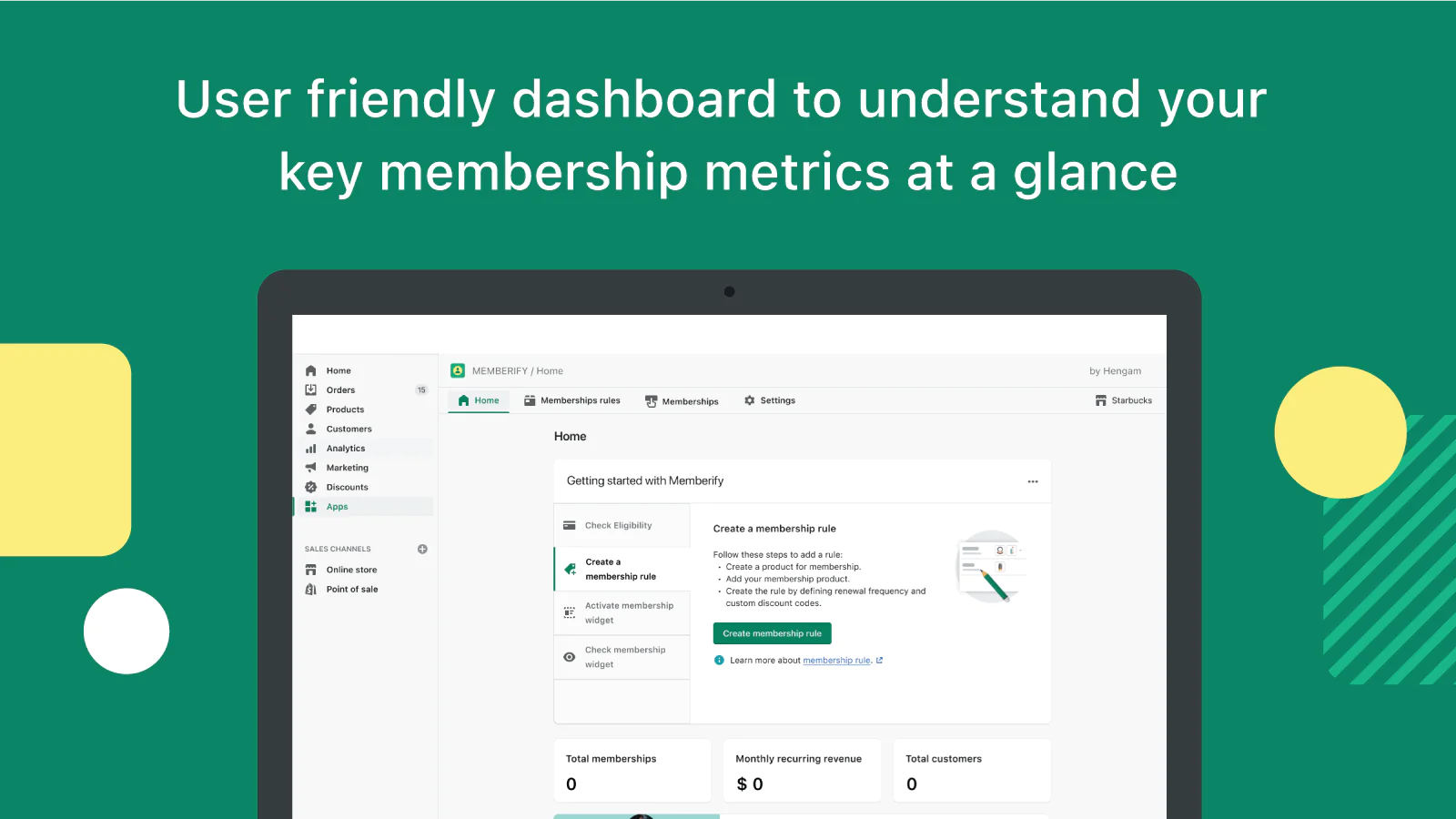
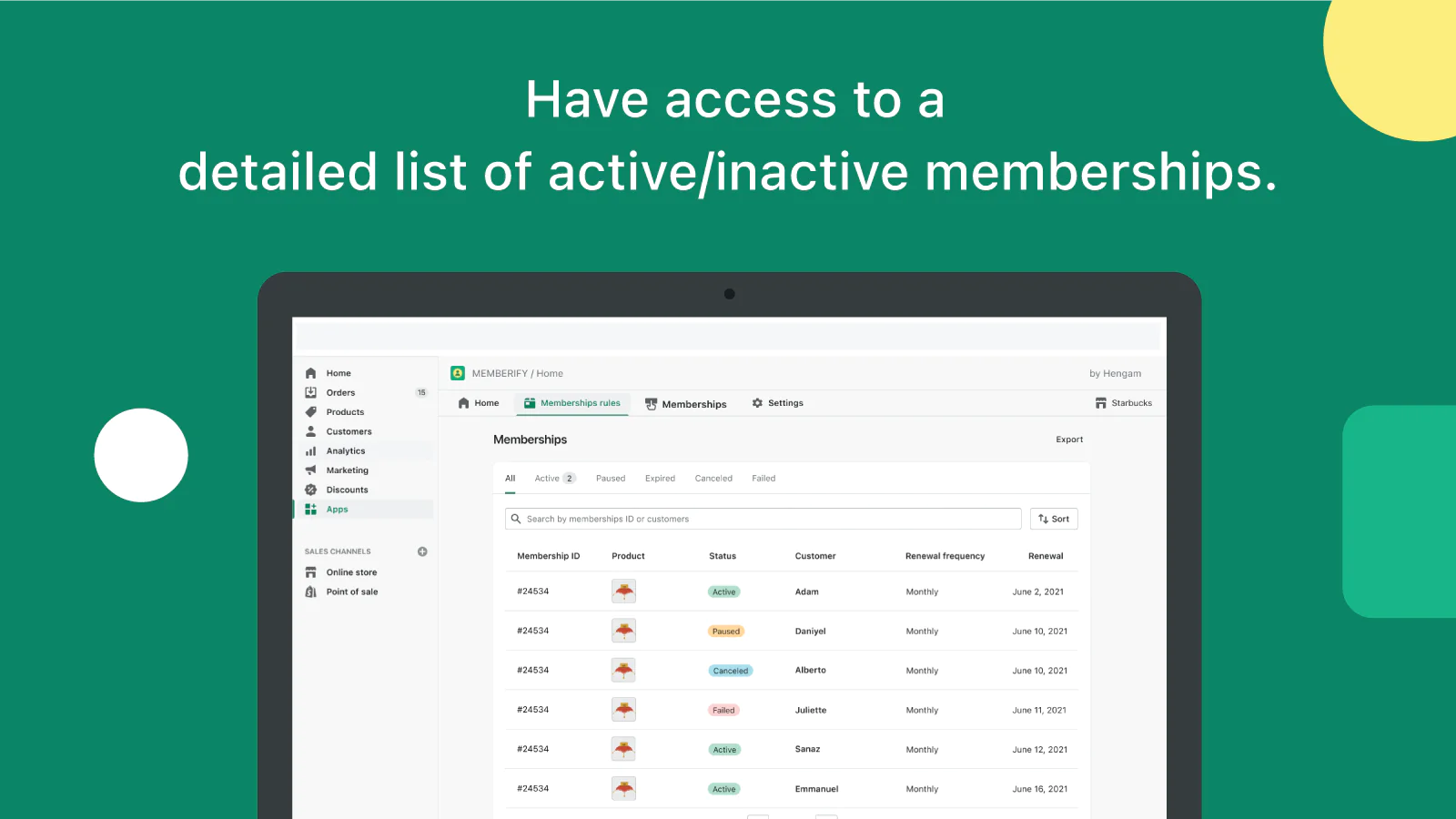
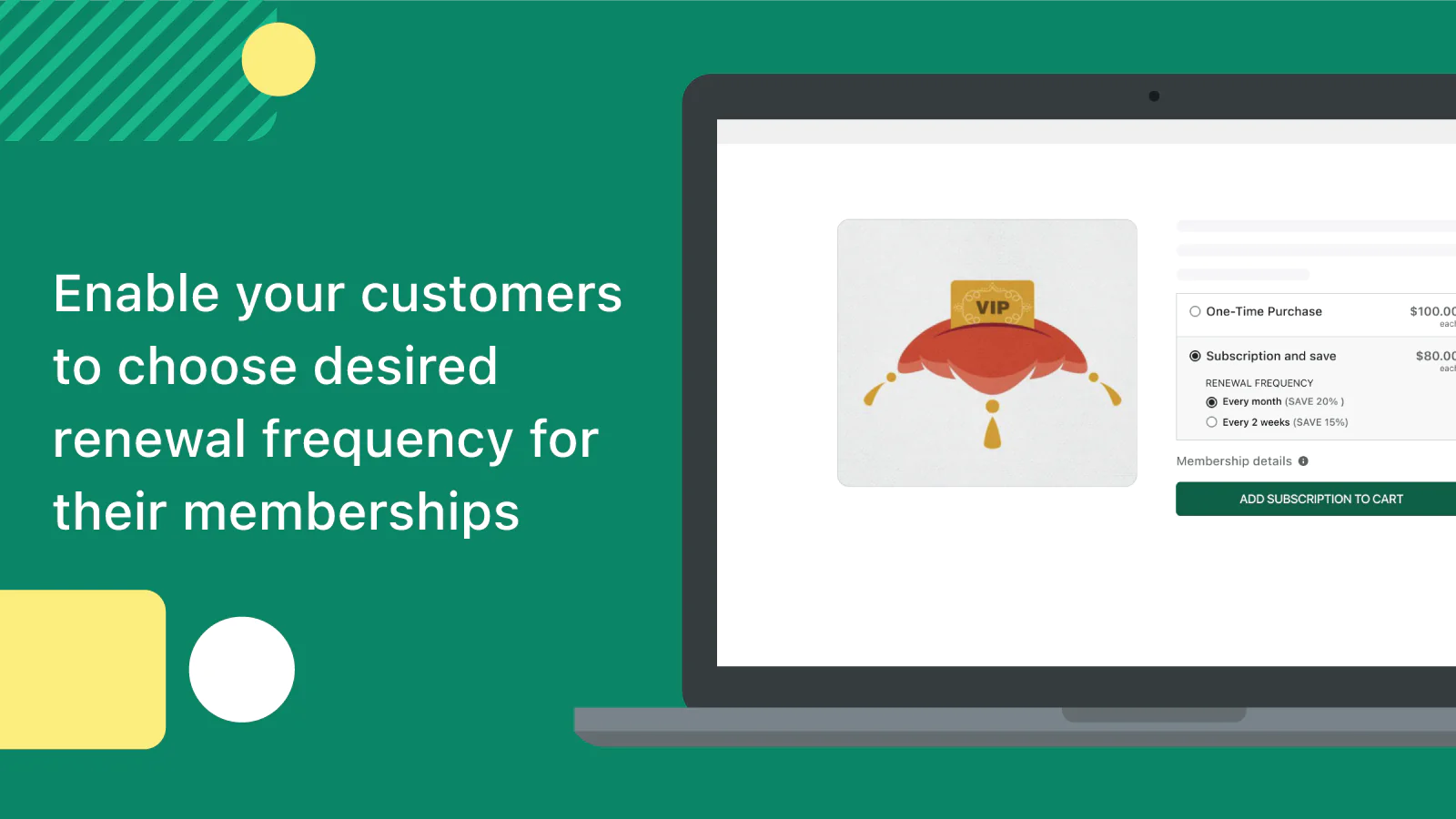
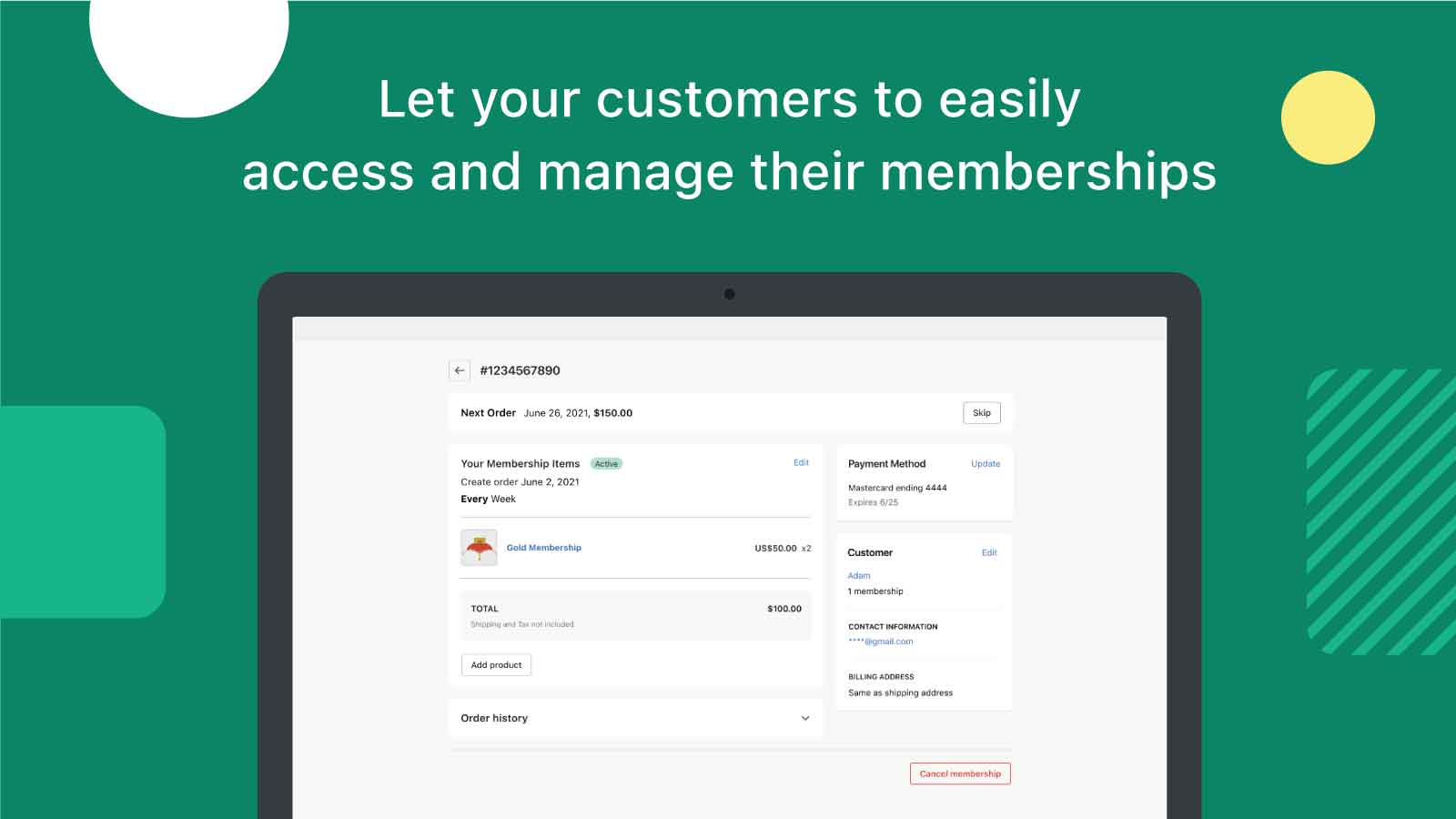
Seamless workflow: use directly in Shopify admin
Up-to-date tech: works with the latest themes
About the Author
Matej Kontros is an E-Commerce expert and app developer with over a decade of professional experience in IT.
Matej has worked for organisations of all types and sizes, including global players, startups, and agencies. He designed, developed, and maintained complex projects.
Matej's expertise includes e-commerce, software engineering, web development, systems administration, internet security, managing projects, and building teams.
Visit his website at [ Web Linkedin ] or contact him at [email protected].