Shopify App : Mega Media Exporter
Export & download product images + videos in bulk
About Mega Media Exporter
Easy images back-up : Secure product image backup solution for your Shopify & Shopify Plus store. Download all store product images in just a few clicks.
Export product videos : You can use product images & videos for promoting your store on other websites, on Facebook / Instagram, in blogs / stories, in Adwords etc.
Save your time : Export large amount of images instead of saving pictures manually and downloading one at a time. Works with Shopify & Shopify Plus stores.
Forget about saving and backing up product images manually
Mega Image Exporter app provides an easy and coding-free way to export images for every product uploaded to your store.
How does it work?
Mega Image Exporter scans your store and groups all the images of all the products (or only those selected by you) in one catalog which you can download for use in Instagram, Facebook campaigns, or as a backup.
Every Shopify product can have up to 250 images. In case you have large amount of products saving pictures one by one can become a challenge.
Features
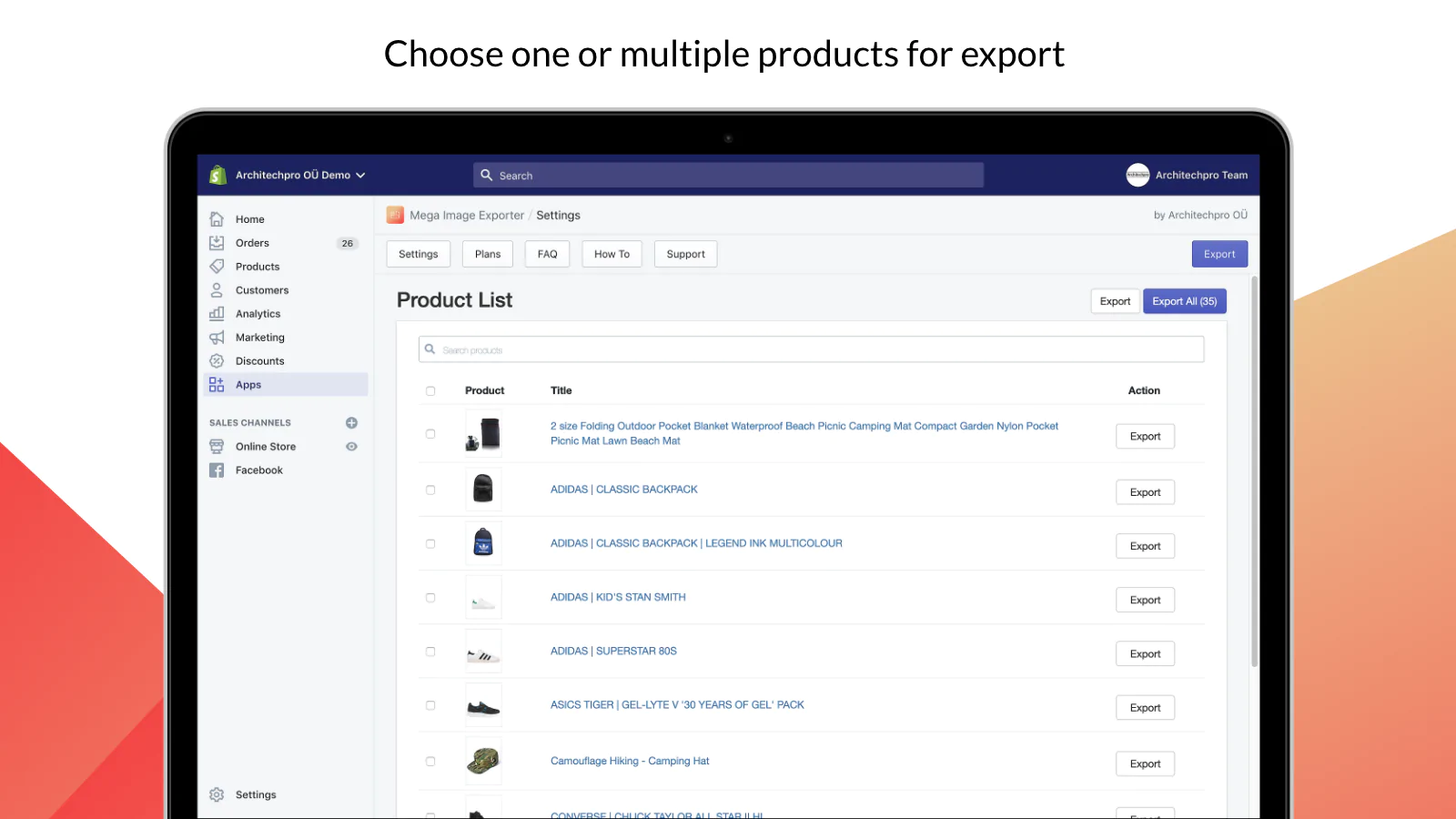
- select single or multiple products for bulk image export;
- export product videos;
- browse and filter by product name, collection, availability, vendor or product type;
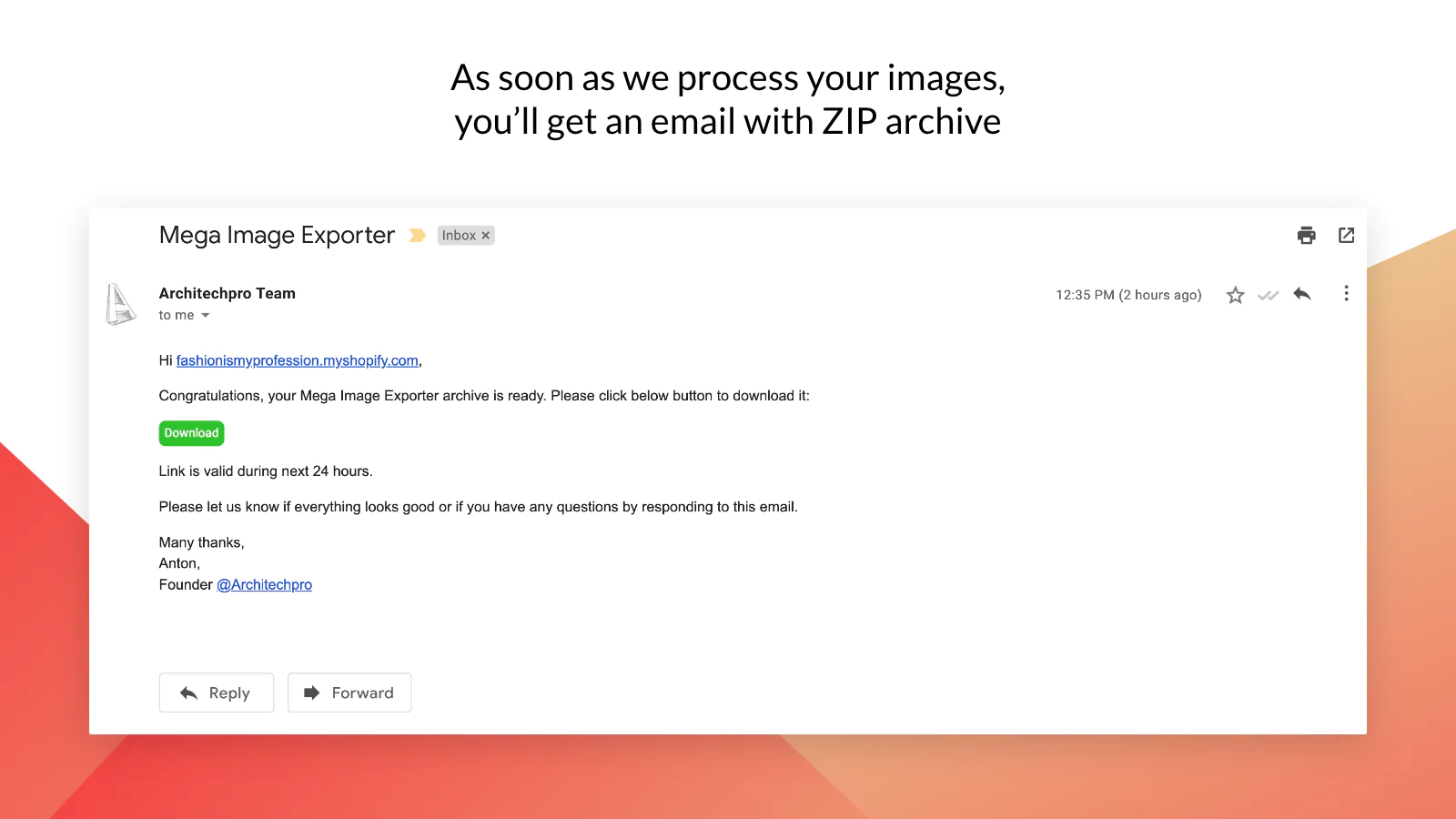
- back-up large amount of product images and receive image download link to your email;
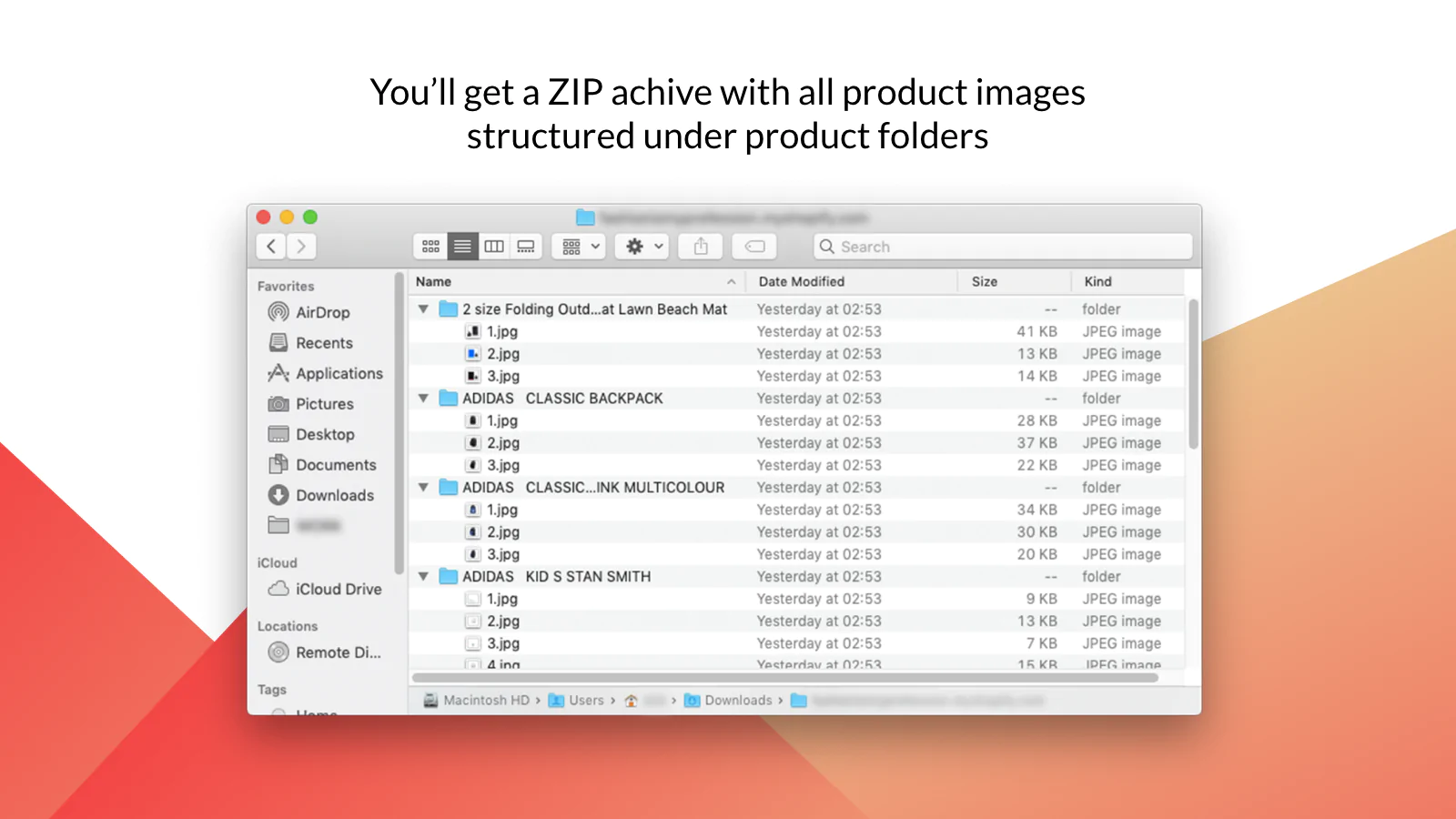
- all image files are structured product-per-product in the resulting ZIP images archive;
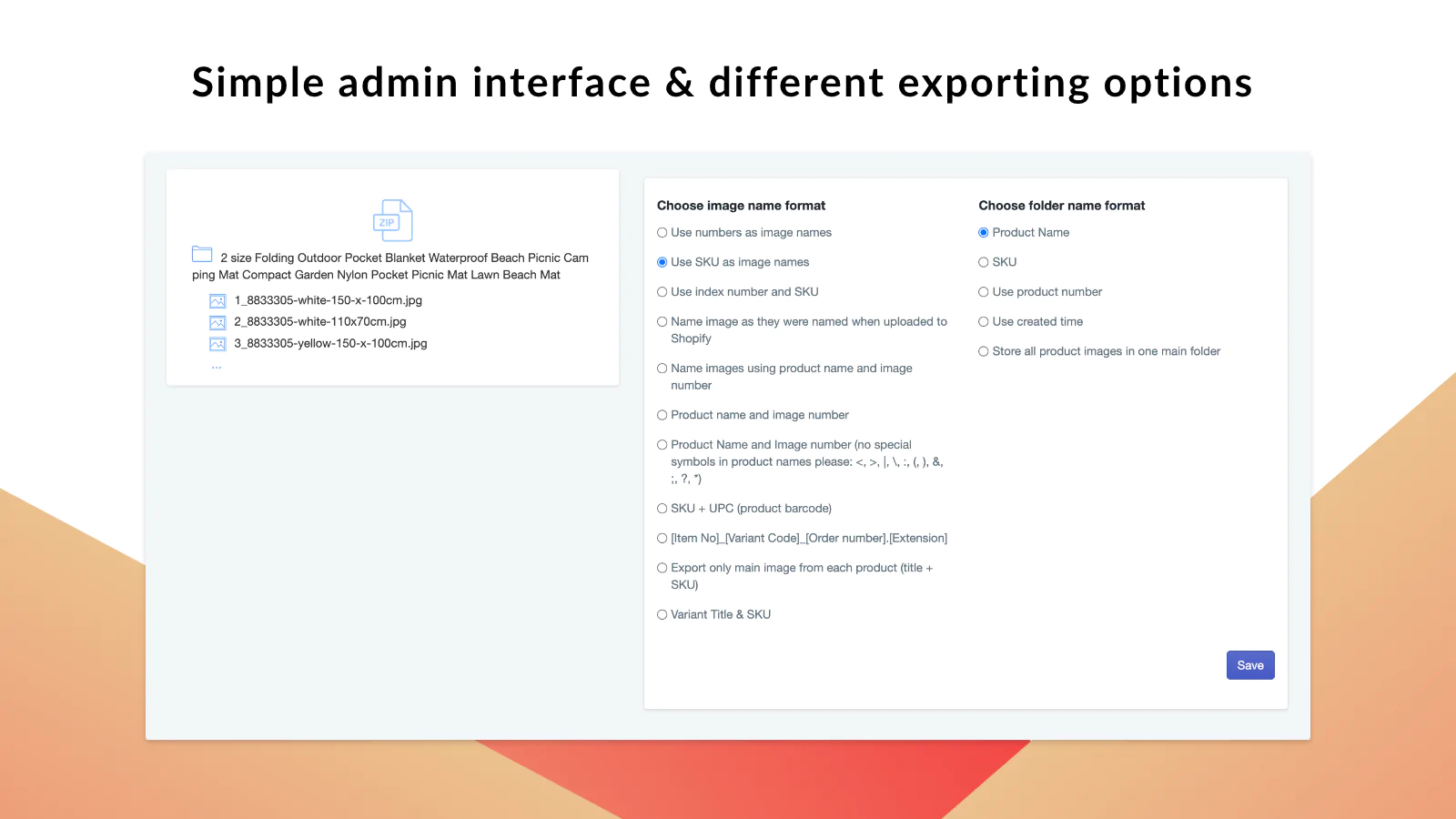
- configure names of future product backup images and folders by indicating SKU or their number inside of the product's listing;
- supports PNG, JPG, JPEG or any other image formats supported by Shopify;
- view all of your image exports and video backups with Exports History tool available in app's admin (you will also be able to download videos and images from here).
How long my files export may take?
You will see the progress bar that informs about estimated time to complete the image export (or to backup videos). After that some minimal time (several minutes to several hours) may be required to organize images and assemble ZIP archive that will be available for download. Video download may take slighly longer, as videos usually take more storage and thus download time.
How can I use my images and videos after downloading?
- save multiple images for catalog / voucher / promotional materials printing;
- ads (Facebook / Instagram / Google / AdRoll);
- bulk export for Instagram Stories / Facebook / TikTok / Snapchat;
- using product images and videos in email campaigns;
- in case if you'd like to personalize pictures (for example, add watermarks);
- download images and save videos for store migration or backup media to be able to restore them in case of emergency.
Click “Add app”
Set up the new productivity tool that will save your time on video export and collecting image files in just a few clicks. Our team will help you to handle any specific image / picture formatting or folder grouping requirements if needed.
Made for your Shopify & Shopify Plus store.
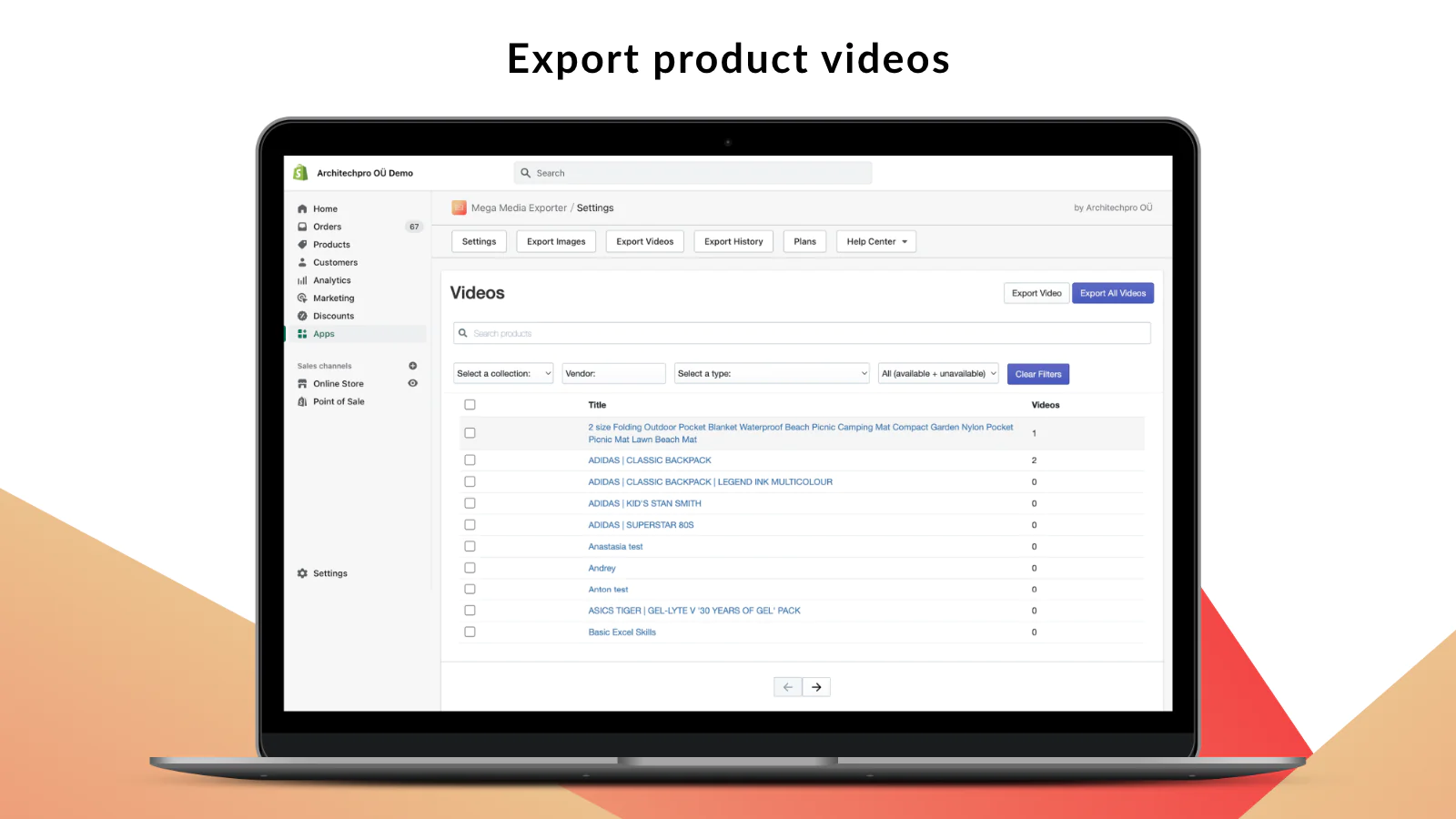
Seamless workflow: use directly in Shopify admin
Speed tested: no impact to your online store
How to import students (attendees) into the course with Courses Plus app for Shopify
[2023/02/06 08:23:43]
Hi! Today we want to tell you about such a useful thing as manual adding students to a course. This feature will be convenient for you if you need to provide access to a large number of students. And in case of migration from other courses platforms (Udemy, Teachable, Podia, Thinkific etc) to Shopify.
Comments in Courses Plus app for Shopify
[2022/12/06 07:11:39]
Hi, In this blog we’d like to highlight commenting and community building options available in Courses Plus app for Shopify. 1. Facebook Comments Facebook Comments app has been integrated with Courses Plus for a while – it is an easy to enable way for students to comment on lessons.
How to insert invoice download link (button) into the email with Mega PDF Invoice Order Printer
[2022/12/02 08:04:13]
Hi! In today’s blog, we’ll talk about how to insert invoice download link (button) into the email with Mega PDF Invoice Order Printer. This will allow your customers to download invoices generated by our application directly from emails.
How to set up product care symbols for Shopify products?
[2022/08/25 04:14:40]
Hi! Today we want to tell you about Laundry Symbols Clothing Care app that helps to manage product care instructions individually for your products and show them on product pages. This app provides a code-free way to edit product symbols and display them on product pages.
How to provide access to a course manually
[2022/04/20 10:48:05]
Hi everyone, While using Courses App for Shopify, have you ever wondered, if there are ways to provide course access to your students without a need for them to purchase it first? There are many cases, where that would be useful for your store.
Improving Shopify search engine optimization (SEO)
[2022/04/15 09:44:57]
Hi there, Today we’d like to cover a very important point related to one of the main aspects of building business with Shopify – Search Engine Optimization.
Drip Content – Available in Courses App for Shopify
[2022/04/05 03:06:22]
Hello Everyone, Creating a well organized and thoughtfully structured learning experience takes a lot of effort, and in most cases course creators are faced with a task of scheduling their content to a long-term period of time.
Callback App on Shopify – simplified and made easy
[2022/02/02 09:14:00]
“Get closer than ever to your customers. So close, in fact, that you tell them what they need well before they realize it themselves.” “Every contact we have with a customer influence whether or not they’ll come back. We have to be great every time or we’ll lose them.
Upload From a SCORM File – Now Available on Courses App
[2022/01/06 08:24:26]
Hi everyone, It is a delight to come your way once again with yet another exciting feature like we always do. As you delve through your online course, Courses app, we are highly driven to give you a worthwhile experience to ensure that you take your courses smoothly and perfectly with minimal challenges.
Courses for Shopify: how to embed a video into a lesson / course from YouTube
[2021/12/21 09:31:46]
Hello Everyone, It is a pleasure to assist Courses app users as much as we can to build their store to the maximum best we can. Embedding media into courses is very vital.
About the Author
Matej Kontros is an E-Commerce expert and app developer with over a decade of professional experience in IT.
Matej has worked for organisations of all types and sizes, including global players, startups, and agencies. He designed, developed, and maintained complex projects.
Matej's expertise includes e-commerce, software engineering, web development, systems administration, internet security, managing projects, and building teams.
Visit his website at [ Web Linkedin ] or contact him at [email protected].