Shopify App : Make an Offer
Make an Offer Button, Pay what you Want, Request a Quote
About Make an Offer
Increase sales and conversion : Shown to lift sales by over 35%, and strengthen customer relationships with more touchpoints via the offer process and follow-up email.
Reduce cart abandonment : About to lose a customer? Detect exit intent and trigger a popup inviting an offer - save that sale!
Easy, automated workflow : Set your discount thresholds and relax – automatically accept offers that fall within your range.
Everyone has a price – allow your customers to make an offer!
- Supercharge your sales
- Start converting hesitant window shoppers
- Discover your perfect pricing strategy
- Capture new leads for your marketing campaigns
When a customer lands on your product page, they’re showing strong purchase intent… but if the price isn’t right, you’ll quickly lose the sale to a competitor. Capture the potential of these highly motivated shoppers – start converting sales by giving your customers a chance to name their price and pay what they want!
Easy, Automated Workflow
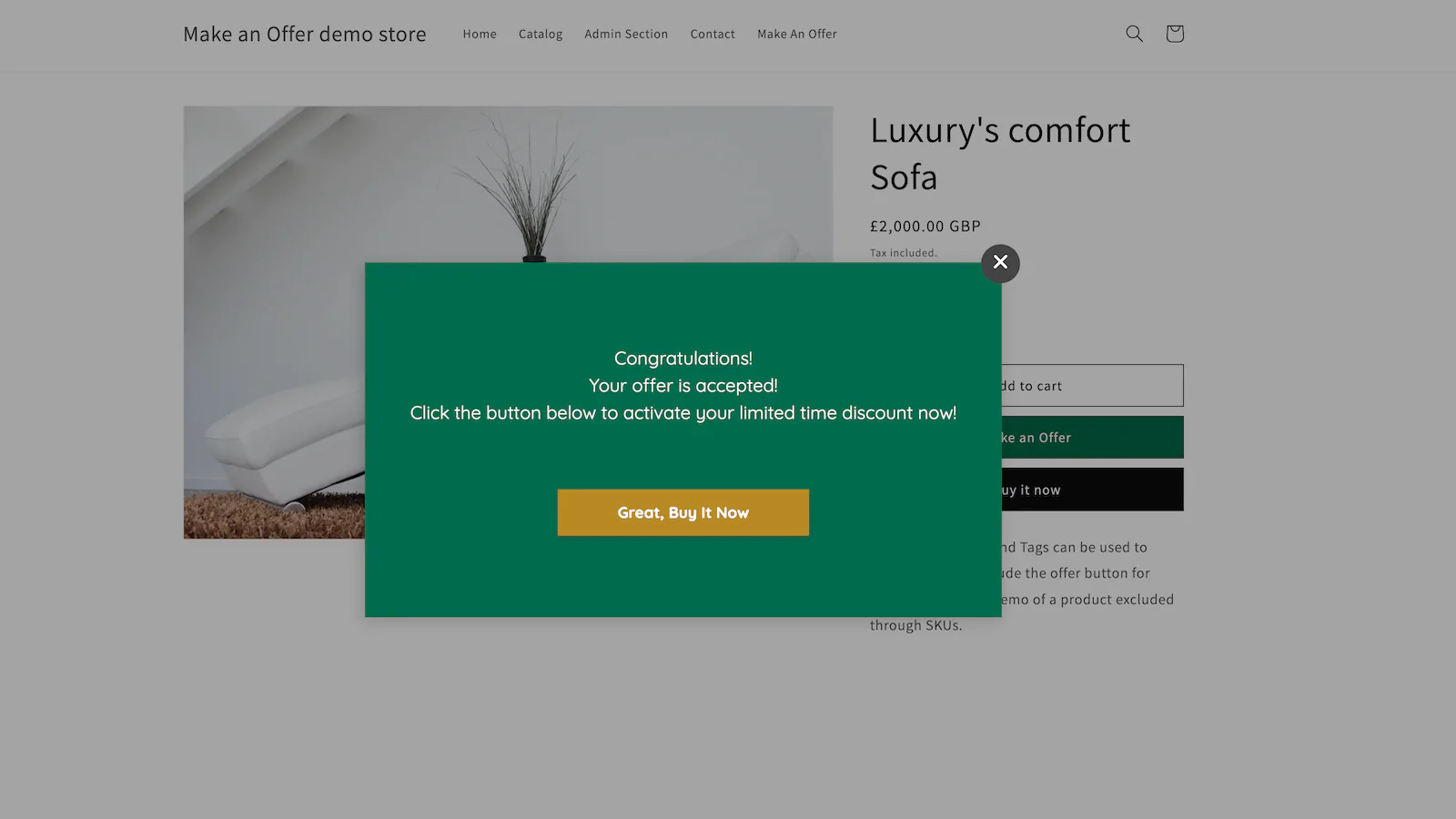
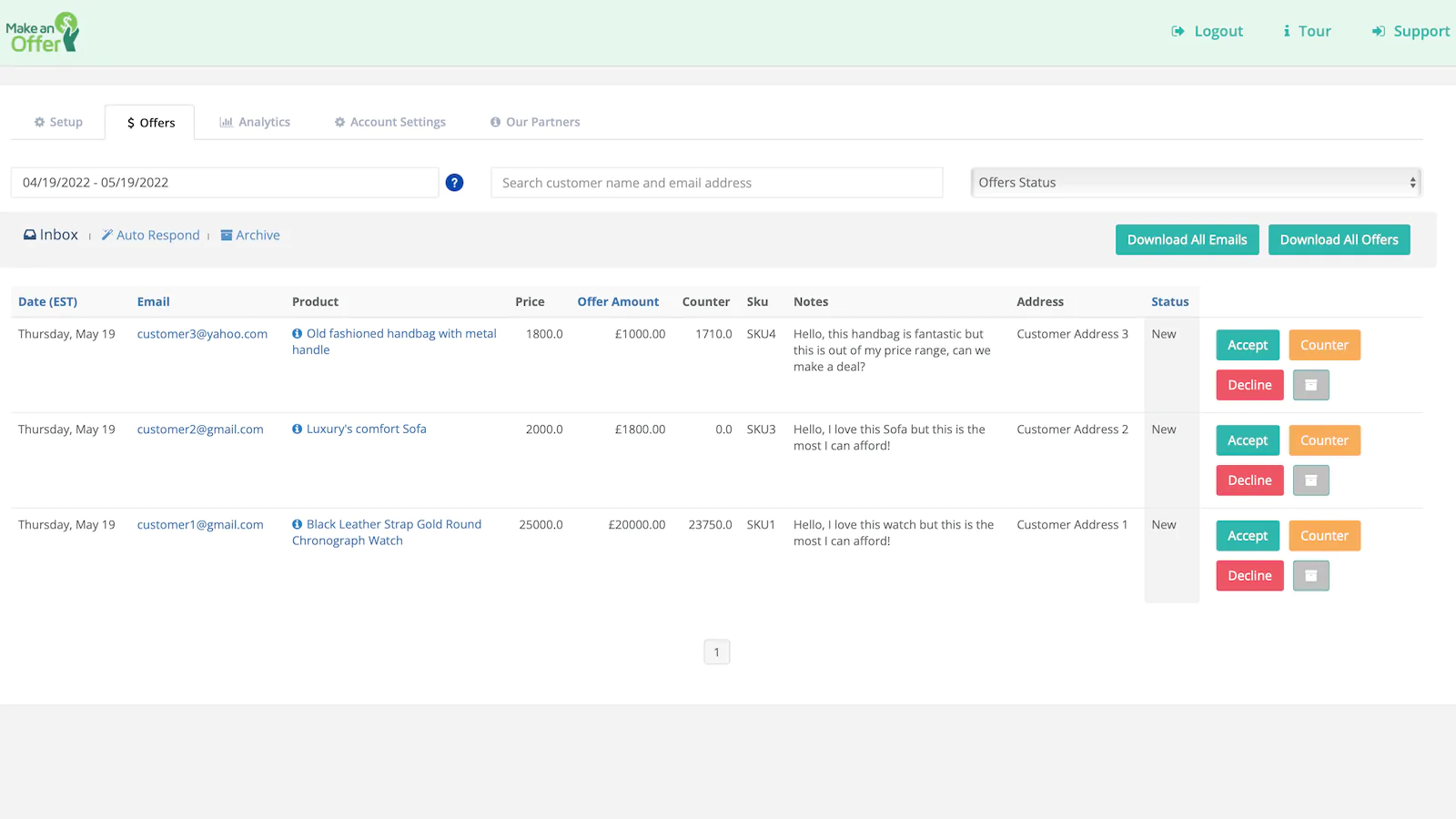
With the Make an Offer app, you can set predetermined discount rules to accept offers automatically – give your customers an instant response and capitalise on their interest. Offers can also be accepted manually, in a simple one-click process.
Control the Customer Experience
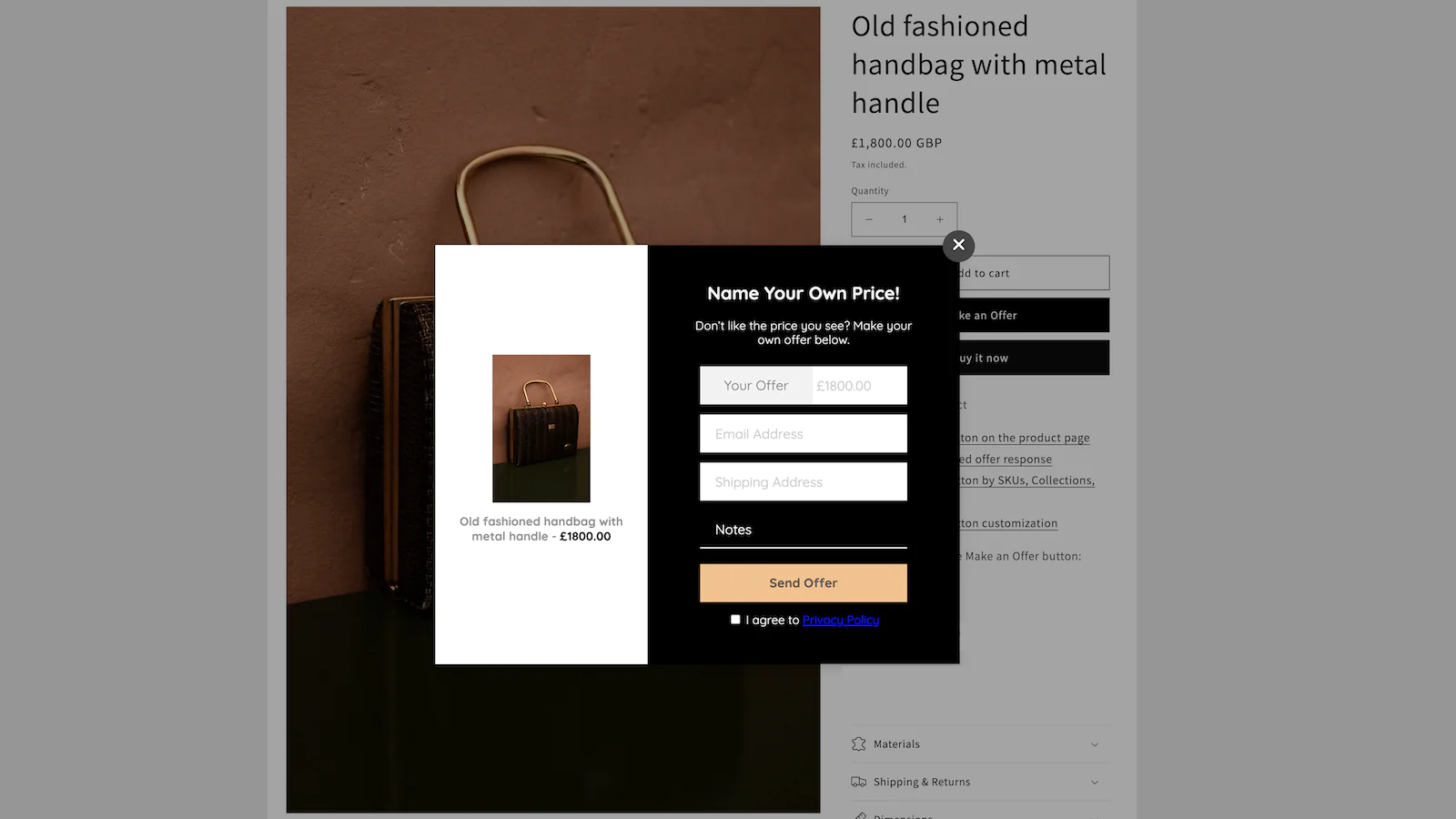
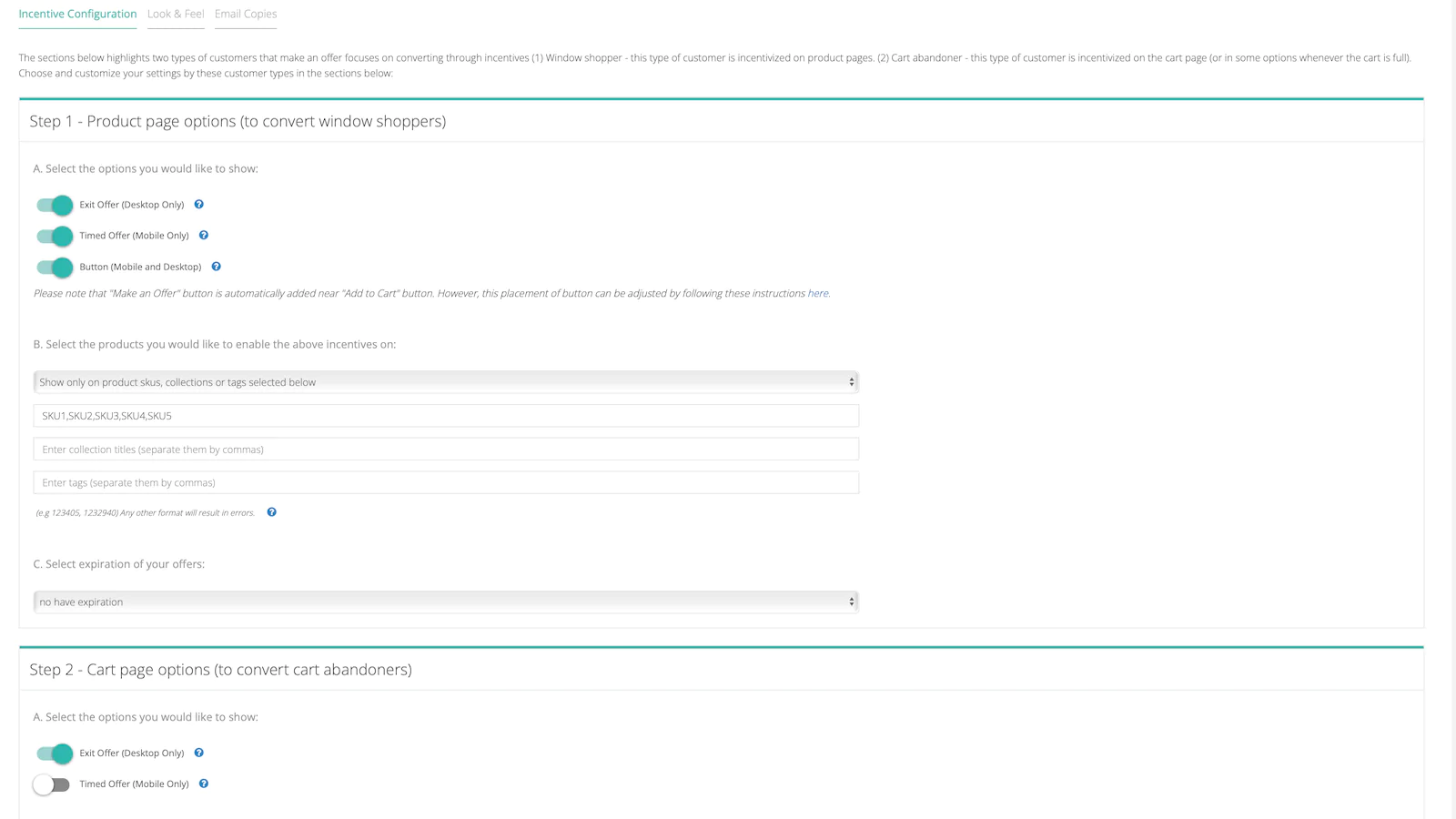
Decide which products are open to offers, and allow customers to make offers in a range of different ways.
- Encourage conversion – place a “Make An Offer” button next to “Add To Cart.”
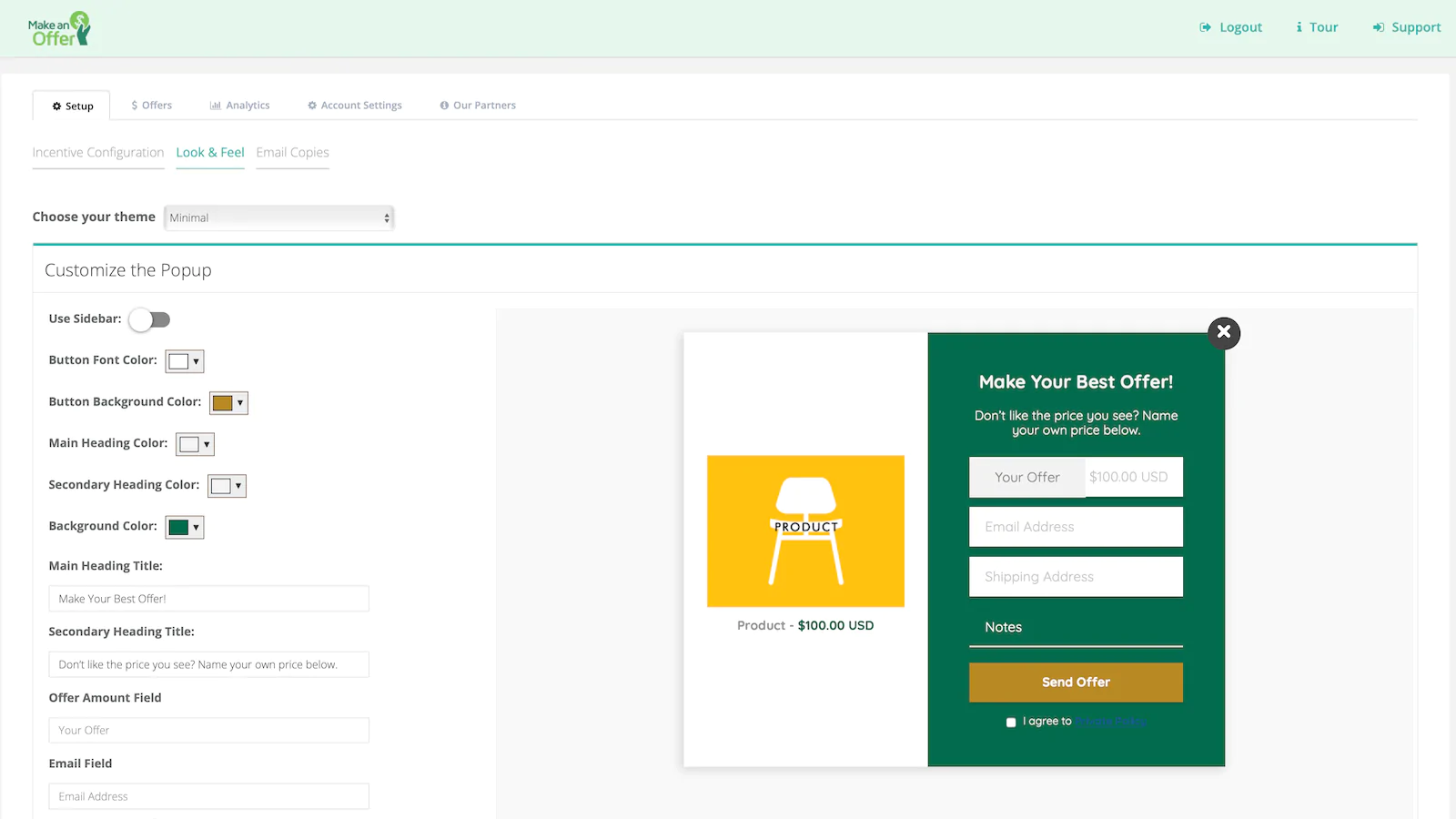
- Fight cart abandonment – detect exit intent and invite your customer to make an offer via a popup.
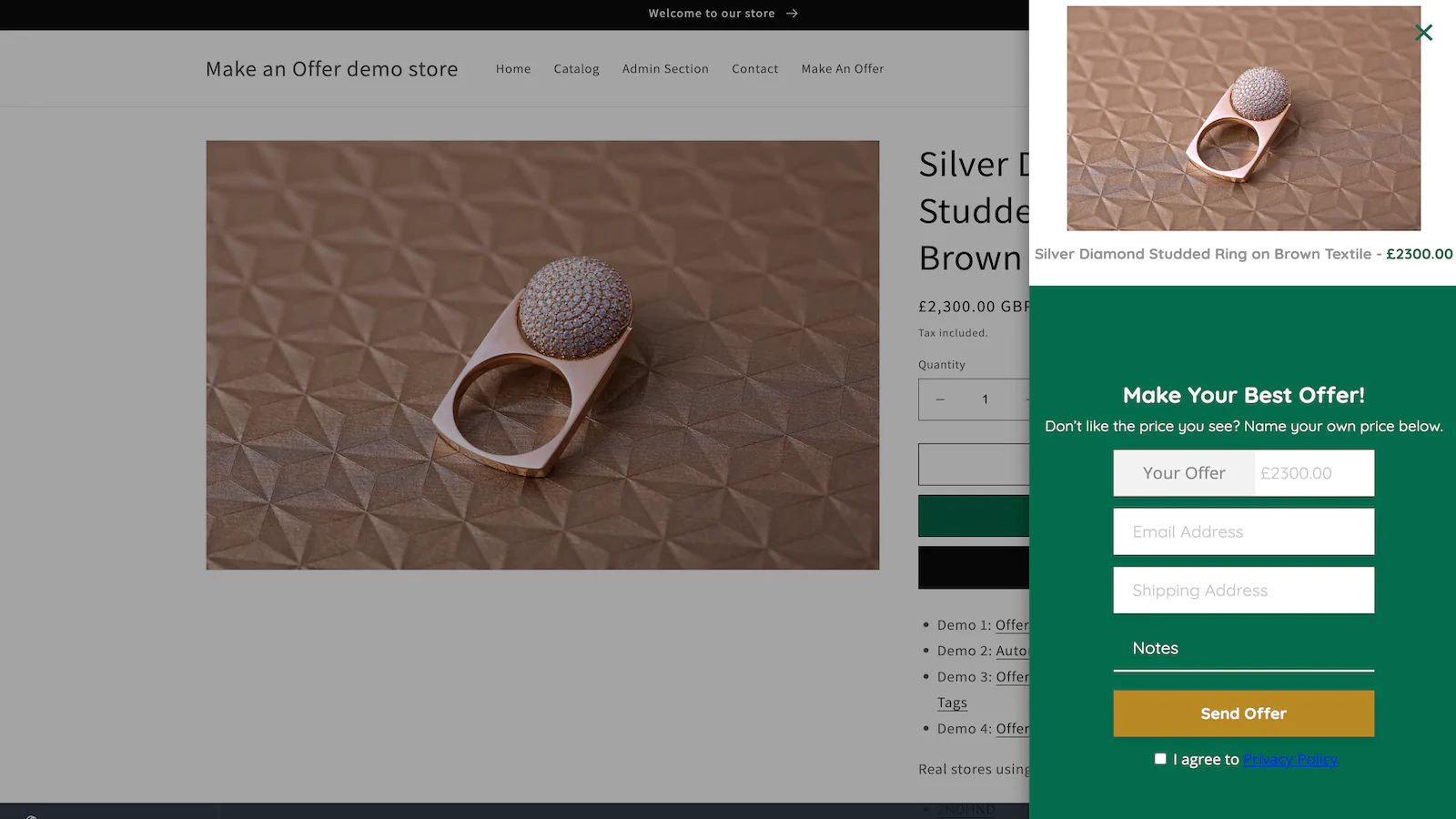
- Or, for mobile users, display a timed overlay (a message which shows on the product and cart page after a few seconds, if the user is hesitating to complete a purchase).
Customise to Fit Your Store Design
Create buttons, popups and timed overlays which perfectly complement your existing store design – you’re in complete control, no coding required.
One-Click Install
Installation is safe, quick and easy – get up and running instantly. Again, no coding required.
Generate More Marketing Leads
In the process of making an offer, customers provide their email address – giving you the opportunity to reach out with future campaigns.
Learn More About Your Pricing
Dig into the data of offers and sales to find the most appealing price points for your products, based on what real customers are willing to pay.
Make An Offer works especially well for…
- Stores looking to make the jump from eBay – replicate the familiar experience of the “Make An Offer” button.
- Stores selling pre-loved or vintage items, where price points might fluctuate.
- Jewellery stores
- Luxury accessory stores
- Specialist equipment stores
- Homeware and furniture stores
Negotiate, haggle, bargain, request a quote, wheel and deal... whatever you name it, everyone has a price so allow your customers to Make an Offer!
About the Author
Matej Kontros is an E-Commerce expert and app developer with over a decade of professional experience in IT.
Matej has worked for organisations of all types and sizes, including global players, startups, and agencies. He designed, developed, and maintained complex projects.
Matej's expertise includes e-commerce, software engineering, web development, systems administration, internet security, managing projects, and building teams.
Visit his website at [ Web Linkedin ] or contact him at [email protected].