Shopify App : KWRDS
Track SEO rankings for keywords in the region of your choice
About KWRDS
Easy configuration via Wizard : KWRDS works with just a few clicks over the Wizard. Increase traffic by finding keywords to find your shop online.
Tracking for your own region : Compare with your competitors from your country or directly from your region using specific data.
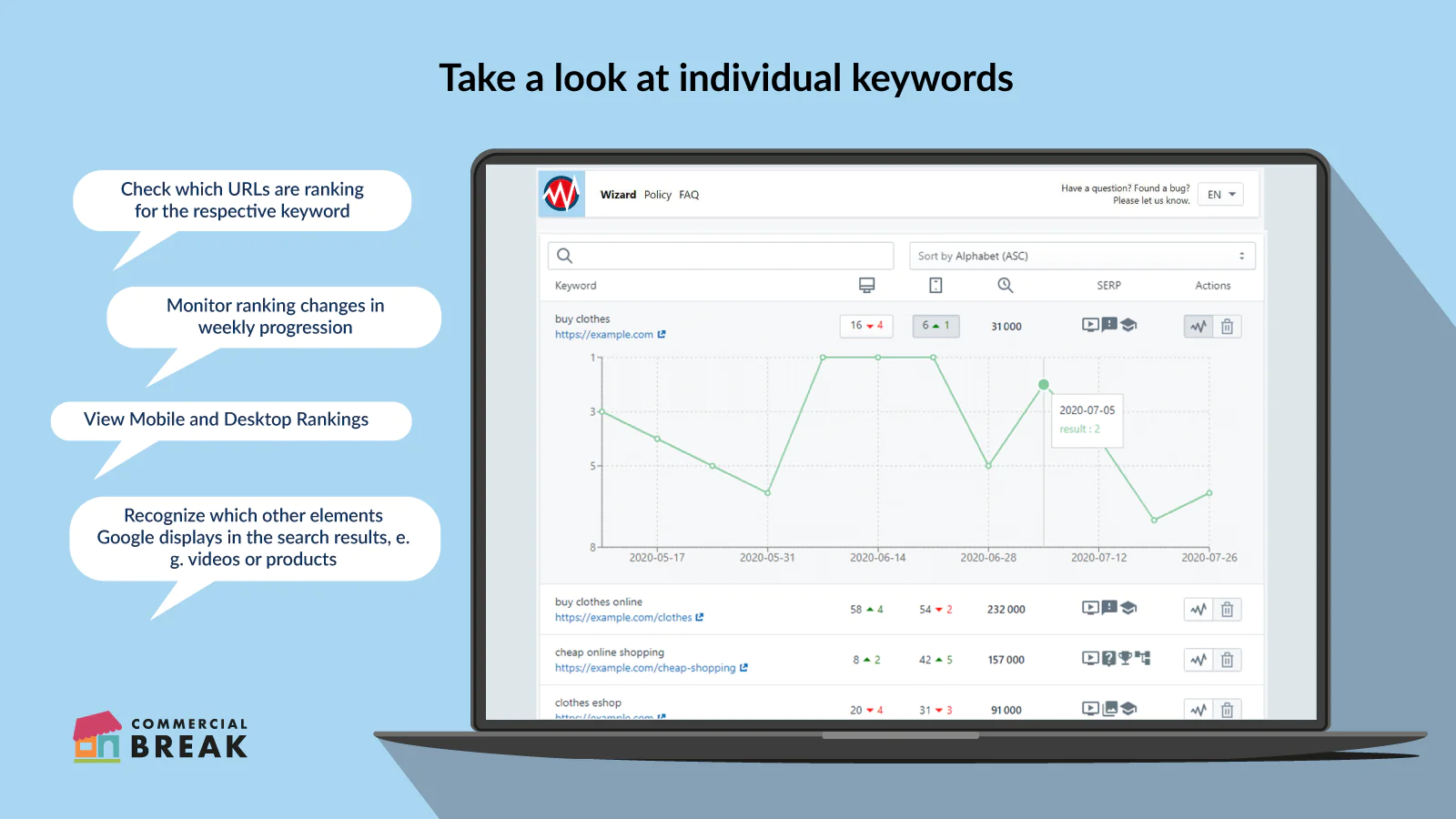
Check weekly ranking changes : KWRDS automatically shows your weekly ranking change for each keyword.

Kwrds helps you monitor your site’s ranking positions in Google search results. You have the option to select and track up to 20 keywords for your site. This gives you useful information, such as the weekly changes in your Google rankings or the average monthly search volume for the selected keywords. Today, the majority of Google users use their smartphones instead of their computers to make their search queries. Therefore, Kwrds will show your ranking positions for both the desktop and mobile rankings.
How does Kwrds help me?
With Kwrds you have all your keywords in view, for which your site at Google ranks. Quickly recognize your site’s potential for improvement and content gaps and optimize it. Thus, you increase organic traffic and sales at the same time.
What can Kwrds do?
Use Kwrds to see at first glance what weekly ranking changes your site has experienced for the selected keywords. The graph shows you which keywords landed a higher or lower rank than the previous week. You will not only see the domain, but also the specific URL that ranks for your keyword. In addition, you will be shown an overview of your ranking changes and positions every week.
Get useful insights into:
- Which URL ranks for which keyword in Google
- How your site competes and how you can improve it
- How the rankings of your keywords have changed in a selected period of time
- Where to start improving to achieve even better results
Every URLs is visualized
KWRDS automatically connects every tracked URL with the corresponding product photo. So you can see at first sight which product page the tracked URL is.
Optimize with one-click
With KWRDS you have the opportunity to go to your your tracked product page and optimizing it with just one click.
Setup
Kwrds is easy to set up! The wizard guides you through the configuration, so you can get started after just a few steps. Determine which domain you want to track and which search engine to use. In addition, you can specify which language the search engine should use. You want to know which competitors in your city rank better than you? No problem! While other monitoring apps only show rankings for the selected country, you can also track your own region with Kwrds. Now you can fill in your contingent of 20 keywords and easily track your site's ranking positions. With Kwrds, you don't need any additional tools and can easily monitor your keywords directly in Shopify.


Seamless workflow: use directly in Shopify admin
About the Author
Matej Kontros is an E-Commerce expert and app developer with over a decade of professional experience in IT.
Matej has worked for organisations of all types and sizes, including global players, startups, and agencies. He designed, developed, and maintained complex projects.
Matej's expertise includes e-commerce, software engineering, web development, systems administration, internet security, managing projects, and building teams.
Visit his website at [ Web Linkedin ] or contact him at [email protected].