Shopify App : iPacky | Pick, Pack & Fulfill
Scan and check order. Picking, packing and fulfilling orders
About iPacky | Pick, Pack & Fulfill
Increase order ACCURACY : iPacky ensures every shipment is picked, packed and shipped correctly. Scan barcodes of all items as you pack and ship them, it’s that easy!
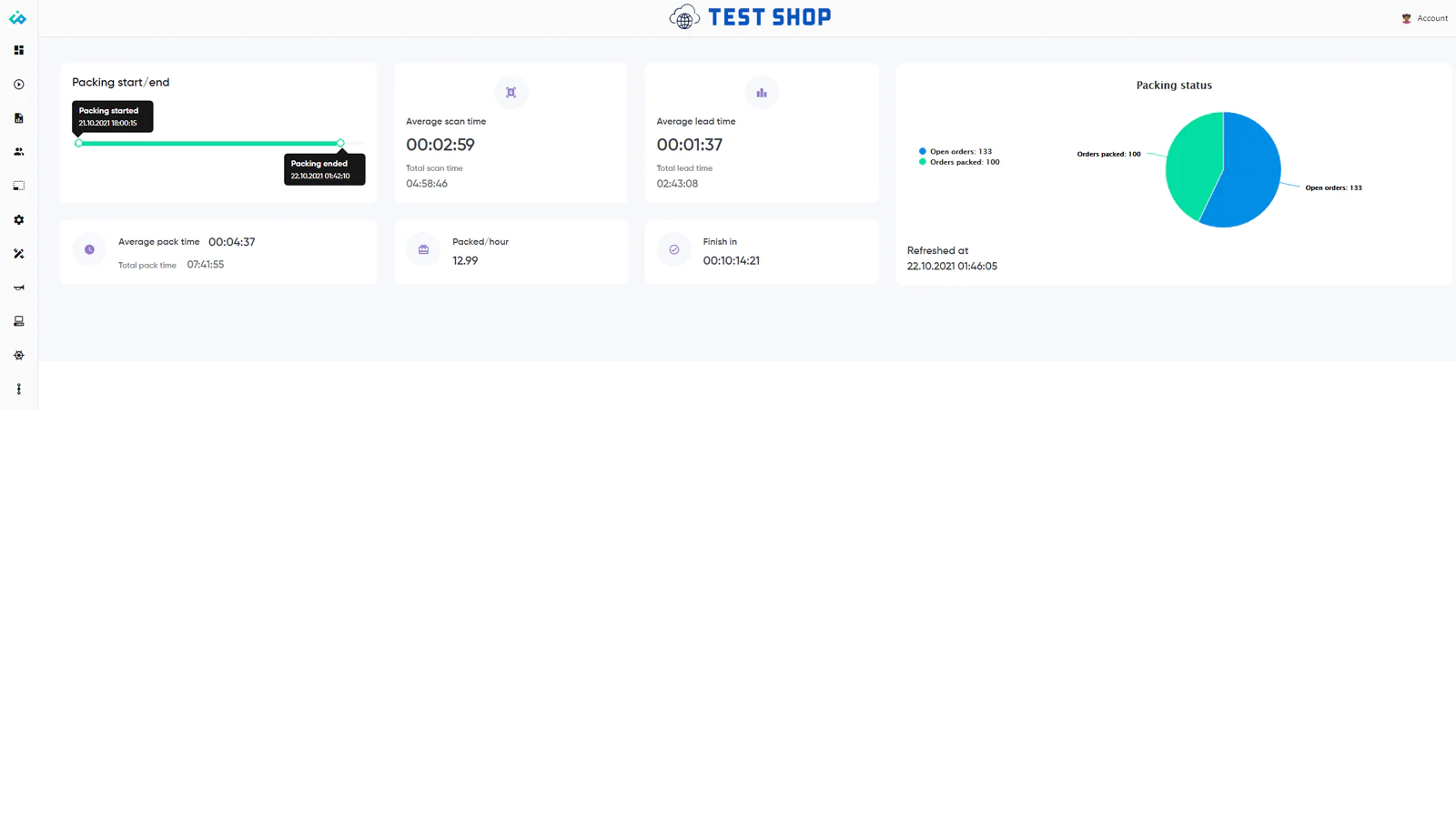
Discover ANALYTICAL insights : Get the big picture of the fulfillment process. Monitor packing times and many other metrics. Improve efficiency and focus on your business
Easily CUSTOMIZE everything : Kits/bundles, product notes, packer notes, - customize every part to match your workflow. Simplify order fulfillment. Pick much faster!
Avoid packing mistakes
iPacky will speed up and improve the accuracy of the picking, packing, and fulfillment processes in your warehouse. Optimizing these processes will allow you to significantly reduce costs and increase warehouse efficiency. It will help you to keep your customers and staff happy
Pack correctly with iPacky
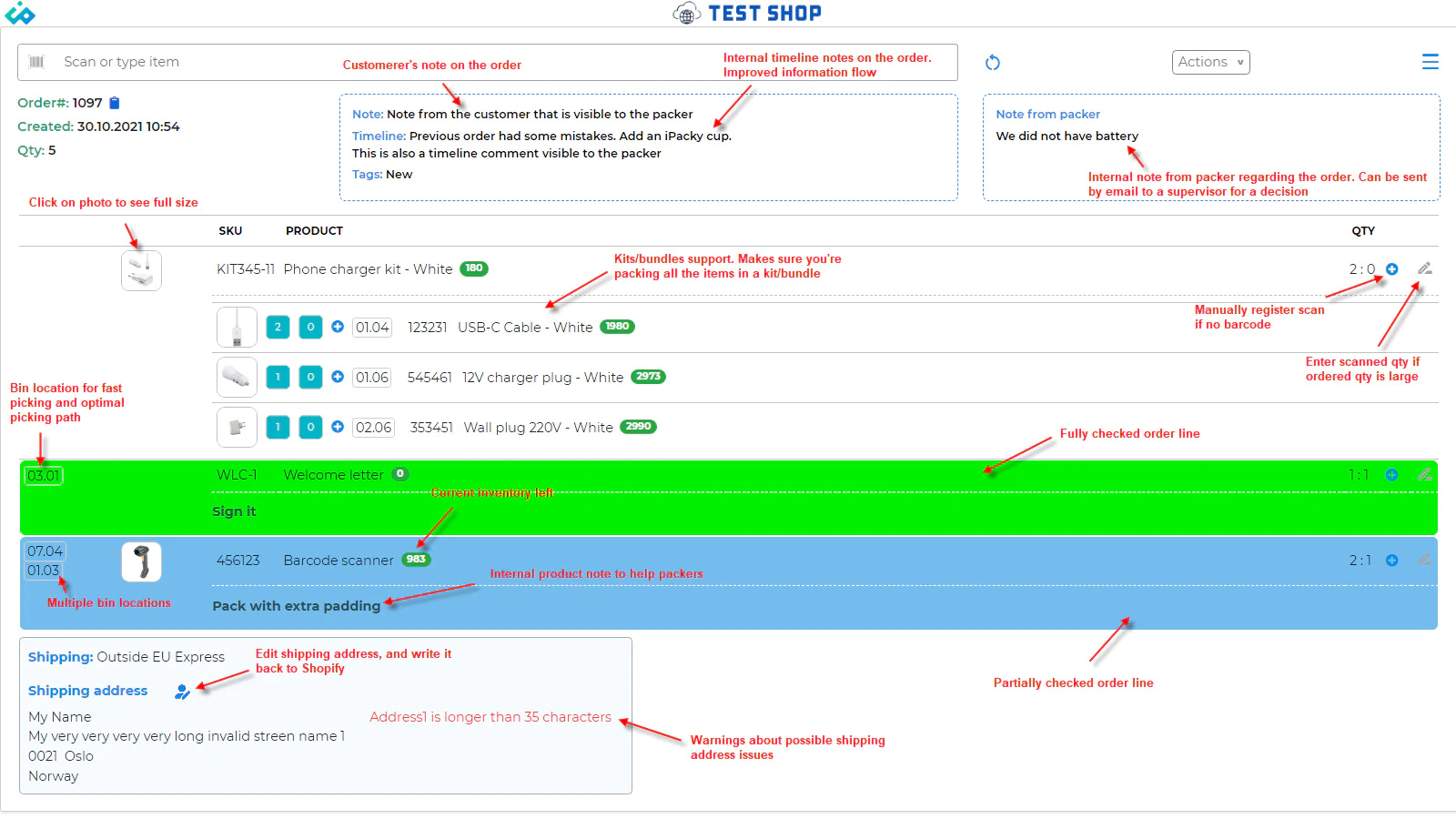
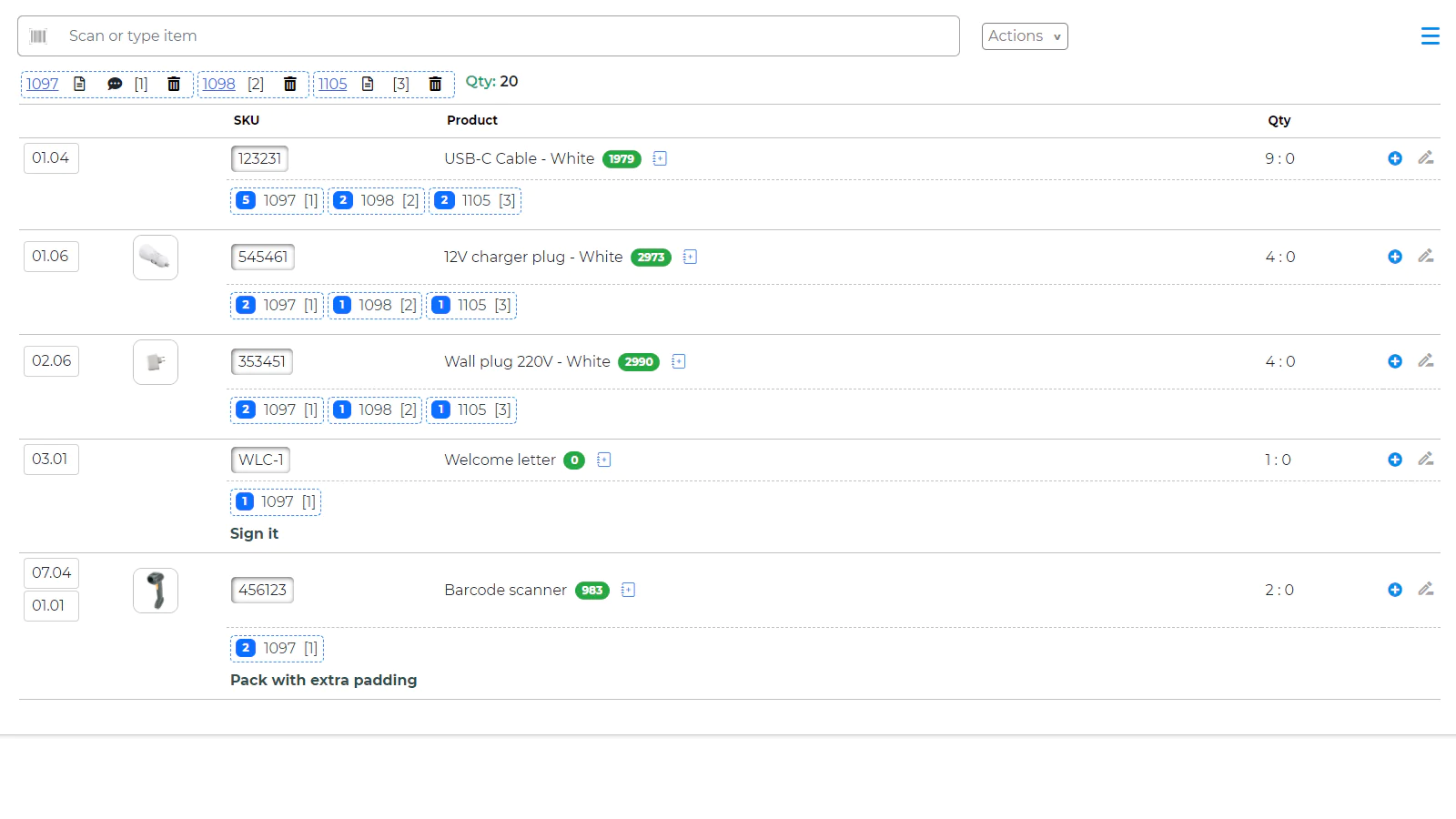
Every item on the order is checked by order scan to make absolutely sure that the right items are packed. Scan order.
Save time and money with iPacky
It gives you a key advantage for your eCommerce business. You will spend less time managing orders and reduce packing mistakes to ZERO. No more re-send products or returns for the incorrect orders
iPacky is your perfect fulfillment partner
Real-time feedback on progress while packing orders. Actionable insights will help you to improve the entire packing process and make it more efficient
This is what makes iPacky stand out:
Simple to use
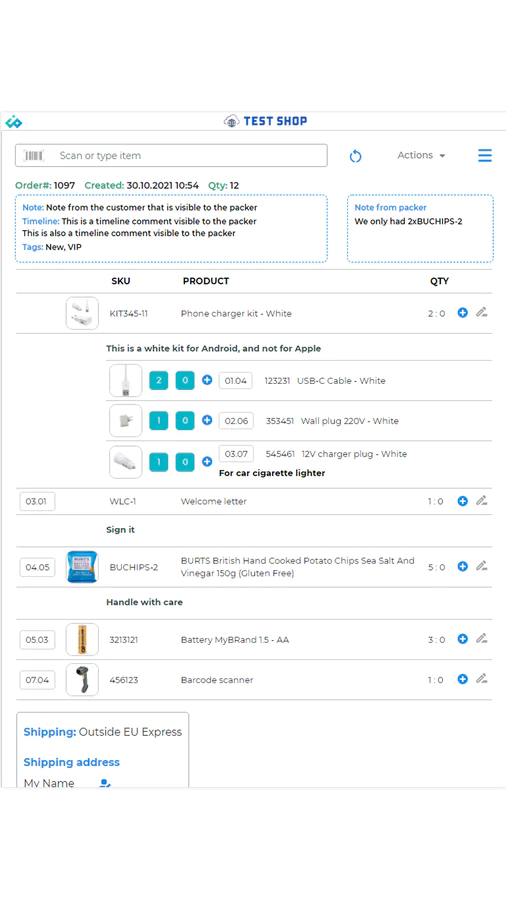
Connect this app to any barcode scanner and all information you need will be displayed on mobile device or computer
Gives you the big picture
Dashboard provides detailed information on the packing process and insights into how to make it more efficient
Improves the workflow
Information to packers, optimized picking path with bin locations speeds up the process
Helps you communicate
It generates a comprehensive packing report, where every action your packers took is recorded. Tracking order accuracy will help you analyze fulfillment process and improve order management
Fully customizable
iPacky works on any device, and it gives you the option to customize every part to match your workflow
Affordable
Free Starter plan is available. Standard plan is just $19.99 a month with all features included + usage-based charges. And you can be sure that the savings iPacky makes, greatly outweighs the cost!
Speeds up the shipping process
Connect with shipping apps (Sendcloud/MyParcel/ShippyPro)
Goes a step further
iPacky is continuously expanding functionality, and we’re always happy to add new features.
- True multi-user support with order locking
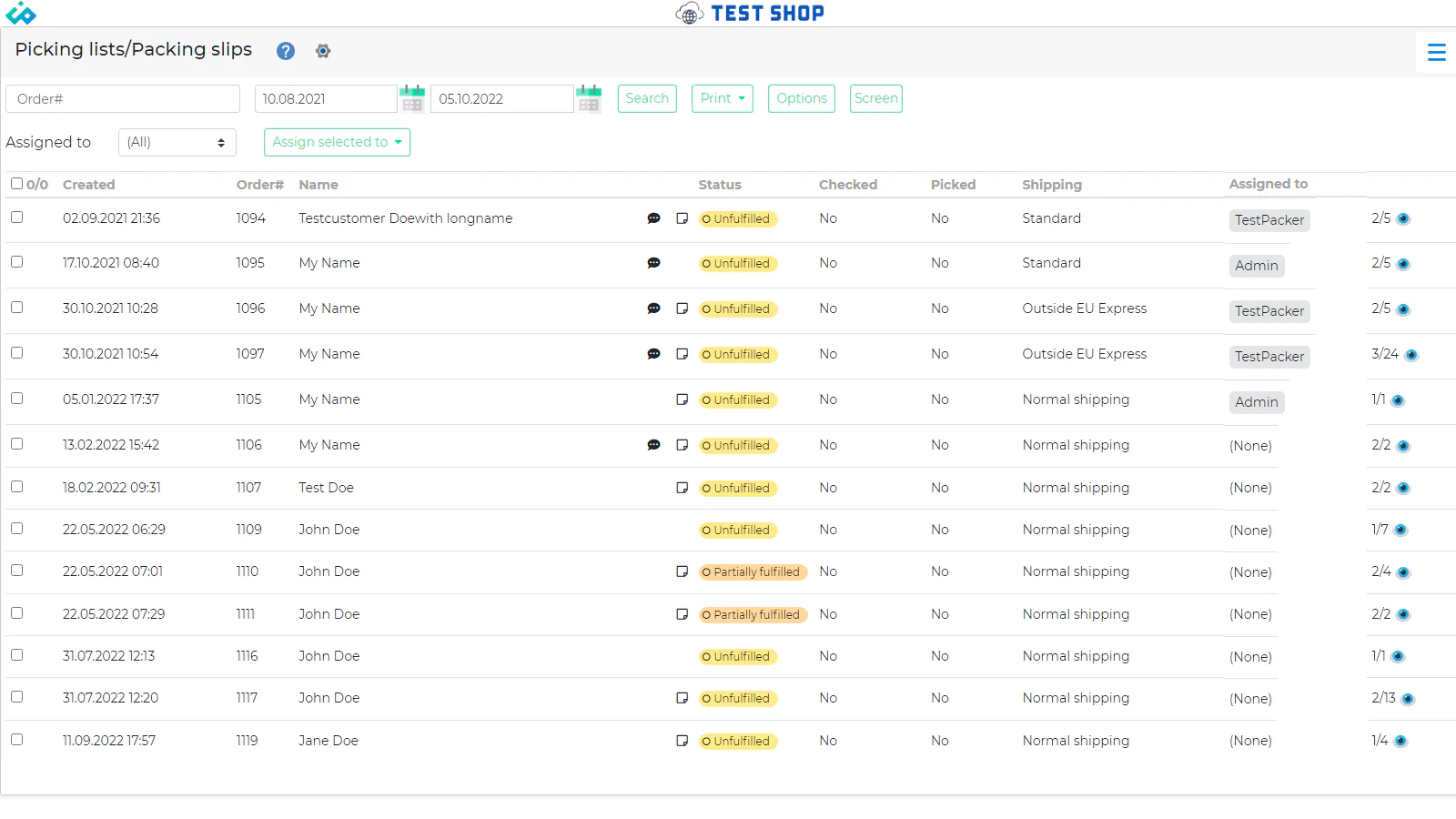
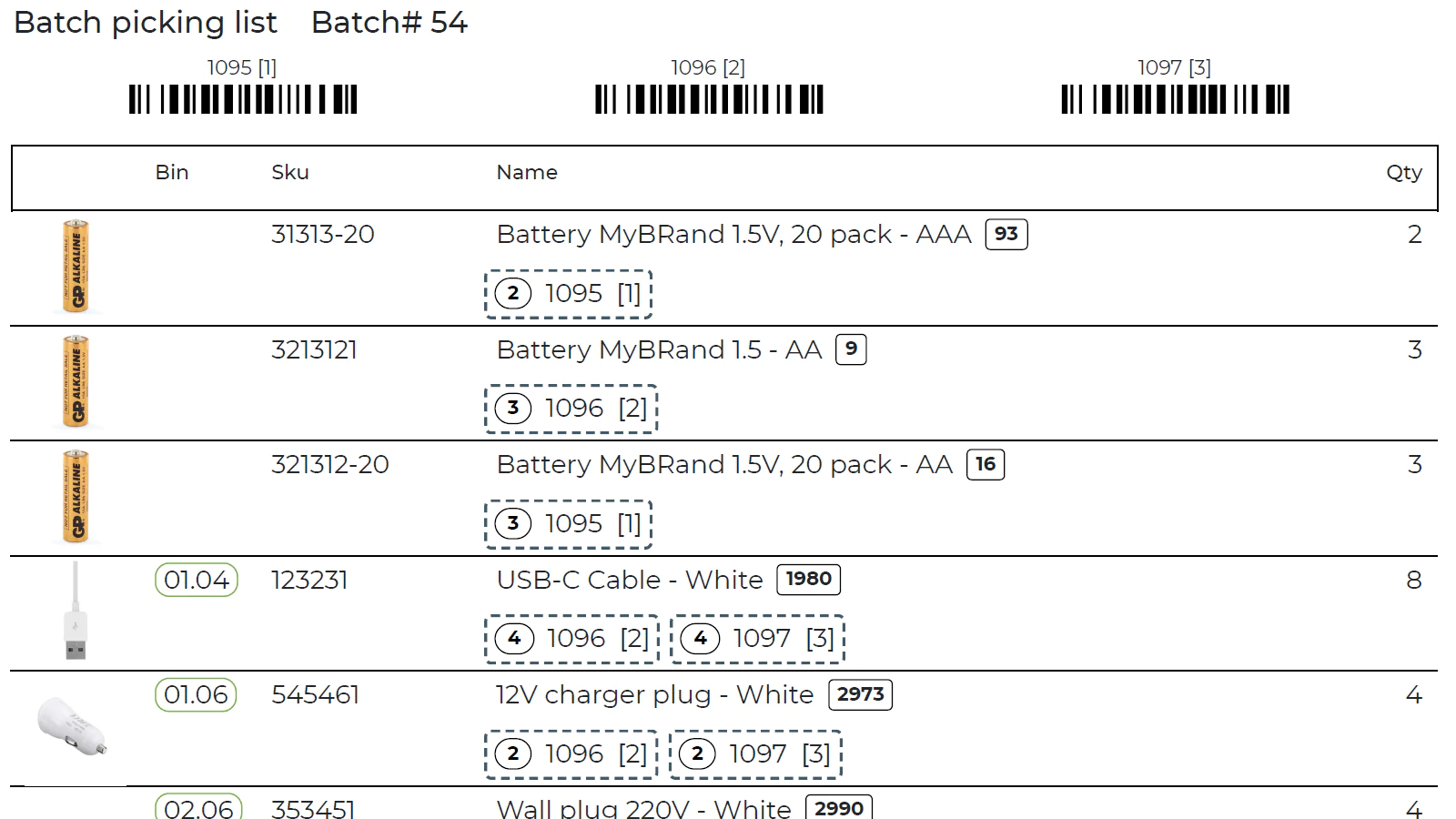
- Print pick lists/packing slips
- Batch picking and on-screen batch picking
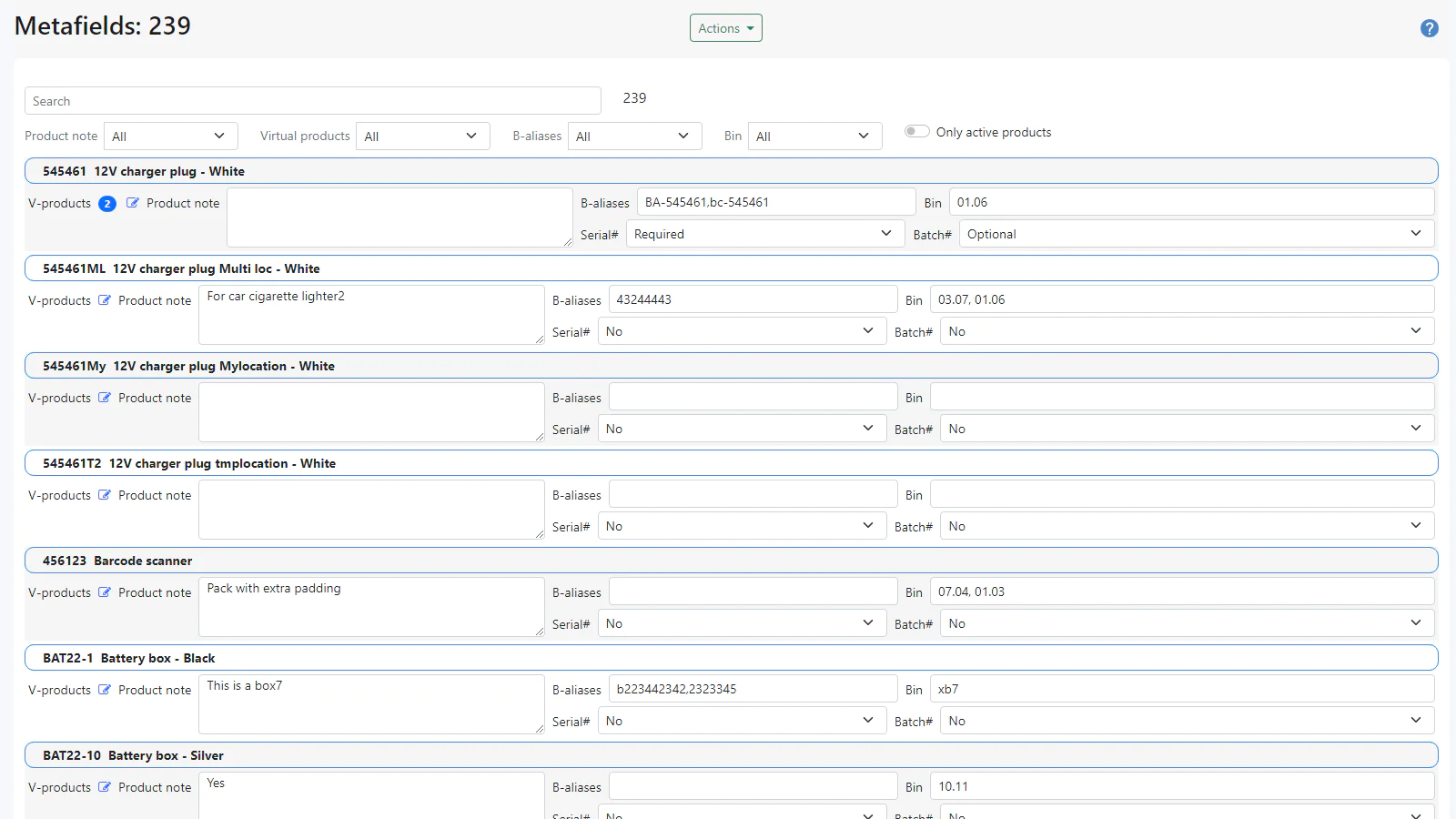
- Bin locations with optimized picking route
- Support for serial and/or batch number registration
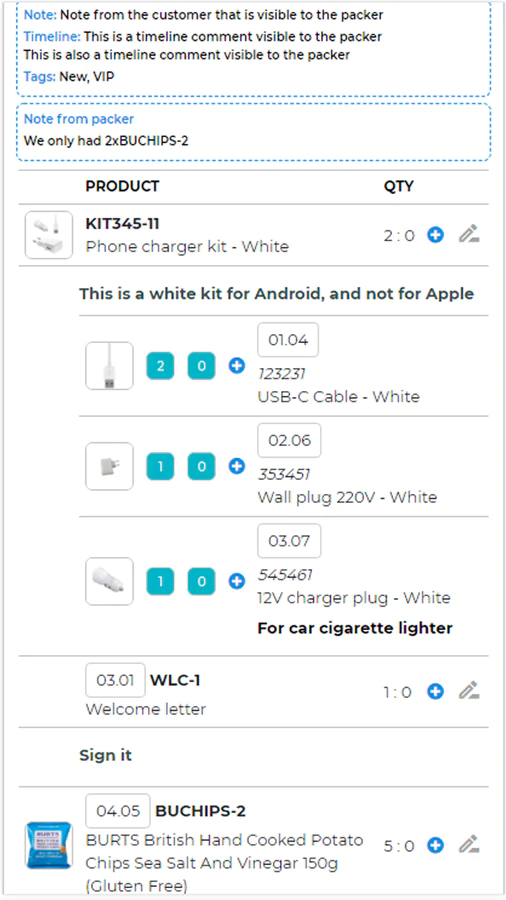
- Virtual products (Bundles) help you create kits/bundles. Make sure that every item is checked
- Timeline notes, product notes and packers note improves the information flow
- Fully responsive
- Add tracking after check
- Auto-completing order fulfillment after scanning
- Multi-language app: English, French, German, Spanish and Norwegian
iPacky team provides expert install service for all of our customers, it's totally free
Quickly pick, pack and perfectly fulfill your orders with iPacky!
Speed tested: no impact to your online store
Check bulk shipping labels
[2023/02/23 05:44:11]
Located on the main iPacky screen menu. Only available when using Sendcloud. This functionality can be used to make sure that you’re packing the right item for orders printed with Print bulk shipping labels. iPacky will show you product info with product notes and bin location (if any).
Webshipper
[2023/02/11 06:11:57]
With the Webshipper connector, you can get the Webshipper barcode printed on the bottom of picking lists and packing slips. This means that you can scan this barcode in the Webshipper autoscan to get the shipping label printed. In order to use this connector, you need to have a working Webshipper Pro plan or higher subscription.
Starshipit
[2023/01/23 03:07:53]
With the Starshipit connector, you can connect iPacky and Starshipit directly. This means that you don’t need to go into another app to create the shipping labels, but can get it directly after checking the order. In order to use this connector, you need to have a working Starshipit subscription.
Print bulk shipping labels
[2023/01/18 04:09:14]
Located on the main iPacky screen menu. Only available when using Sendcloud.
Picking notes
[2022/11/11 05:21:52]
Picking notes is a useful feature that allows the pickers to make notes regarding product issues they find during the picking process. This can for example be inventory notes like that inventory does not seem to match the recorded inventory in Shopify, or that it needs refilling. https://youtu.be/E7p0p89WwoY This is set up in Settings→Picking notes.
Shop switching
[2022/10/21 03:47:08]
If you have multiple stores where the warehouse is located at the same location, this is a very time saving feature. It will allow users to switch the store within iPacky, without logging out and in again. This is NOT the same as Shopify locations, but for separate stores.
Ungroup virtual products
[2022/10/06 06:02:00]
Turn on in Dashboard→Settings→View. This allows the virtual products, both from iPacky and Bundles, to be ungrouped in the order check. It means that members of virtual products will be listed separately and not under the corresponding virtual products.
My picking lists
[2022/07/10 06:55:14]
Main page→Menu→Picking lists/Packing slips Only available when Assign picking lists is set in iPacky Dashboard→Settings→Advanced. Here you will see the picking lists that are assigned to you only. Same functionality as the normal Picking lists screen.
ShippyPro
[2022/06/27 07:05:21]
With the ShippyPro connector you can connect iPacky and ShippyPro directly. This means that you don’t need to go into another app to create the shipping labels but can get it directly after checking the order. In order to use this connector, you need to have a working ShippyPro subscription and the ShippyPro Shopify app.
Boxes
[2022/06/27 06:51:57]
iPacky Dashboard→Boxes Here, you can define pre-defined packing box sizes. This makes if possible to quickly select the size of the packing box. Only visible if the Starshipit or Shippy Pro connector is added.
About the Author
Matej Kontros is an E-Commerce expert and app developer with over a decade of professional experience in IT.
Matej has worked for organisations of all types and sizes, including global players, startups, and agencies. He designed, developed, and maintained complex projects.
Matej's expertise includes e-commerce, software engineering, web development, systems administration, internet security, managing projects, and building teams.
Visit his website at [ Web Linkedin ] or contact him at [email protected].