Shopify App : Firebear Import & Export Tool
Import/export products, customers, orders to CSV, XML, XLSX
About Firebear Import & Export Tool
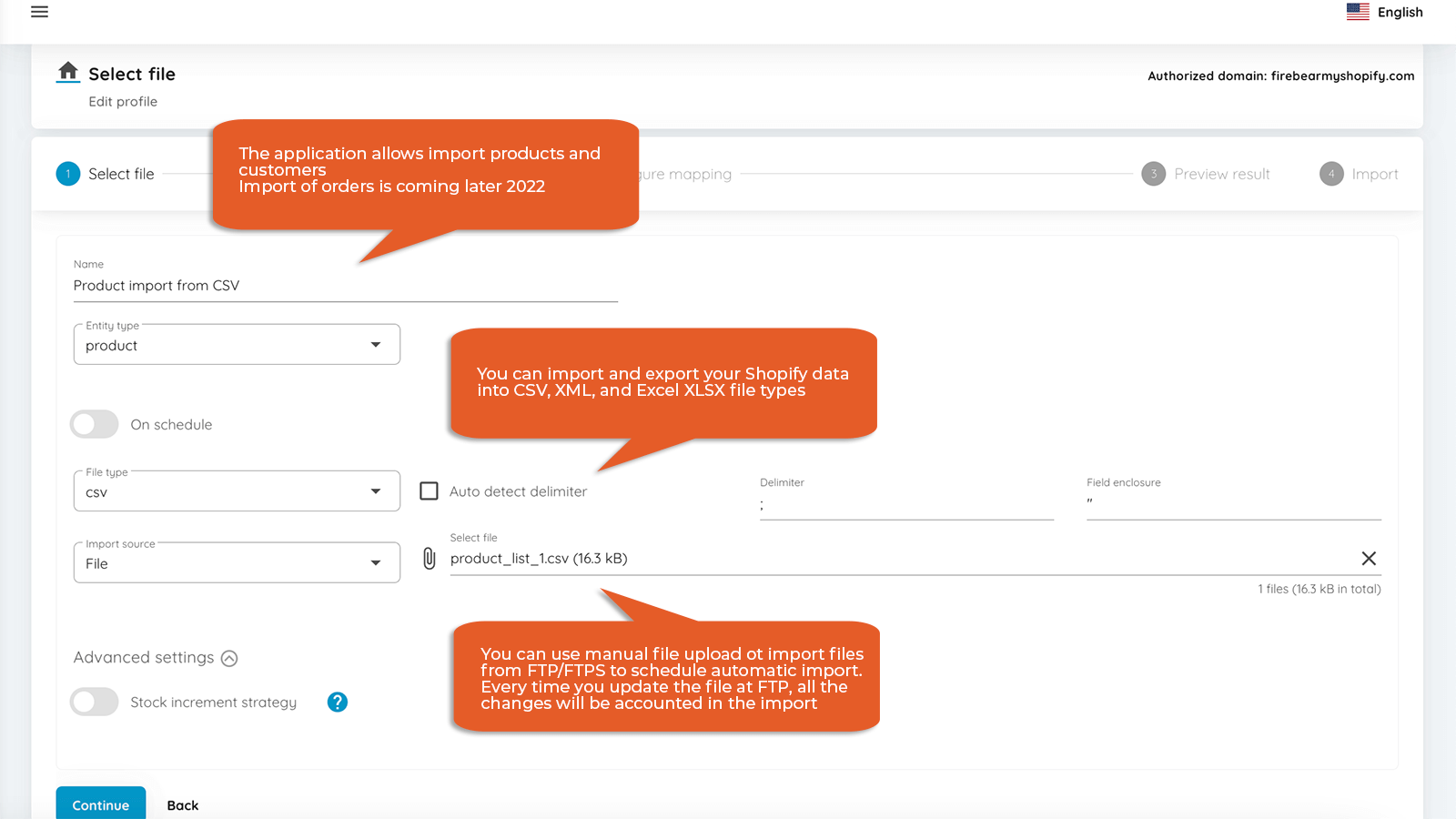
Any file format : CSV, XML, Excel XLSX whatever you use to manage products
Any Shopify entity : Products, orders, customers, both import and export
Automate processes : Schedule import and export procedure to run whenever needed
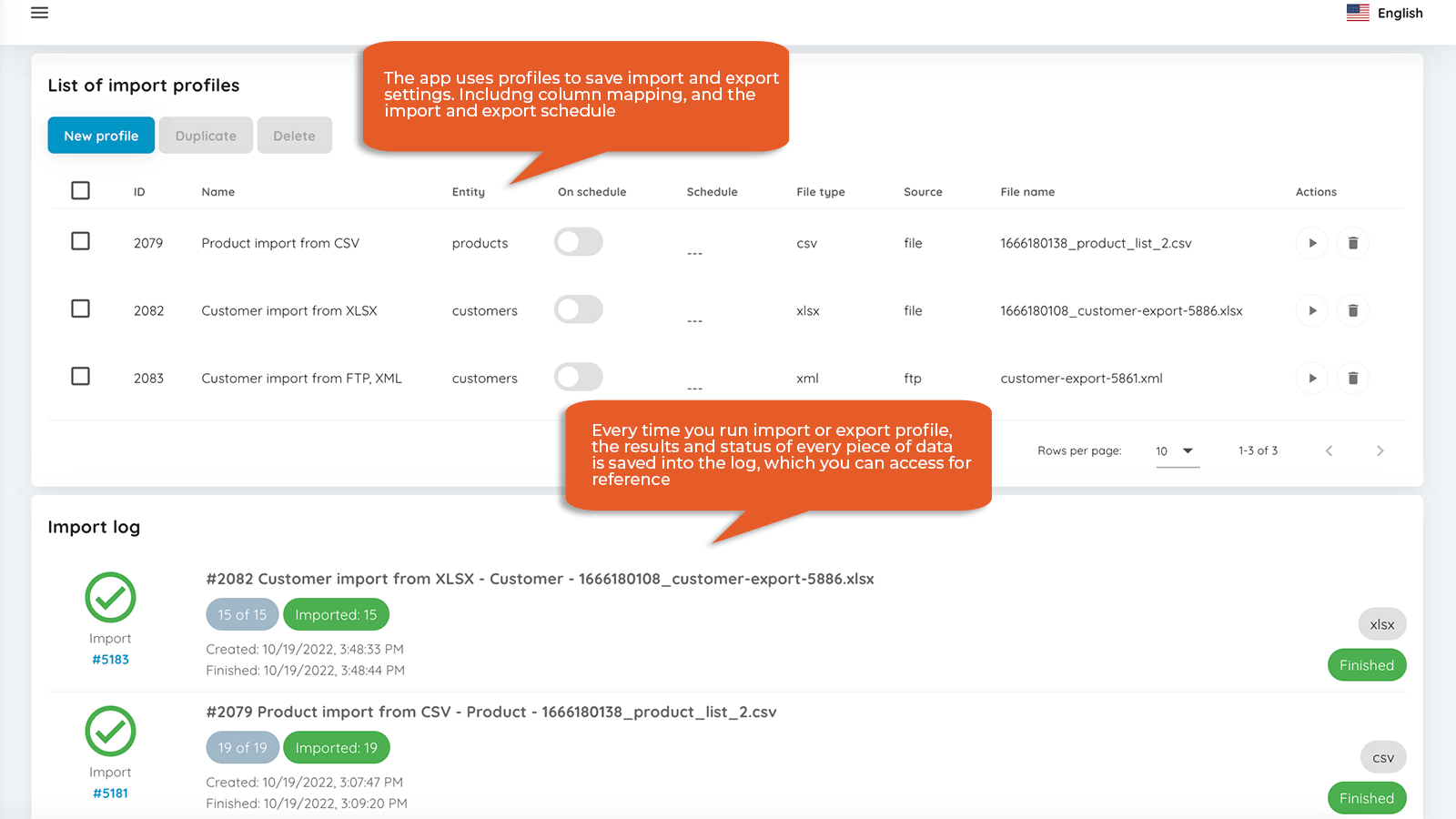
Improved Import and export is here to help you bulk import files with products from your suppliers, automate the catalog updates, and help you get the relevant data in and out of Shopify. The application works with the most common data formats, the only thing you need to do is apply mapping.
What is the application
Import & Export Tool Shopify app allows you to import and export all main Shopify entities: *Orders (only export, import will be added shortly) *Products *Customers Use any file format you need - CSV, XML, XLSX - don’t need to convert files. Upload these files to FTP or import them directly. Discuss with your supplier how you can automate the updates, and set the required schedule.
Introducing a new, convenient file format
The application enhances native Shopify file format with more convenient column formatting to save your time: *Import multiple images in a single cell. Just separate images with a comma or a pipe, and upload a whole gallery for the product. No need to put an image into a separate row. *Add product stock from the file to existing product stock, don’t overwrite it. *Export and import collections in the same file with products. *Create new collections during import.
File Mapping
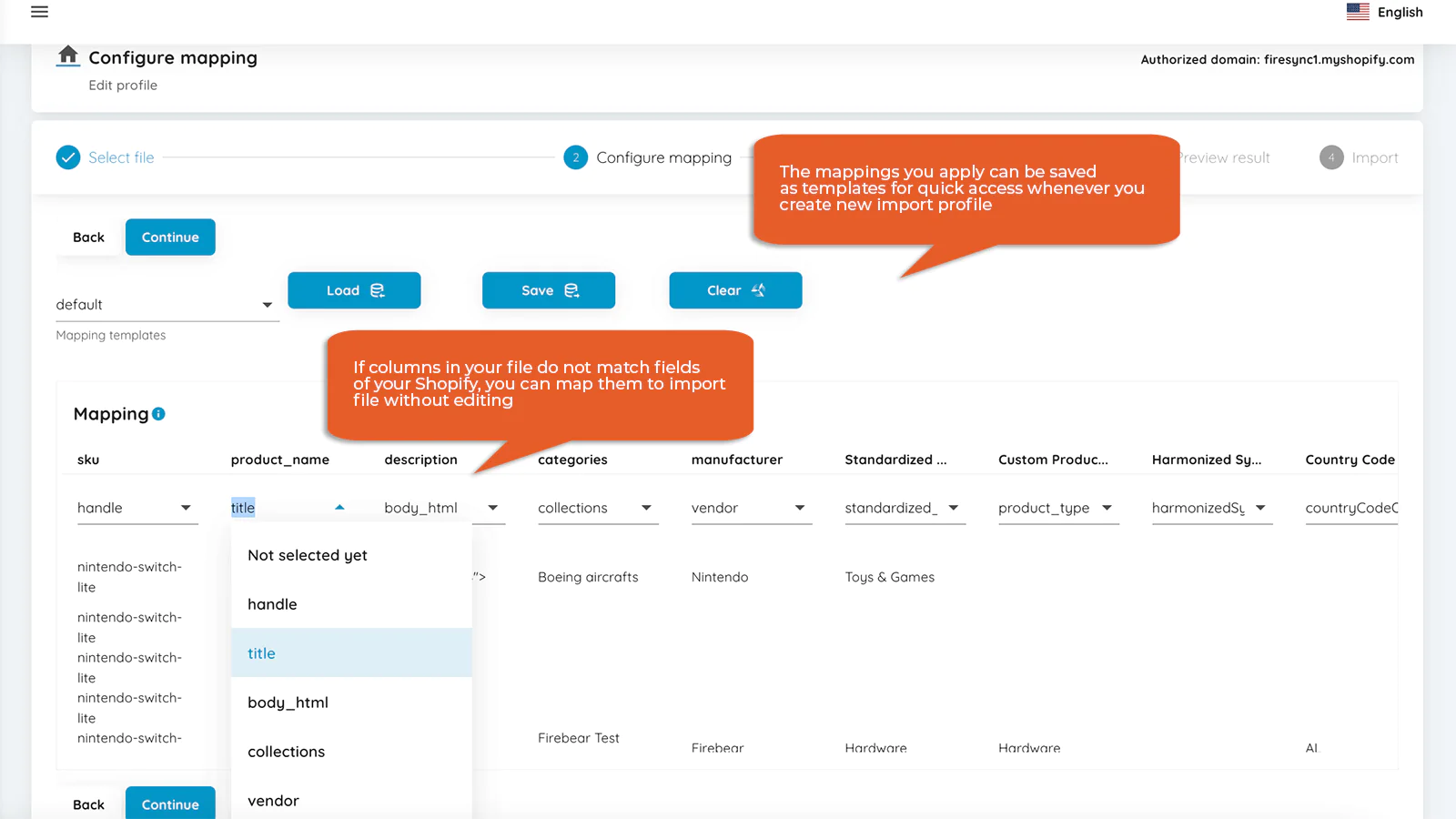
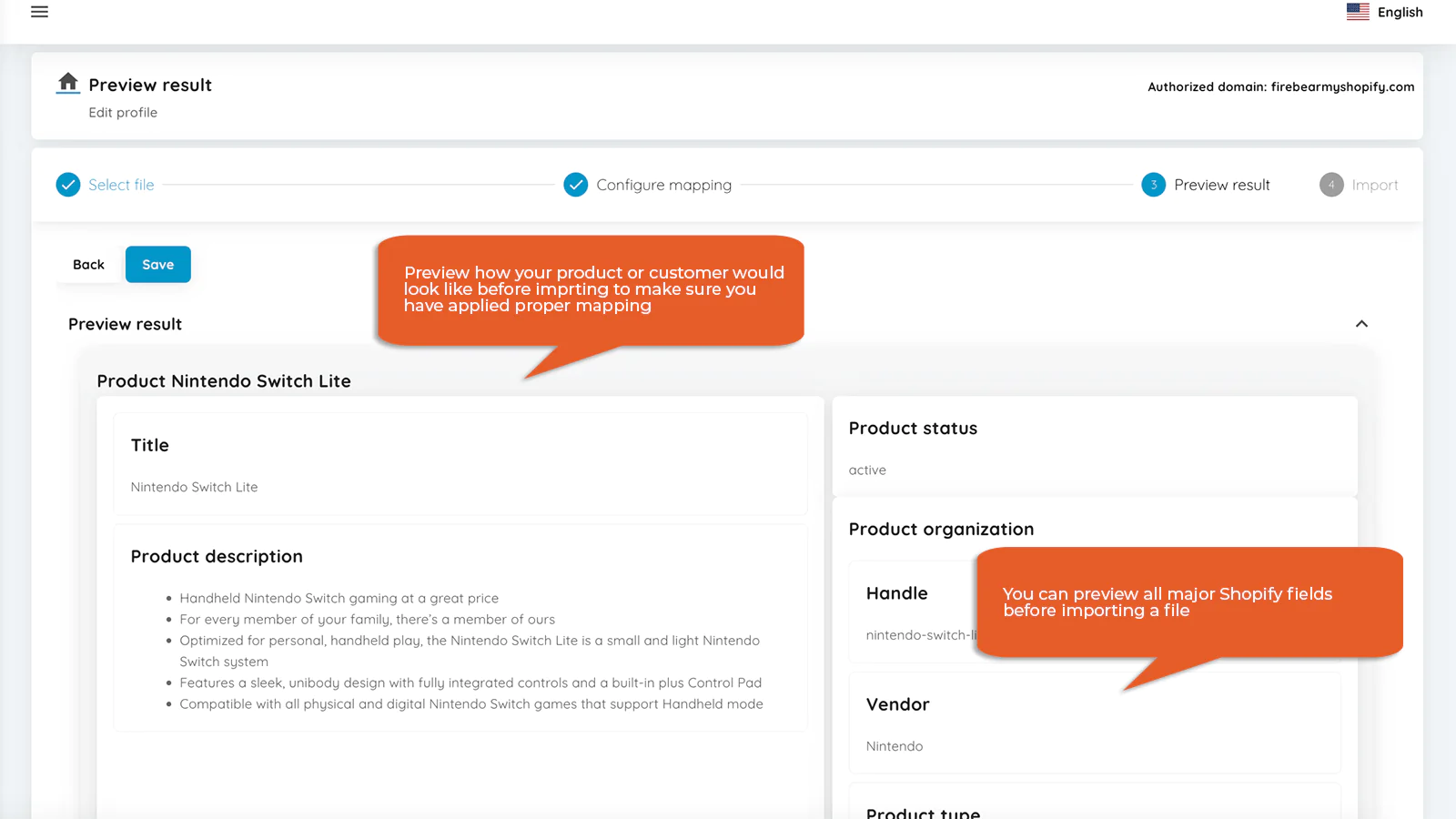
You know how you need to have all columns inside the file named after your Shopify product properties? You don’t actually need to rename them anymore. Just get a file from your supplier, and using the app match the columns from the file with your Shopify product properties.
Import and export automation
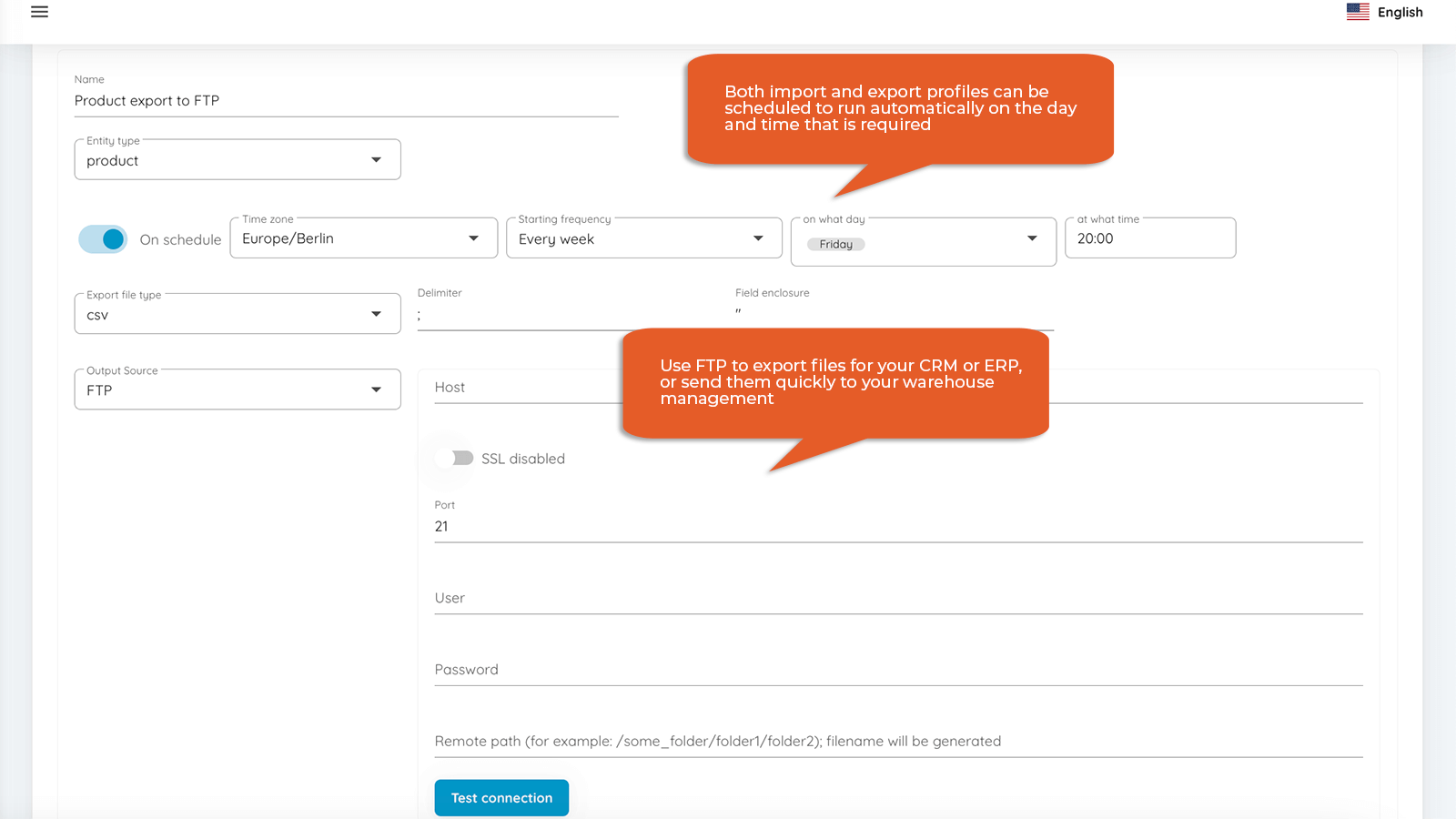
Mapping allows you to automate your import. For example: your supplier uploads a file to the FTP, and you know how the file will look like. All you need is to create an import profile that remembers your column mappings and you are good to go. Along with the rules you can set up a schedule - when to import or export the data. The schedule considers your timezone and is set to run the profile automatically on set dates or time intervals.
App use cases
Importing data from custom files of your supplier is possible with the application. Upload the file directly or to the FTP, map the columns from the file with your Shopify fields, and import the data. Update product data, stock, prices in real-time from third party sources. Specify the path to the file you want to import from your FTP/FTPs, set up the schedule how often you need this file imported. Now, when you update the file at the FTP, the application will import the new file automatically. Migrate to Shopify from other ecommerce platforms. With application mapping you can map columns with data from other stores with the product fields from Shopify, you may only need to apply small adjustments to the data.
Seamless workflow: use directly in Shopify admin
Speed tested: no impact to your online store
About the Author
Matej Kontros is an E-Commerce expert and app developer with over a decade of professional experience in IT.
Matej has worked for organisations of all types and sizes, including global players, startups, and agencies. He designed, developed, and maintained complex projects.
Matej's expertise includes e-commerce, software engineering, web development, systems administration, internet security, managing projects, and building teams.
Visit his website at [ Web Linkedin ] or contact him at [email protected].