Shopify App : EasyOrder ‑ Order Form for COD
Order form for COD. Cash-on-delivery quick orders. Pre-order.
About EasyOrder ‑ Order Form for COD
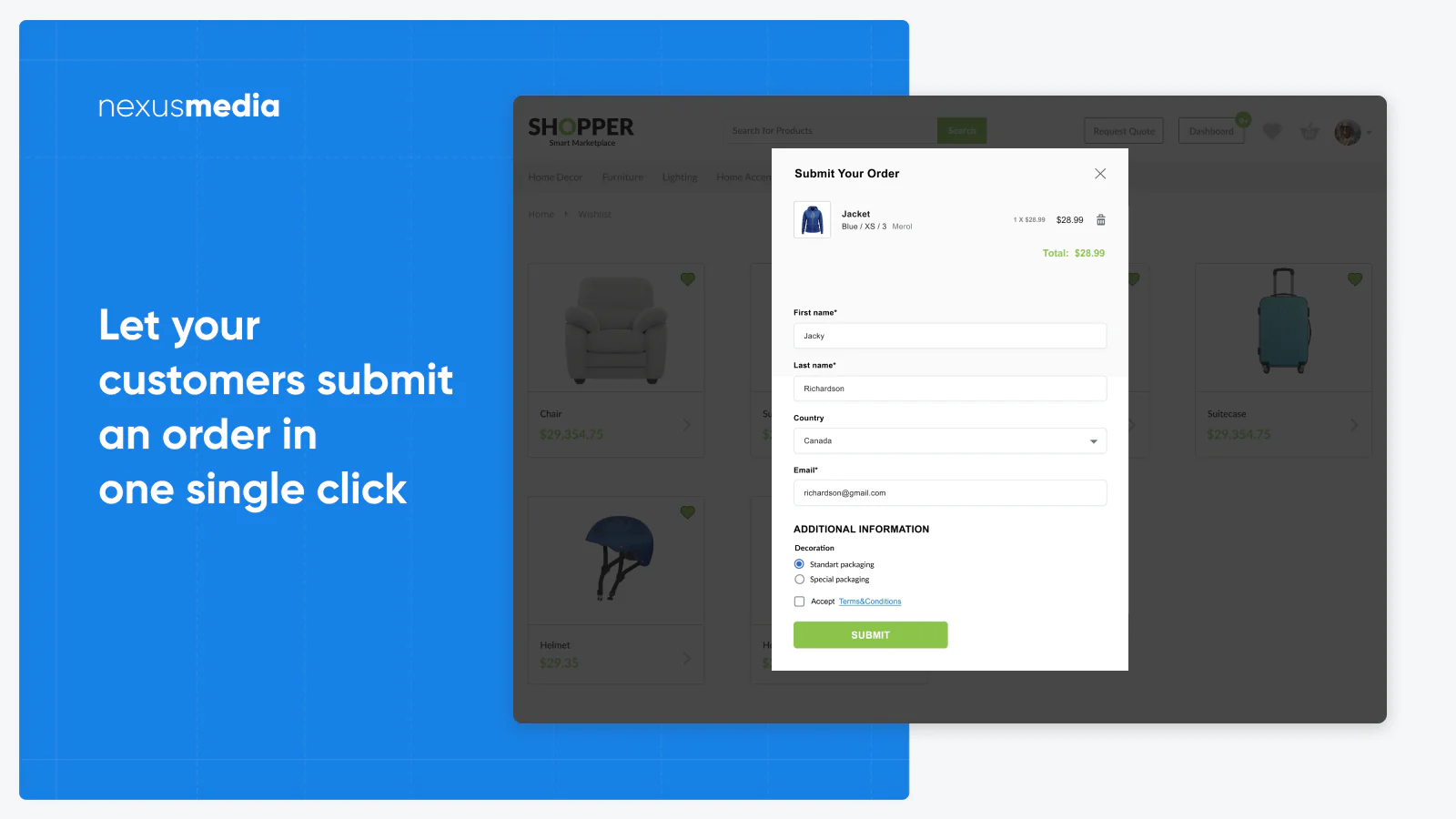
Quick order submission for COD : Let your customers submit a quick order in one single click with simple popup form. Improve your conversion rate for COD orders
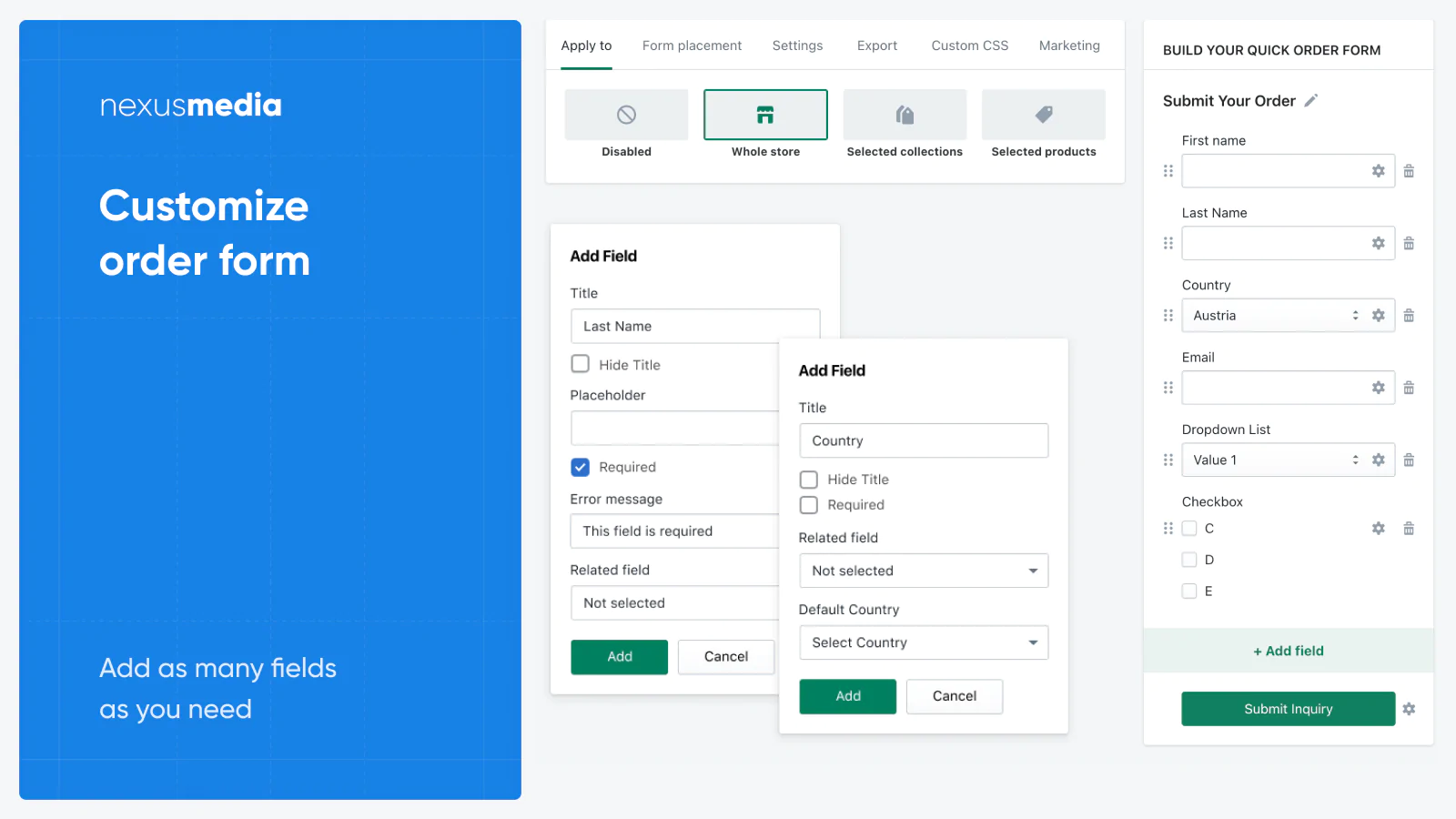
Collect only COD data you need : Simplify order process for your cash on delivery orders, pre-orders collecting only information you need with our form builder
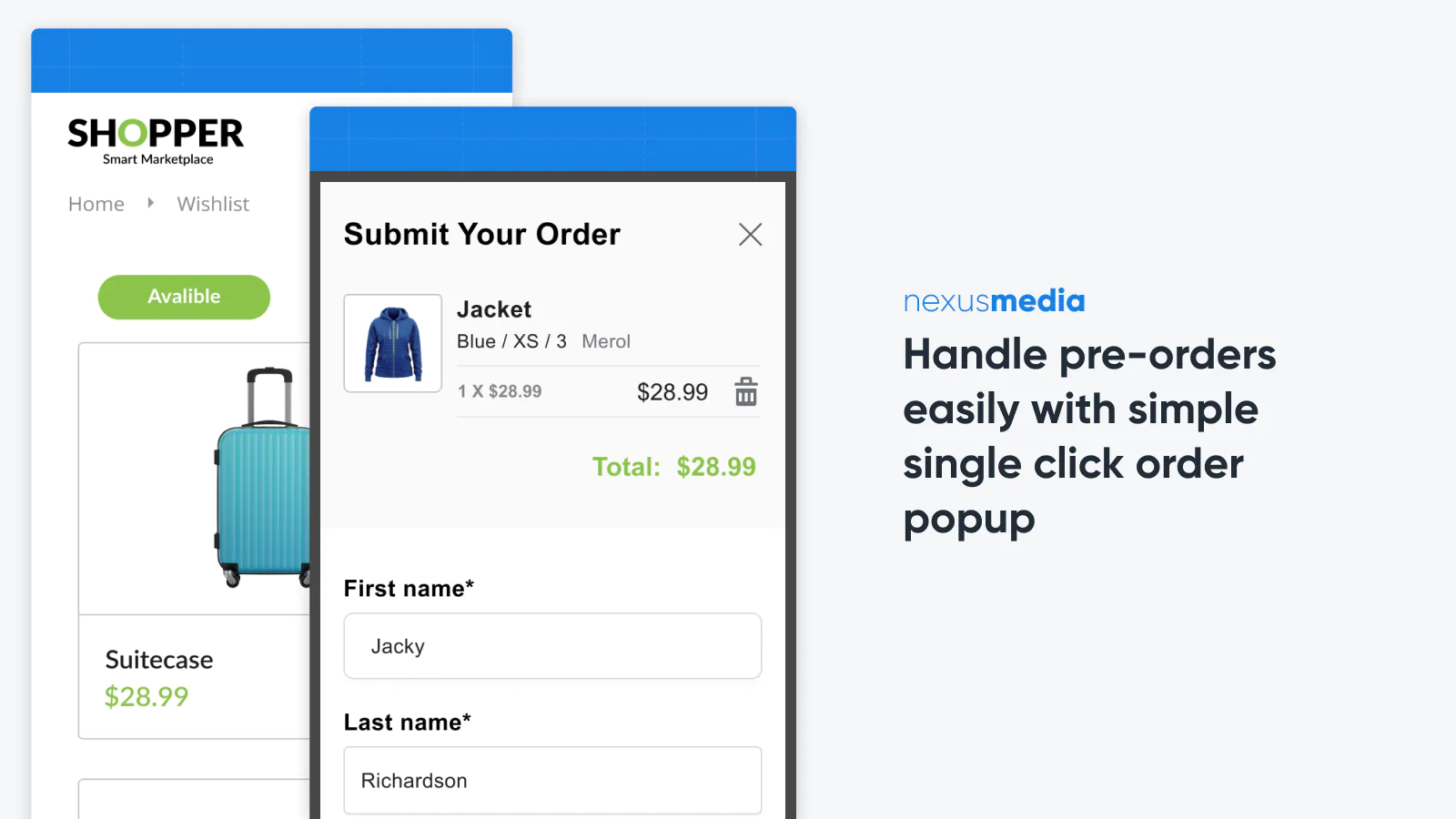
Cash on delivery & pre-orders : Easily handle pre-orders, COD orders, custom product requests and other type of orders which do not require immediate payment (COD)
What's new
- July 2022. Track abandoned carts to reduce the number of uncompleted orders.
- Feb 2021. UI/UX updates implemented.
Overview
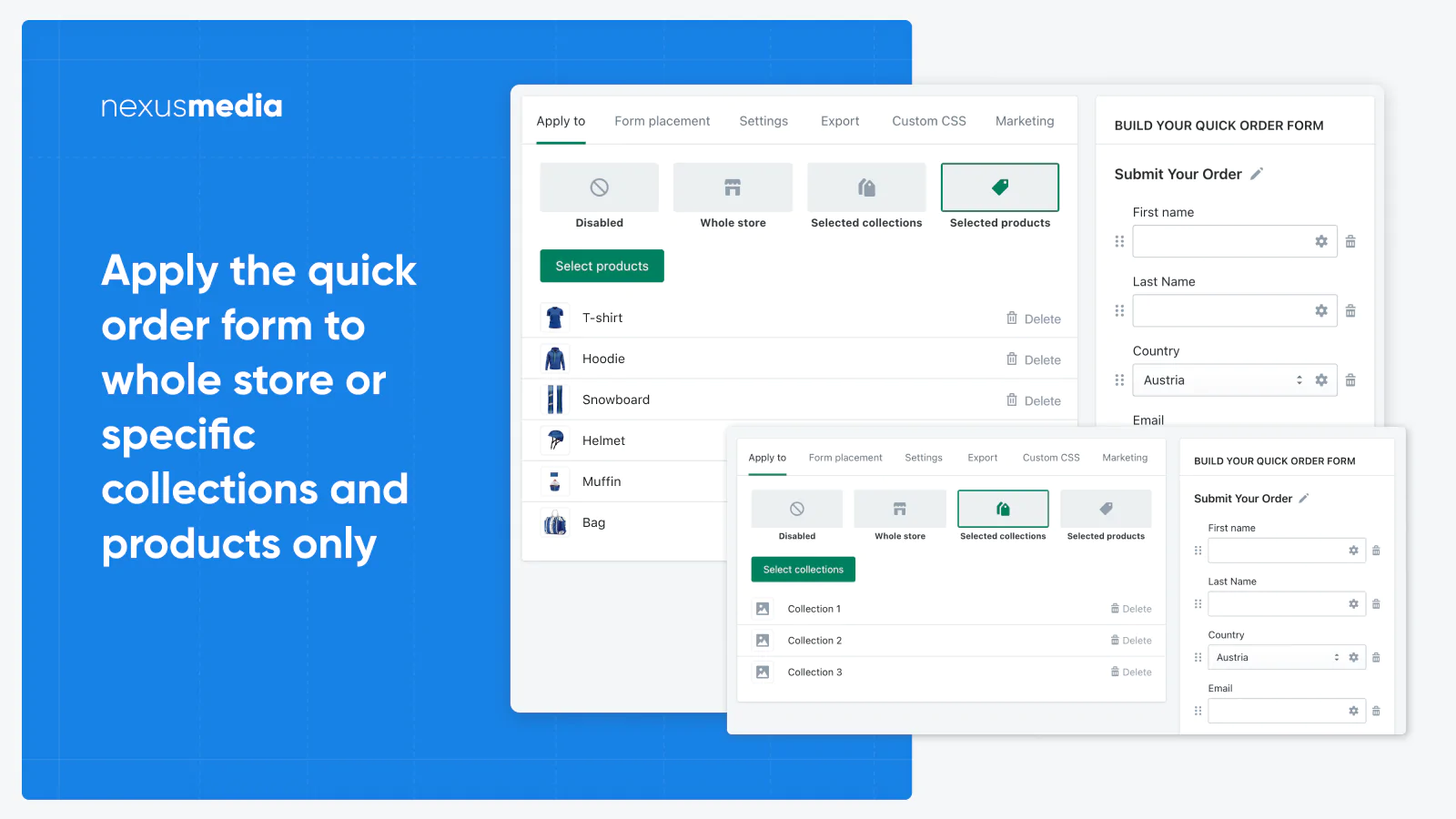
EasyOrder app replaces standard checkout process with fully customizable single step quick order form popup.
If you're not using online payments in your store, using Cash on Delivery (COD) or don't need them for some of your products - then our app is exactly what you need to improve your conversion rate.
App functionality
In case you do not need to accept online payments (you're using COD or some kind of offline payments, or just need to contact your customers before they will make payment), you probably noticed standard native checkout process is too complicated for your customers.
They need to enter a lot of information in several steps that you don't really need because of your business model. And even more, you may need some custom details instead, but you can not add additional fields to Checkout process with standard Checkout.
Our app solves all that problems. It replaces checkout with single quick order form popup with a popup form customer need to fill. Quick pre-order form is fully customizable with our drag'n'drop form builder, so you may add any field you need, mark it as required, add related fields and customize the layout.
Who is this app for?
This app is designed for store owners whose business model is a bit different compared to native checkout process. This app is exactly for you if:
- You do not accept payments online and using some offline payments, like COD, wire transfer, etc.
- Some of your products are not available for purchase yet, but you'd like to study a market and collect potential customer base with a simple quick easy order / pre-orders form;
- You need some specific details from the Customer that you'd like to add to Checkout process, but can not do that with native checkout;
But app is NOT for you if you're:
- Using online payments like Shopify Payments, PayPal, 2Checkout, etc;
Note: you may use our app's simplified checkout process for some of your Products, and standard native checkout for others.
How it works
Our app adds one click checkout popup window you design to your Product page, or Cart page, so instead of going to Checkout process, your customer just fill several fields and submits an order/pre-order directly on your Product page / Cart page.
Order will appear in your Orders section (as quick Draft order or regular Order) in your Store Admin panel as any usual order. Customer account will be created for each order automatically, similar to standard Checkout process.
Important: all orders submitted via our app will appear as Not Paid and Not Fulfilled.
Seamless workflow: use directly in Shopify admin
About the Author
Matej Kontros is an E-Commerce expert and app developer with over a decade of professional experience in IT.
Matej has worked for organisations of all types and sizes, including global players, startups, and agencies. He designed, developed, and maintained complex projects.
Matej's expertise includes e-commerce, software engineering, web development, systems administration, internet security, managing projects, and building teams.
Visit his website at [ Web Linkedin ] or contact him at [email protected].