Shopify App : CSR
Set your shipping rates table via CSV file
About CSR
Save your time : You can save your time. Make your own shipping rates table with Excel. Upload via CSV file.
Use to easy : You can easily setup and edit your own shipping rates. Edit shipping rates via CSV or manually.
Fast setup : Just make CSV file and upload it. Your own shipping rates immediately.
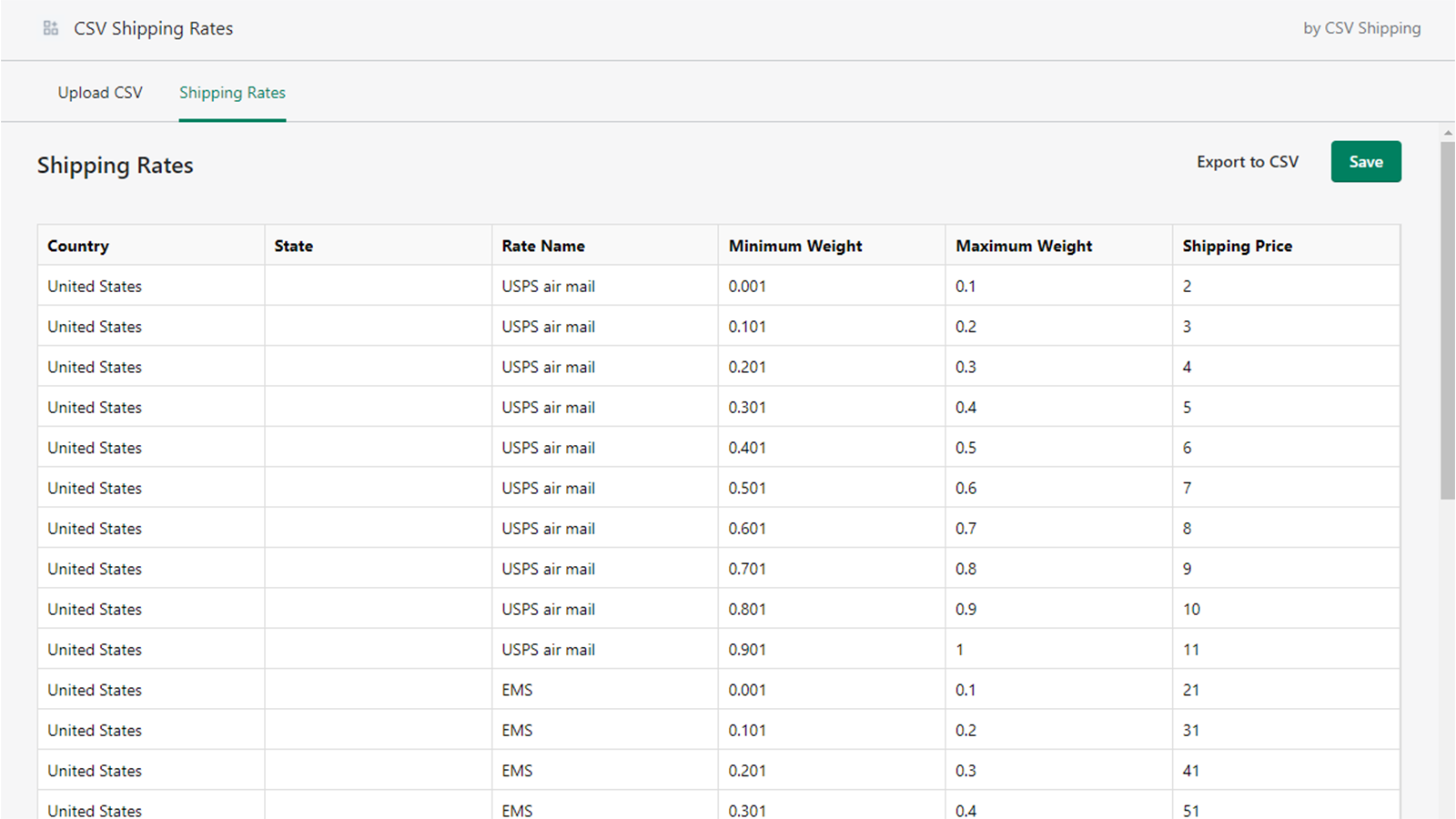
CSR is an easy way to set up your own shipping rates. An order delivery process requires setting up shipping zones, adding shipping methods, and adding the weight. So you may set up thousands of shipping rates. You are well aware of the fact that it is time-consuming and demanding. CSR will make your set-up quick and easy.
Make your shipping rates table with Excel and upload it via CSV file.
Create a shipping rates table in Excel and upload it via CSV. You can complete thousands of order delivery settings in few hours. Customers can find various shipping methods offered in Store and select any shipping method they want. Now you can ship to customers all over the world.
Easy to edit your shipping rates.
Adding a new shipping method or changing an existing shipping rates is easy. You can edit an existing shipping rates directly or by uploading a CSV file.
Give you a price advantage of your products..
You do not need to add a shipping fee on a product to offer free delivery. Inputting only the price of your product will make you competitive in the world.
Requirements
You need Shopify Carrier Calculated Shipping enabled for ShippingRateFile to work. To do so, your store should be Advanced Plan or Annually Paid.
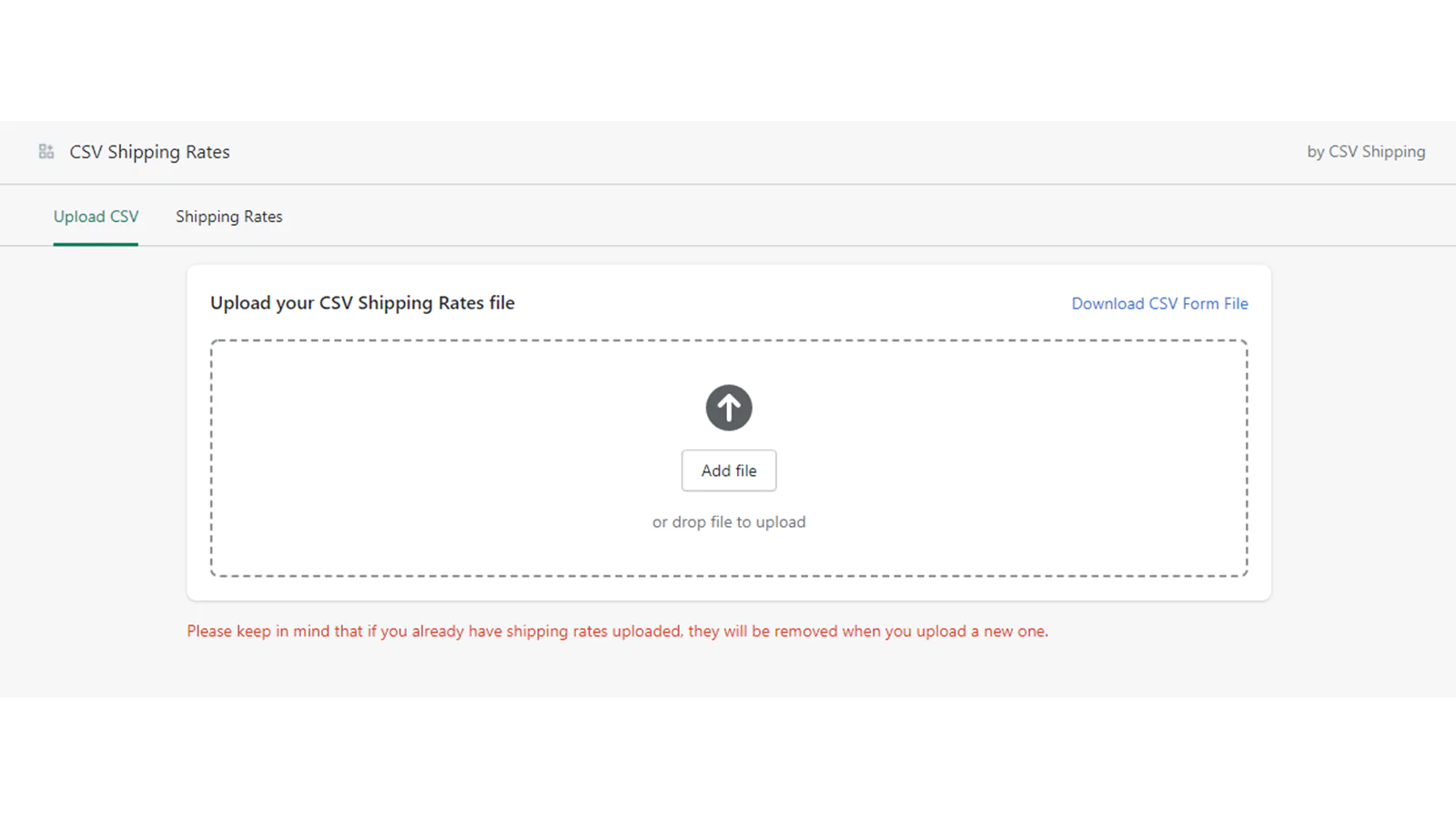
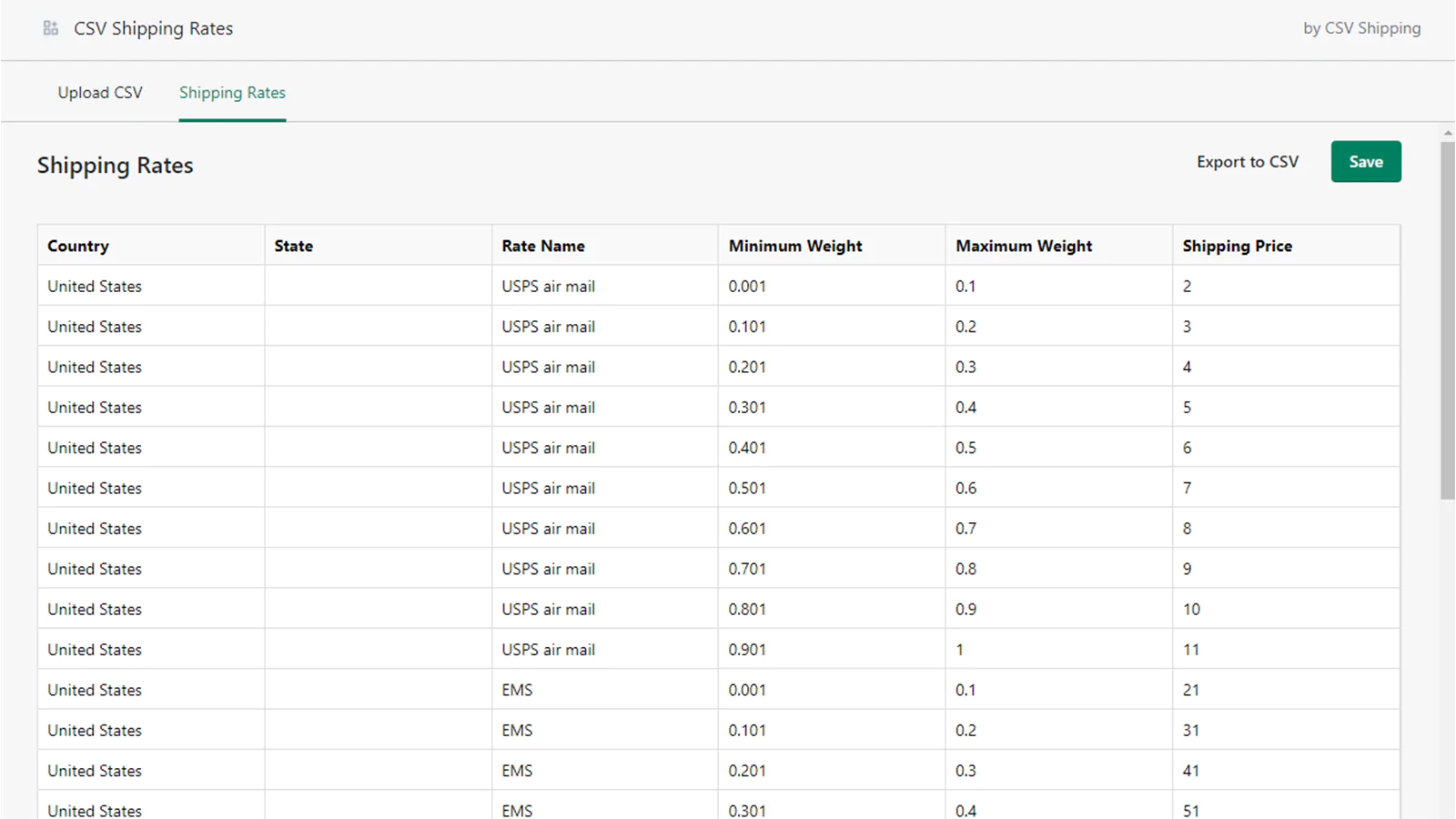
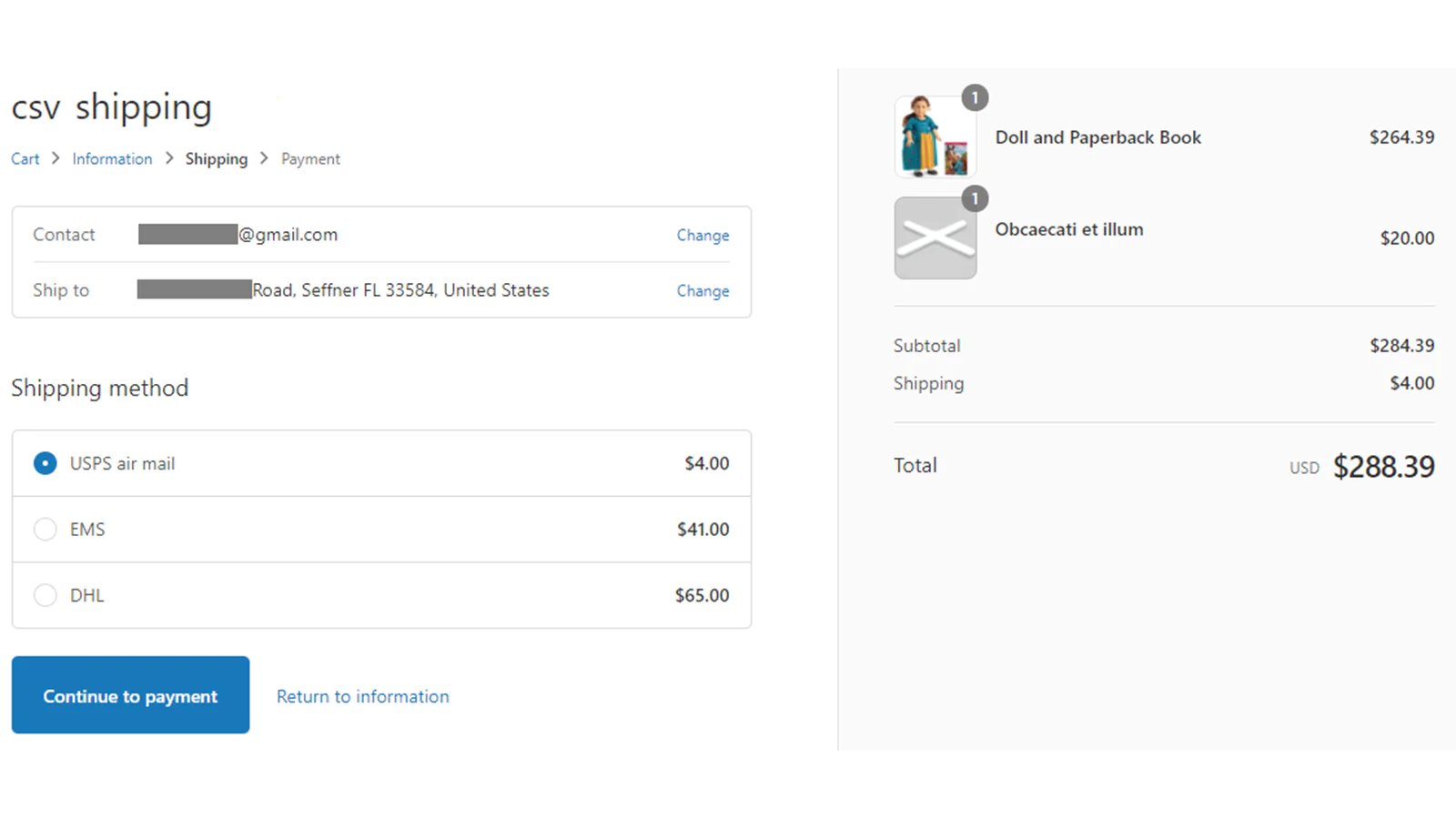
Seamless workflow: use directly in Shopify admin
About the Author
Matej Kontros is an E-Commerce expert and app developer with over a decade of professional experience in IT.
Matej has worked for organisations of all types and sizes, including global players, startups, and agencies. He designed, developed, and maintained complex projects.
Matej's expertise includes e-commerce, software engineering, web development, systems administration, internet security, managing projects, and building teams.
Visit his website at [ Web Linkedin ] or contact him at [email protected].