Shopify App : Hurrier ‑ Countdown Timer
Boost sales by triggering urgency with timers
About Hurrier ‑ Countdown Timer
3 types + advanced targetin : Choose a specialized timer for each task — define users you want to show the timer
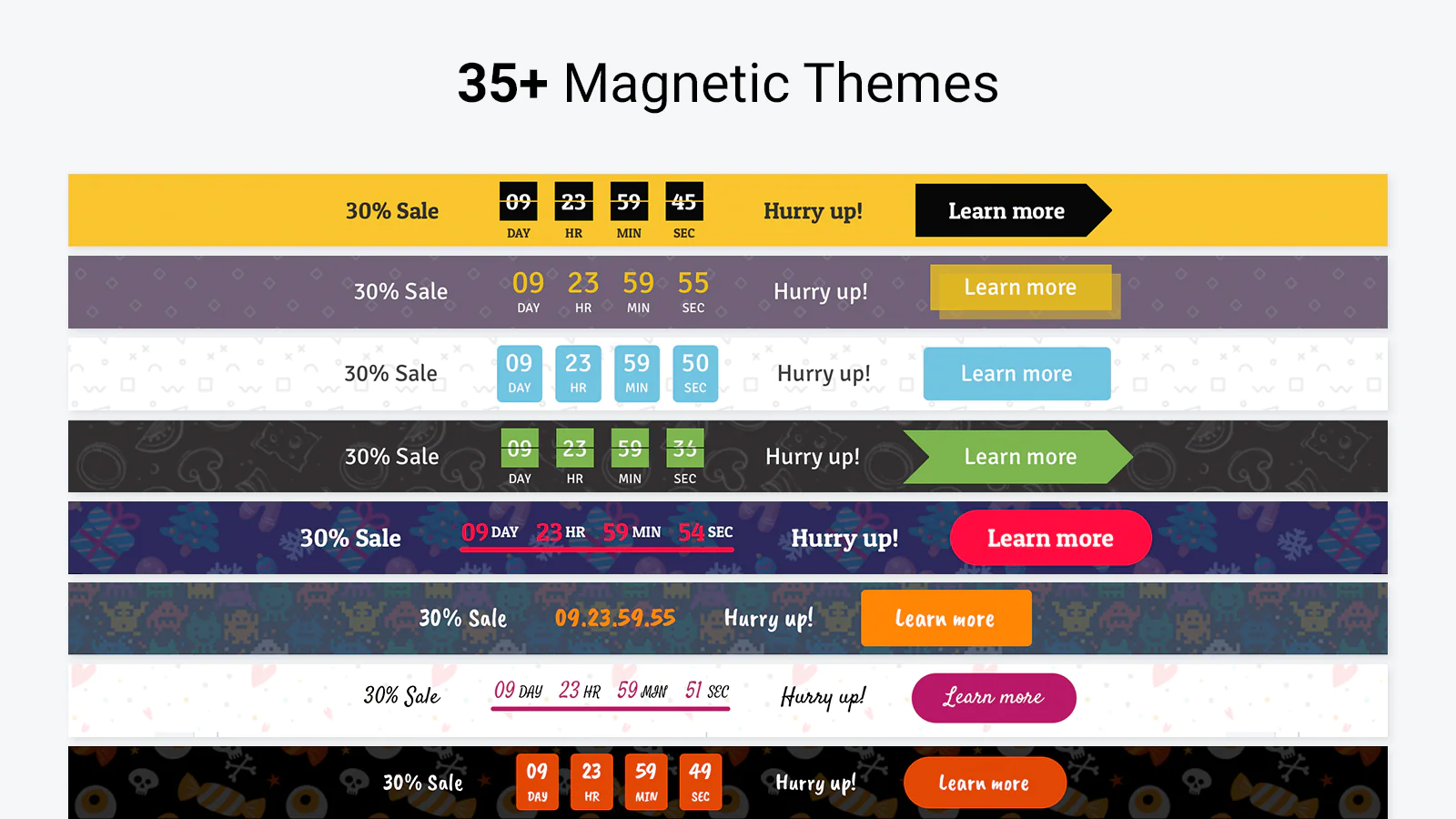
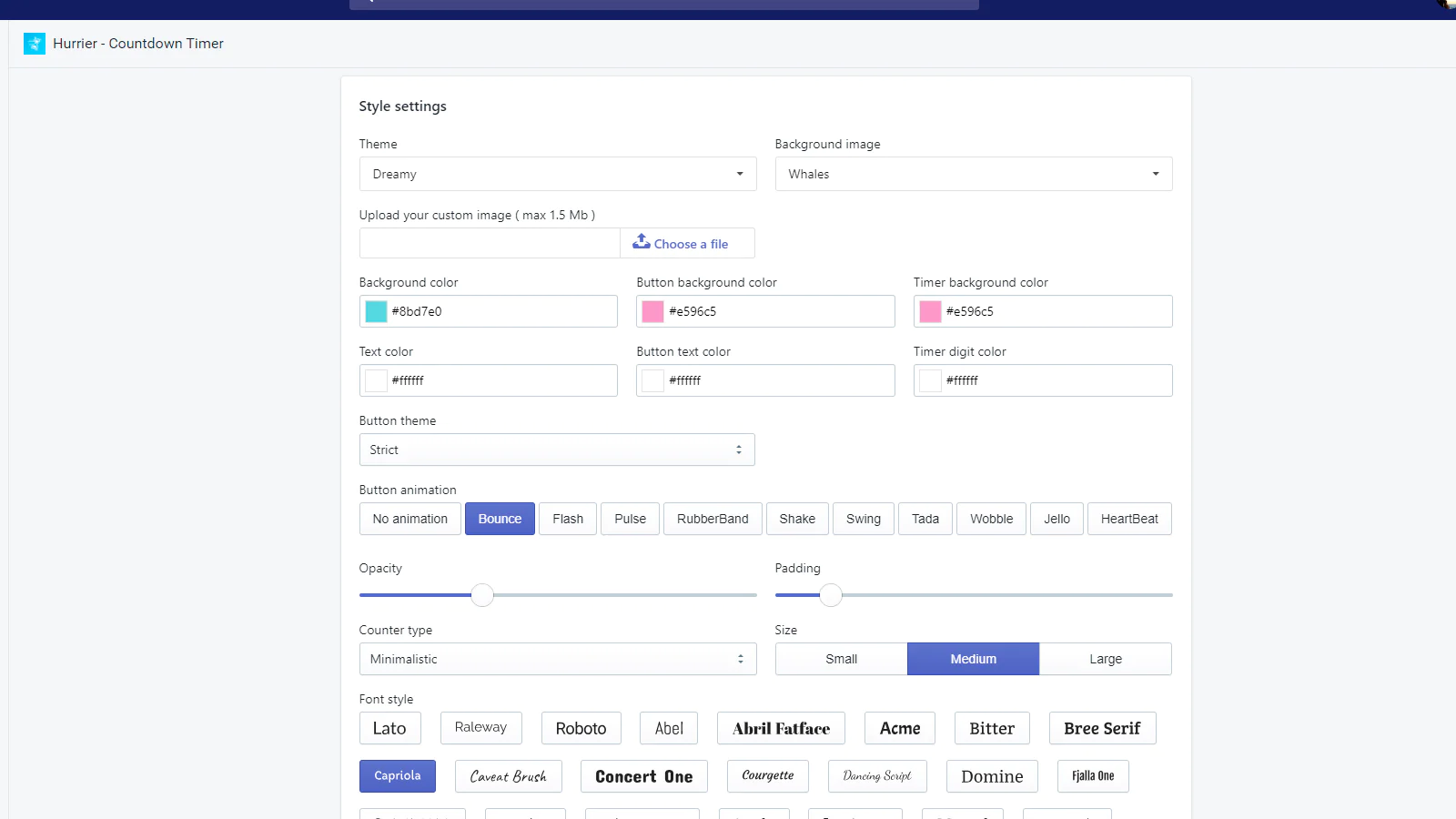
35 customizable themes : Match your store design — find the most suitable theme for any case, customize any element from colors and font to animation and padding.
Discount code support : Deliver discount codes with a timer bar — track timer's efficency to a single purchase made after clicking the timer.
Why a countdown timer is one of the best sales boosters?
Urgency and urgency — one of the best triggers to motivate users to make a purchase immediately. The timer affects these triggers by counting numbers down. The message of the product quantity limitations increases the effect. The last thing of the formula is Call to action. Lead users to the sale products and tell them they should hurry up before the sale is going on.
Look below what you would get for the very fine tuning.
Done! The timer is launched. Try it right now with the free version of Hurrier — press «Add app».
Need more configuration? Look below what would you get for the very fine tuning.
3 timer types
Each one is designed for certain tasks and marketing activities.
Event timer
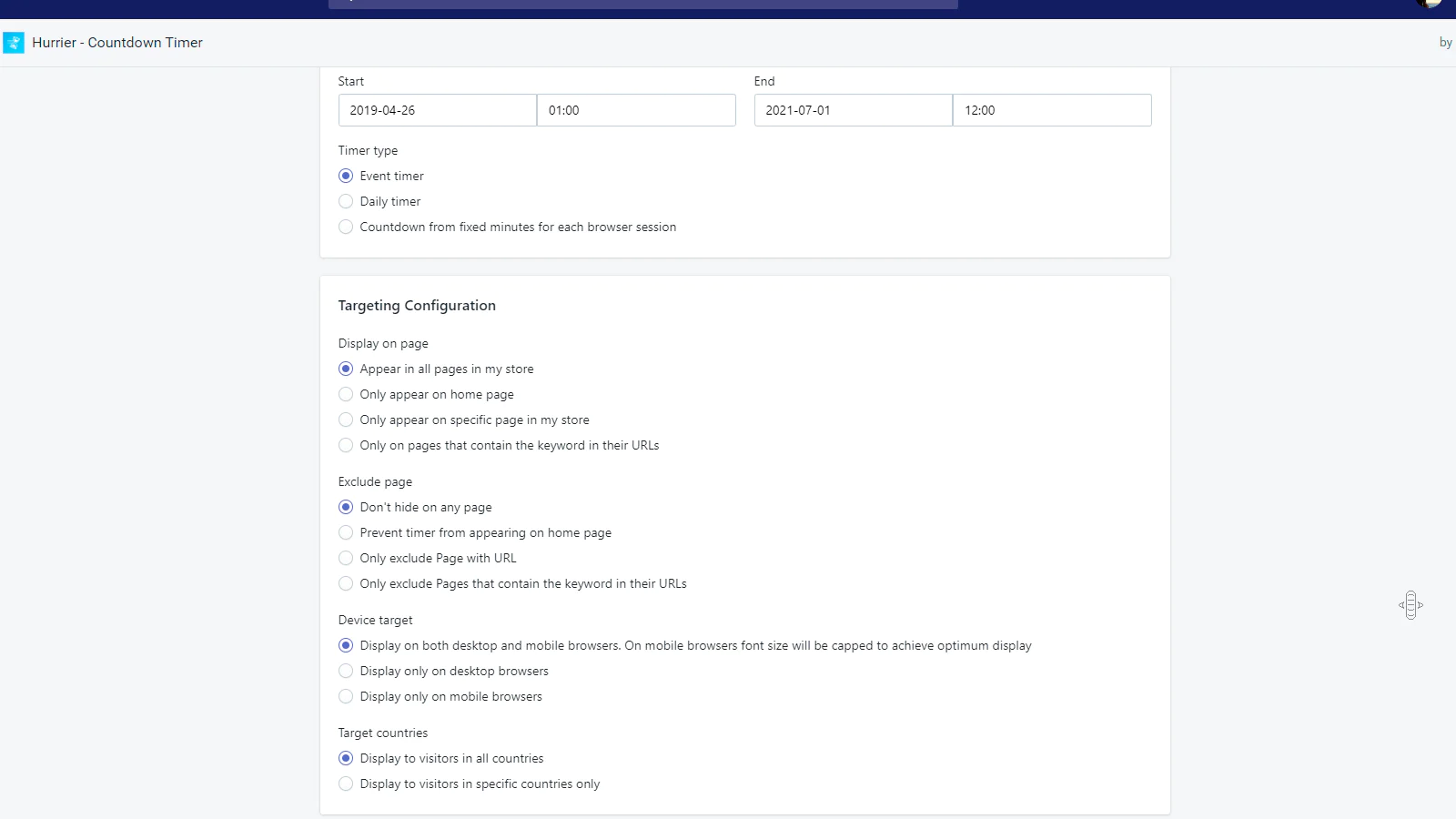
The simplest timer for counting down to a certain event. It is usually the end of a continuous sale. The only thing you need is to set the start date and the end one.
Daily timer
The timer is designed for promoting repeating sales on certain days. In addition to Start and End dates, you can set weekdays when you want the timer to appear.
Countdown from fixed minutes timer
Use this timer when you promote a sale with a certain advertising channel, for example, Google Ads or Facebook Ads. Set the limit of time — when a new user visits the store, the timer starts the countdown.
Guarantees
Compatibility with themes
If you face any troubles with displaying Hurrier in a proper way, contact us — we shall integrate the app exactly to your theme for free.
Mobile-friendly
Each theme is tested to be mobile- and tablet-friendly. If you wish to change the appearance of the timer on any device, contact us — we shall make it for free.
Features — Get the best use of Hurrier
Customization — Easily make the timer match your store design
- 35 templates and custom background image
- 3 timer types
- 29 fonts
- 9 button animations
- International labels or custom ones
- Custom CSS customization
- 20+ other customization options
Text settings
Define the messages of each zone: 1. Before the counter 1. After the counter 1. Button
Positions
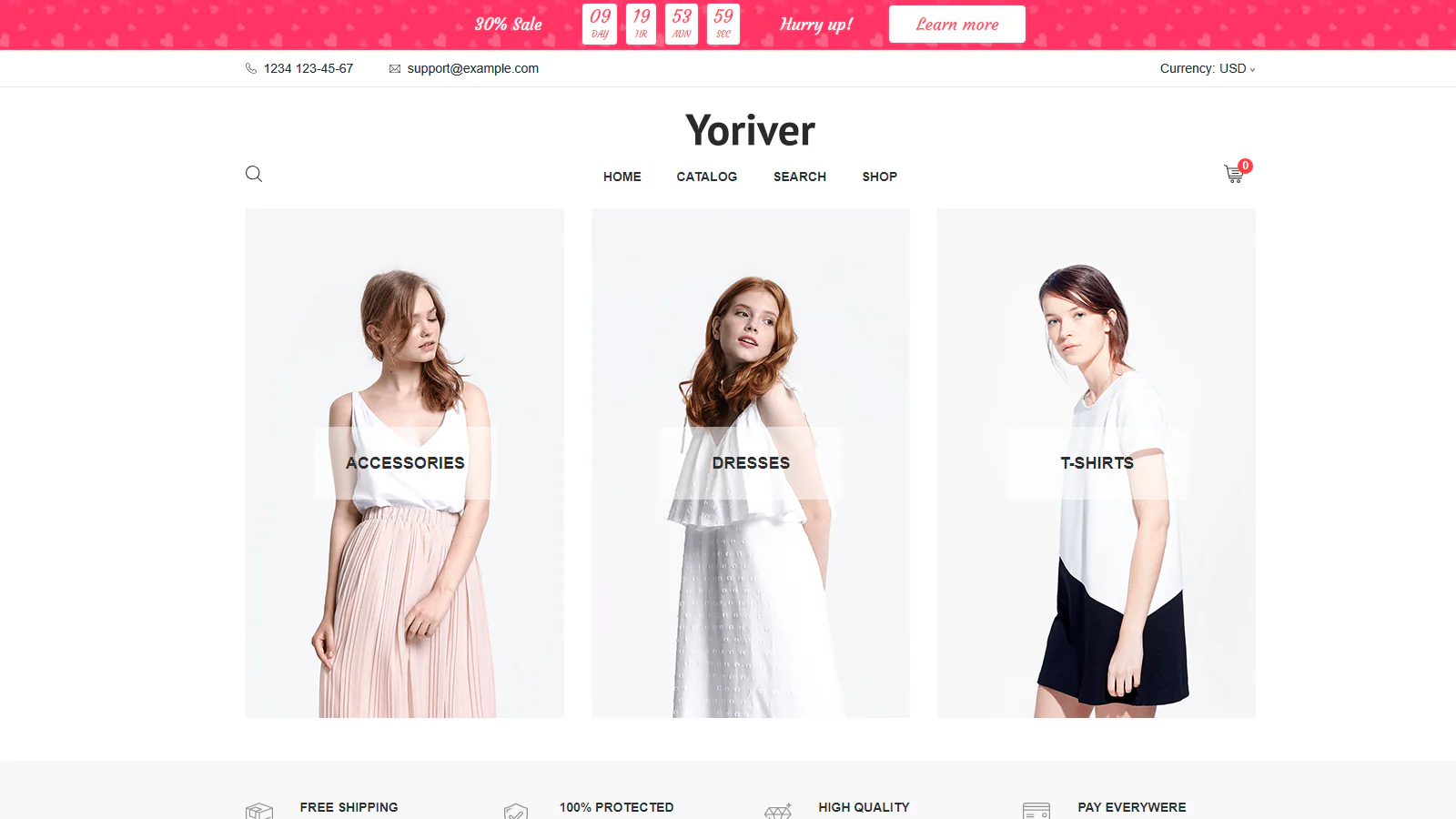
Choose the position that triggers a user the best: 1.At the top of the page (+3 subtypes) 1.At the bottom of the page 1. Custom
Targeting
Visitor source and UTM tags recognition
Show the timer to visitors depending on their source of the visit with URL keywords.
Devices and countries
Select devices and countries where you want to show the timer.
Pages
You can display the timer in all the pages, the homepage, the specific pages by inputting their URLs or a keyword that contains in the URLs.
Products
Still hesitating? Install the trial version of Hurrier right now!
Try all the advantages of Hurrier for free. Press «Add app» and ensure of Hurrier effectiveness!
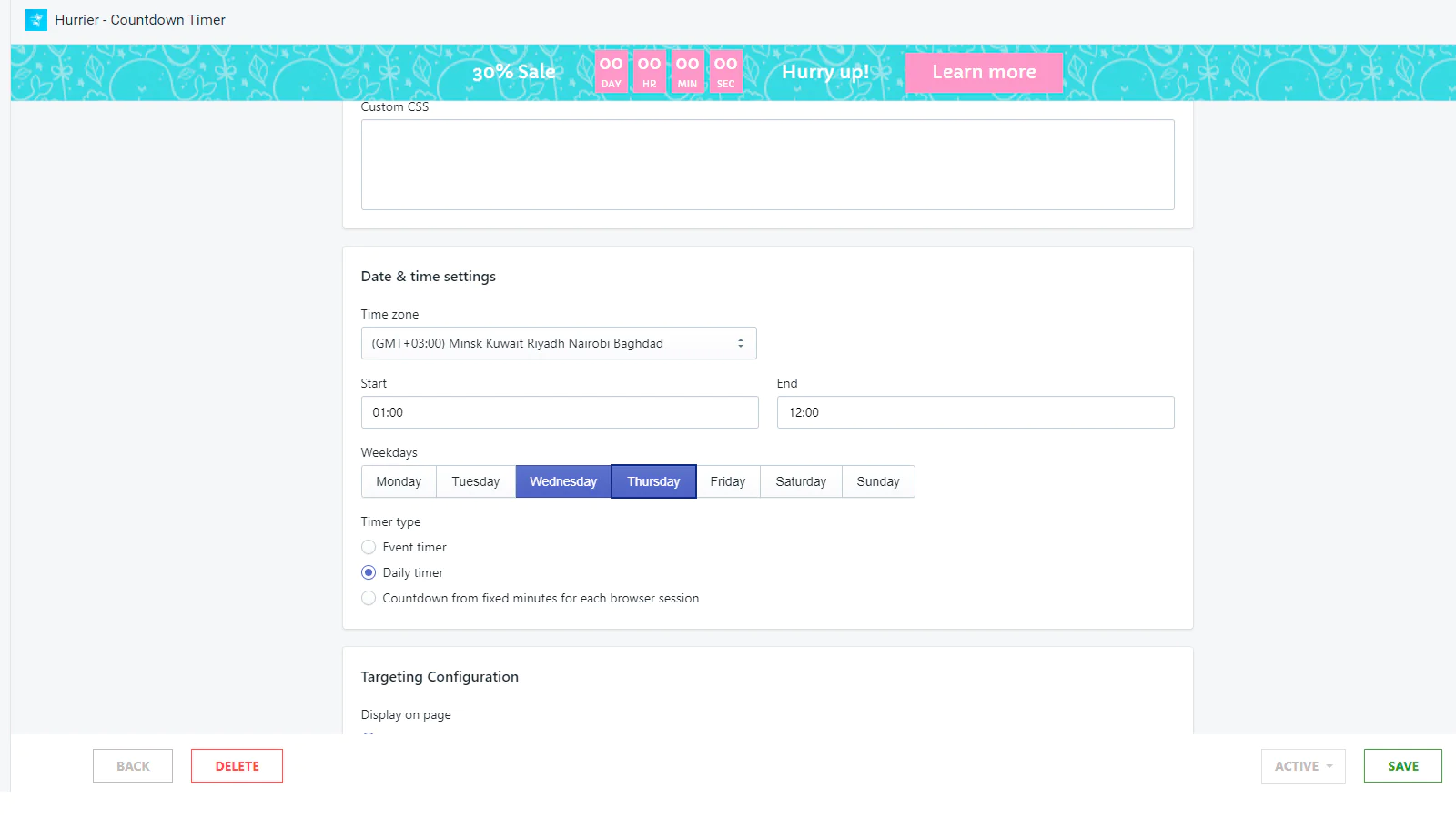
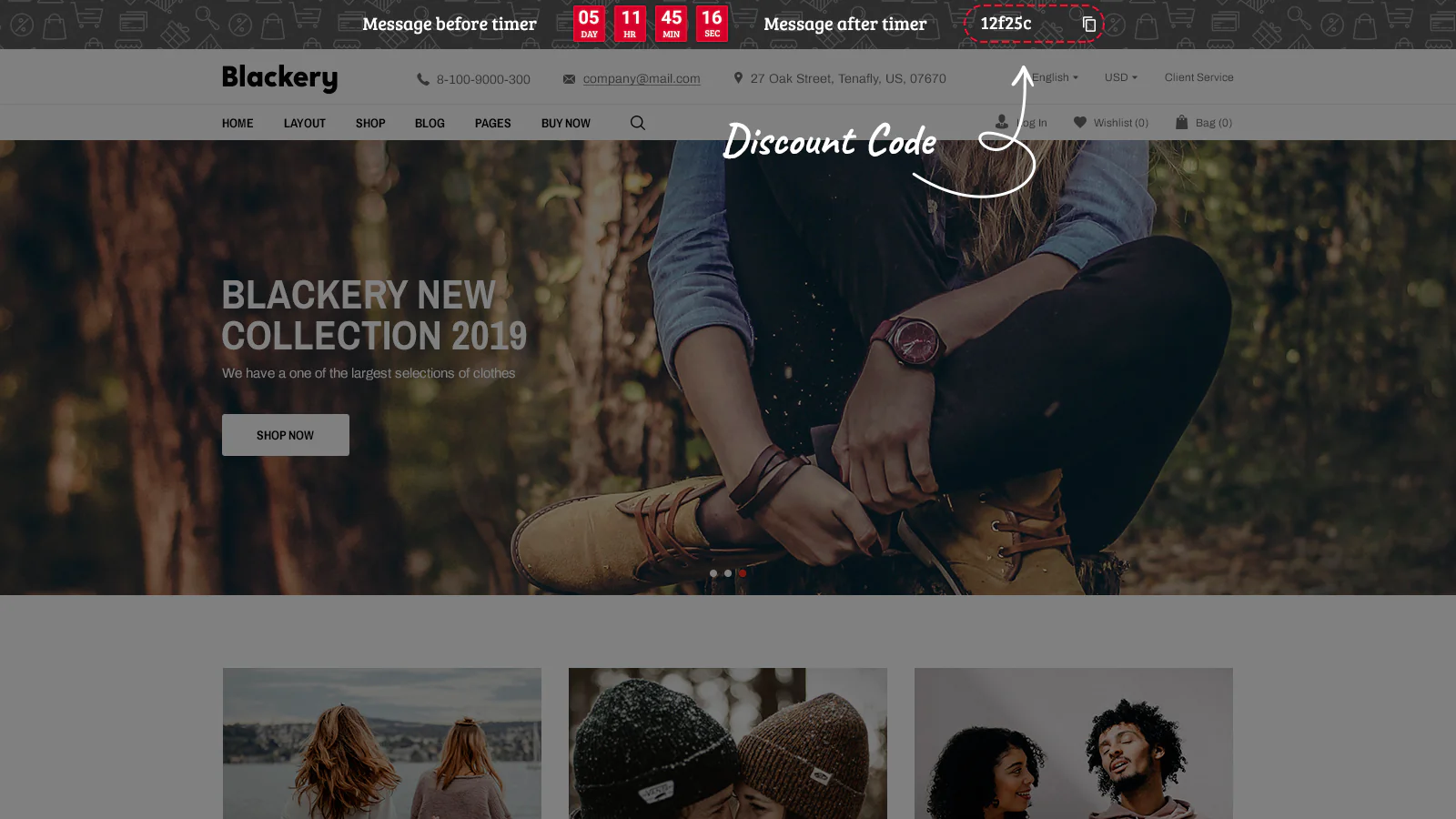
Seamless workflow: use directly in Shopify admin
About the Author
Matej Kontros is an E-Commerce expert and app developer with over a decade of professional experience in IT.
Matej has worked for organisations of all types and sizes, including global players, startups, and agencies. He designed, developed, and maintained complex projects.
Matej's expertise includes e-commerce, software engineering, web development, systems administration, internet security, managing projects, and building teams.
Visit his website at [ Web Linkedin ] or contact him at [email protected].