Shopify App : CodeUp ‑ Add Custom Code
Easily Insert Custom Header & Footer Code to Your Store
About CodeUp ‑ Add Custom Code
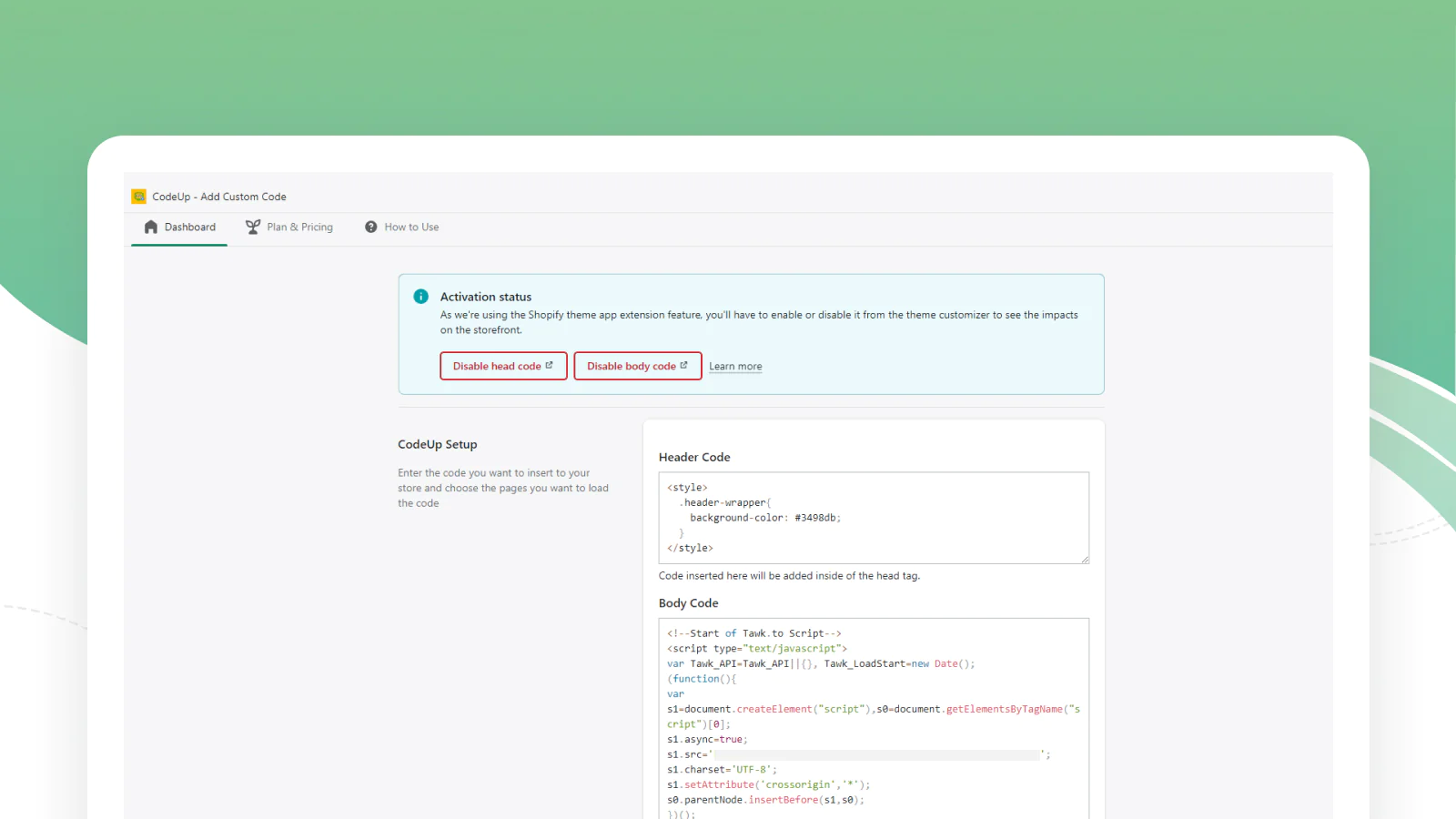
Simple Code Customization : Add custom code to the website head and body more easily and quickly.
Load Code Pagewise : Load the custom code through this app on specific pages.
Easy to Use : CodeUp is designed for merchants of all levels, from beginners to experts.

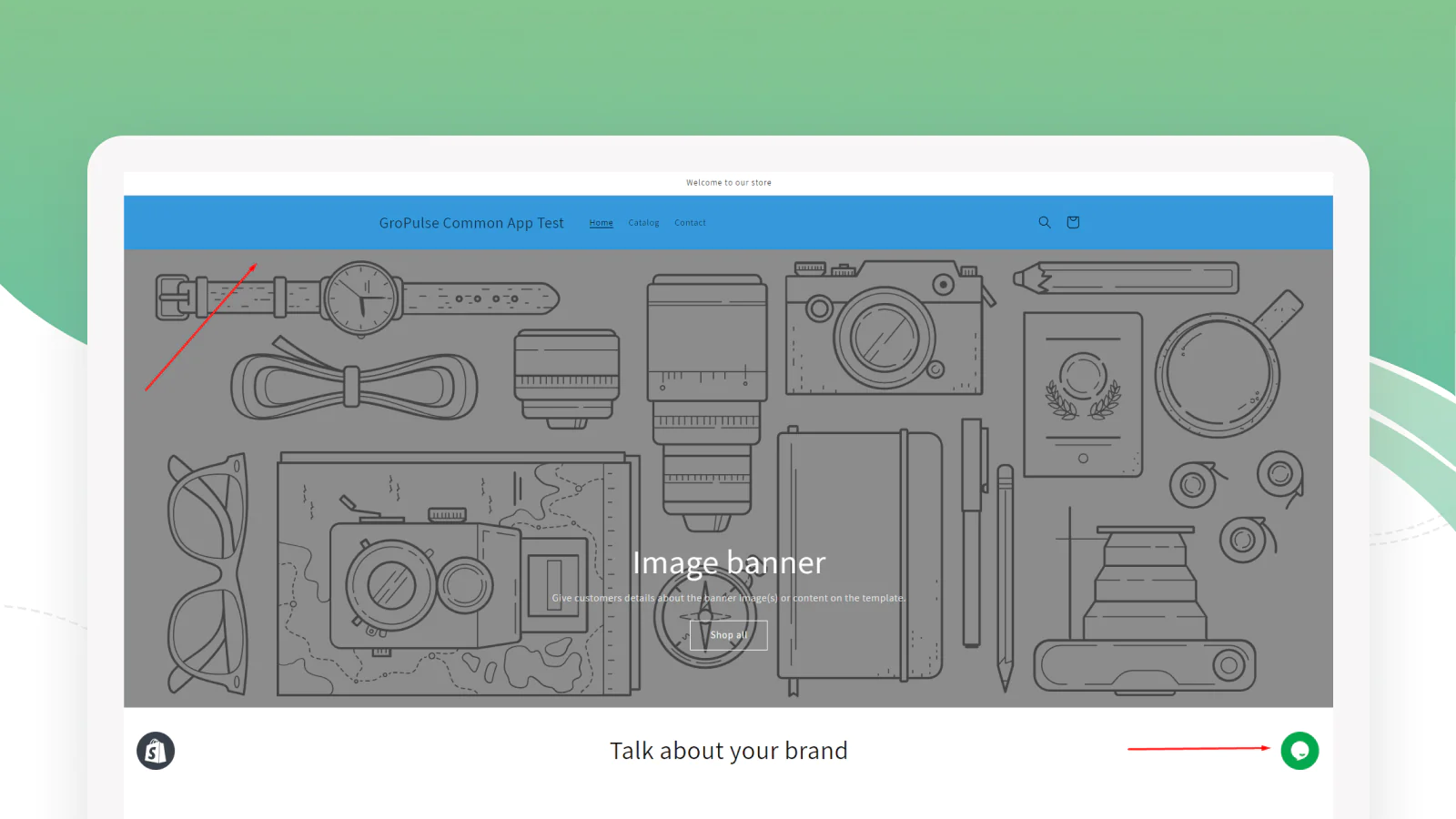
CodeUp is an efficient app that allows users to add custom CSS and JavaScript code to their websites. With CodeUp, you can add codes from Google Site Verification, Facebook Domain Verification, Google Analytics, Facebook Pixel, 3rd party script, live chat script, as well as custom CSS to the head or body of your site. This app is easy to use and makes it simple to add the code you need to make your website look great and run smoothly.
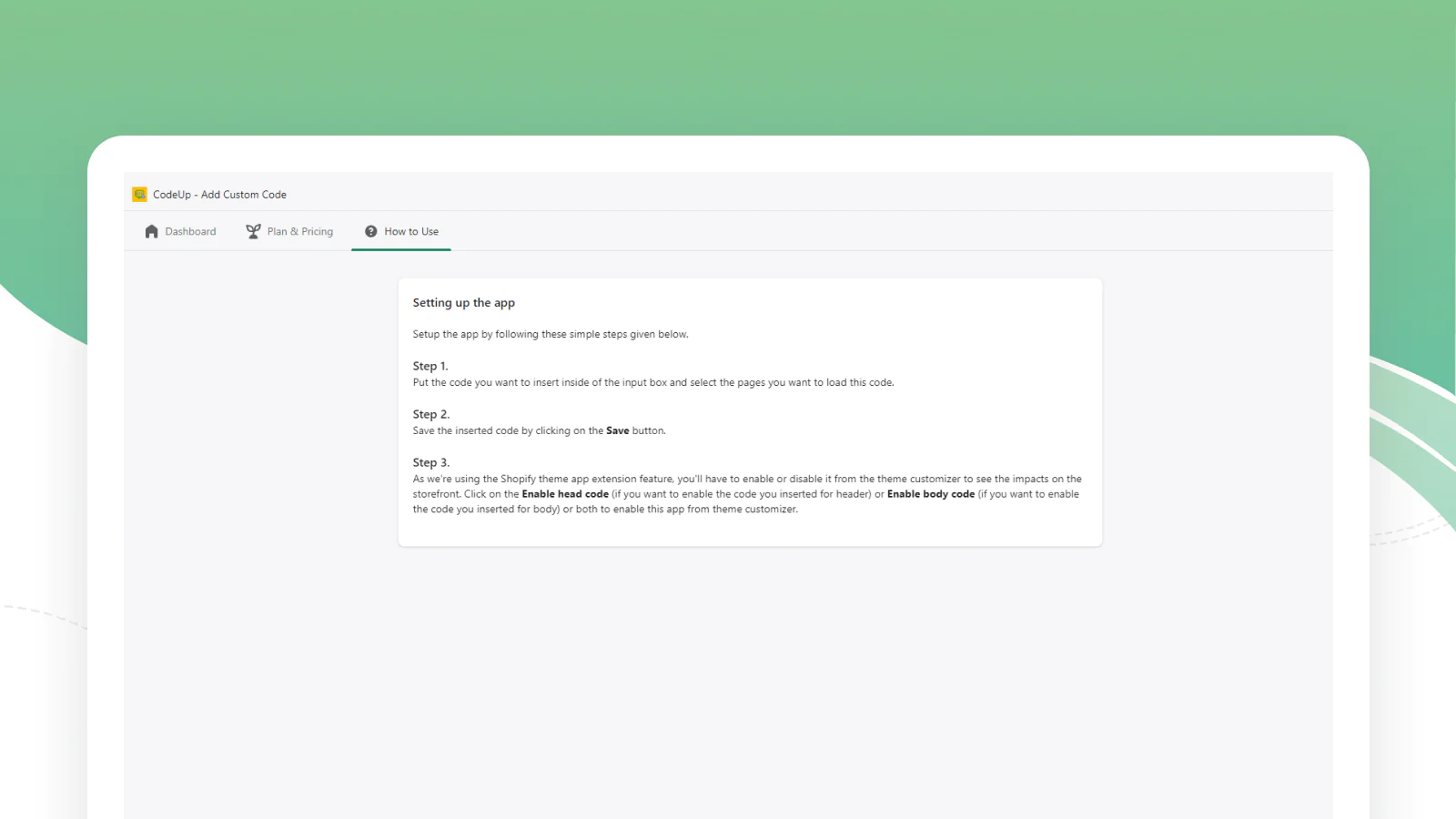
CodeUp uses the Theme App Extension feature, meaning you can integrate code into your store without editing your theme code. If desired, you can also load CSS/JS sitewide or on specific pages with this app. As a result, CodeUp is useful for adding customizations to your store without requiring advanced technical know-how. All you need to do is simply install the app and start adding code to your store. It can be an essential tool for any merchant who wants to customize the code on their store.
Seamless workflow: use directly in Shopify admin
Up-to-date tech: works with the latest themes
About the Author
Matej Kontros is an E-Commerce expert and app developer with over a decade of professional experience in IT.
Matej has worked for organisations of all types and sizes, including global players, startups, and agencies. He designed, developed, and maintained complex projects.
Matej's expertise includes e-commerce, software engineering, web development, systems administration, internet security, managing projects, and building teams.
Visit his website at [ Web Linkedin ] or contact him at [email protected].