Shopify App : Edited‑Bulk Product Management
Edit SEO Attributes and Change Price to Get More Clients
About Edited‑Bulk Product Management
Manage Time Efficiently : Apply bulk price changes and edit SEO attributes in minutes. Use filters to change only the items you need. Revert changes in one click.
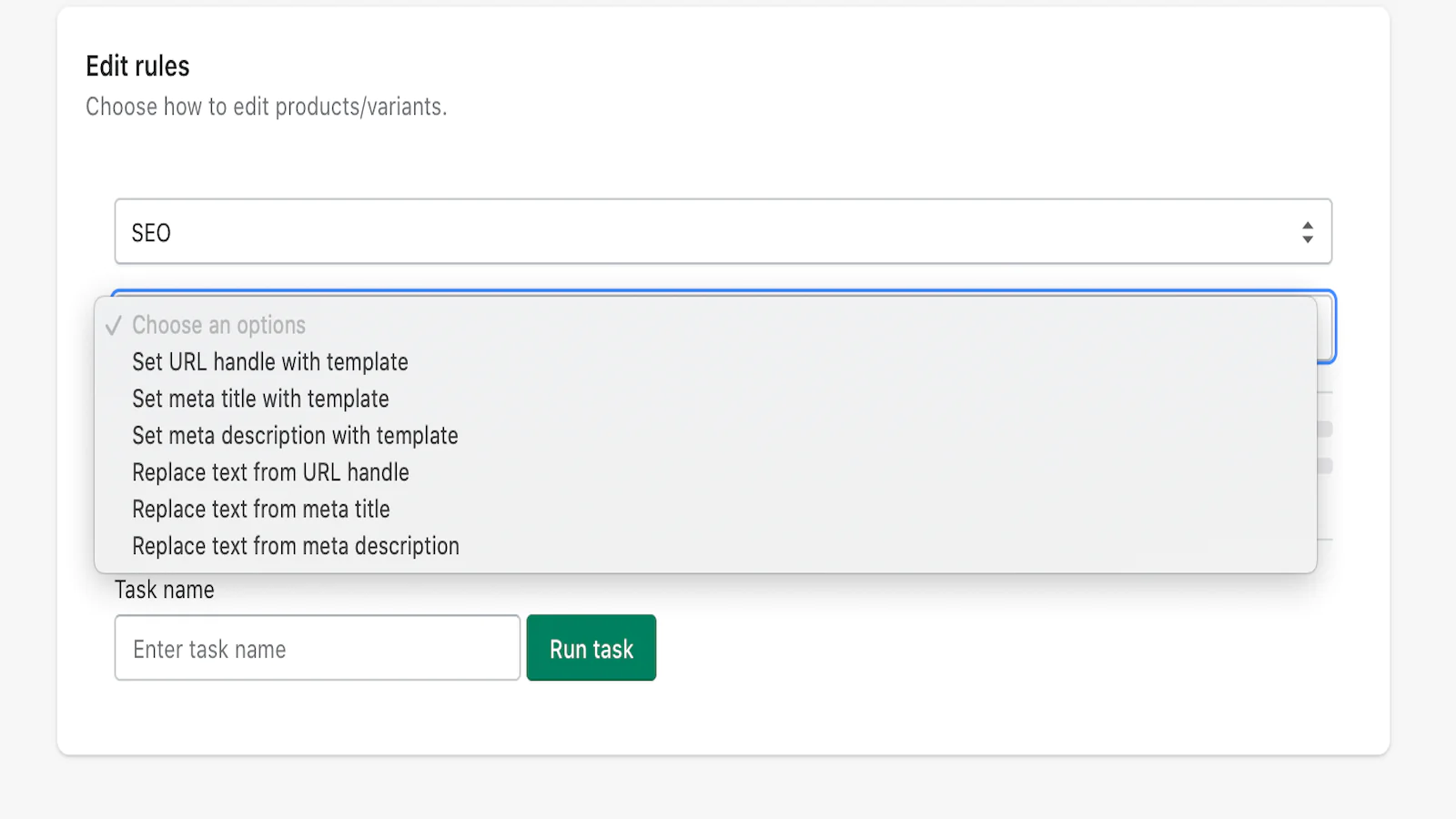
Edit Product SEO Attributes : Manage product meta titles, meta descriptions and human URLs to improve your store search positions. Use templates for easy bulk changes.
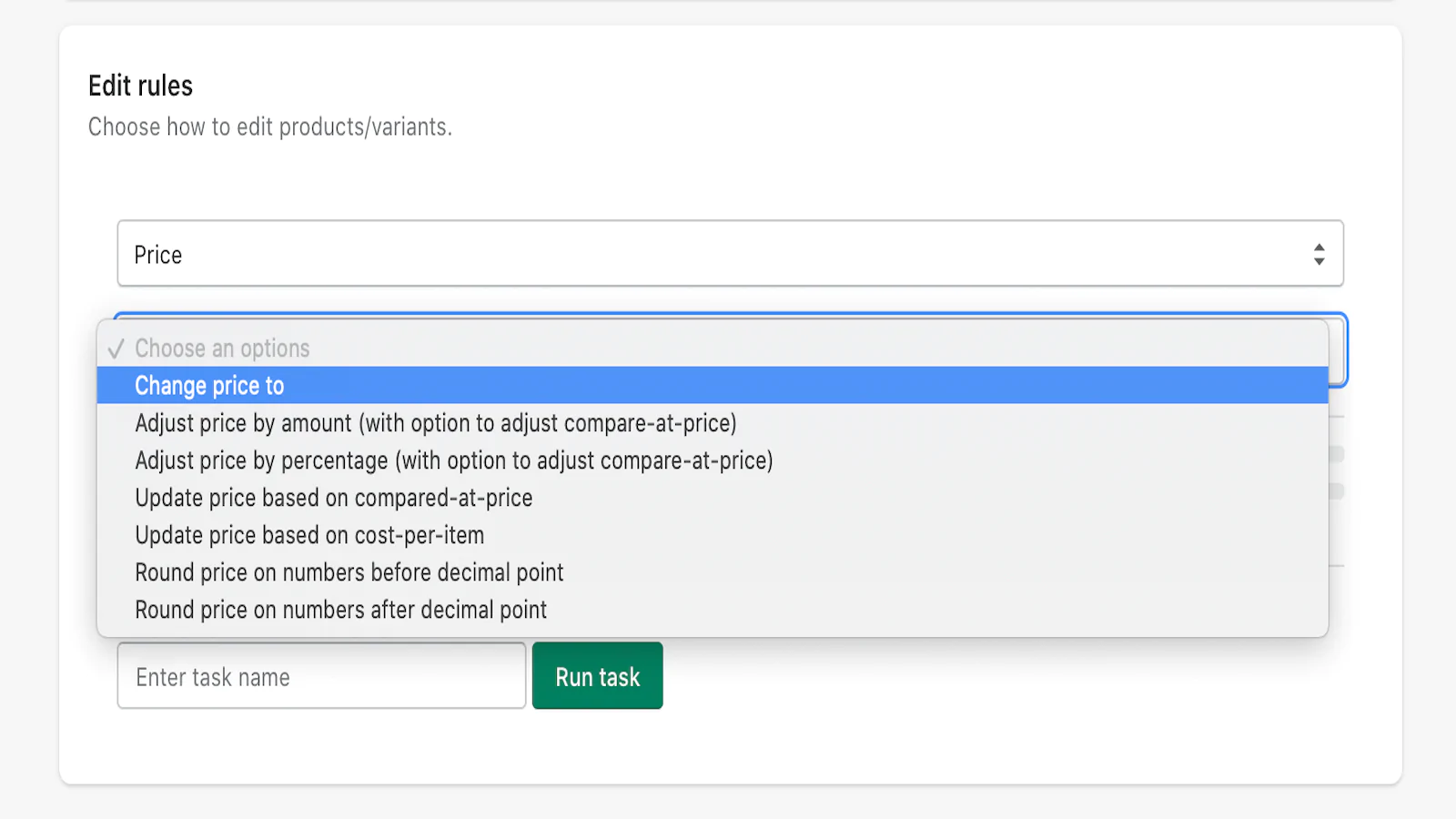
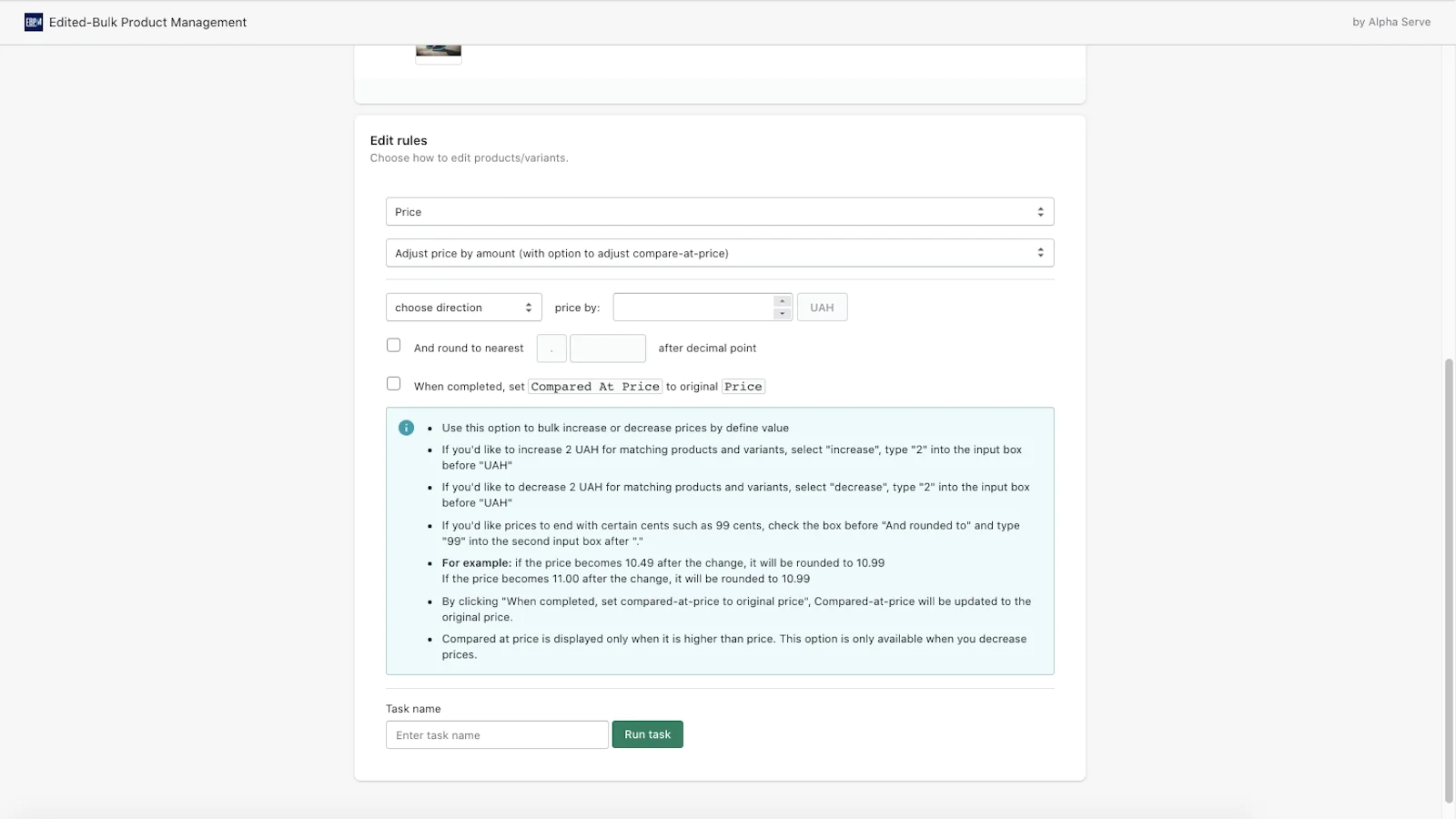
Your Bulk Price Changer : Change prices whenever you need by % or amount. Apply discounts or start seasonal sales easily. Update compare-at-price and cost-per-item.
If you have a lot of products in the Shopify store, you need a simple and easy to use tool for bulk product edit. Editing separate items of product groups can be really time-consuming, and this is where Edited - Bulk Product Management can be extremely useful.
Mass price edit is important to be able to show actual prices to the clients anytime. You can increase or decrease prices easily and set discounts for any of your collections or product types. Start and stop seasonal sale activities in a few clicks.
Edited - Bulk Product Management allows you to:
- change product price ;
- adjust product price by % or by amount;
- update price based on compare-at-price and cost-per-item;
- round up or round down prices as you need.
You can increase the ranking of your Shopify store in search engines as SEO positions have a direct impact on your visibility and sales. Proper SEO attributes will allow you to get more key customers from organic search and higher conversion rates.
You no more need to manually manage meta tags by assigning them for each product separately. Use Edited - Bulk Product Management app to edit product SEO attributes in minutes:
- edit URL handle;
- edit meta titles;
- edit meta description;
- use templates to create meta tags automatically according to the specified rule.
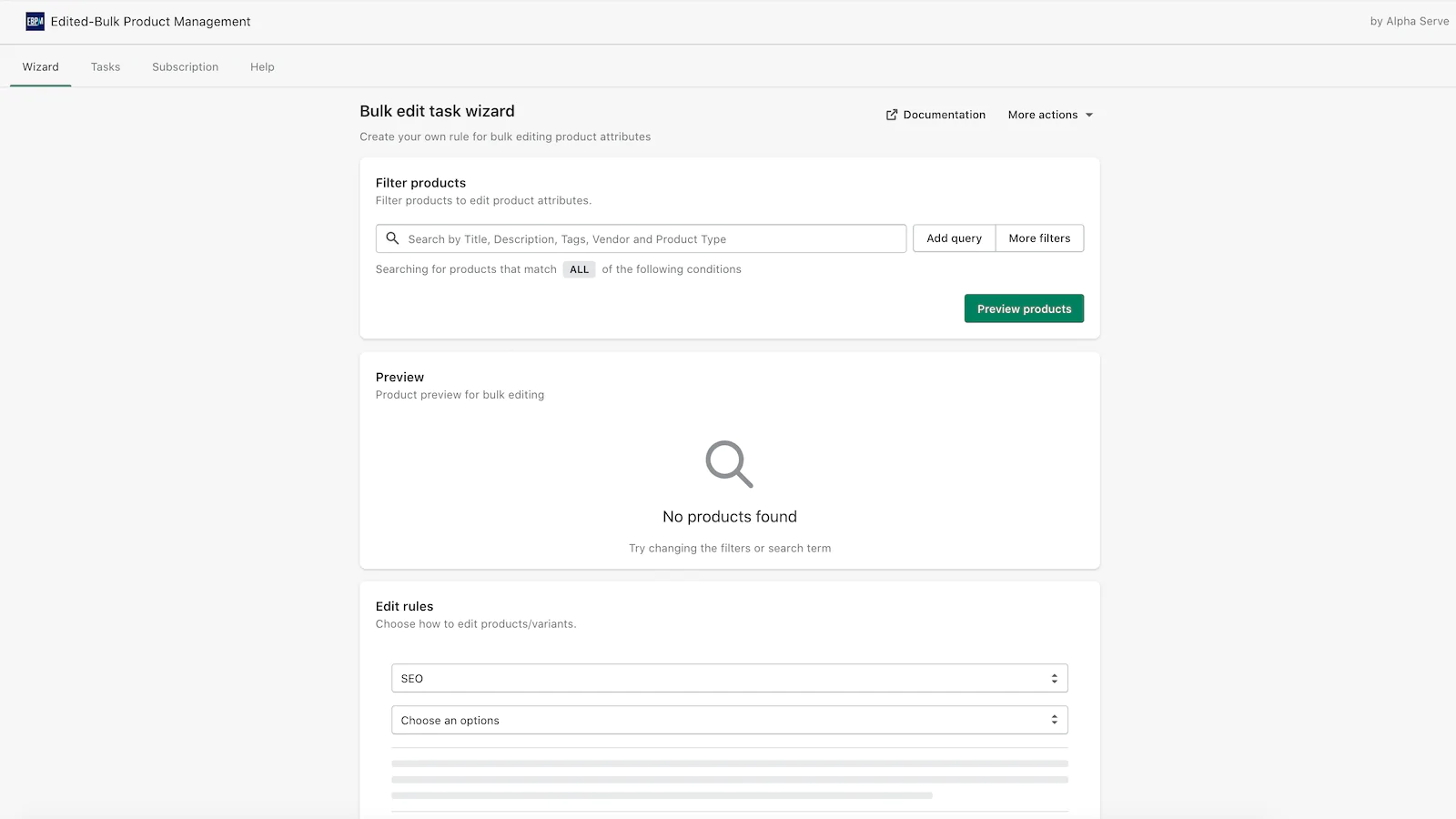
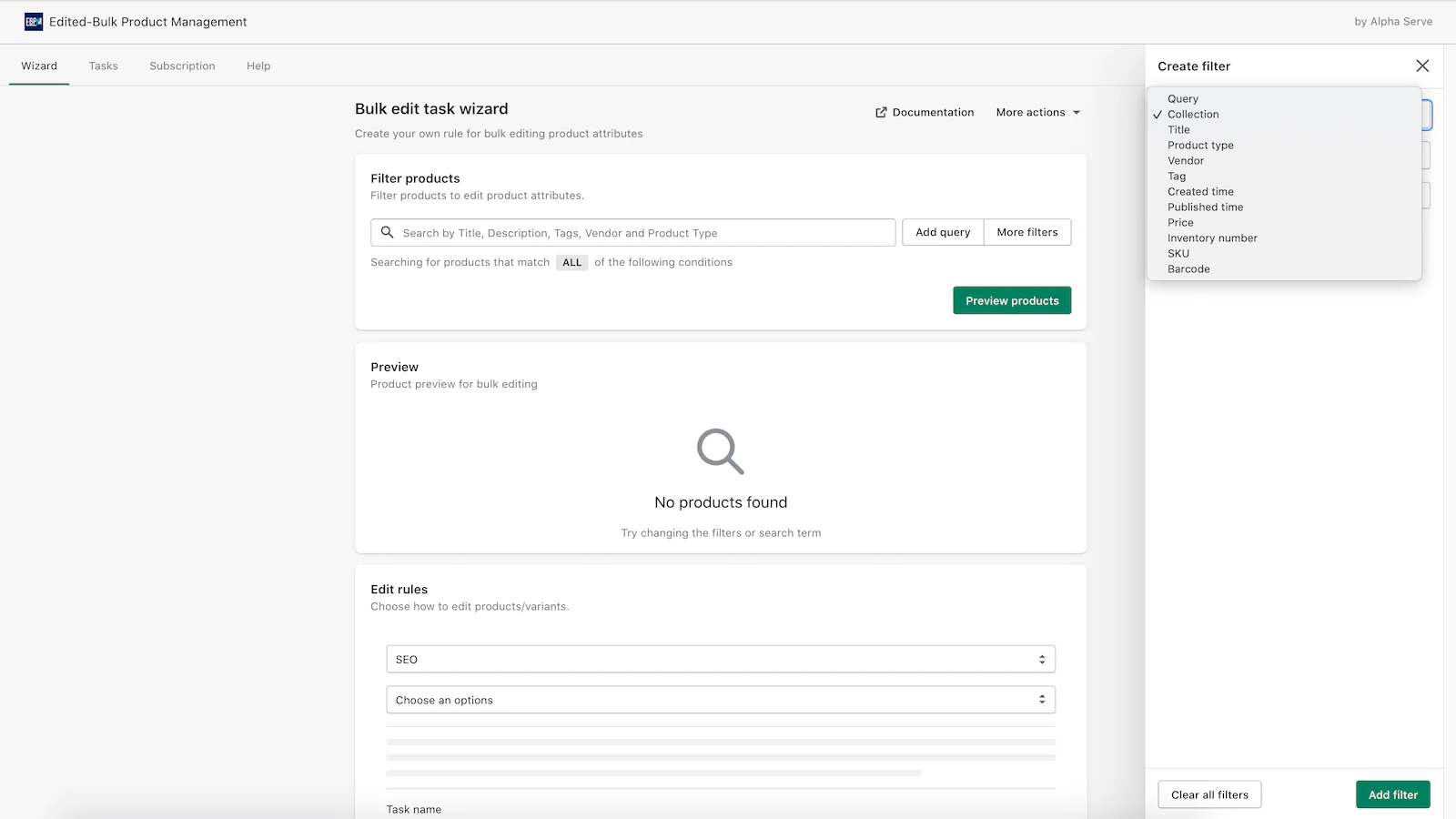
Wide filtering options including Collection, Title, Vendor, Product type, Tag etc allow you to select only the products you need to edit. Use Preview to be sure that you’ve applied relevant filters.
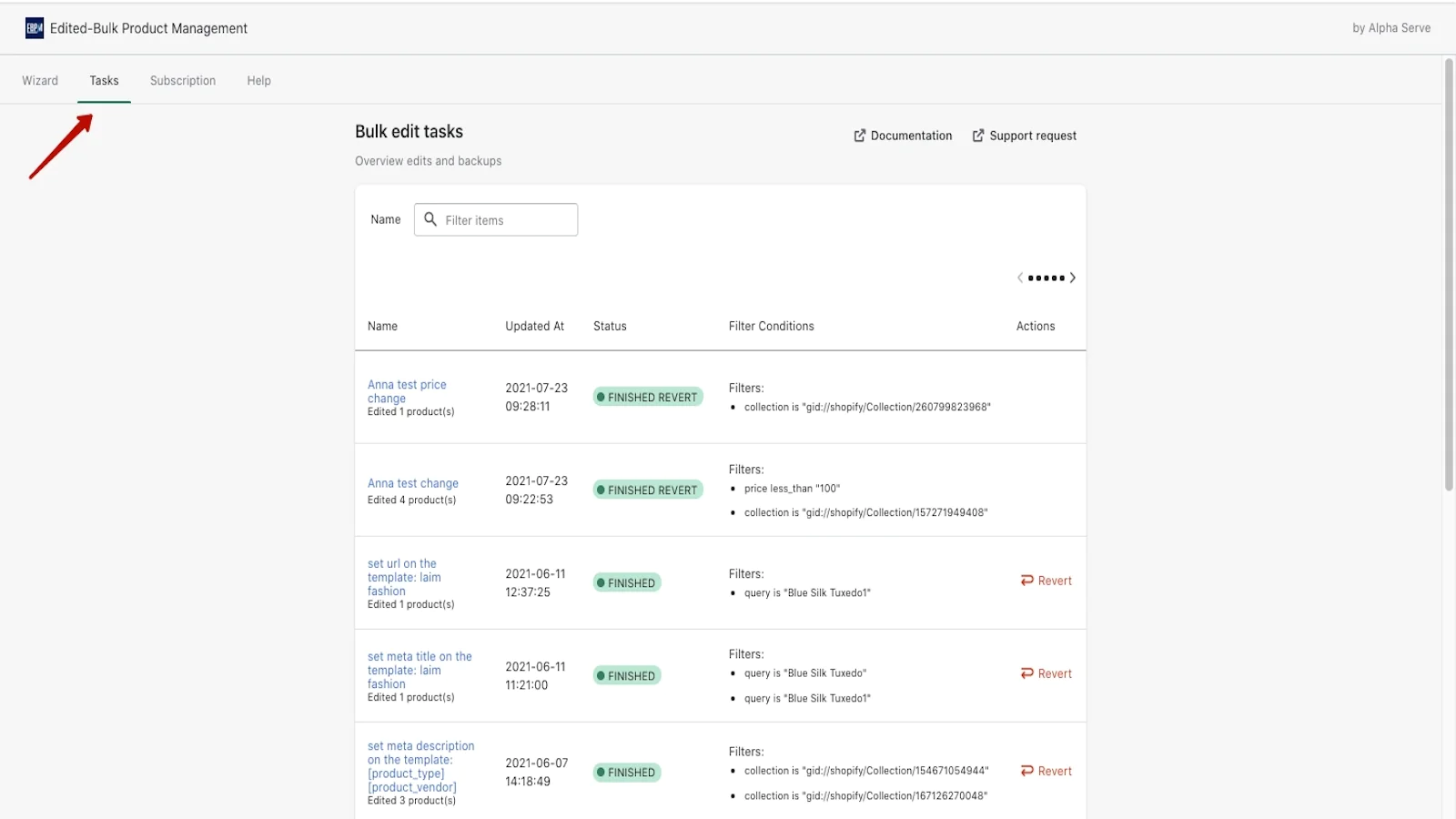
Use Revert to discard any of the changes applied (to set back the price after holiday sale or in case of mistakes) anytime. Follow History and Task details to track changes.
Follow these steps for quick product edits:
- Install Edited - Bulk Product Management.
- Select the products you need to change using filters or queries, check your selection with Preview.
- Select change option: SEO or Price and insert changing details.
- Run task.
Seamless workflow: use directly in Shopify admin
Speed tested: no impact to your online store
About the Author
Matej Kontros is an E-Commerce expert and app developer with over a decade of professional experience in IT.
Matej has worked for organisations of all types and sizes, including global players, startups, and agencies. He designed, developed, and maintained complex projects.
Matej's expertise includes e-commerce, software engineering, web development, systems administration, internet security, managing projects, and building teams.
Visit his website at [ Web Linkedin ] or contact him at [email protected].