Shopify App : Fulfilly ‑ Bulk fulfill App
Mass/bulk fulfill orders via Excel/csv
About Fulfilly ‑ Bulk fulfill App
Time saving : Stop wasting time on fulfill orders one by one.
Fulfill from CSV : Fulfill orders in bulk via CSV/Excel file with tracking numbers
Easy to use : With just a few clicks. BulkFulfill returns you 100% accurate results as expected.
Overview
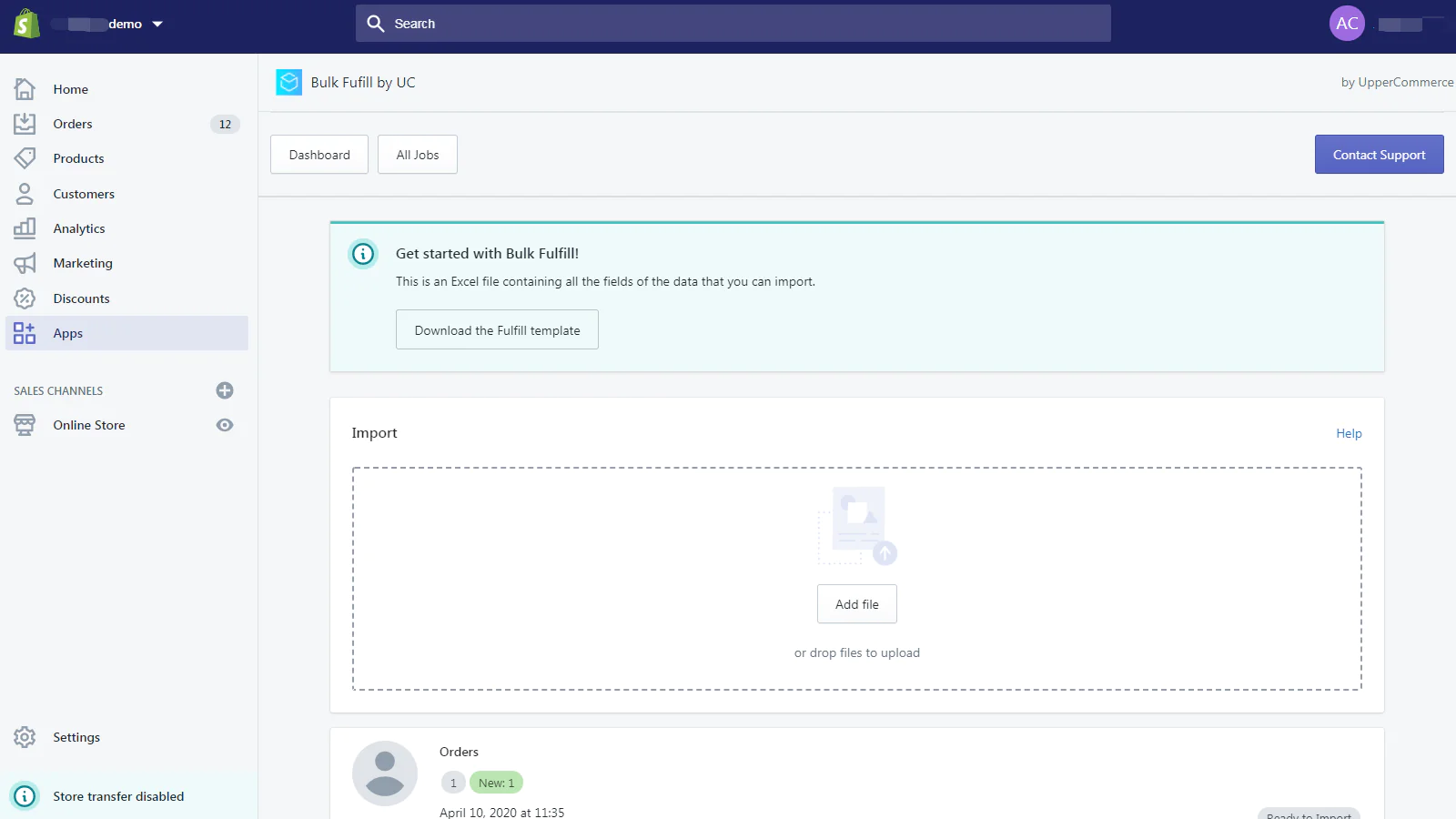
Fulfilly allows you to import tracking numbers through a CSV/Excel file. No need to waste time to add those info one by one.
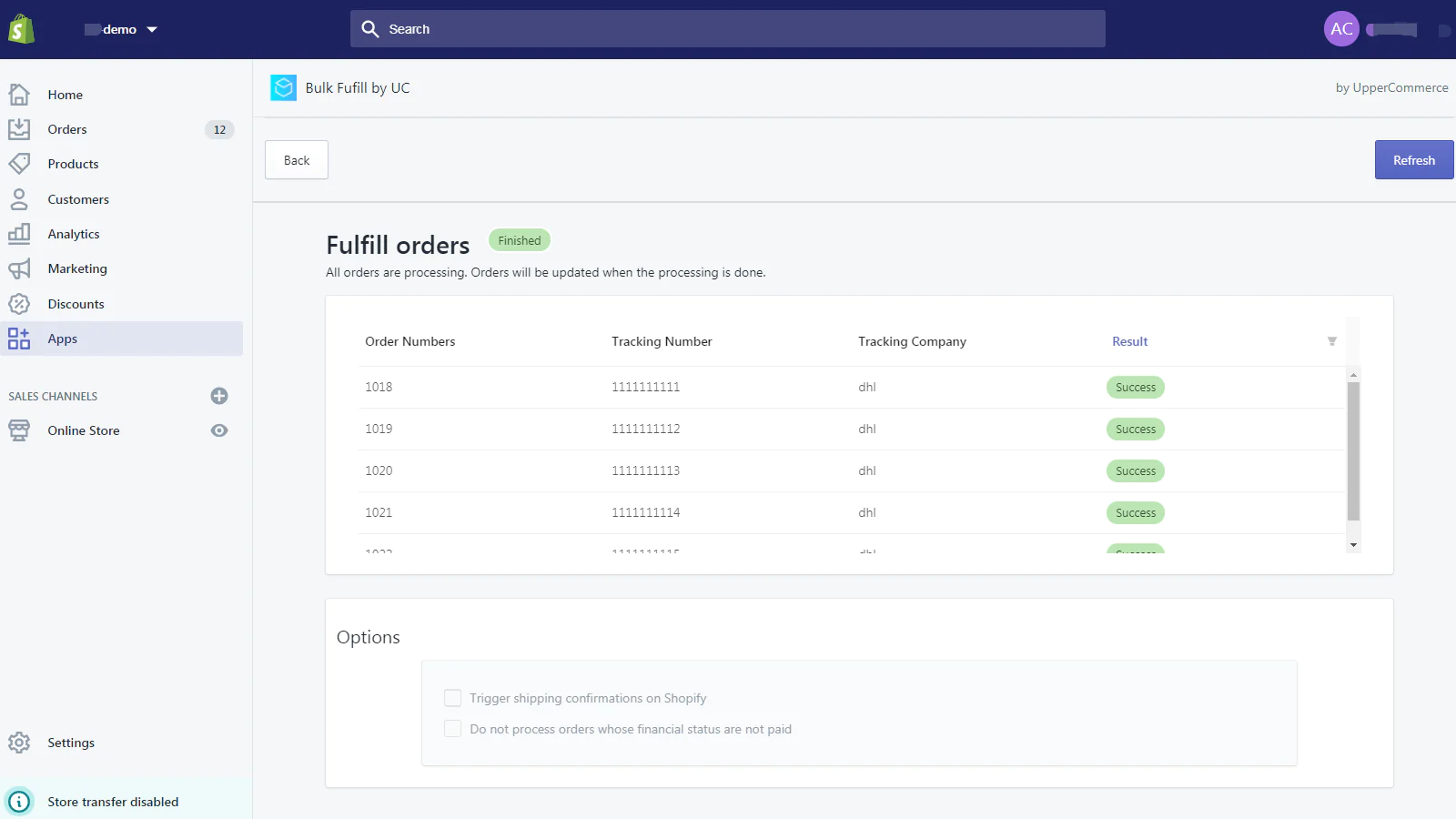
Bulk fulfill orders in seconds
All you need is to upload a file with tracking numbers, you can also update this info at any time. The shipping email will be sent automatically when you fulfill the orders.
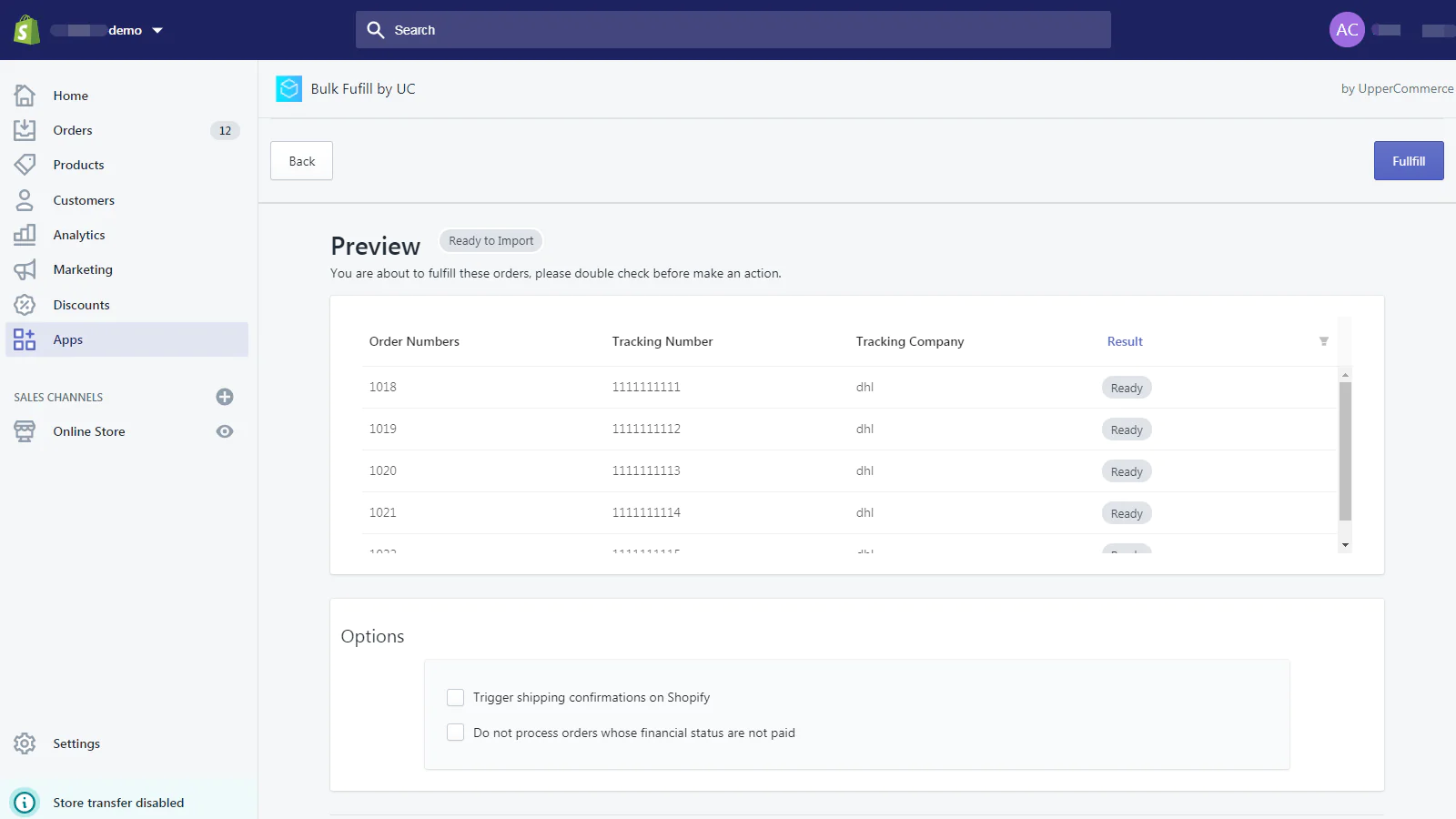
Confirmation page
You can recheck the fulfillment progress before it happens. So we can return you 100% accurate results as expected.
Fulfill line items
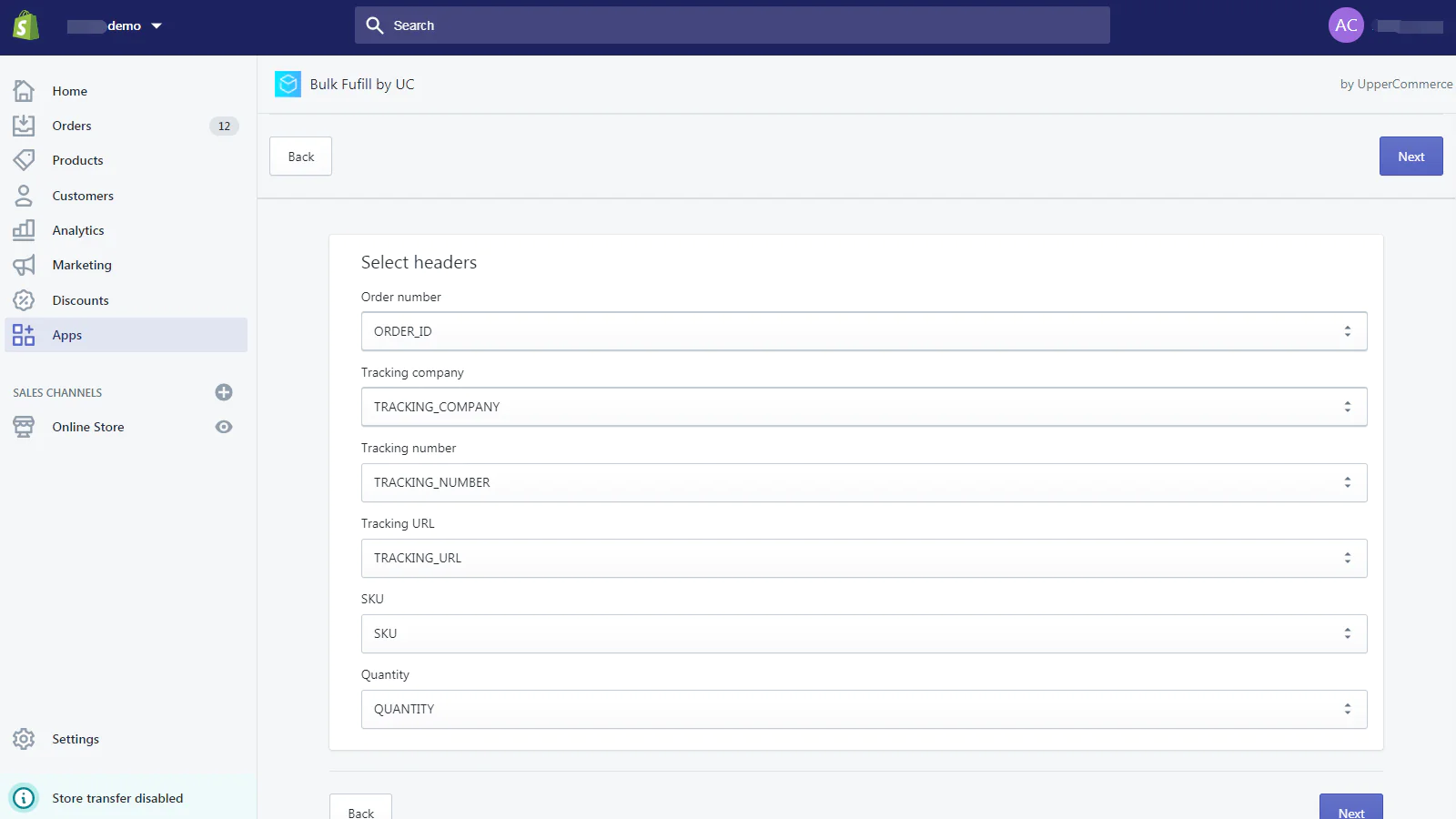
If you have order with different SKU, you can also fulfill them by adding the SKU and quantity of the item to the file.
Bulk add tracking URL to the file
If you are using our another order tracking app Parcelpanel, you can just add =CONCATENATE("Yourstore.com/apps/parcelpanel?nums=",C2) to the "tracking URL" column. It also works if you are using 17track/trackingmore/AfterShip URL as the tracking URL.
How to use
Just follow the following simple steps.
- Download a sample file
- Upload the file with the order information(tracking number, tracking URL, etc.).
- Confirm the updating fulfillment information
- Fulfill!
More features to come
We will add more features as we go along, let us know your problems so we can improve this app.
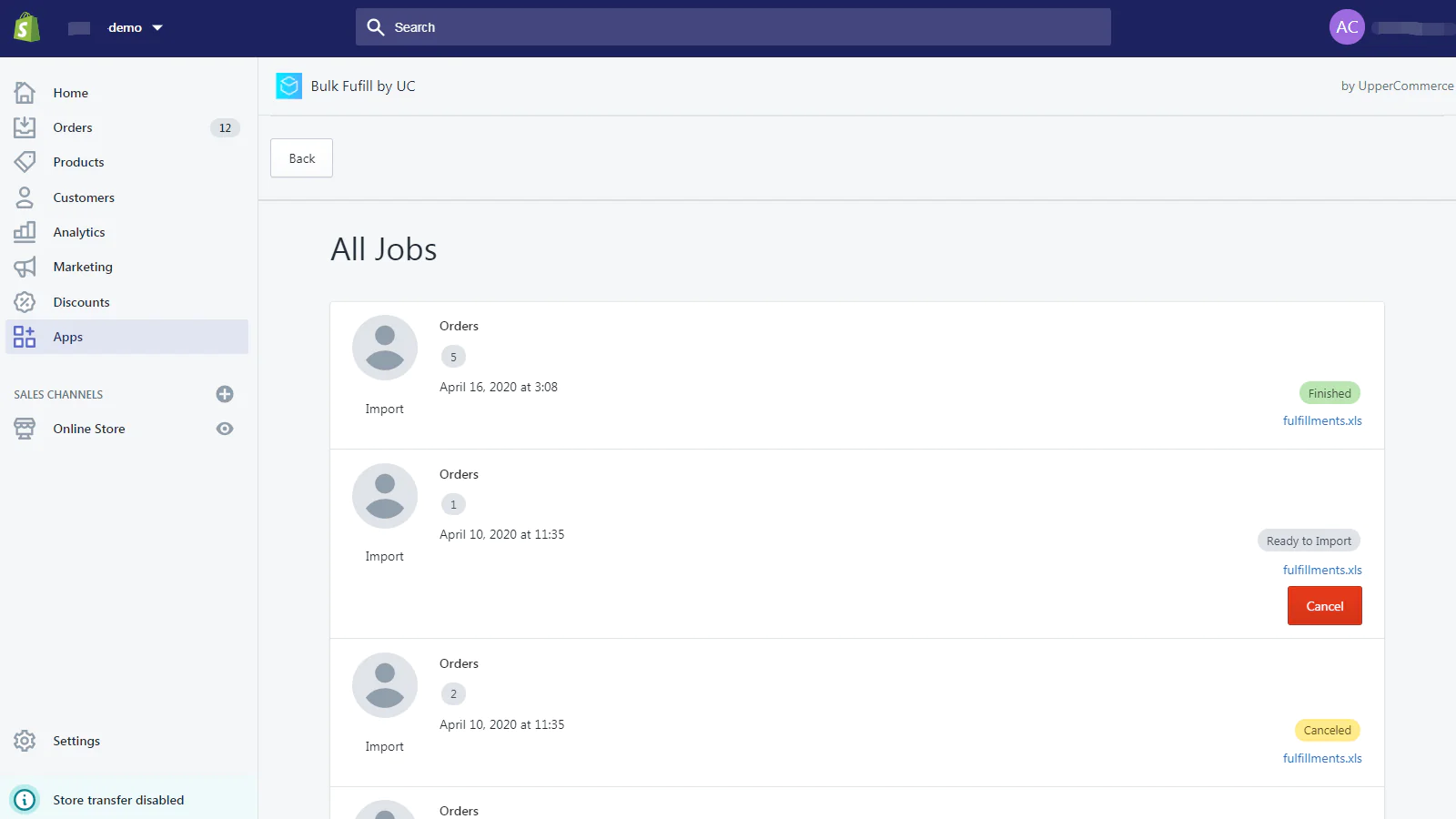
Seamless workflow: use directly in Shopify admin
Speed tested: no impact to your online store
About the Author
Matej Kontros is an E-Commerce expert and app developer with over a decade of professional experience in IT.
Matej has worked for organisations of all types and sizes, including global players, startups, and agencies. He designed, developed, and maintained complex projects.
Matej's expertise includes e-commerce, software engineering, web development, systems administration, internet security, managing projects, and building teams.
Visit his website at [ Web Linkedin ] or contact him at [email protected].