Shopify App : Booking App by Webkul
Sell and Manage Booking | Appointment | Rent type Product
About Booking App by Webkul
Flexible Bookings : With the 6 types of Booking Types, easily create bookings as per the type of service and the customer base
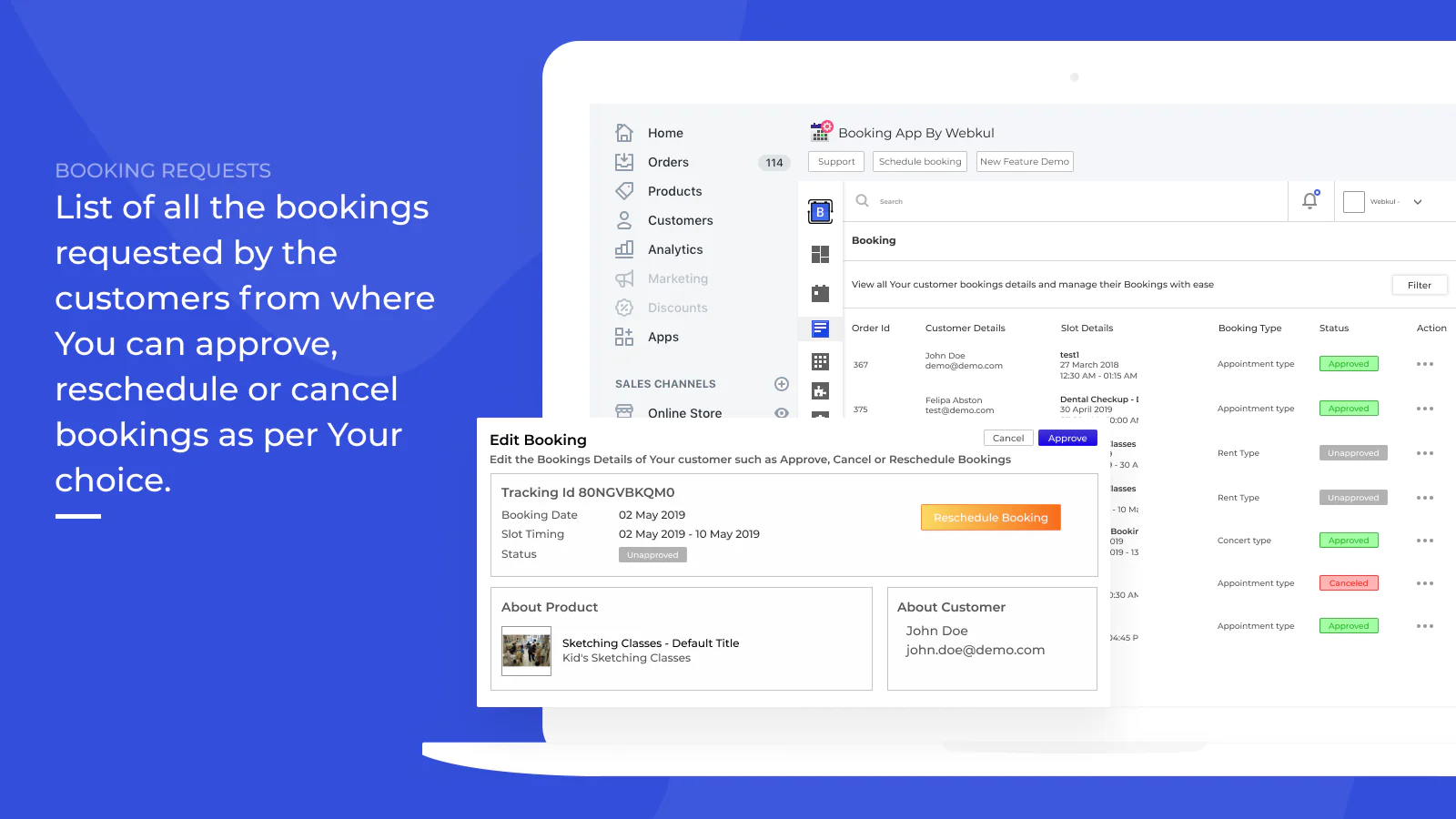
Easy Reschedule/Cancellation : Admin/Customer can manage all the cancellation and the reschedule requests with ease.
Multiple Variants as Products : A Product with Multiple variants can be created as multiple booking products.
Do you provide Services to the Customer, as a Doctor, as a Dance Teacher or as a Tuition Teacher, or Sell Tickets etc and have your Shopify Store, then this is the perfect App for you.
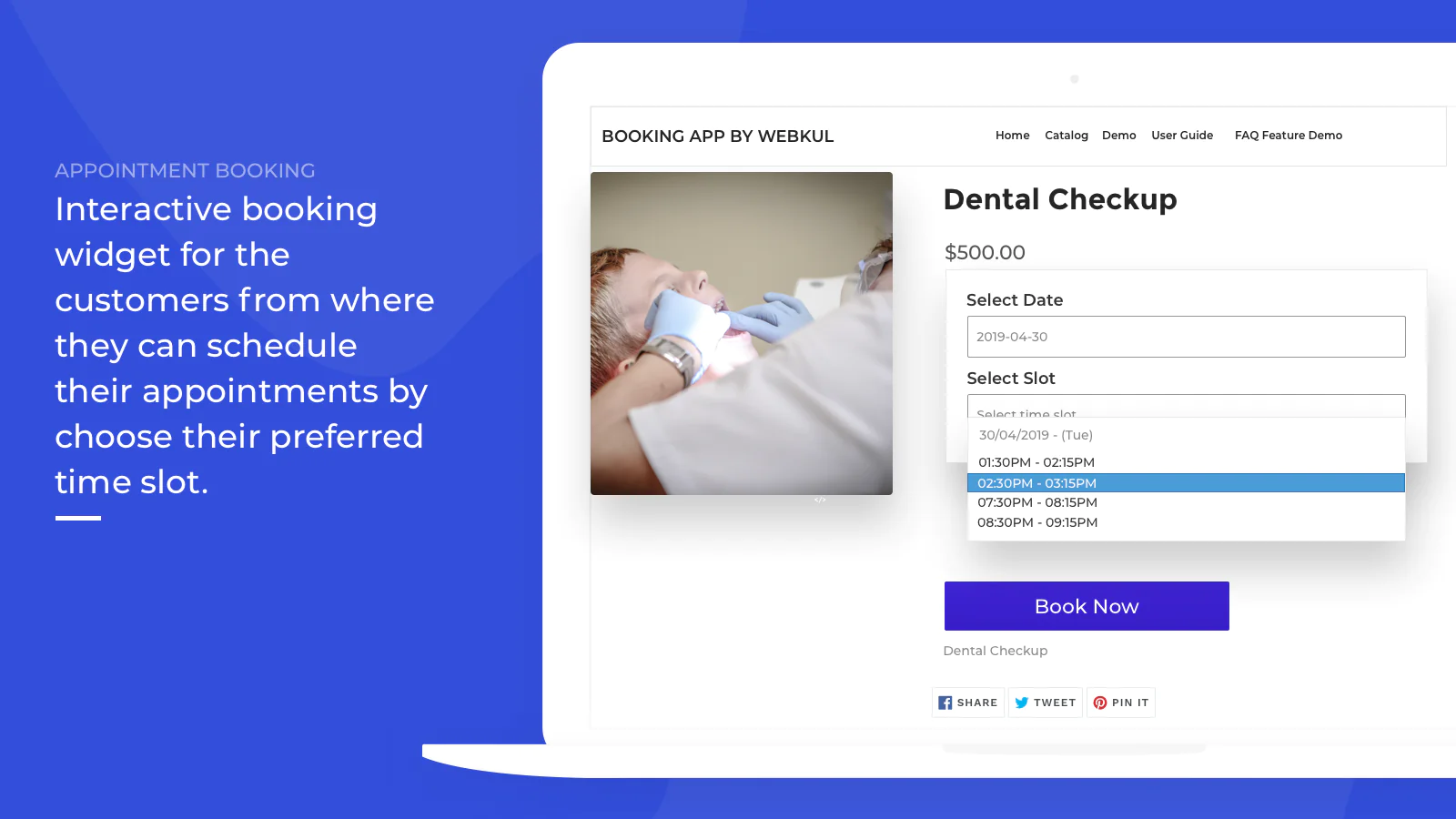
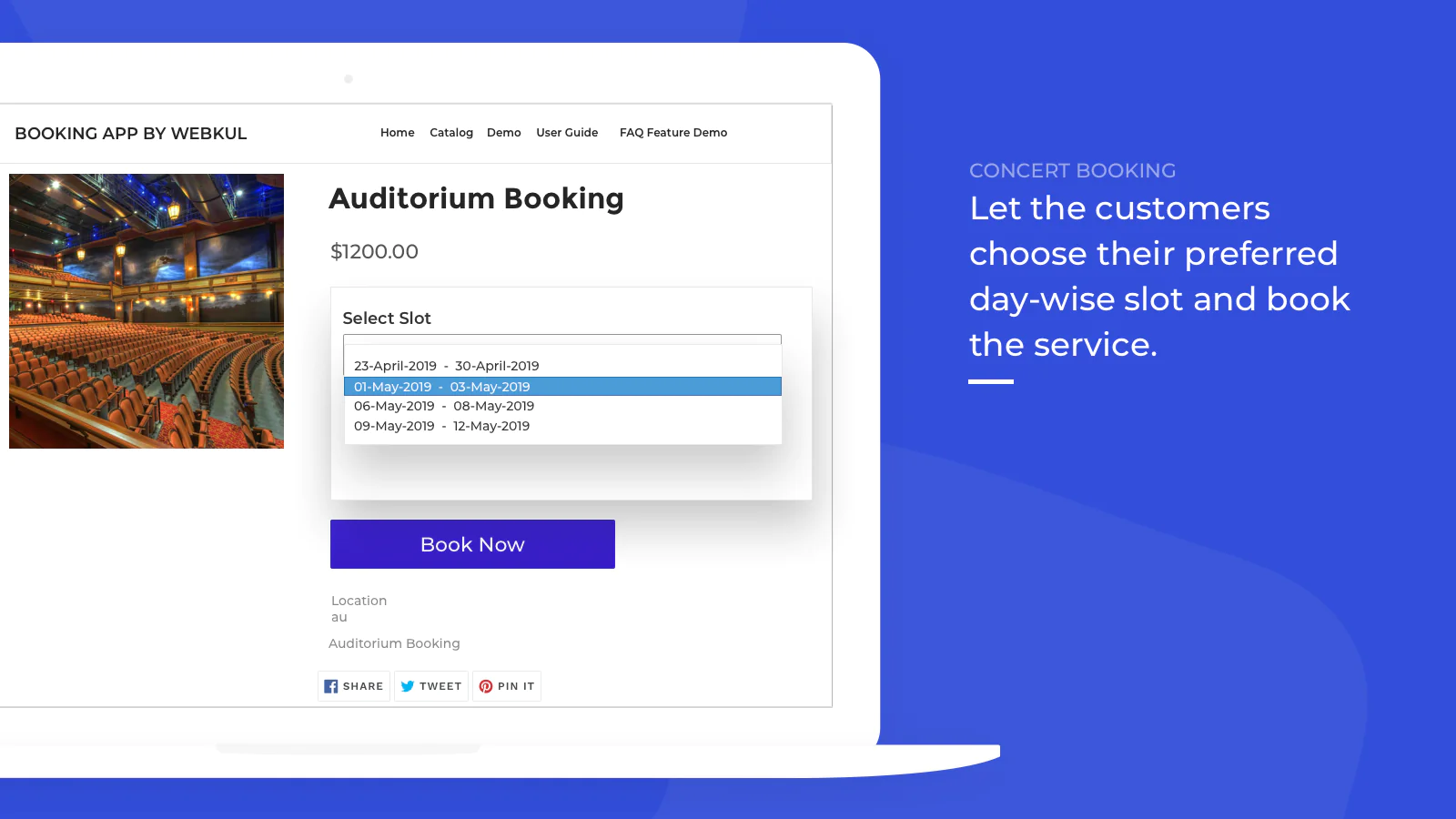
You can easily add Appointment Type Booking, Rent Type Booking, Event Type Booking, Concert Type Booking.
With the Booking App, you can easily add Calendar, slots so that the Customer can book the Product as per the slots provided.
App Benefits:
- An Interface to Add Booking Feature to the Products.
- Select from the 6 different types of booking types available, as per your need.
- Admin can add from the six different booking types provided.
- Admin can manage the Booking ie. Approve,Reschedule,Cancel the Customer Booking.
- Easily blackout certain dates from the booking period, for not receiving booking for those specific dates.
- Booking Reminder emails to the Customer.
- Notification emails sent to Admin and Customer for every action.
- Admin can easily configure the emails.
- Admin can add Custom Fields and Custom Information with the Product on Booking.
- POS Compatible.
Additional Features(Add-Ons):
Google Meet: If you are the part of following businesses like "Online Makeup courses classes, Virtual Pilates sessions, Doctor appointments, One to One Therapy sessions, CA Appointments & so-on" then sending automatic meeting links for appointments becomes necessity & here considering booking app can prove to be saviour.
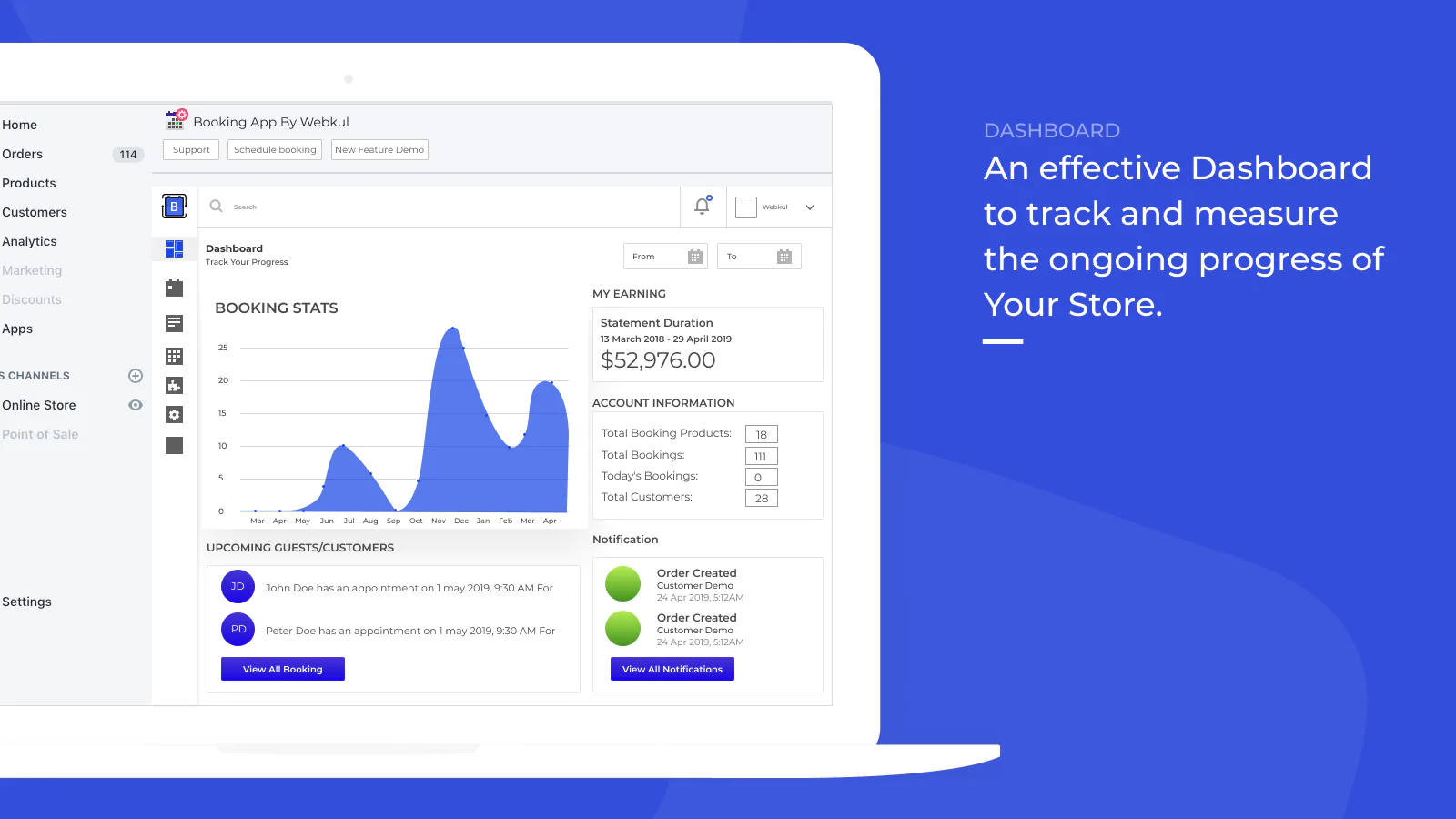
Google calendar: Keep a track on the booking appointments/events all in one place.
Chatwhizz: With Chatwhizz integration, Communication with the customers becomes more easy as automatic conferences will be created as soon as any customer will book any appointments.
Note : Additional features are available via "Add-ons" menu.
Adding Booking to a Product:
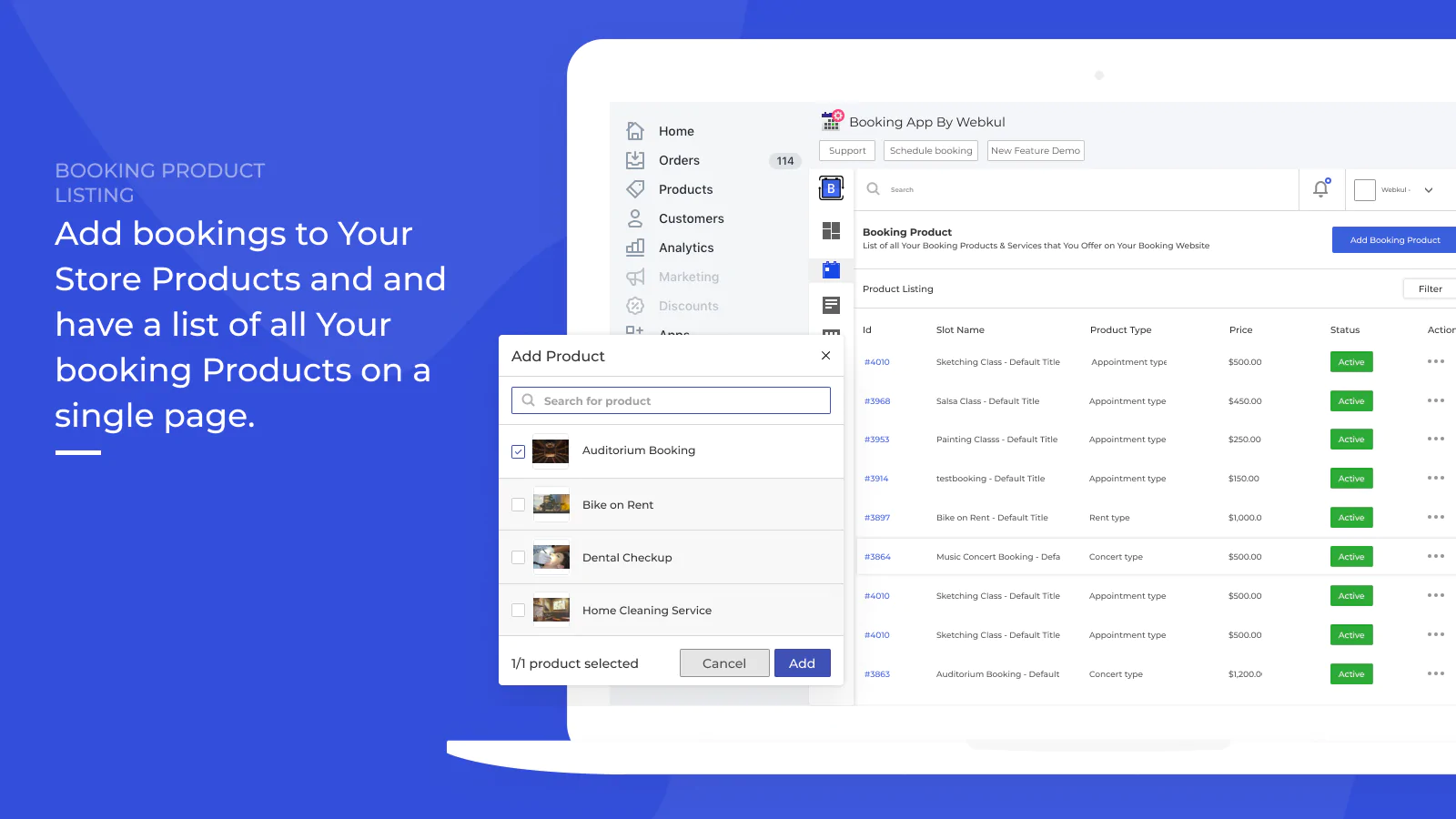
From the Products menu on Store, select any product (or add a new product), add it to a Booking Product.
Admin can edit the booking product information and specify the details accordingly.
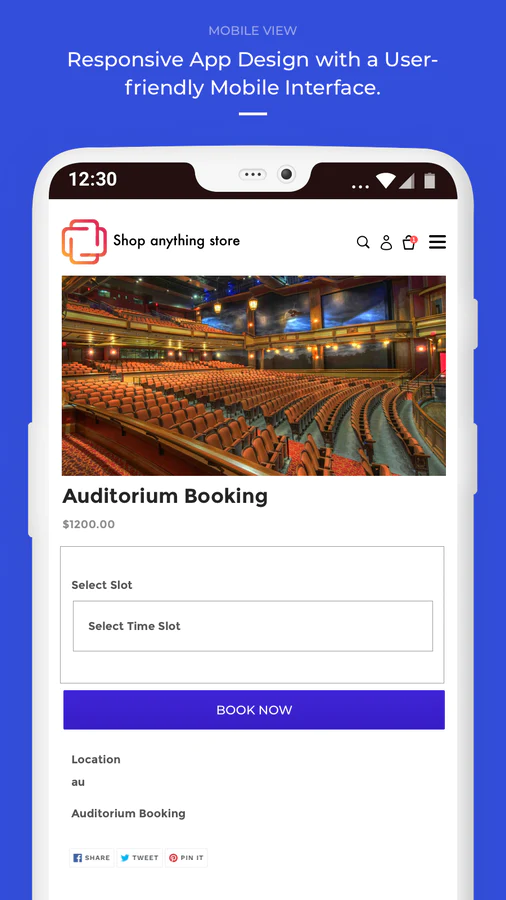
Customers can book any Product by selecting their preferable Timezone and Booking Date. They just need to select any booking slot as per their convenience created by the Admin.
As the Customer books the product, a request is sent to Admin for approval (this can be approved too).
This is how you can Add Booking Products to your Shopify Store.
Seamless workflow: use directly in Shopify admin
About the Author
Matej Kontros is an E-Commerce expert and app developer with over a decade of professional experience in IT.
Matej has worked for organisations of all types and sizes, including global players, startups, and agencies. He designed, developed, and maintained complex projects.
Matej's expertise includes e-commerce, software engineering, web development, systems administration, internet security, managing projects, and building teams.
Visit his website at [ Web Linkedin ] or contact him at [email protected].