Shopify App : AusPost Shipping Quote & Book
Australia Post incl My Post, eParcel, Startrack, International
About AusPost Shipping Quote & Book
Shipping Rates : Shipping quotes for both Australia and International addresses. View and quickly process order fulfillments.
Booking : Book shipments directly from your orders which have been automatically synchronised with the app. Includes My Post Business, Parcel Post
Extra Features : Update and delete shipments, Print labels. Payment option like manual or automatic. Use product dimensions to calculate Shipping rates.
This app provides the ultimate connectivity between Shopify and Auspost. By integrating Auspost with your Shopify store, this app provides in-cart shipping quotes, order confirmation, booking shipment, shipping labels and easy tracking updates.
To use this app you need to sign up for an account with Auspost. Shipping costs will be charged by Auspost and will vary based on the size/weight, source/destination of the packages sent, and your account plan.
Features:
- Provide live Auspost shipping rates to the customers at checkout.
- This app works for merchants in Australia.
- Merchants can connect their MyPost Business accounts.
- Merchants can set payment preference, label format, and some other domestic and international booking options.
- Merchants can add an api partner token.
- This app works for International orders also.
- Create Auspost shipments without leaving Shopify, synchronising customer order data directly to the Auspost booking.
- The App provides Auspost labels for download and printing and applies all tracking details on the order.
- Merchants can print shipping labels.
- Weight based and volumetric quoting and booking is supported.
- Dimensions attributes for products are included (updated individually or bulk via csv)
- Includes support from Joovii.
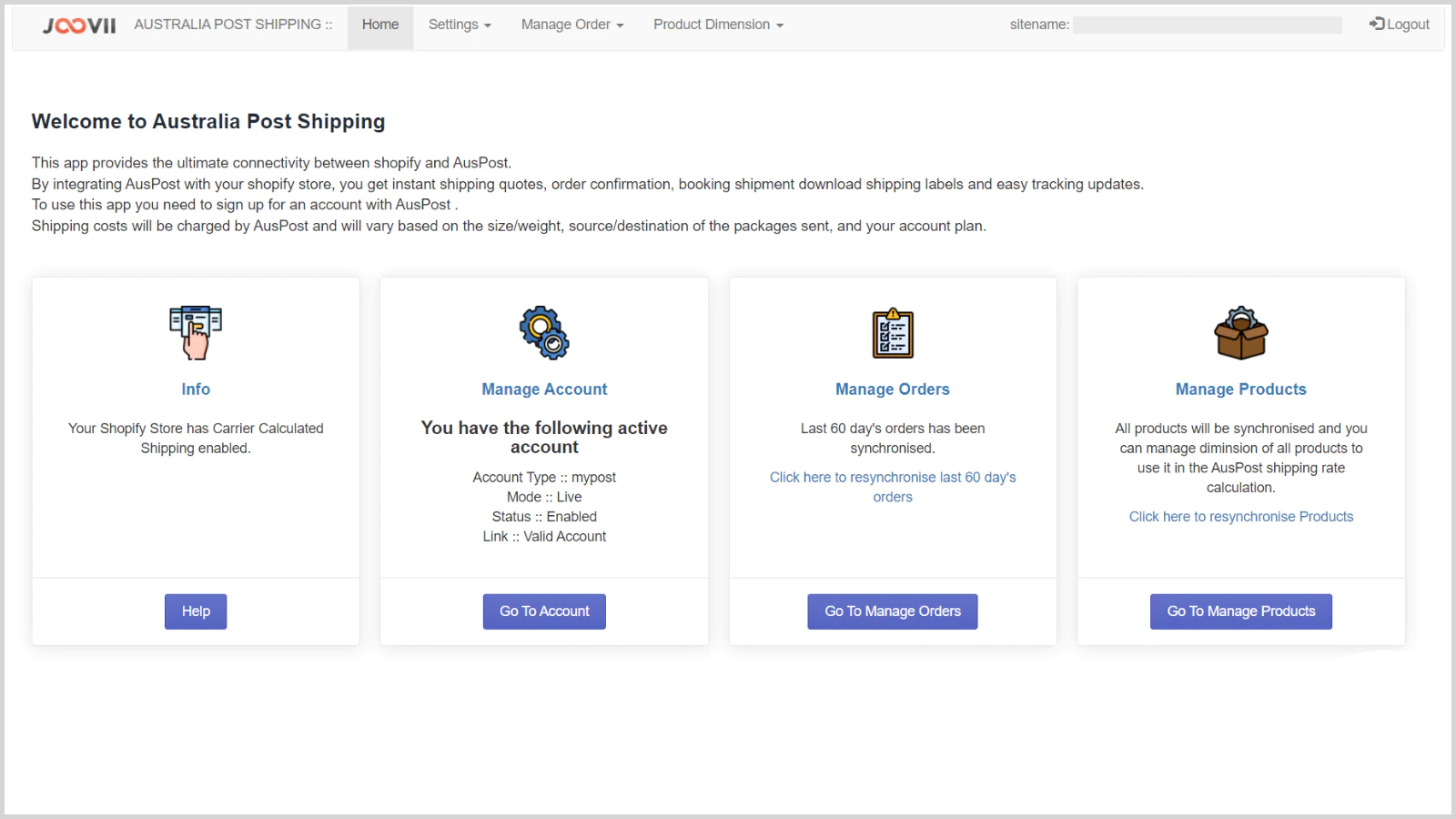
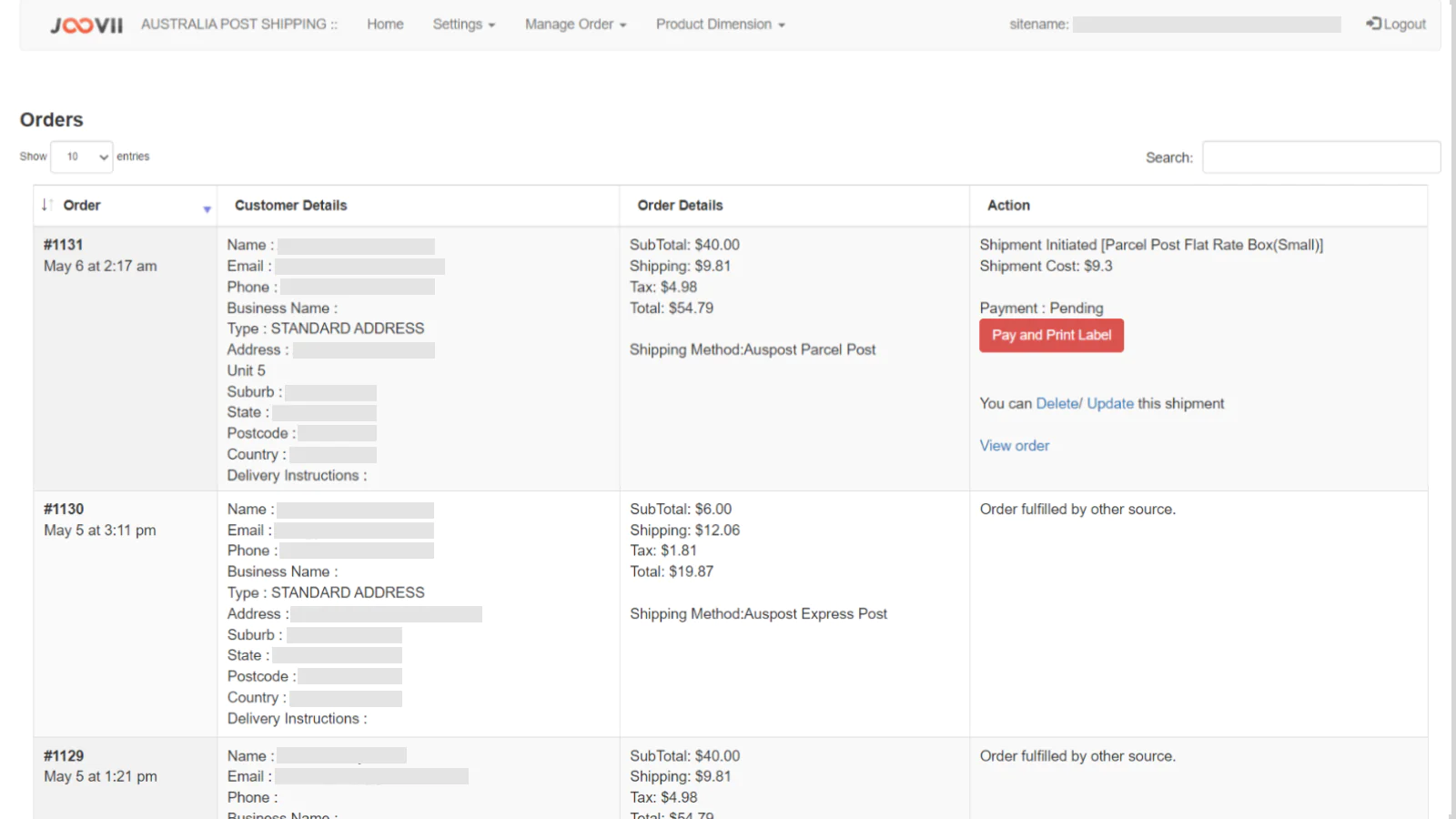
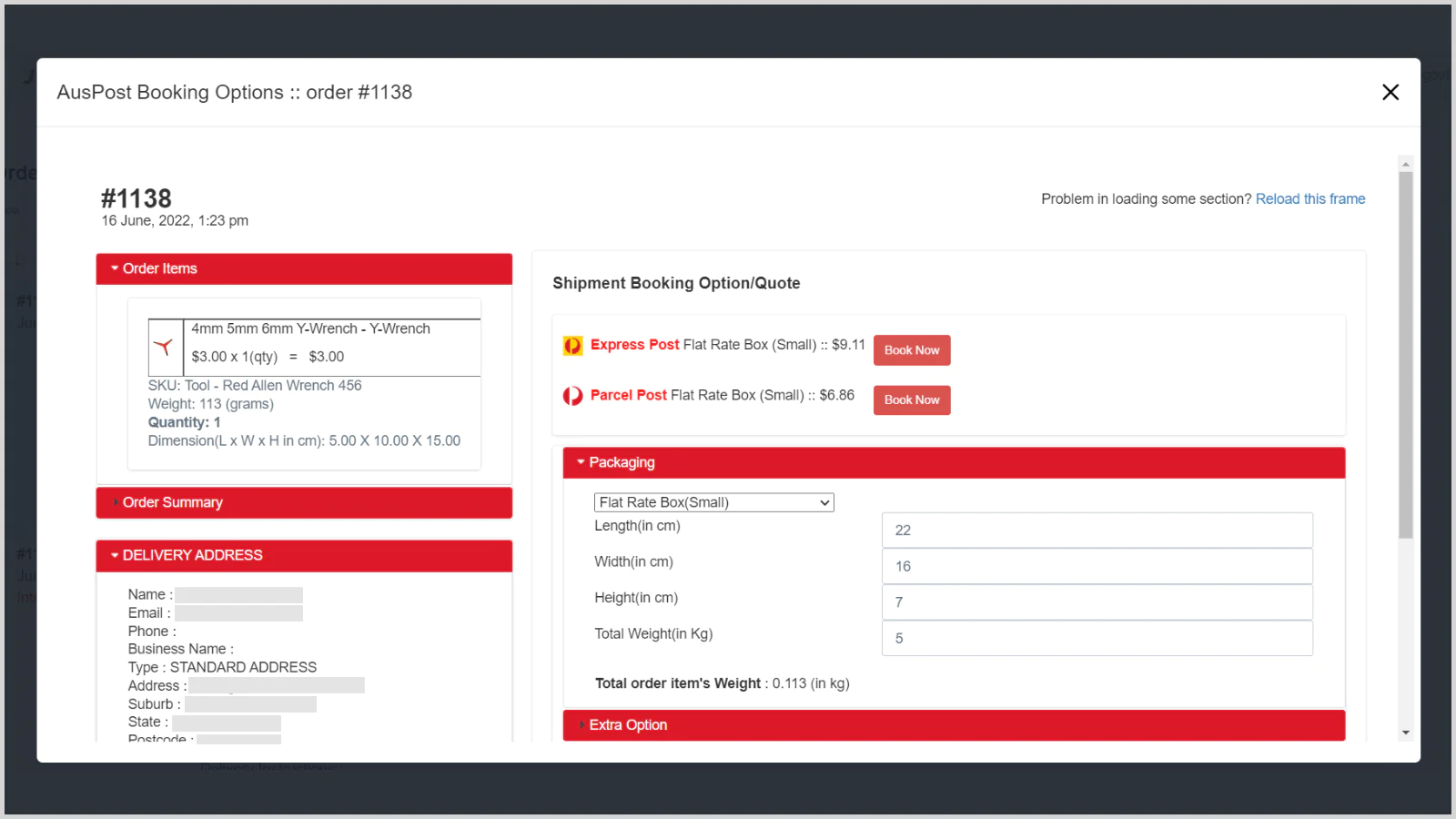
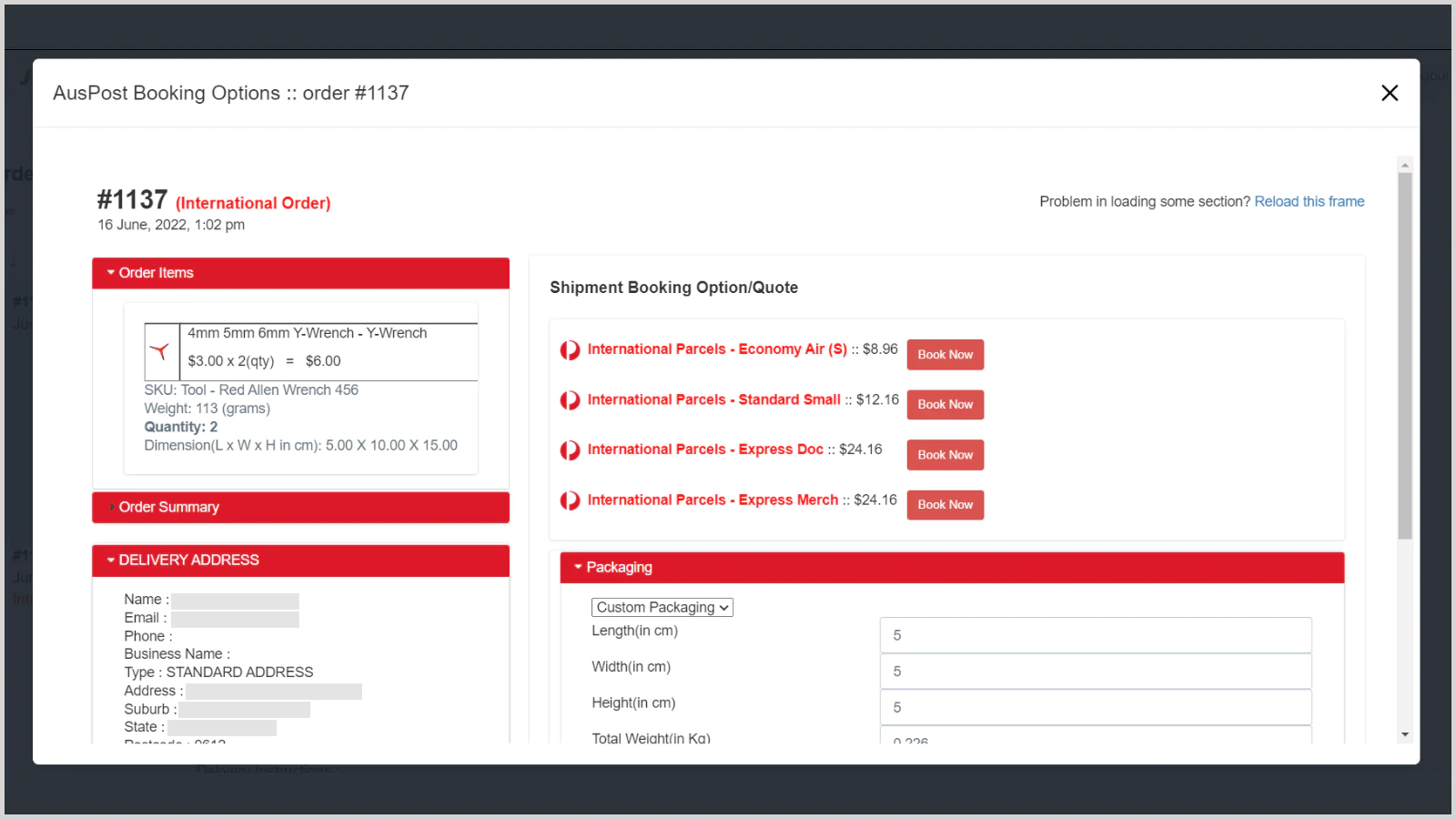
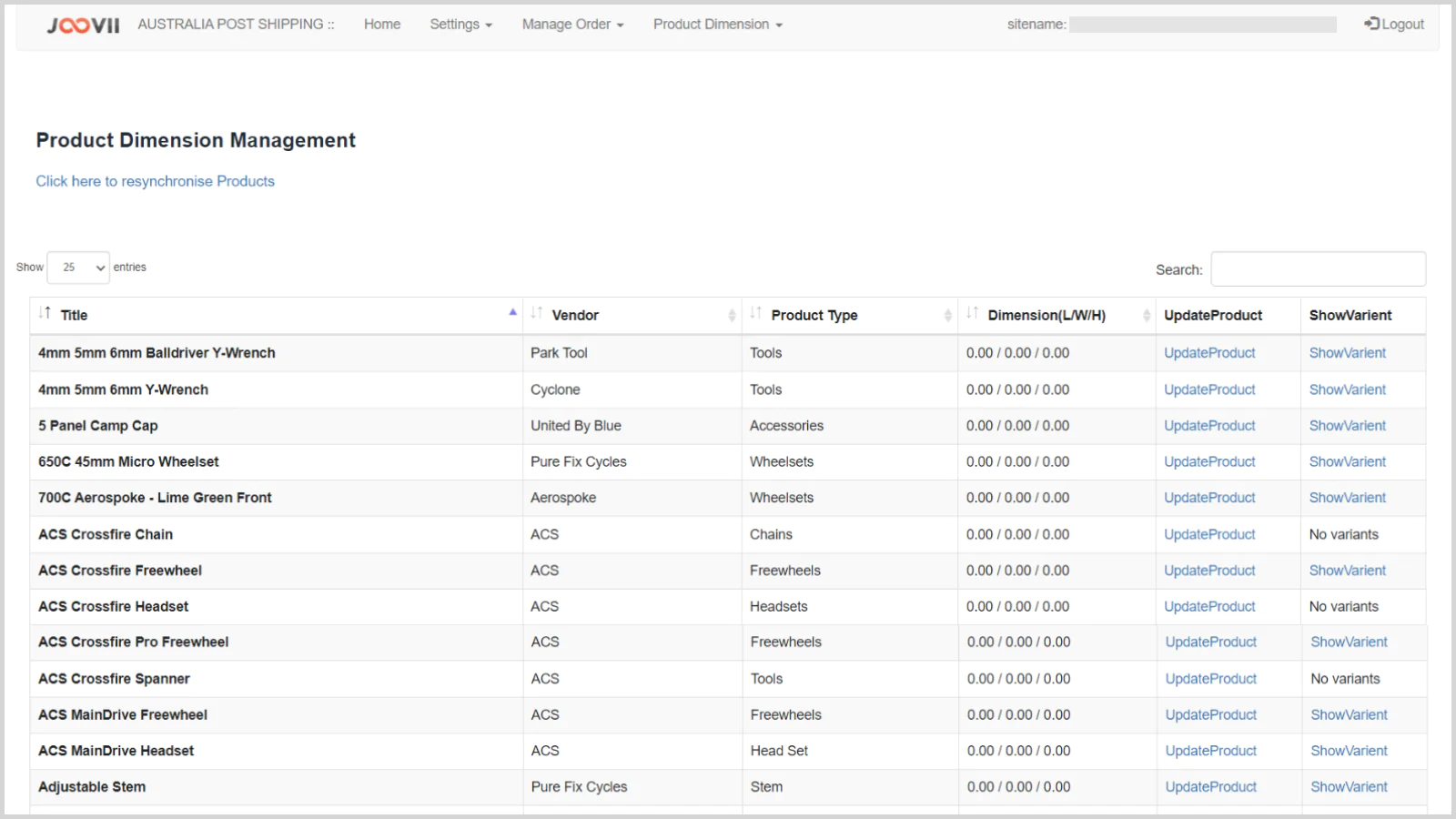
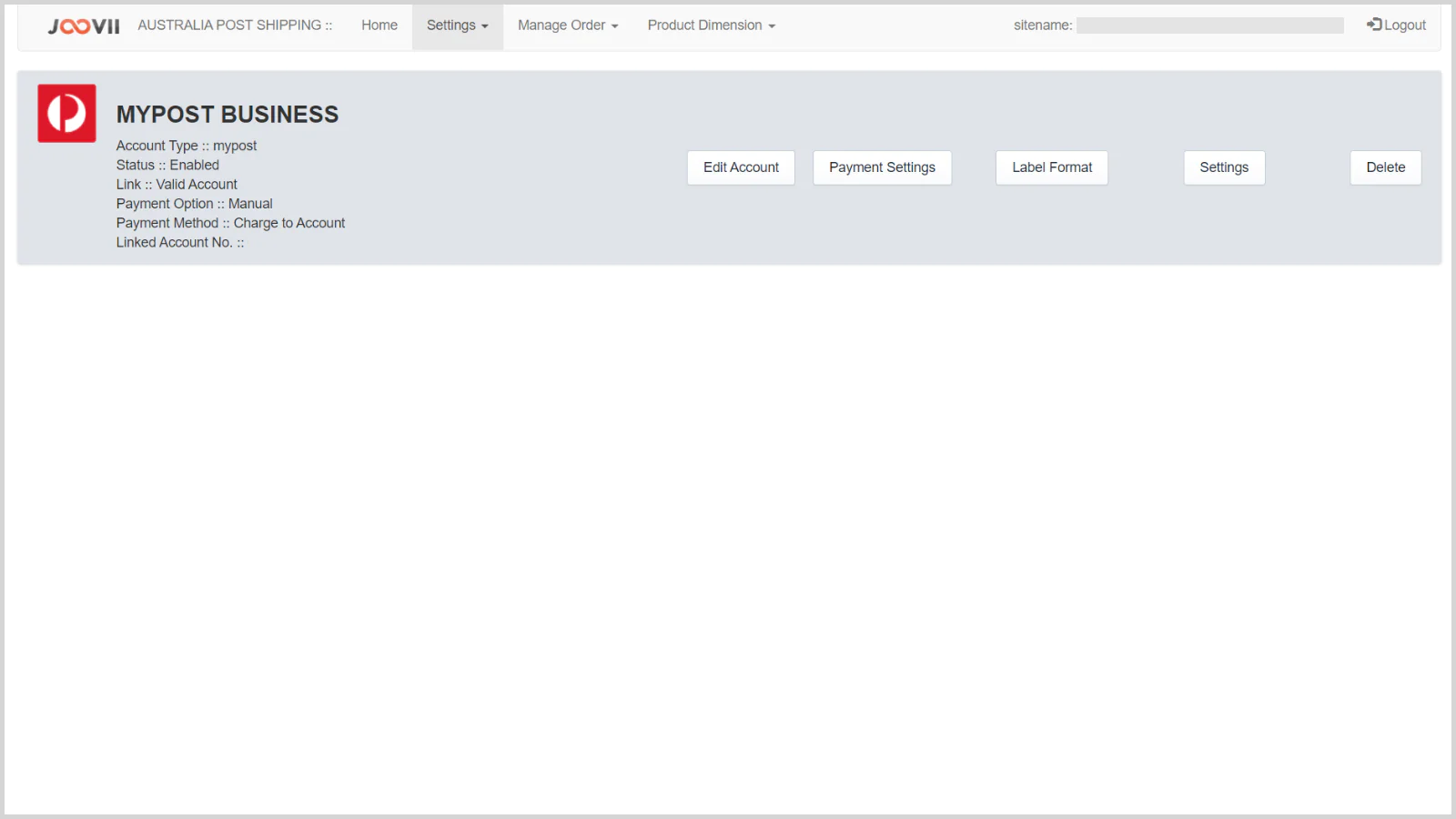
Seamless workflow: use directly in Shopify admin
Carrier Calculated Shipping
[2023/03/20 01:28:12]
Carrier Calculated shipping or also known as Carrier Services API is a feature required to allow merchants to quote shipping costs from 3rd party shipping carriers, eg. Sendle, Aus Post, etc. Carrier Calculated Shipping must be enabled for your store to access and display shipping rates. To be eligible, your shopify plan must meet both of the following requirements:1.
Where do i find my Sendle ID and API key
[2023/01/13 01:01:20]
The following link provides instructions on how to locate your Sendle ID and API key inside your Sendle account area on the Sendle website: https://support.sendle.com/hc/en-us/articles/210798518-Sendle-API Once you have these 2 credentials they can be saved into the app / plugin and your account is connected to your store for quoting or booking purposes.
Quoting shipping costs in Shopify – Settings
[2023/01/11 03:22:56]
The following outlines the process for setting up shipping quotes in shopify stores. This is completed in the Shopify store settings not the app itself. Here you will select the Sendle Booking app as 3rd party carrier rates.
What is the difference between Sendle and Shopify Shipping
[2022/11/23 12:14:54]
In Shopify there are 2 ways to quote and ship with Sendle.
Why would you use your own Sendle account instead of Shopify Shipping?
[2022/11/23 06:40:27]
There are several reasons why hundreds of Shopify merchants use their own Sendle account instead of Shopify Shipping. See why: Only way to accurately quote shipping prices – When you use your own Sendle account, quotes can be generated using exact weight and volume from dimensions.
Product Import Issue
[2022/01/13 08:40:19]
Product Dimensions are required if you are calculating shipping by volume. Merchant has to export the product from Sendle App and then change the dimension in the CSV then save it and then import it again from Sendle App.
How to Use product Dimension
[2022/01/12 08:24:50]
Manage Product Dimension In Sendle App there is a functionality to edit product dimensions, any one can edit dimension of each product by clicking on the “Update Dimension”. Or merchant can download all products as CSV and update the dimension in that CSV and upload it again by import CSV option. To Download All Products as CSV simply click on “Export products” button.
Sendle Satchel Options
[2021/11/14 10:56:09]
The Sendle Unlimited Satchel product allows merchants to send a shipment of unlimited weight in an official Sendle satchel. The Shopify Sendle app supports this feature in both Automatic Booking and manual booking modes. Automatic Booking In Automatic booking the following can be set from the Settings page.
Sendle Shopify Release 2.0 – What’s Changed
[2021/11/09 10:18:12]
There are several changes and new features in the new 2.0 version of the Sendle Booking app.
About the Author
Matej Kontros is an E-Commerce expert and app developer with over a decade of professional experience in IT.
Matej has worked for organisations of all types and sizes, including global players, startups, and agencies. He designed, developed, and maintained complex projects.
Matej's expertise includes e-commerce, software engineering, web development, systems administration, internet security, managing projects, and building teams.
Visit his website at [ Web Linkedin ] or contact him at [email protected].