Shopify App : Announcement Popup
Display all shop announcements & promotions in a box
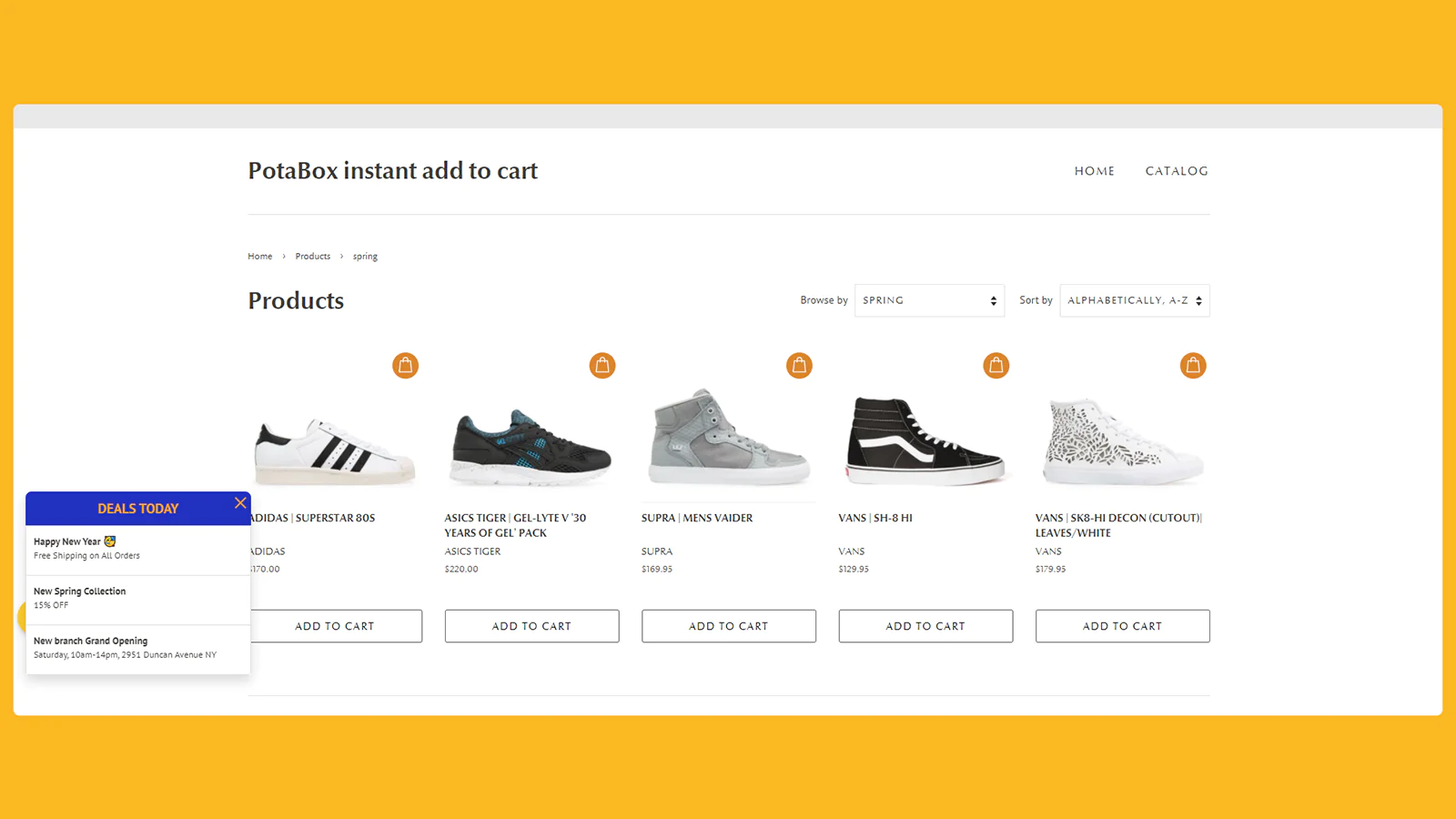
Not like the other traditional announcement apps, which show a single banner announcement, this app will allow your shop to display all promotions, news, announcements to a popup.
Main features:
- Display multiple announcements/promotions/news
- Navigate to that item by a link
- Click count statistics
- Mobile friendly
App Instructions:
- Config the app
- Go to /admin/apps then select "Announcement Popup" from the app listing
- Select General tab
- Enable the app, change app setting, then click "Save"
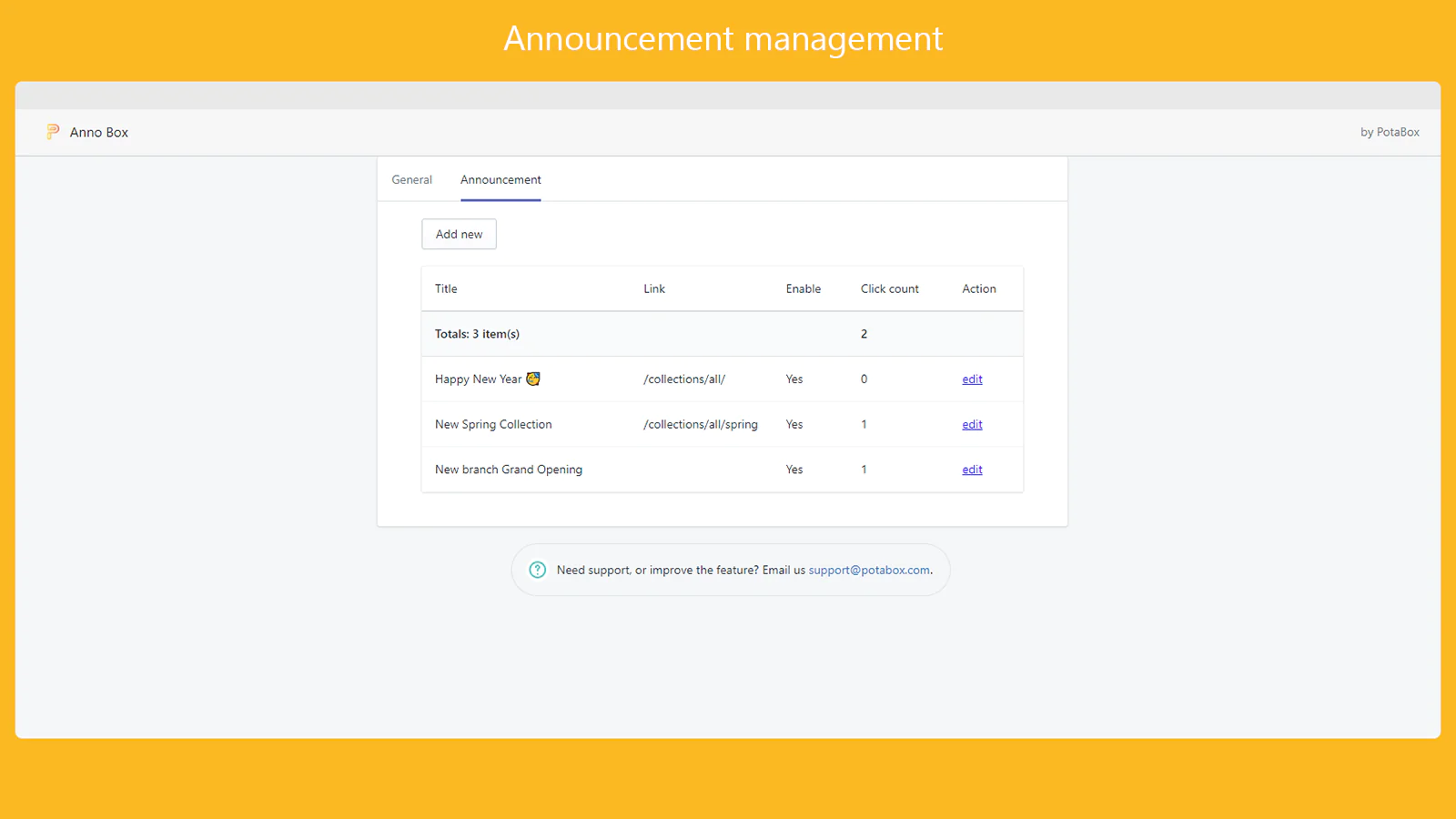
- Add some announcements/promotions
- Click to Announcement tab
- Click `Add new`, then add announcement title, text, link, tick to `Enable checkbox`
- Save the record
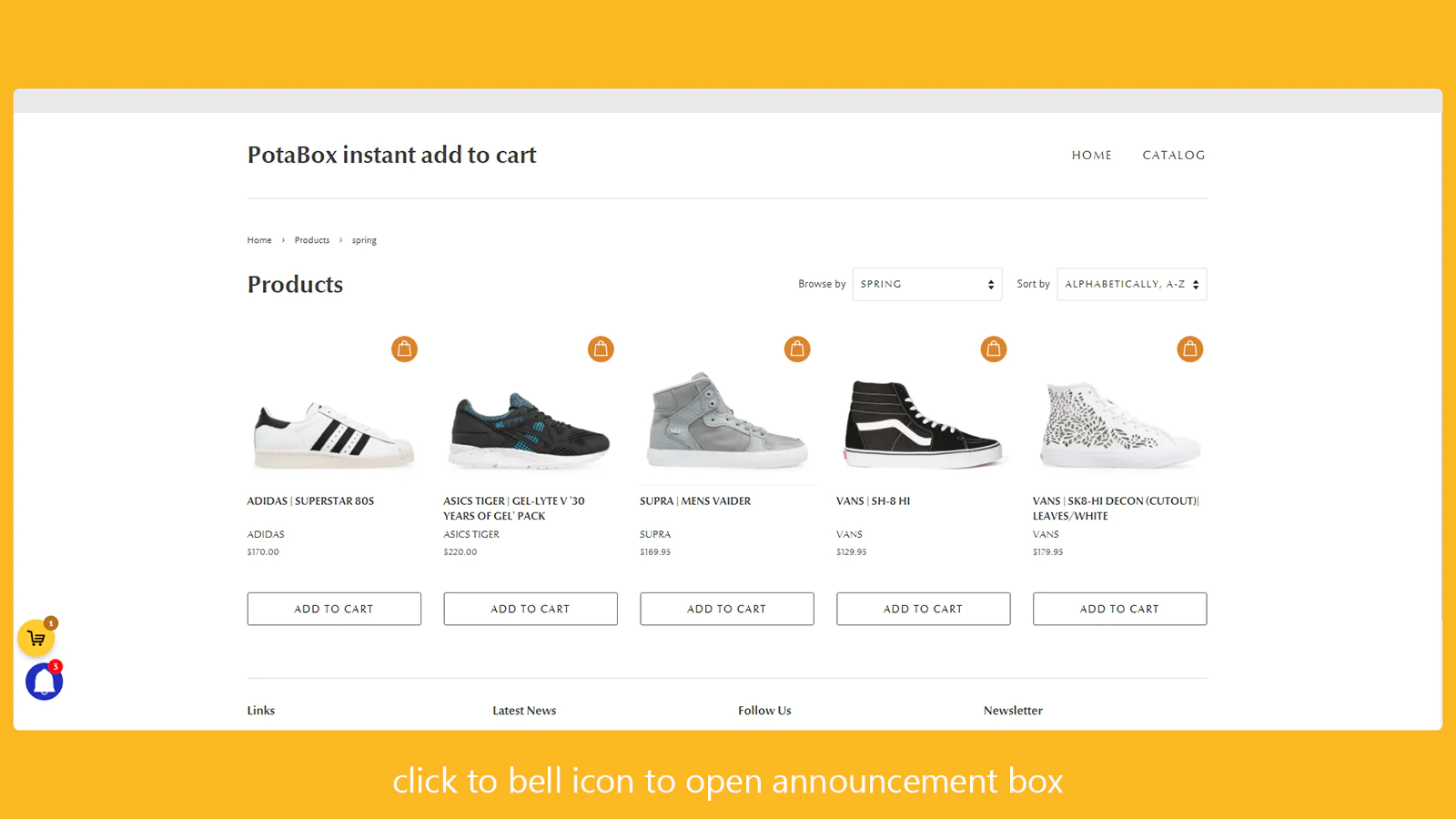
Finally, see the changes. Go to Storefront and see the bell icon and announcement popup.
Seamless workflow: use directly in Shopify admin
About the Author
Matej Kontros is an E-Commerce expert and app developer with over a decade of professional experience in IT.
Matej has worked for organisations of all types and sizes, including global players, startups, and agencies. He designed, developed, and maintained complex projects.
Matej's expertise includes e-commerce, software engineering, web development, systems administration, internet security, managing projects, and building teams.
Visit his website at [ Web Linkedin ] or contact him at [email protected].